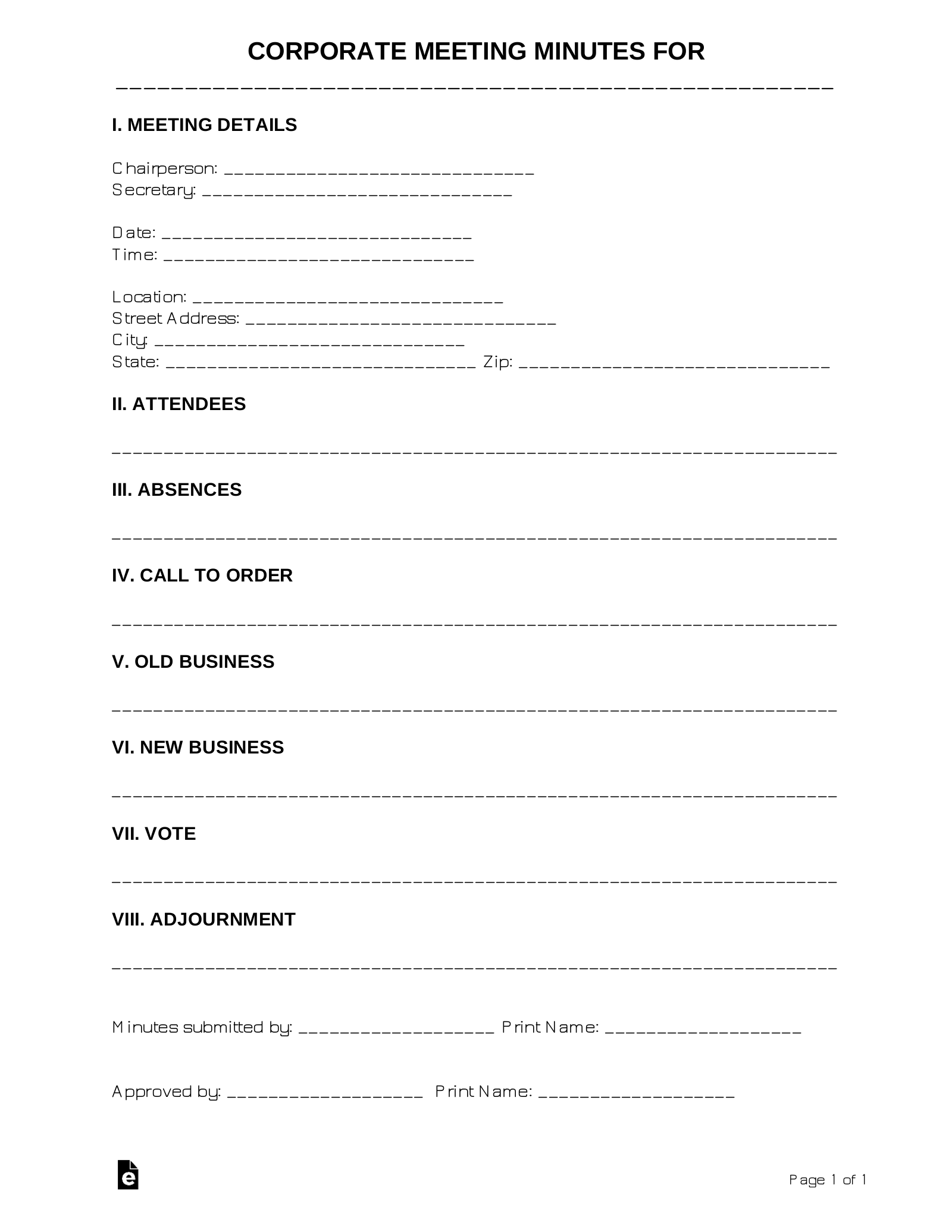
Comprehensive Example of Minutes of a Meeting PDF: Templates and Best Practices
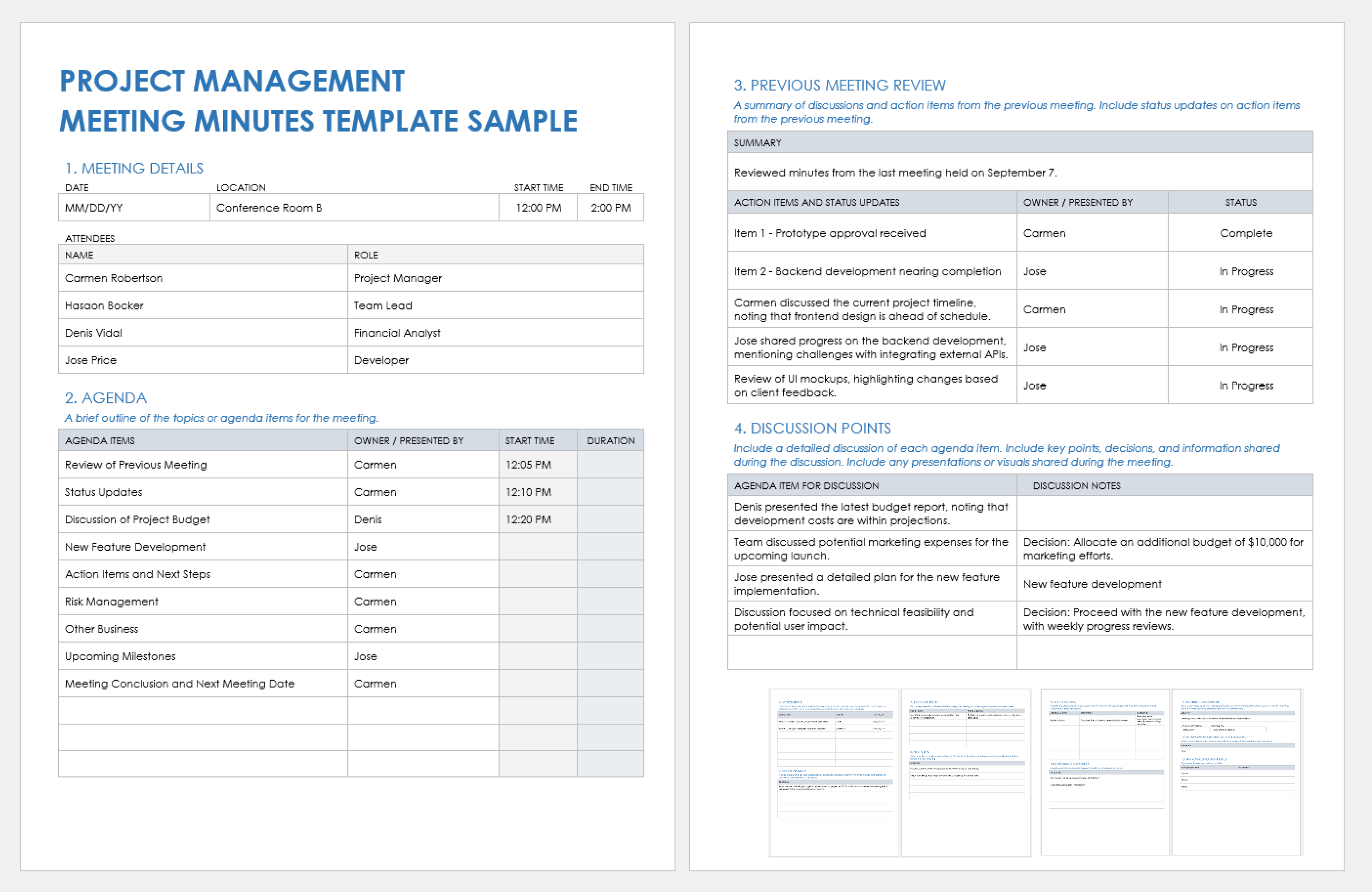
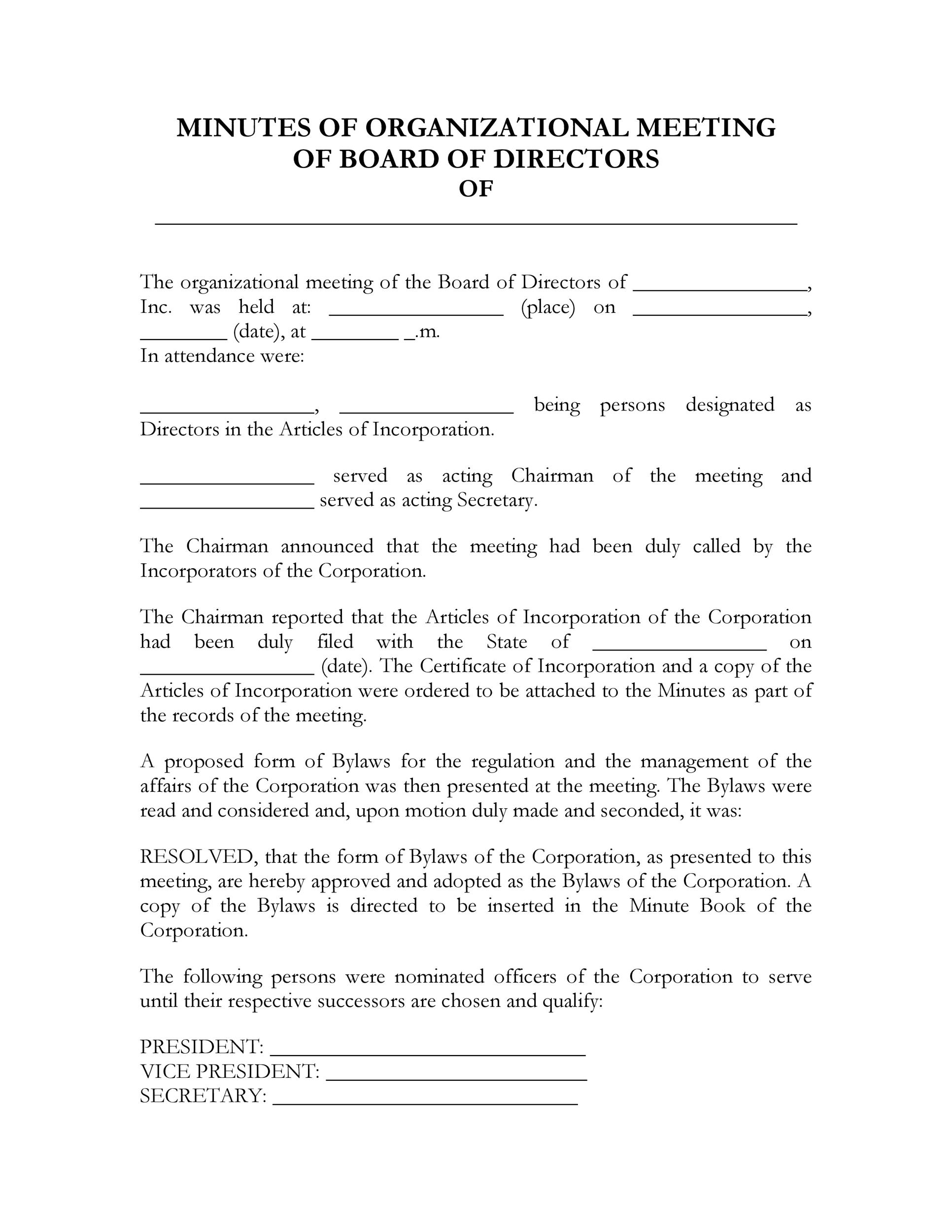
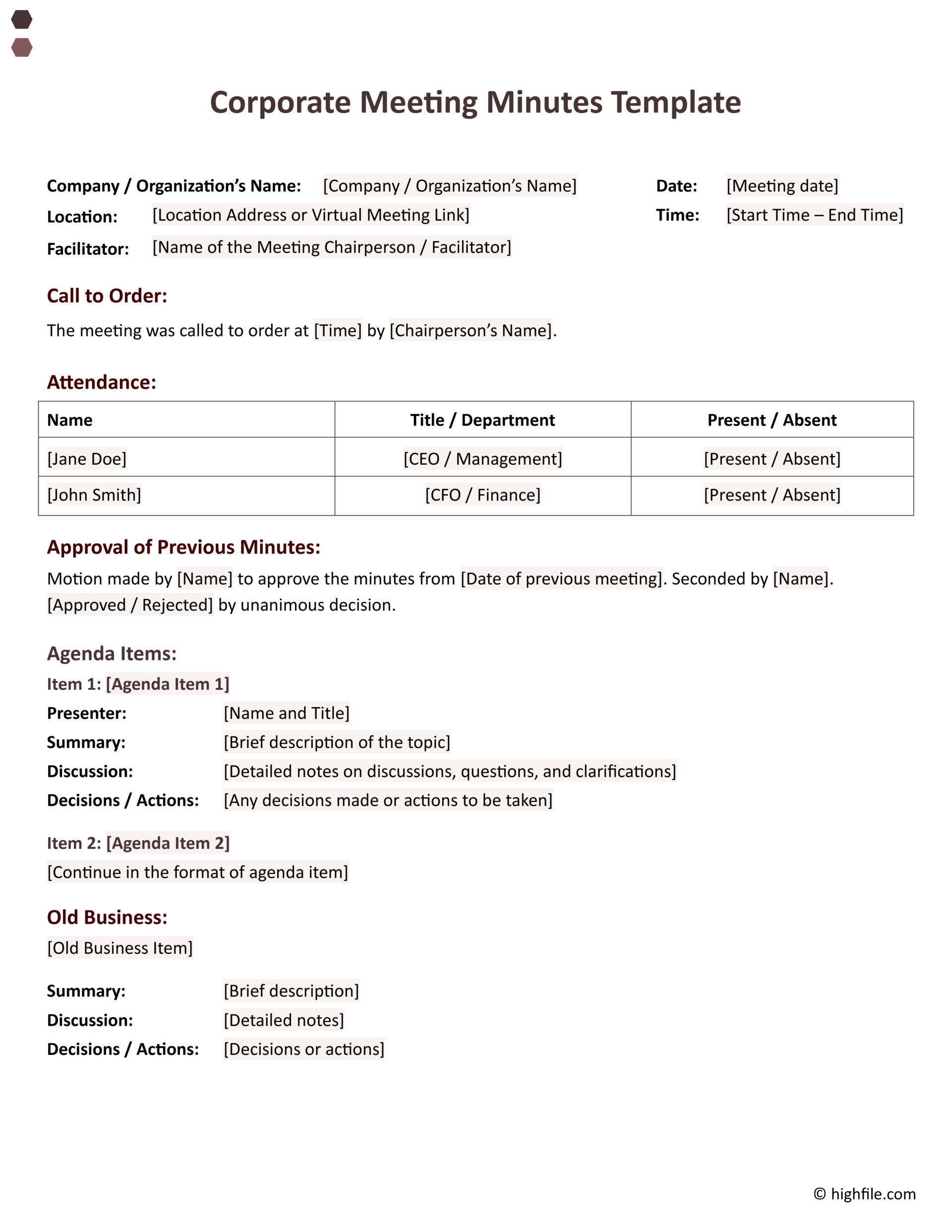
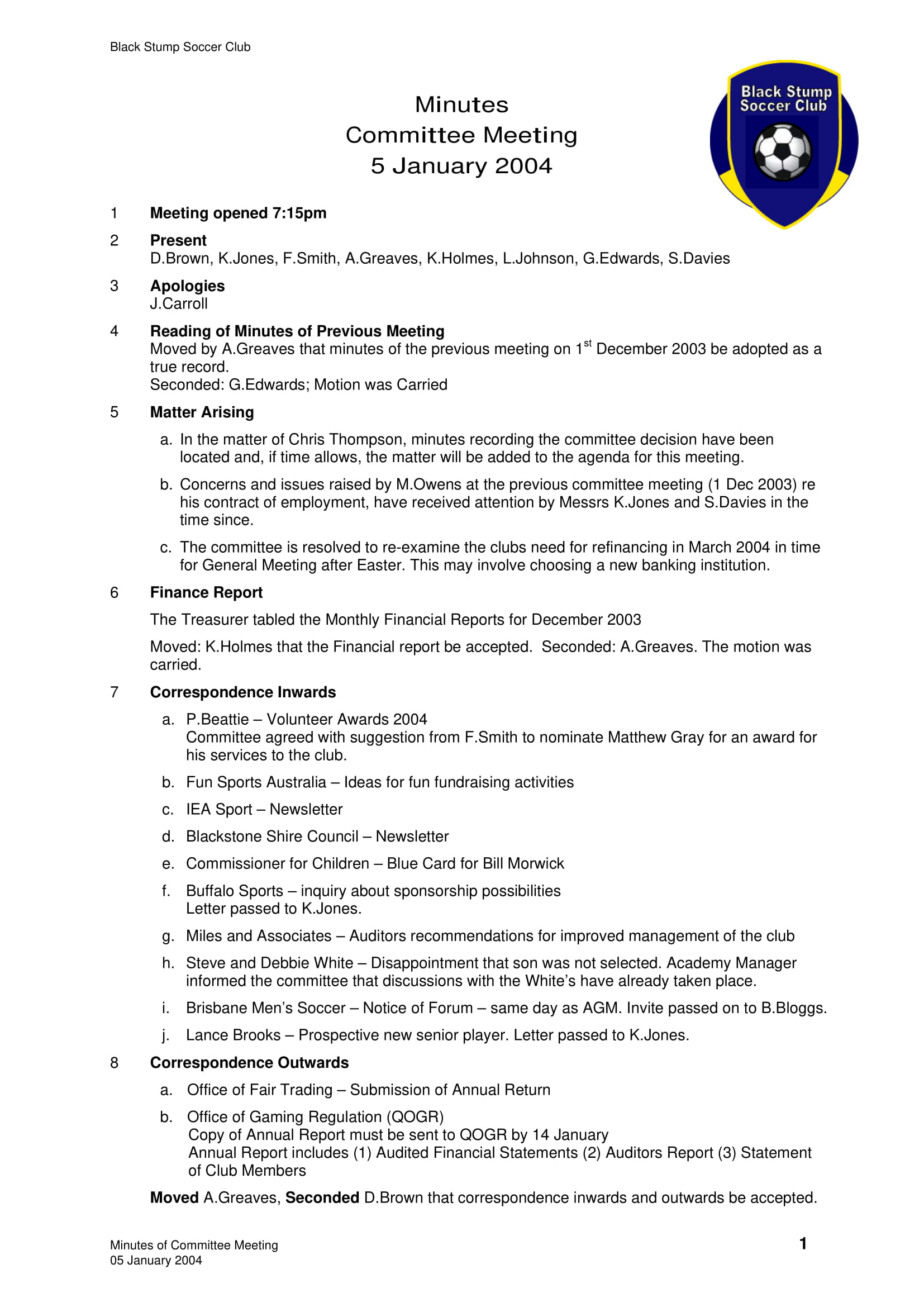
A professional example of meeting minutes in PDF format follows a structured layout including the organization’s name, meeting date, attendee list, and a chronological record of discussions, motions, and action items. PDF is the indust...
A professional example of meeting minutes in PDF format follows a structured layout including the organization’s name, meeting date, attendee list, and a chronological record of discussions, motions, and action items. PDF is the industry-standard format because it preserves document integrity, ensures cross-platform compatibility, and prevents unauthorized alterations to official corporate records.
Contents
The Essential Components of Professional Meeting Minutes
Meeting minutes serve as the official historical record of a group's decisions and actions. They are not merely notes; in many jurisdictions and corporate environments, they are legal documents that can be used in audits or court proceedings to prove that a board or committee followed its fiduciary duties. To ensure a PDF example is comprehensive, it must include several standardized sections.
Header and Basic Information
Every meeting minutes document must begin with the "who, when, and where." This section establishes the context of the meeting.
- Organization Name: The full legal name of the company, non-profit, or committee.
- Meeting Type: Specify if it is a Regular, Special, Annual General (AGM), or Emergency meeting.
- Date and Time: The exact date and the time the meeting was called to order.
- Location: Physical address or the digital platform (e.g., Zoom, Microsoft Teams) used for the gathering.
The Attendance Record
Documentation of attendance is critical for establishing a quorum—the minimum number of members required to make the proceedings valid.
- Present: List members in attendance, often noting the presiding officer (Chair) and the record-keeper (Secretary).
- Absent: Note excused and unexcused absences. This is particularly important for board members who may have a duty to attend a certain percentage of meetings.
- Guests: List any subject matter experts, consultants, or members of the public who were invited to speak or observe.
Approval of Previous Minutes
Before new business begins, the group must formally approve the minutes from the prior meeting. Any corrections requested by members should be noted in the current minutes before the previous version is finalized and archived as a PDF.
Structuring the Body: Action vs. Discussion Minutes
When looking for an example of minutes of a meeting PDF, you will often find two distinct styles: Action Minutes and Discussion Minutes. The choice between them depends on the organization’s culture and legal requirements.
Action Minutes
Action minutes are the most common in corporate and government settings. They focus almost exclusively on what was decided and what will be done. They do not record who said what or provide a summary of the debate. This style reduces the risk of legal liability because it focuses on the collective will of the body rather than individual opinions.
Discussion Minutes
Discussion minutes provide a summary of the arguments for and against a particular motion. While more comprehensive, they can be more difficult to write objectively. These are often used in academic or community-based organizations where the nuance of the debate is as important as the outcome.
Action Item Tracking
A high-quality PDF template will always include a dedicated section for action items. Each item should clearly state:
- The Task: A concise description of the work to be performed.
- The Assignee: The specific individual or department responsible.
- The Deadline: The date by which the task must be completed.
Technical Standards for PDF Meeting Minutes in 2026
As of 2026, the standard for archiving corporate records has shifted toward the PDF/A format. PDF/A is an ISO-standardized version of the Portable Document Format specialized for use in the long-term preservation of electronic documents. Unlike standard PDFs, PDF/A prohibits features ill-suited for long-term archiving, such as font linking (as opposed to embedding) and JavaScript.
Digital Signatures and Authentication
An example of minutes of a meeting PDF is incomplete without an authentication mechanism. In modern workflows, the Secretary and the Chair use digital signatures (such as those provided by Adobe Sign or DocuSign) to "lock" the document. This provides a timestamped, tamper-evident seal that confirms the minutes were approved by the authorized parties.
Accessibility and Searchability
To comply with modern organizational standards, meeting minutes should be "text-searchable." If you are scanning a physical document to create a PDF, you must use Optical Character Recognition (OCR). This allows future users to search the archive for specific keywords, such as "budget approval" or "contract renewal," without manually reading through years of records.
Comparison of Meeting Minute Styles
| Feature | Action Minutes | Discussion Minutes | Verbatim Minutes |
|---|---|---|---|
| Primary Goal | Record decisions and tasks | Capture the context of debate | Record every word spoken |
| Length | Short (1-3 pages) | Medium (3-10 pages) | Long (Extensive) |
| Legal Risk | Minimal (focuses on results) | Moderate (can misquote) | High (includes all errors) |
| Best Use Case | Corporate Boards, Committees | Non-profits, Faculty Senates | Courtrooms, Public Hearings |
| Complexity | Low | Moderate | Very High |
Step-by-Step: Creating Your Meeting Minutes PDF
Creating a professional record requires a disciplined approach before, during, and after the meeting itself. Following this sequence ensures that the final PDF is accurate and legally sound.
1. Preparation (Pre-Meeting)
Start with a template that mirrors your meeting agenda. By having the headings ready, you can focus on capturing the essential information during the discussion rather than formatting the document. Ensure you have the previous meeting's minutes ready for review.
2. Recording (During the Meeting)
Focus on capturing motions exactly as they are phrased. A motion should include the name of the person who moved it, the person who seconded it, and the result of the vote (e.g., "Motion carried 5-0-1"). Avoid capturing personal anecdotes or emotional descriptions. Use neutral language like "The committee discussed..." rather than "The committee argued about..."
3. Drafting (Post-Meeting)
Draft the minutes as soon as possible while the details are fresh. In 2026, many organizations use AI-assisted transcription tools to generate a first draft, but these must be carefully edited by the Secretary to ensure technical accuracy and to remove the "filler" words inherent in spoken conversation.
4. Finalizing and Distribution
Once drafted, the minutes are sent to the Chair for initial review. After any necessary corrections, the document is distributed to all members as a "Draft." At the following meeting, the draft is approved, signed, and converted into its final, permanent PDF/A format.
Common Pitfalls in Minute Taking
Even with a high-quality example of minutes of a meeting PDF, many organizations make mistakes that can undermine the validity of their records.
- Recording Everything: The biggest mistake is trying to act as a court reporter. Minutes are a summary of actions, not a transcript. Too much detail can create confusion or legal exposure.
- Delayed Distribution: Minutes should ideally be distributed within 24 to 48 hours of the meeting. Delaying this process leads to forgotten details and lost momentum on action items.
- Including Confidential "Off the Record" Comments: If the meeting moves into an executive session (confidential), the minutes should reflect that the body entered and exited the session, but the private discussions should generally not be recorded in the public minutes unless a formal action was taken.
- Subjective Adjectives: Avoid words like "heated," "brilliant," or "confusing." Stick to the facts. Instead of "A heated debate occurred," use "The board discussed several viewpoints regarding..."
Frequently Asked Questions
Is a PDF better than a Word document for meeting minutes?
Yes, a PDF is significantly better for final records. While Word documents are useful during the drafting phase, they are easily edited by anyone who has access to the file. A PDF preserves the formatting, fonts, and layout across all devices and can be digitally signed to prevent further changes, making it the superior choice for official archives.
What is the legal requirement for keeping meeting minutes?
In most jurisdictions, corporations and registered non-profits are legally required to maintain minutes of their board and shareholder meetings. These records are often required for tax filings, bank loan applications, and during audits. Under the Revised Model Business Corporation Act, corporations must keep permanent records of minutes and actions taken by the board without a meeting.
Should I record the meeting audio to create my minutes?
Recording audio can be a helpful tool for the Secretary to ensure accuracy during the drafting process. However, many legal experts recommend deleting the audio file once the written minutes have been formally approved. This is because the written minutes are the official record, and keeping audio can sometimes lead to conflicting interpretations in legal discovery.
How do I handle motions that fail?
All formal motions must be recorded, even if they fail. An example of minutes of a meeting PDF should show the motion, who moved/seconded it, and that it "failed" or was "defeated." This proves that the board considered the matter and made a conscious decision not to proceed, which is an important part of the corporate record.
Who is responsible for signing the meeting minutes?
Typically, the Secretary of the organization signs the minutes to certify that they are a true and accurate record of the proceedings. In many organizations, the Chairperson also signs them to indicate that the body has formally approved them at a subsequent meeting.
Final Recommendation for Organizational Governance
For organizations looking to professionalize their record-keeping in 2026, it is recommended to implement a digital "Minutes Archive" using a secure cloud-based document management system. Rather than keeping fragmented files, maintain a single, chronologically organized folder of PDF/A documents. Ensure that every PDF includes a standard naming convention (e.g., YYYY-MM-DD_Board_Minutes_Final.pdf) to facilitate easy retrieval. Combining a structured template with digital signature workflows will ensure your organization remains compliant and operationally efficient.
Image Gallery