Conficker's Hidden Threat to Smart Home Security
While often dismissed as a relic of late-2000s cyber warfare, the Conficker worm remains a significant dormant threat to smart home security in 2026. By exploiting unpatched legacy systems and weak network protocols, this persistent ma...
While often dismissed as a relic of late-2000s cyber warfare, the Conficker worm remains a significant dormant threat to smart home security in 2026. By exploiting unpatched legacy systems and weak network protocols, this persistent malware can infiltrate modern IoT ecosystems, leading to unauthorized device control, data exfiltration, and total home network compromise.
Contents
The Persistence of Conficker in the 2026 IoT Landscape
In 2026, the concept of a "legacy device" has expanded. It no longer refers only to ancient desktop towers but encompasses first-generation smart hubs, older network-attached storage (NAS) units, and embedded systems that have reached end-of-life (EOL). The Conficker worm, also known as Downup or Downadup, first emerged in 2008. Despite its age, it continues to reside on millions of unpatched machines globally.
The primary reason Conficker remains a "hidden" threat is the way modern smart homes are constructed. Most homeowners prioritize the latest features of a smart doorbell or thermostat but rarely audit the underlying network infrastructure. If a homeowner connects an old laptop or an unpatched "budget" smart hub to the same network as their security cameras, they create a bridge for legacy malware. Conficker’s ability to propagate through the Server Message Block (SMB) protocol makes it particularly dangerous in environments where file sharing and device-to-device communication are automated.
Why Smart Homes are Vulnerable to Legacy Worms
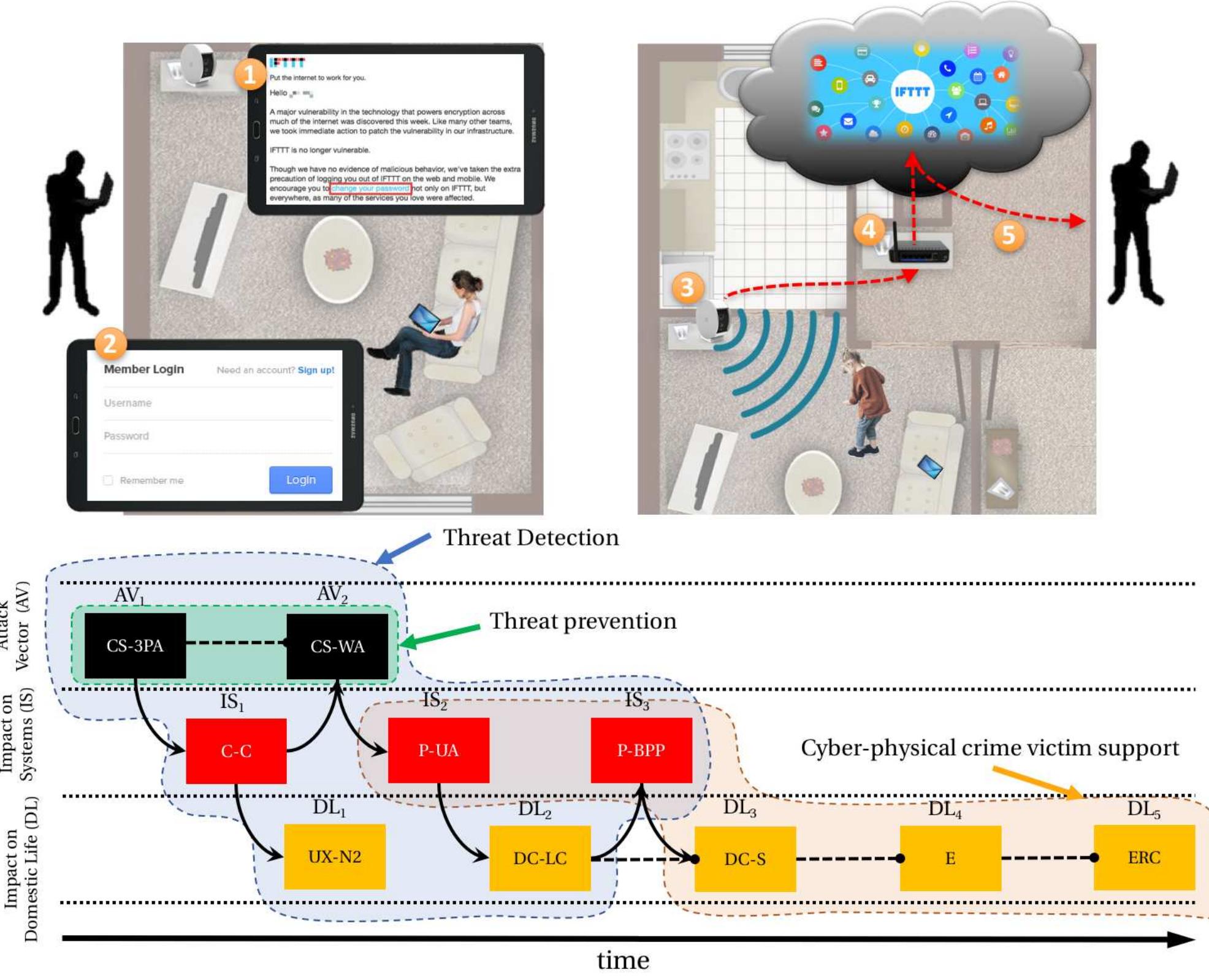
Smart home vulnerability stems from a lack of "cyber hygiene" regarding lateral movement. In a typical 2026 smart home, a dozens of devices communicate over Wi-Fi or Zigbee. If one device is compromised by a worm like Conficker, the malware does not simply stay on that device; it scans the entire subnet for other vulnerabilities.
The Problem with Embedded Systems
Many smart home devices run on stripped-down versions of Linux or Windows Embedded. Manufacturers often cease providing security patches for these devices after three to five years. By 2026, millions of active devices have passed this threshold. Conficker specifically targets the MS08-067 vulnerability in the Windows Server service, but its modern variants and the logic it pioneered have been adapted to target similar RPC (Remote Procedure Call) flaws in embedded IoT firmware.
Weak Password Management
Conficker was famous for its brute-force dictionary attacks against administrator passwords. Today’s smart home users still frequently fail to change default credentials on routers, cameras, and hubs. A legacy worm residing on an old PC on the network can systematically attempt to log into every other device using a list of common passwords, effectively turning a single point of failure into a total household breach.
Technical Breakdown of the Infection Vector
To understand how a 2008-era worm affects a 2026 smart home, we must look at the specific mechanics of its operation. Conficker utilizes a multi-pronged approach to infection that mirrors the behavior of modern ransomware and botnets.
- Exploitation of SMB: The worm uses a specially crafted RPC request to trigger a heap overflow in the target system. In a smart home, this is often the protocol used for sharing media between a PC and a smart TV or a NAS.
- Removable Media and AutoRun: While less common in the age of cloud storage, USB drives are still used for offline firmware updates or transferring large media files. Conficker hitches a ride on these drives, using the
Autorun.inffile to execute as soon as the drive is plugged into a Windows-based smart hub or media center. - NetBIOS Scanning: The worm scans the local network for systems with open ports (specifically TCP 445 and 139). In an unsegmented home network, every device from the smart fridge to the baby monitor is visible to this scan.
- Payload and Phoning Home: Once established, Conficker contacts a massive list of daily-generated domain names (using a Domain Generation Algorithm or DGA). In 2026, these domains are often used to download secondary payloads, such as credential harvesters or crypto-miners that run silently in the background of low-power IoT devices.
Identifying the Signs of a Conficker-Style Infection
Detecting an infection in a smart home is more difficult than on a PC because IoT devices lack traditional user interfaces. However, several red flags indicate that a legacy worm is traversing your network:
- DNS Failures: Conficker is known to block access to security-related websites and Windows Update servers. If your smart devices are failing to update or you cannot reach major antivirus websites from your home Wi-Fi, an infection may be active.
- Network Congestion: Sudden, unexplained spikes in local network traffic are a hallmark of a worm scanning for new hosts. This might manifest as lagging video feeds from security cameras or slow response times from voice assistants.
- Account Lockouts: Because Conficker attempts to brute-force passwords, you may see multiple "incorrect password" alerts or find yourself locked out of your own smart home management portal.
- Unexpected Device Behavior: If smart lights or switches toggle randomly, it may not be a glitch. It could be the result of a malware payload testing its control over the network's API.
Legacy vs. Modern IoT Threats: A Comparison
The following table illustrates how the characteristics of the original Conficker worm compare to the types of threats currently facing smart homes in 2026.
| Feature | Conficker (Original) | 2026 Smart Home Threat |
|---|---|---|
| Primary Vector | MS08-067 (SMB Vulnerability) | Unpatched IoT Firmware / API Flaws |
| Propagation | Network Shares, USB, Brute Force | UPnP, Zigbee/Z-Wave Bridges, Cloud API |
| Detection | Antivirus, Traffic Analysis | AI-Driven Network Behavior Monitoring |
| Impact | Botnet Recruitment, Data Theft | Physical Access (Locks/Cameras), Ransomware |
| Persistence | Registry Keys, Services | Rootkits in Firmware, Hidden Partitions |
| Target OS | Windows (XP, Vista, 7) | Embedded Linux, Real-Time OS (RTOS) |
Strategies for Mitigating the Threat
Protecting a 2026 smart home from legacy threats requires a defense-in-depth strategy. You cannot rely on a single firewall or antivirus program to catch everything.
Network Segmentation
The most effective way to stop a worm like Conficker is to prevent it from seeing other devices. Use your router's "Guest Network" or VLAN (Virtual Local Area Network) features to isolate "untrusted" devices. Keep your work laptops and primary PCs on one segment and your smart bulbs and sensors on another. This prevents lateral movement; even if one device is infected, the worm cannot jump to your sensitive data.
Disable Obsolete Protocols
Unless specifically required, disable SMB v1 and UPnP (Universal Plug and Play) on your router and all connected devices. These protocols are the primary highways for legacy worms. Most modern devices do not need SMB v1 to function, and UPnP is notorious for opening holes in firewalls without the user's knowledge.
Audit "Zombie" Devices
Perform a biannual audit of your network. Any device that hasn't received a firmware update in over 18 months should be considered a security risk. If a device is no longer supported by the manufacturer, it is better to replace it or disconnect it from the internet entirely rather than leave a door open for legacy exploits.
Frequently Asked Questions
Can Conficker infect a Mac or a smartphone?
The original Conficker binary is designed for Windows environments and cannot run natively on macOS, iOS, or Android. However, these devices can still be affected indirectly. For example, an infected Windows PC on the network can consume bandwidth, block DNS requests, or potentially attack the management interfaces of other devices that use cross-platform protocols.
How do I know if my router is protecting me?
Most modern routers in 2026 include "Intrusion Prevention Systems" (IPS) that look for specific signatures of old worms like Conficker. Check your router's settings for "Security," "Firewall," or "Malware Protection." Ensure these are enabled and that the signature database is updated automatically.
Is it enough to just use a strong Wi-Fi password?
No. A strong Wi-Fi password only prevents unauthorized users from joining the network. It does nothing to stop malware that is already inside—brought in via an infected laptop, a compromised smart plug, or a guest's phone. Internal security requires strong passwords on every individual device and the use of network segmentation.
Does resetting a smart device to factory settings remove the worm?
In most cases, a factory reset will clear the volatile memory where malware resides. However, some advanced variants can persist in the device's firmware. If you suspect a device is infected, you should reset it and then immediately apply the latest firmware update from the manufacturer to patch the hole the worm used to get in.
Why doesn't Microsoft just fix the vulnerability forever?
Microsoft released the MS08-067 patch in 2008. The issue is not the lack of a fix, but the millions of systems that were never updated or are running pirated, "stripped," or embedded versions of Windows where the update was never applied. In 2026, the vulnerability persists because of human negligence and the longevity of industrial and consumer hardware.
Practical Recommendation
To secure your smart home against the hidden threat of legacy worms like Conficker, your immediate next step should be to access your router's administration panel and disable SMB v1 and UPnP. Following this, identify every device on your network and verify its last update date. If you own any Windows-based hardware running a version older than Windows 10, ensure it is fully patched and isolated from your IoT devices. Security in 2026 is not about having the newest gadgets; it is about ensuring your oldest gadgets do not become the weakest link in your digital chain.
Image Gallery