How to Choose an Ubuntu Network Scanner for Your Business
To choose the right Ubuntu network scanner, you must evaluate your organization's specific requirements for visibility, vulnerability management, and regulatory compliance. The ideal solution balances technical depth with actionable re...
To choose the right Ubuntu network scanner, you must evaluate your organization's specific requirements for visibility, vulnerability management, and regulatory compliance. The ideal solution balances technical depth with actionable reporting, ensuring seamless integration with current Ubuntu LTS environments while providing the scalability needed to monitor modern, distributed business infrastructure effectively.
Contents
In 2026, network visibility is no longer a luxury but a fundamental requirement for business continuity. As organizations continue to rely on Ubuntu for its stability, security, and cost-effectiveness, selecting the right network scanning tool has become a critical task for IT departments. A network scanner does more than just list IP addresses; it serves as the first line of defense in identifying unauthorized devices, open ports, and potential security holes.
Understanding the Role of Network Scanning in 2026
Modern business networks are more complex than ever, often spanning physical offices, remote workstations, and cloud environments. On an Ubuntu-based infrastructure, a network scanner acts as an automated auditor. By 2026, the transition to Zero Trust Architecture (ZTA) has made "continuous discovery" a standard practice. You cannot secure what you cannot see.
A network scanner’s primary job is to perform discovery—identifying every active host on a subnet. However, for a business, simple discovery is rarely enough. You need tools that can perform service discovery (identifying what software is running on those hosts) and vulnerability assessment (identifying if that software has known bugs). Because Ubuntu is a favored platform for both servers and developer workstations, the scanner you choose must handle a diverse range of Linux-based services and proprietary IoT devices common in the current corporate landscape.
Key Evaluation Criteria for Business-Grade Scanners
When moving beyond personal or hobbyist use, the criteria for selecting a scanner change significantly. Businesses must prioritize reliability, support, and integration over simple "free-to-use" metrics.
Discovery vs. Vulnerability Management
The first decision is whether you need a "discovery" tool or a "vulnerability" scanner. Discovery tools like Nmap are excellent for mapping the network and identifying open ports. Vulnerability scanners like OpenVAS or Nessus go a step further by comparing discovered services against a database of known threats (CVEs). For most businesses in 2026, a hybrid approach or a tool that supports both is necessary to meet modern cybersecurity insurance requirements.
Scalability and Performance
A tool that works perfectly on a home network with ten devices may fail miserably when asked to scan a corporate VLAN with 2,000 hosts. You must consider the "scanning overhead." High-performance scanners can be configured to minimize network congestion, ensuring that the act of scanning for security does not inadvertently cause a Denial of Service (DoS) for your own employees. In Ubuntu environments, look for tools that leverage asynchronous I/O to handle thousands of concurrent connections efficiently.
Reporting and Compliance Capability
In 2026, data privacy regulations like GDPR, CCPA, and various industry-specific mandates require documented proof of security posture. A business-grade scanner must provide professional, readable reports that can be shared with stakeholders or auditors. These reports should categorize risks by severity (Low, Medium, High, Critical) and offer clear remediation steps. If a tool only outputs raw text files, it may require significant manual work to turn that data into a business-ready format.
Automation and API Integration
Manual scanning is a recipe for outdated data. Your chosen scanner should support scheduling via cron jobs or integrated schedulers. Furthermore, if your business uses a Security Information and Event Management (SIEM) system or a specialized dashboard, the scanner should ideally offer an API or standardized output formats like JSON or XML to facilitate automated data ingestion.
Top Ubuntu Network Scanning Tools for 2026
The Linux ecosystem offers some of the most powerful scanning tools in existence. Below are the primary contenders for business environments on Ubuntu.
1. Nmap (Network Mapper)
Nmap remains the industry standard for a reason. It is incredibly versatile, open-source, and deeply integrated into the Ubuntu repository system. For businesses that have skilled sysadmins, Nmap provides the most granular control over how a scan is performed.
- Strengths: Extensive scripting engine (NSE), extremely low resource footprint, and zero licensing costs.
- Weaknesses: Steep learning curve for advanced features; lacks built-in executive-level reporting.
2. OpenVAS / Greenbone Vulnerability Management (GVM)
OpenVAS is the most popular open-source vulnerability scanner. It is a full-featured engine that performs daily updates of Network Vulnerability Tests (NVTs). For businesses on a budget that still need high-level security audits, it is the premier choice for Ubuntu.
- Strengths: Comprehensive vulnerability database, web-based GUI, and powerful reporting.
- Weaknesses: Complex installation and high hardware requirements (RAM and CPU) during active scans.
3. Nessus Professional (Tenable)
While Nessus is a commercial product, it is the gold standard for corporate security teams. It offers a polished Ubuntu installer and a very intuitive user interface.
- Strengths: Extremely low false-positive rate, world-class support, and pre-built templates for compliance audits (PCI-DSS, HIPAA).
- Weaknesses: Significant annual licensing cost per scanner.
4. Angry IP Scanner
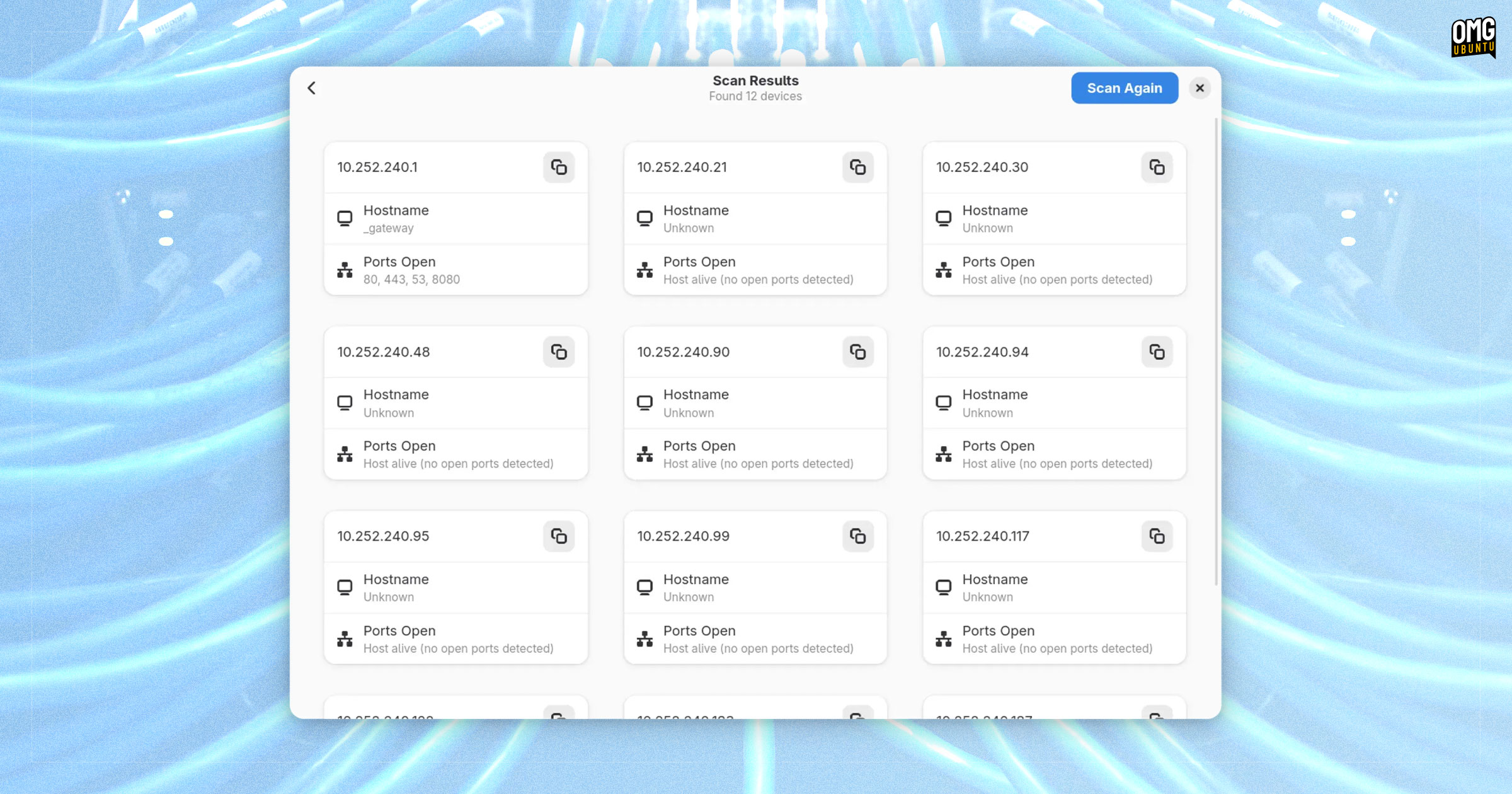
For small businesses or branch offices that need a quick, simple way to see who is on the Wi-Fi or local LAN, Angry IP Scanner provides a lightweight GUI.
- Strengths: Cross-platform, very fast, and requires no complex configuration.
- Weaknesses: Lacks deep security analysis; strictly for discovery.
Comparative Analysis of Ubuntu Network Scanners
| Feature | Nmap | OpenVAS (GVM) | Nessus Professional | Angry IP Scanner |
|---|---|---|---|---|
| Primary Intent | Discovery & Recon | Vulnerability Audit | Enterprise Compliance | Ad-hoc Host Discovery |
| User Interface | CLI / Zenmap (GUI) | Web-based GUI | Web-based GUI | Desktop GUI |
| Cost (2026) | Free (GPL) | Free / Paid Support | Commercial Subscription | Free (Open Source) |
| Reporting Depth | Technical / Raw Data | Comprehensive PDF | Executive & Technical | Basic CSV/Text |
| Skill Level | Intermediate to Expert | Advanced | Intermediate | Beginner |
| Automation | High (Scripts/CLI) | High (API/Schedule) | High (Managed/API) | Low (Manual) |
Implementation Strategy and Best Practices
Choosing the tool is only the first step. To derive business value from an Ubuntu network scanner, you must implement it correctly within your operational workflow.
1. Establish a Scanning Baseline
Before you can identify anomalies, you must know what "normal" looks like. Run an initial full-network scan during a period of low activity. Document all authorized devices and open ports. This baseline will be your reference point for every subsequent scan.
2. Define Scanning Windows
Scanning can be resource-intensive. For production environments, schedule deep vulnerability scans during off-hours to prevent latency for users. However, lightweight "heartbeat" or discovery scans can often run during the day to detect unauthorized "shadow IT" devices as they join the network.
3. Permissions and Legal Boundaries
Never scan a network you do not own or have explicit written permission to audit. Even within a business, the IT department should coordinate with department heads before scanning sensitive equipment, such as Medical IoT or specialized manufacturing controllers, which can occasionally crash when hit with aggressive port probes.
4. Integration with Ubuntu Security Updates
In 2026, the best scanners are those that are kept updated. Ensure your scanner's vulnerability feed (like the Greenbone Feed for OpenVAS or the Tenable feed for Nessus) is updated daily. On Ubuntu, this often involves ensuring the underlying system stays current with apt upgrade to maintain library compatibility.
Common Pitfalls to Avoid
Many businesses fail to see a return on their security investment because of common implementation errors:
- Information Overload: Running a "Critical" scan and receiving a 500-page report can lead to "alert fatigue." Start by focusing only on "Critical" and "High" vulnerabilities.
- Ignoring the Cloud: Ensure your scanner can reach your Ubuntu instances in AWS, Azure, or Google Cloud. A scanner that only sees the local office is leaving a massive blind spot.
- Static Thinking: The network changes daily. A scan performed three months ago is useless in 2026’s fast-moving threat landscape. Use automated scheduling to ensure data is never more than a week old.
Frequently Asked Questions
Can I run these scanners on Ubuntu Desktop or only on Ubuntu Server?
Most professional scanners like Nmap and Nessus run perfectly on both. However, for a business environment, it is recommended to host your primary scanner on a dedicated Ubuntu Server instance. This ensures that the scanner has consistent uptime, dedicated resources, and can be easily managed remotely via SSH.
Is Nmap enough for security compliance?
While Nmap is a foundational security tool, it generally does not satisfy the "vulnerability scanning" requirements of frameworks like PCI-DSS or SOC2 on its own. It lacks the "check against known vulnerabilities" component found in tools like OpenVAS or Nessus. Nmap is better used as a component of a larger security strategy.
How much RAM does a network scanner need on Ubuntu?
For Nmap or Angry IP Scanner, 2GB of RAM is more than sufficient. For a full OpenVAS (GVM) deployment, you should allocate at least 8GB to 16GB of RAM, especially if you are scanning large subnets, as the vulnerability database and scan engine are memory-intensive.
Does scanning slow down the company Wi-Fi?
It can. If a scanner is configured to use too many concurrent threads or "aggressive" timing templates, it can saturate wireless access points. Most business-grade scanners allow you to throttle the scan speed to ensure network performance remains stable for employees.
Can I use Docker to run these scanners on Ubuntu?
Yes, using Docker is a highly recommended method in 2026. Running OpenVAS or Nmap in a container ensures that the scanner's dependencies do not conflict with other software on your Ubuntu host and makes updates much simpler.
Final Recommendation
For a small business starting with network security on Ubuntu, begin with Nmap for discovery and OpenVAS for vulnerability management. This combination provides professional-grade visibility without the burden of licensing fees. As the organization grows and compliance needs become more stringent, transitioning to Nessus Professional is the logical next step to gain access to enterprise-grade support and simplified reporting. Regardless of the tool chosen, the most important action is to begin regular, scheduled scanning to ensure that your Ubuntu-based infrastructure remains resilient against evolving threats.
Image Gallery