Understanding the Basics of ASP.NET Coding
ASP.NET is a cross-platform, open-source framework used to build modern web applications and services with C# and the .NET ecosystem. Understanding the basics requires grasping server-side logic, the request-response pipeline, and spec...
ASP.NET is a cross-platform, open-source framework used to build modern web applications and services with C# and the .NET ecosystem. Understanding the basics requires grasping server-side logic, the request-response pipeline, and specific programming models like Razor Pages, MVC, and Blazor to create secure, high-performance digital solutions.
Contents
The Evolution of the ASP.NET Ecosystem
To understand ASP.NET coding in 2026, one must first distinguish between the legacy "ASP.NET Framework" and the modern, unified ".NET." Historically, ASP.NET was a Windows-only framework. However, with the release of .NET Core and its subsequent evolution into the unified .NET platform (spanning versions 5 through the current .NET 10 and 11 releases), the framework has become fully cross-platform.
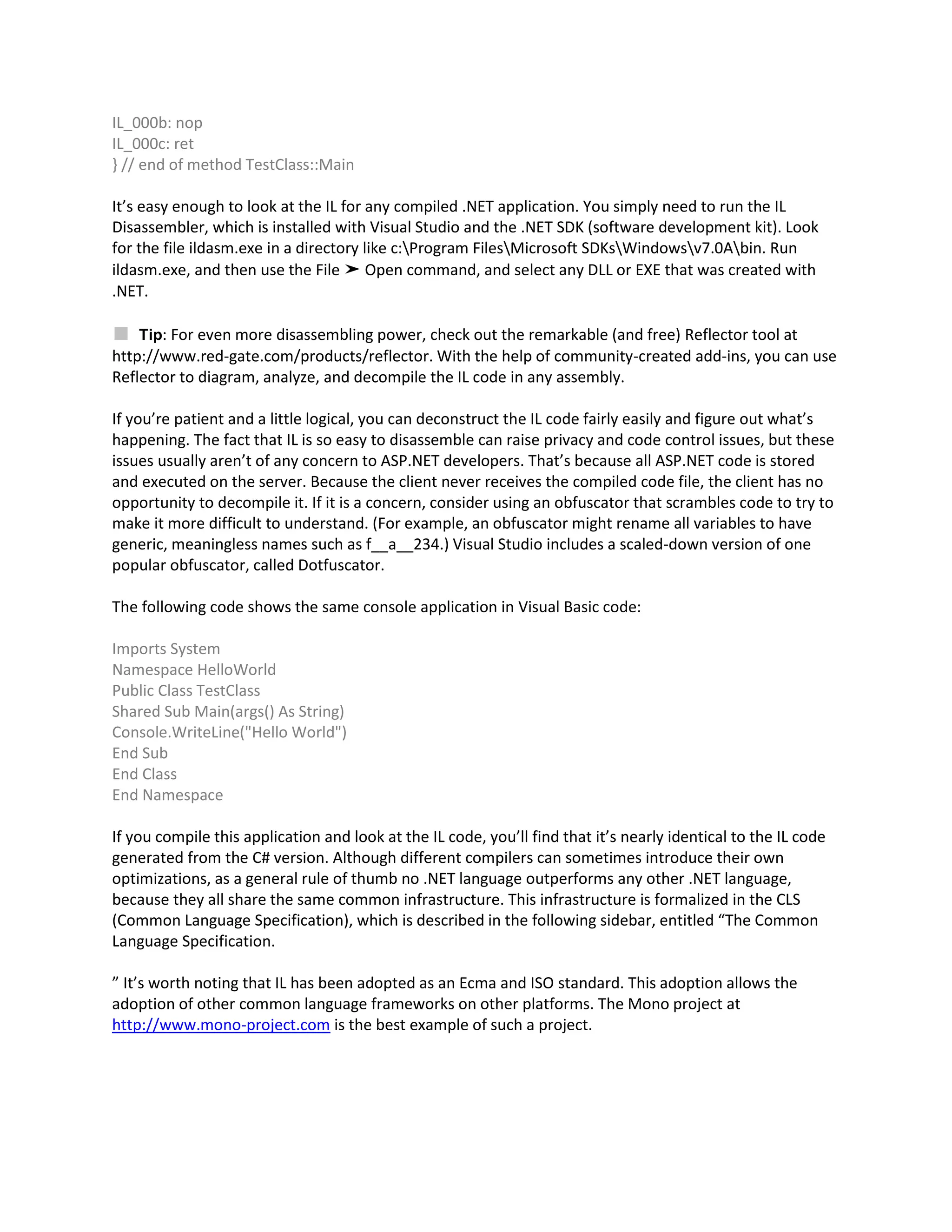
Modern ASP.NET coding is built on top of the .NET Runtime, which provides essential services such as garbage collection, memory management, and type safety. Developers no longer need to worry about the underlying hardware differences between a Linux server and a Windows workstation. The code you write in C# is compiled into Intermediate Language (IL) and executed by the Common Language Runtime (Runtime), ensuring consistent behavior across different environments.
In the current landscape of 2026, ASP.NET is predominantly used for three types of projects:
- Web Applications: Dynamic websites using Razor Pages or MVC.
- Web APIs: Backend services that provide data to mobile apps or JavaScript frontends (React, Vue, Angular).
- Real-time Apps: Using technologies like SignalR for instant data updates.
Core Prerequisites for ASP.NET Coding
Before diving into the framework-specific code, a developer must be comfortable with the foundational pillars of the Microsoft stack.
Mastery of C#
ASP.NET is a "code-behind" framework, meaning the logic is written in C#. You must understand basic object-oriented programming (OOP) concepts:
- Classes and Objects: The building blocks of any .NET application.
- Asynchronous Programming (async/await): Essential for web performance, allowing the server to handle thousands of concurrent requests without blocking threads.
- LINQ (Language Integrated Query): A powerful syntax for querying data from collections or databases.
Understanding the HTTP Protocol
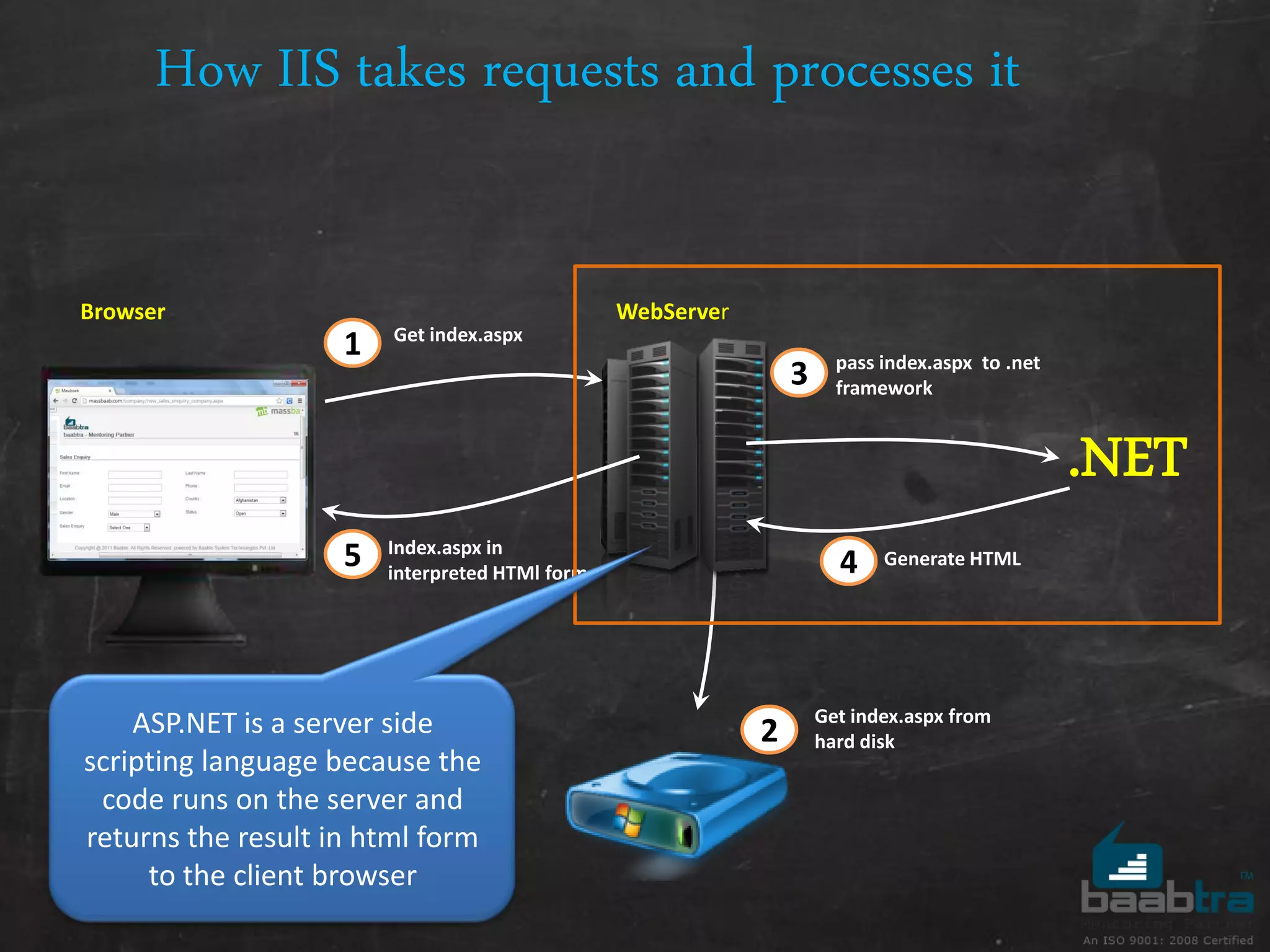
Because ASP.NET is a web framework, coding within it requires a solid understanding of how the web works. You must know the difference between GET, POST, PUT, and DELETE requests. ASP.NET "routes" these HTTP verbs to specific methods in your code, which then process the data and return a response (usually HTML or JSON).
The Role of HTML, CSS, and JavaScript
While ASP.NET handles the server-side logic, the "Client" still interprets standard web languages. Even if you use Blazor to write frontend logic in C#, the browser ultimately renders HTML and CSS. A basic understanding of the DOM (Document Object Model) is necessary to understand how ASP.NET generates the final output for the user.
The Essential Components of an ASP.NET Project
When you create a new ASP.NET project, you are presented with several files that serve as the "skeleton" of your application. Understanding these is the first step in basic coding.
1. Program.cs
In 2026, the unified hosting model remains the standard. The Program.cs file is the entry point of the application. It is where you:
- Build the Host: Initialize the web server (usually Kestrel).
- Configure Services: This is where Dependency Injection (DI) happens. You "register" services like database contexts or email providers so they can be used throughout the app.
- Define the Middleware Pipeline: This determines how the application responds to requests.
2. Middleware
Middleware is a core concept in ASP.NET coding. Think of it as a series of "gates" that a request passes through. One gate might check if the user is logged in (Authentication), another might log the request (Logging), and another might handle errors (Exception Handling). Coding in ASP.NET often involves writing or configuring these components to ensure the request is handled securely and efficiently.
3. Appsettings.json
This is a JSON file used for configuration. Instead of hard-coding connection strings to a database or API keys, you store them here. This allows the code to remain the same while the configuration changes between development, staging, and production environments.
Choosing Your Programming Model
One of the most confusing aspects for beginners is the variety of "models" within ASP.NET. Depending on the task, you will choose one of the following:
Razor Pages
This is the recommended approach for building UI-focused web applications. Razor Pages groups the visual HTML (the .cshtml file) and the logic (the .cshtml.cs file) together. It follows a page-based organizational structure that is intuitive for developers who are used to traditional web development.
MVC (Model-View-Controller)
The MVC pattern is more complex but offers total separation of concerns.
- Model: Represents the data and business logic.
- View: The UI that the user sees.
- Controller: The "brain" that takes user input, talks to the Model, and picks a View to display. MVC is often preferred for large-scale enterprise applications where different teams might work on the UI and the logic separately.
Web API
If you are building a backend for a mobile app or a Single Page Application (SPA), you use Web API. Instead of returning HTML pages, your code returns JSON data. In 2026, Minimal APIs are the preferred way to write lightweight, high-performance services with very little boilerplate code.
Blazor
Blazor allows you to build interactive web UIs using C# instead of JavaScript. By using WebAssembly (WASM), your C# code can actually run inside the user's browser. This is a game-changer for .NET developers who want to stay within a single language for both frontend and backend development.
Data Persistence with Entity Framework Core
Coding an ASP.NET application almost always involves a database. The standard tool for this is Entity Framework Core (EF Core).
EF Core is an Object-Relational Mapper (ORM). This means you can write C# code to interact with a database instead of writing raw SQL. For example, to get a list of users, you would write context.Users.ToList() rather than SELECT * FROM Users.
The "Code First" approach is standard in the industry. You define your data structures as C# classes, and EF Core automatically generates the database tables for you. This allows your database schema to evolve alongside your application code through a process called Migrations.
Comparison of ASP.NET Development Models
| Feature | Razor Pages | MVC | Blazor | Web API |
|---|---|---|---|---|
| Primary Use Case | Small to Medium Web Apps | Large Enterprise Apps | Interactive Client-Side UIs | Data Services/Microservices |
| Code Structure | Page-focused | Folder-focused (Model/View/Controller) | Component-focused | Minimal or Controller-based |
| Learning Curve | Low | Medium | Medium to High | Low to Medium |
| UI Delivery | Server-side HTML | Server-side HTML | Client-side C# (WASM/Server) | JSON/XML |
| Logic/UI Coupling | High (grouped by page) | Low (separated) | High (grouped by component) | N/A (Data only) |
Common Mistakes for Beginners
When starting with ASP.NET coding, many developers fall into predictable traps. Avoiding these can significantly speed up your learning curve:
- Synchronous Database Calls: Never use
.ToList()or.SaveChanges()inside a web request. Always use the asynchronous versions (.ToListAsync(),.SaveChangesAsync()) to prevent the server from locking up. - Ignoring Dependency Injection: New coders often try to manually instantiate classes using the
newkeyword. In ASP.NET, you should let the built-in DI container handle this. This makes your code much easier to test and maintain. - Hard-coding Credentials: Never put passwords or API keys in your C# files. Use
appsettings.jsonor Environment Variables. For added security in 2026, many use Azure Key Vault or similar secrets management tools. - Fat Controllers: A common mistake in MVC is putting all the business logic inside the Controller. The Controller should only act as a traffic cop. Move your logic into separate "Service" classes.
Frequently Asked Questions
Is ASP.NET still relevant in 2026?
Yes, ASP.NET remains one of the most popular and highest-performing frameworks for enterprise-level development. Its integration with cloud providers like Azure and its industry-leading performance benchmarks make it a top choice for financial, healthcare, and government institutions.
Can I run ASP.NET on a Mac or Linux?
Absolutely. Since the release of .NET Core, ASP.NET is fully cross-platform. You can develop on macOS using Visual Studio Code or JetBrains Rider and deploy to Linux servers or Docker containers seamlessly.
How does ASP.NET compare to Node.js or Python?
ASP.NET (specifically the Kestrel server) consistently outperforms Node.js and Python (Django/Flask) in raw throughput and speed tests. While Node.js might be faster to prototype for JavaScript developers, ASP.NET offers better type safety, tooling, and scalability for complex applications.
Do I need to learn SQL to use ASP.NET?
While Entity Framework Core handles most of the database work for you, a basic understanding of SQL is still highly recommended. You will eventually need to troubleshoot slow queries or handle complex data migrations that require knowledge of how relational databases function.
What is the difference between ASP.NET and .NET?
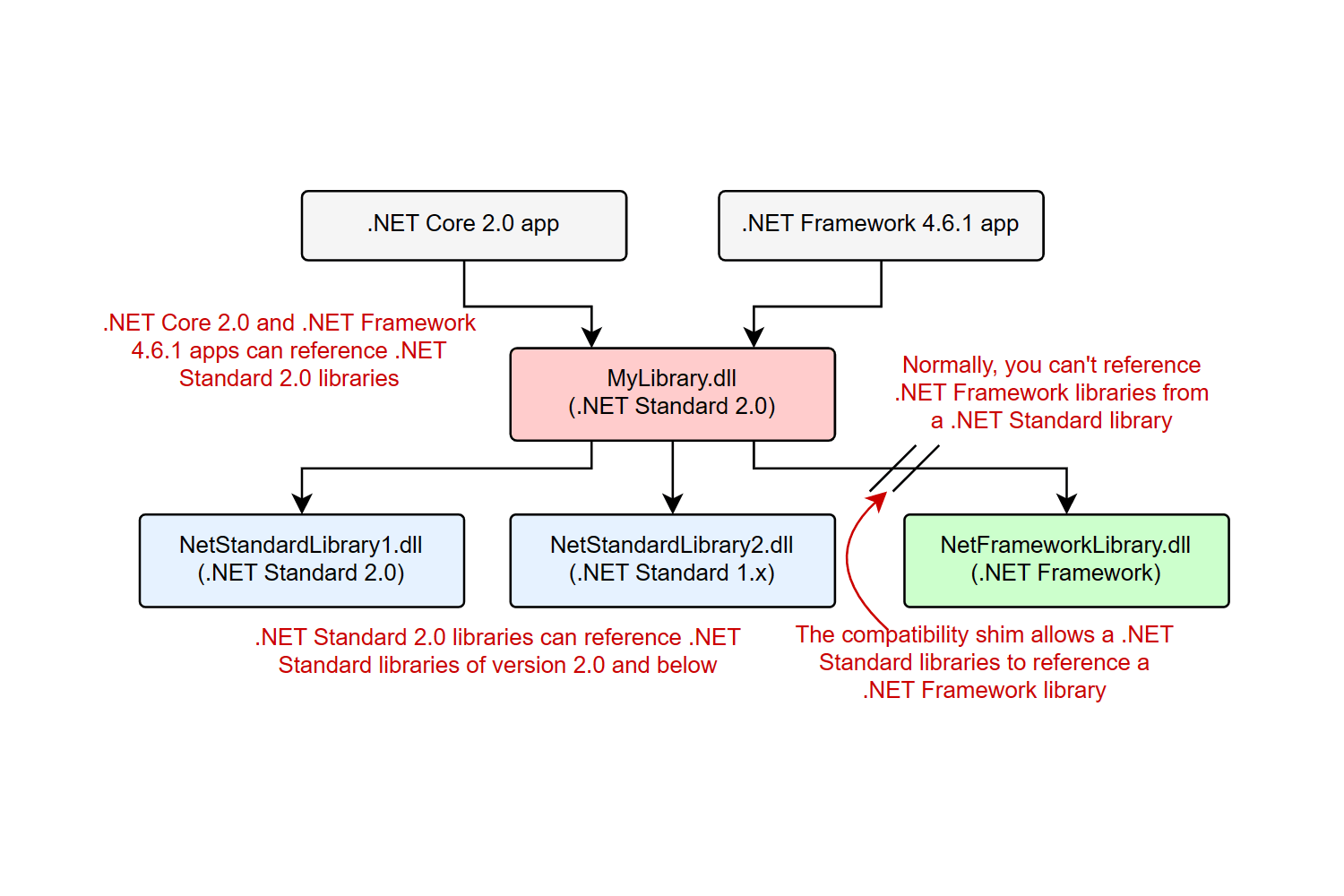
.NET is the entire ecosystem, including the runtime, compilers, and base libraries. ASP.NET is a specific "workload" or framework built on top of .NET specifically designed for creating web-based applications.
Practical Next Steps
To begin your journey into ASP.NET coding, follow these steps:
- Install the .NET SDK: Download the latest version (e.g., .NET 10 or 11) from the official .NET website.
- Get an IDE: Download Visual Studio 2022 (or later) Community Edition for a full-featured experience, or VS Code for a lightweight, cross-platform approach.
- Build a "Hello World" API: Use the command line
dotnet new webapi -n MyFirstApito see the basic structure of a modern service. - Explore Microsoft Learn: Use the free Microsoft Learn documentation which provides structured paths for beginners.
By focusing on the fundamentals of C#, the middleware pipeline, and the proper use of Dependency Injection, you will build a strong foundation for a career in modern web development.
Image Gallery