How to Sync Spotify to Instagram: The Complete 2026 Guide
Learning how to sync Spotify to Instagram allows you to share your favorite music, podcasts, and audiobooks directly to your Instagram Stories, feed, or direct messages with seamless playback integration. By connecting your active stre...
Learning how to sync Spotify to Instagram allows you to share your favorite music, podcasts, and audiobooks directly to your Instagram Stories, feed, or direct messages with seamless playback integration. By connecting your active streaming session to Meta's visual platform, your followers can tap your posts to instantly open the corresponding track inside the Spotify mobile application.
Contents
Understanding the Integration Ecosystem
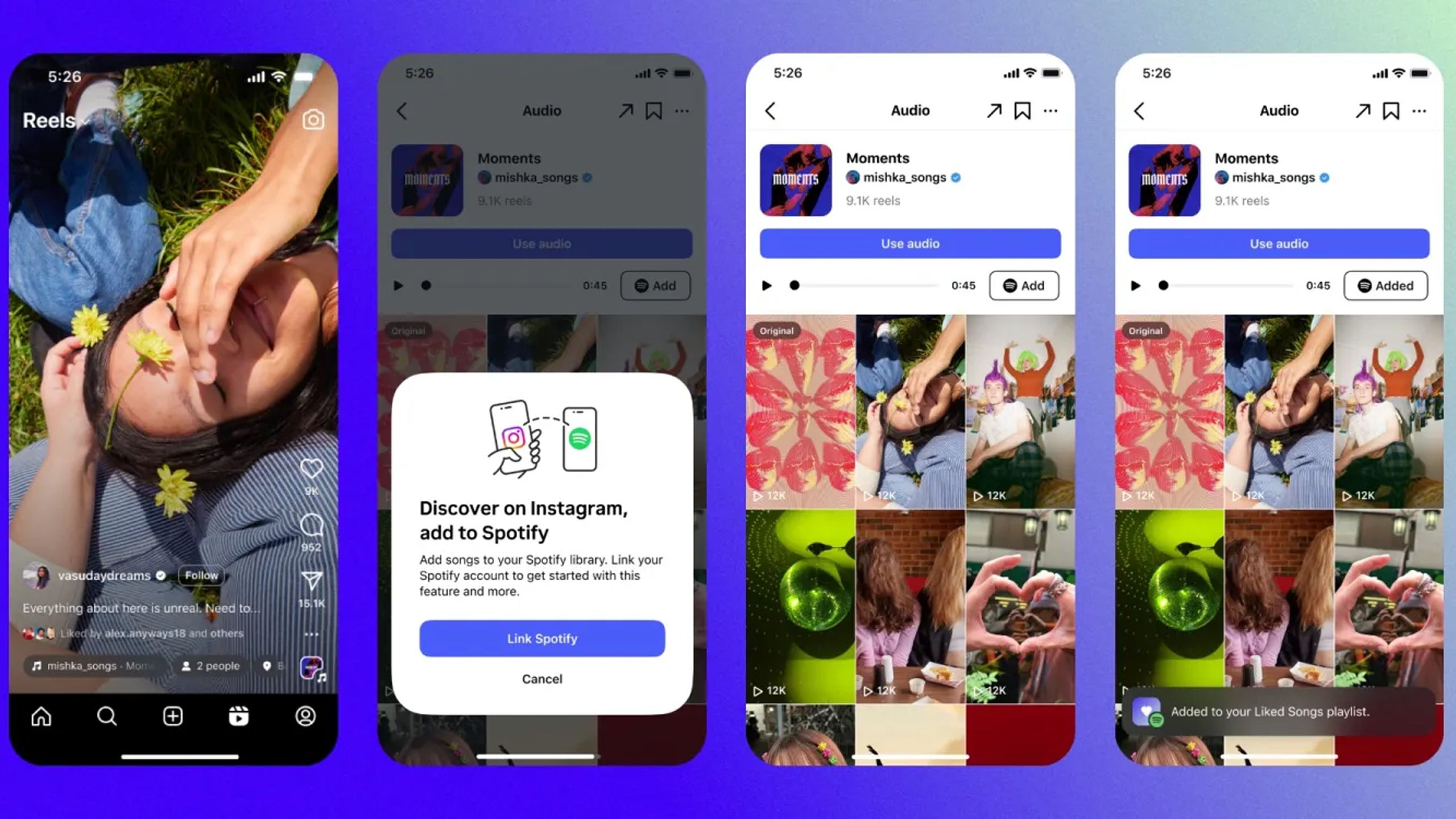
The integration between Spotify and Instagram relies on deep app-to-app communication protocols built into both iOS and Android operating systems. When you share a track, Spotify generates a dynamic media asset that includes the album artwork, track title, artist name, and a secure deep link. Instagram interprets this package as a native sticker or visual container, preserving the high-resolution artwork without requiring manual screenshots or external file conversions.
To ensure successful synchronization, your mobile environment must meet specific technical prerequisites:
- Installed and updated versions of both the Spotify and Instagram applications on your smartphone.
- Active user accounts logged into both platforms.
- Stable internet connectivity via Wi-Fi or cellular data to authenticate the media transfer.
- Enabled permissions allowing apps to communicate across your operating system's clipboard and share sheet functionalities.
Step-by-Step Guide to Sharing Spotify Audio to Instagram Stories
Sharing what you are currently listening to involves leveraging Spotify's built-in share menu. This workflow ensures that metadata remains intact, allowing viewers of your Story to access the source audio directly.
- Launch the Spotify application on your iOS or Android device and navigate to the track, album, playlist, or podcast episode you wish to share.
- Tap the three-dot menu icon located in the top-right corner of the playback screen or next to the specific track title.
- Scroll down the contextual menu and select the Share option to open your device's native sharing overlay.
- Locate and select the Instagram Stories icon from the array of available destination applications.
- Wait for Spotify to automatically launch Instagram and generate a new Story draft featuring the album art as a static sticker against a customized background derived from the track's color palette.
- Customize your Story by adding text, polls, or location tags, then tap the Your Story or Close Friends button to publish the update.
Adding Background Music Directly Within Instagram
If you prefer building a visual post or Story natively inside Instagram and attaching a Spotify-style audio track without leaving the Meta app, you can utilize Instagram's built-in music library. While this method does not directly launch the Spotify app for your viewers, it serves as a reliable alternative for ambient audio accompaniment.
- Open Instagram and swipe right to access the Story camera interface.
- Capture a photo or video, or select an asset from your device's media gallery.
- Tap the Sticker icon in the top navigation bar (represented by a square smiley face).
- Select the Music sticker from the menu options to browse or search the licensed Meta audio catalog.
- Choose your desired track, select the specific segment you want to feature, and adjust how the lyrics or album art display on your screen before publishing.
Comparing Audio Sharing Methods: Spotify Native vs. Instagram Native
Choosing the right method to share music depends on whether your primary goal is driving direct engagement with your Spotify profile or creating an aesthetic visual post. The following comparison breaks down the technical and functional differences between using Spotify's direct integration versus Instagram's native audio tools.
| Feature / Capability | Spotify Direct Share (To Instagram Stories) | Instagram Native Music Sticker |
|---|---|---|
| Primary Destination | Opens Spotify app via deep link upon tap | Plays audio clip internally within Instagram |
| Artwork Accuracy | Exact real-time album or playlist artwork | Standardized library thumbnail or lyrics display |
| Catalog Availability | Entire Spotify catalog, including local files and podcasts | Limited to Meta's licensed commercial music library |
| User Journey | Seamless transition from social feed to streaming app | Keeps users within the Instagram ecosystem |
| Setup Complexity | Instantaneous via app share sheet | Requires manual sticker placement and search |
Troubleshooting Common Synchronization Failures
Encountering errors when attempting to share music from Spotify to Instagram usually stems from outdated software, corrupted temporary cache files, or permission restrictions. Reviewing these common failure points helps restore normal functionality quickly.
- Missing Instagram Icon in Spotify Share Menu: Ensure both applications are updated to their latest versions through the Apple App Store or Google Play Store. Outdated API structures frequently drop third-party sharing hooks.
- Sticker Generation Failure: If tapping Instagram results in a blank screen or an error message, clear the cache inside your Spotify app settings, restart your mobile device, and attempt the share sequence again.
- Account Disconnection Issues: While Spotify and Instagram do not require permanent account linking to share Stories, ensuring your Meta Account Center is properly configured prevents authorization timeouts during cross-app transfers.
- Region-Locked Content: Certain tracks or podcasts may fail to generate shareable assets if licensing restrictions prevent playback in the viewer's or creator's geographic region.
Frequently Asked Questions
Can I share Spotify music to my Instagram Feed as a permanent post?
Yes, you can share a Spotify track or playlist to your Instagram Feed by selecting the Copy Link option within Spotify's share menu, then pasting that link into the caption or using a visual graphic with a link sticker in a carousel post, though direct one-tap feed sharing defaults to Stories or Reels.
Do my followers need a Spotify Premium subscription to open shared tracks?
No, followers do not need a paid subscription to open shared links; tapping the "Play on Spotify" banner will open either the Spotify mobile app or web player, allowing free-tier users to listen to ad-supported streams or preview tracks.
Why does my Instagram Story display a black screen instead of album art when sharing from Spotify?
This visual glitch typically occurs due to temporary memory constraints on your smartphone or an interrupted API handoff between the two apps; clearing background applications and rebooting your device resolves the rendering failure.
Can I share live Spotify Jam sessions to Instagram?
While you cannot natively stream an active Jam session directly onto an Instagram Story as an interactive group link, you can share individual tracks currently queued within the Jam session using the standard sharing workflow.
Is it possible to schedule Spotify shares to Instagram in advance?
Direct cross-app sharing requires real-time user authentication and cannot be automated natively; however, you can use authorized third-party social media management dashboards to schedule static graphic posts featuring track links.
Optimizing Your Social Media Music Strategy
Mastering how to sync Spotify to Instagram enhances your digital presence by blending personalized audio curation with visual storytelling. Whether you are showcasing your favorite daily rotation, promoting a newly released podcast episode, or sharing a collaborative playlist with friends, maintaining updated applications and utilizing proper sharing protocols ensures your audience enjoys an uninterrupted listening experience. Begin sharing your audio landscape today by updating your apps and publishing your first direct track integration to your Instagram Story.
Image Gallery