How Accurate Is Find My iPhone in Feet: Understanding Precision and Limitations
The accuracy of Find My iPhone varies significantly based on environmental conditions, signal availability, and the specific technology being utilized at the time of the request. Under ideal conditions with strong GPS and Wi-Fi signals...
The accuracy of Find My iPhone varies significantly based on environmental conditions, signal availability, and the specific technology being utilized at the time of the request. Under ideal conditions with strong GPS and Wi-Fi signals, the service can pinpoint a device within approximately 10 to 30 feet, though it is not designed to provide a precise, static measurement in feet or centimeters for indoor navigation.
Contents
The Technology Behind Find My iPhone
Apple’s "Find My" network relies on a sophisticated combination of technologies to determine the location of a device. Understanding these components is essential to managing expectations regarding its accuracy.
- Global Positioning System (GPS): When a device has a clear line of sight to the sky, GPS provides the primary location data. This is typically the most accurate method, often narrowing the location down to a radius of roughly 10 to 20 feet.
- Wi-Fi Triangulation: In urban environments or indoors where GPS signals may be blocked, the iPhone scans for nearby Wi-Fi network service set identifiers (SSIDs). By comparing the known locations of these access points in Apple’s global database, the system can triangulate the device's position. This accuracy depends entirely on the density of mapped Wi-Fi routers in the area.
- Cellular Tower Triangulation: This is the least precise method. By measuring the signal strength and time delay between the device and multiple surrounding cell towers, the network can estimate a location. In rural areas with few towers, this radius can span hundreds or even thousands of feet.
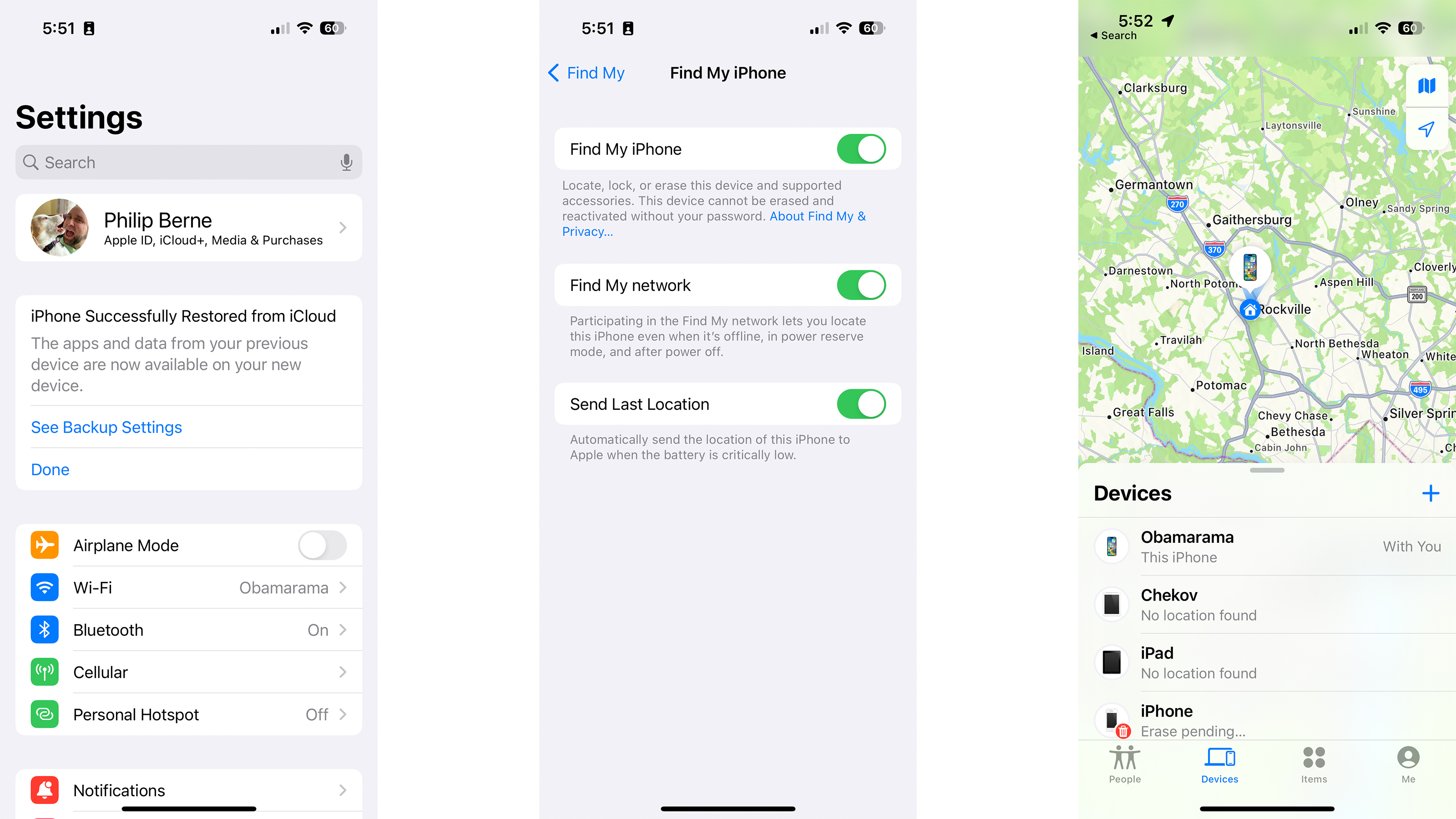
- Bluetooth and the Find My Network: For offline devices, iPhones leverage Bluetooth signals to "ping" other nearby Apple devices, which then relay the location anonymously to Apple’s servers. While this allows for finding lost items that lack an active data connection, it is generally less precise than a device actively connected to GPS or Wi-Fi.
Environmental Impact on Accuracy
The physical environment is the primary determinant of whether your Find My iPhone map will show a tight, actionable circle or a broad, ambiguous one.
- Outdoor Open Spaces: If your device is in an open park or a flat area, it will likely perform at its peak accuracy because it can easily communicate with multiple satellites.
- Dense Urban Canyons: Tall buildings reflect and block satellite signals, a phenomenon known as "multipath interference." This can cause the location pin to jump around or show the device on the wrong side of the street, sometimes inflating the margin of error to 50 feet or more.
- Indoor Environments: Without access to GPS, the device relies on Wi-Fi positioning. If you are in a large building like a mall or an office complex, Find My may indicate the building generally but struggle to identify which floor you are on or which specific room houses the device.
Understanding the Blue Circle
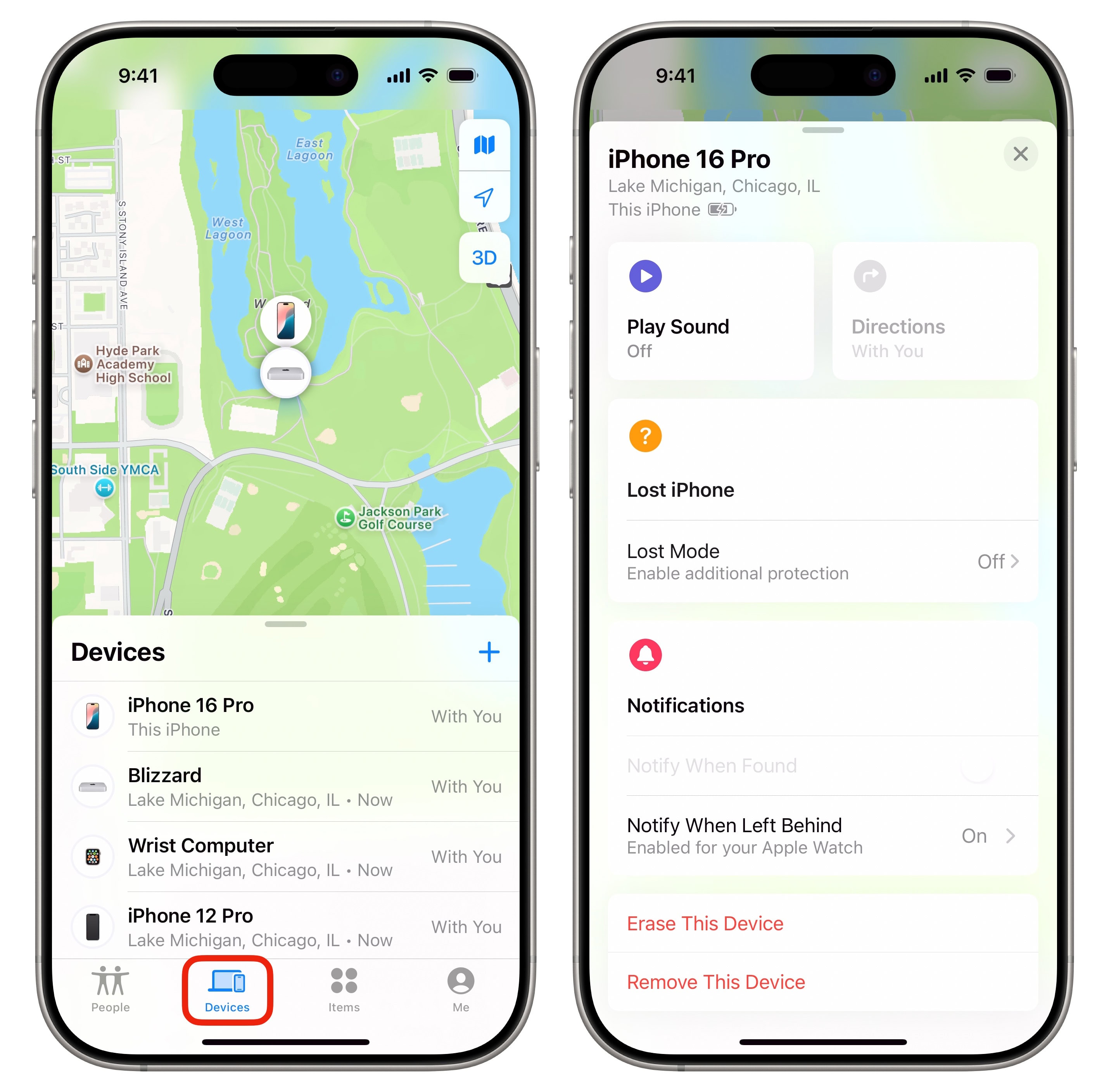
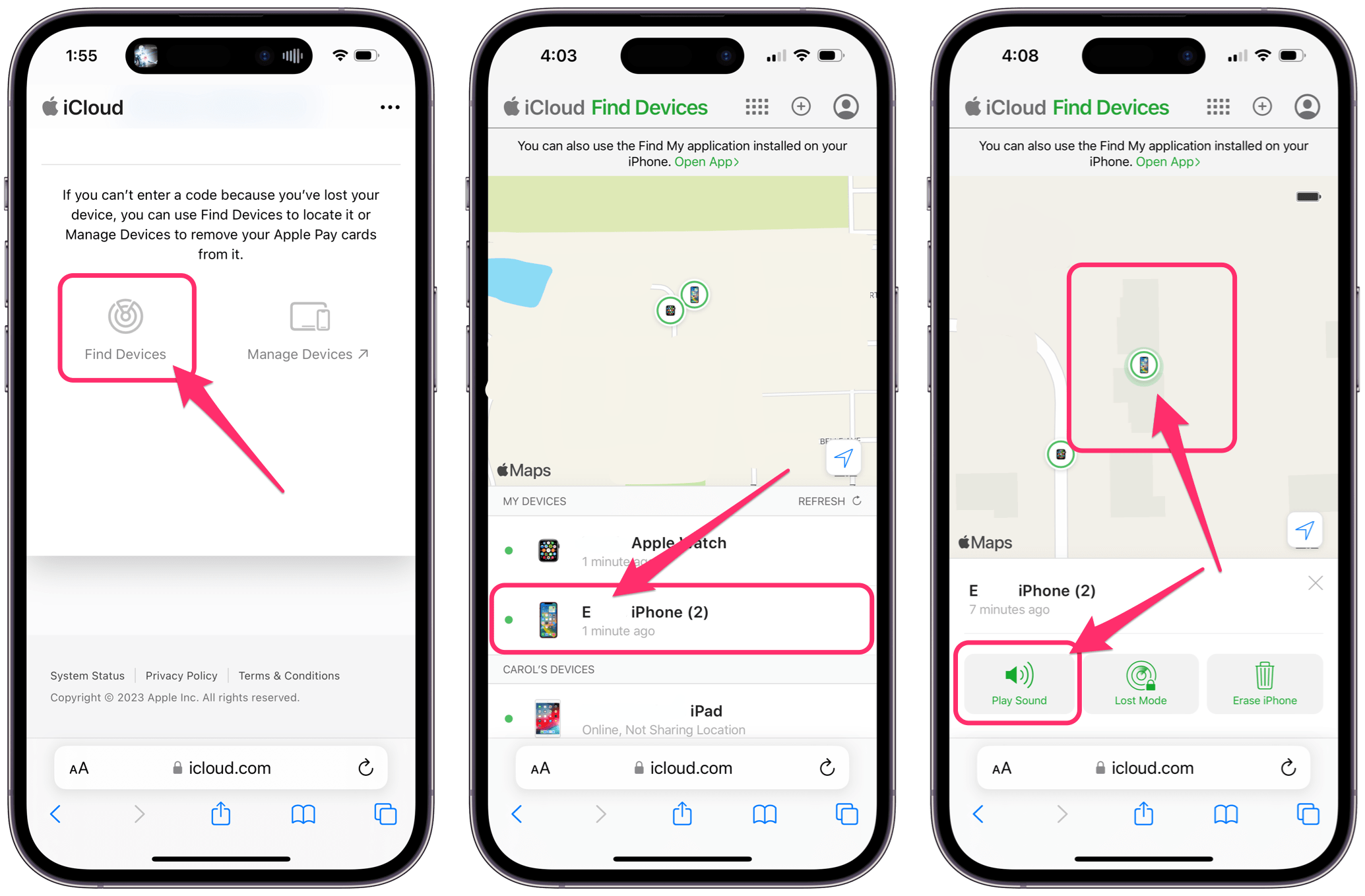
When you view the location of your iPhone on the Find My app or iCloud website, you will often see a blue circle surrounding the pin. This circle is not merely an aesthetic choice; it represents the margin of error. The smaller the circle, the higher the confidence the system has in its location estimate. If the circle is very large, it indicates that the device has only been able to establish a broad location via cellular towers, and you should treat the center point as an approximation rather than a verified coordinate.
Comparing Methods of Location Tracking
To better visualize the differences in accuracy, consider the following table comparing the primary methods used by the service:
| Method | Best Use Case | Typical Accuracy Range |
|---|---|---|
| GPS | Open outdoors | 10–30 feet |
| Wi-Fi Triangulation | Urban/Residential | 30–100 feet |
| Cellular Tower | Sparse rural areas | 500+ feet |
| Find My Network | Offline/Bluetooth | Variable (depends on nearby peers) |
Troubleshooting Poor Accuracy
If you find that your device's location is consistently imprecise, there are several steps you can take to improve the data quality:
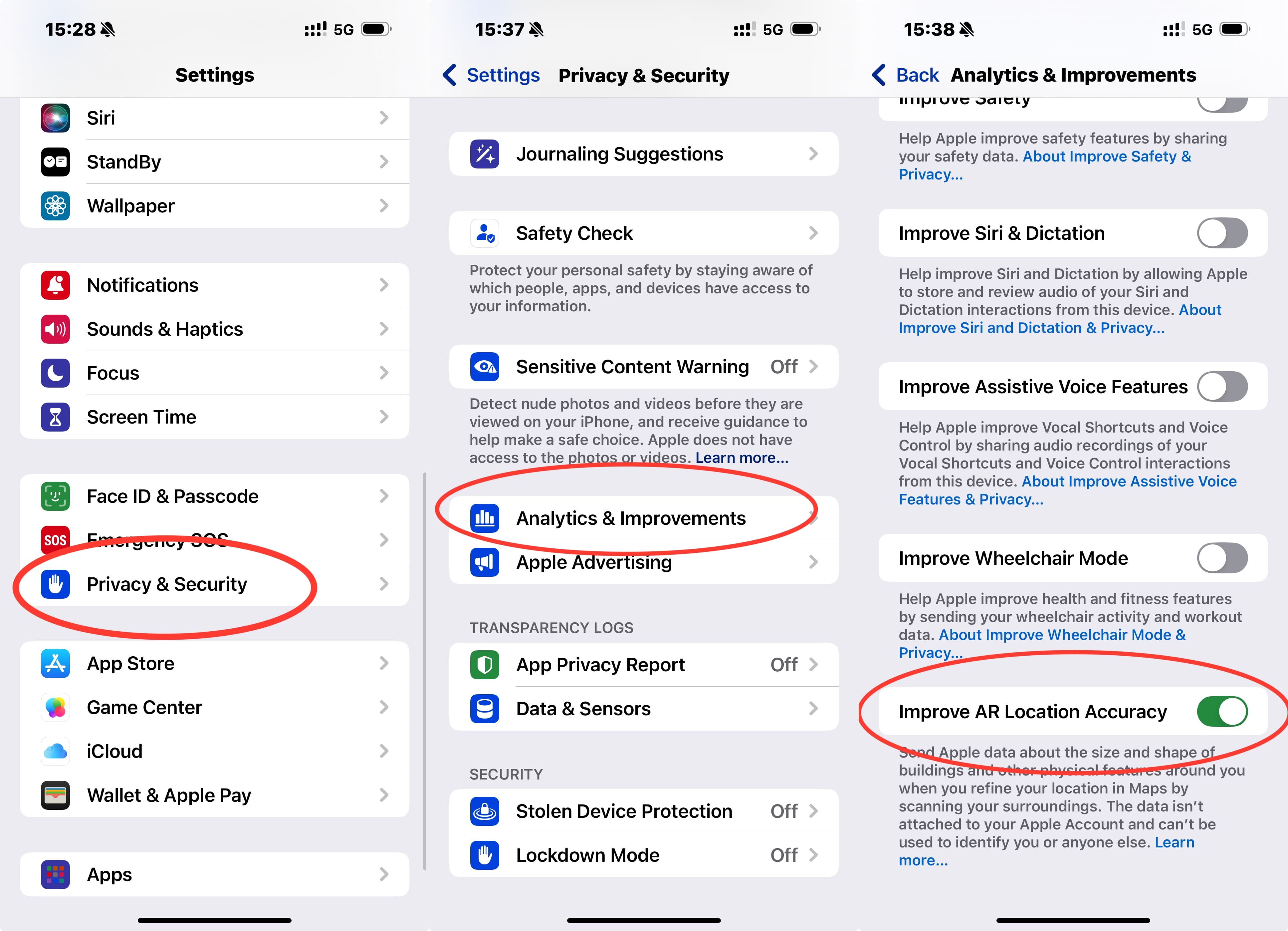
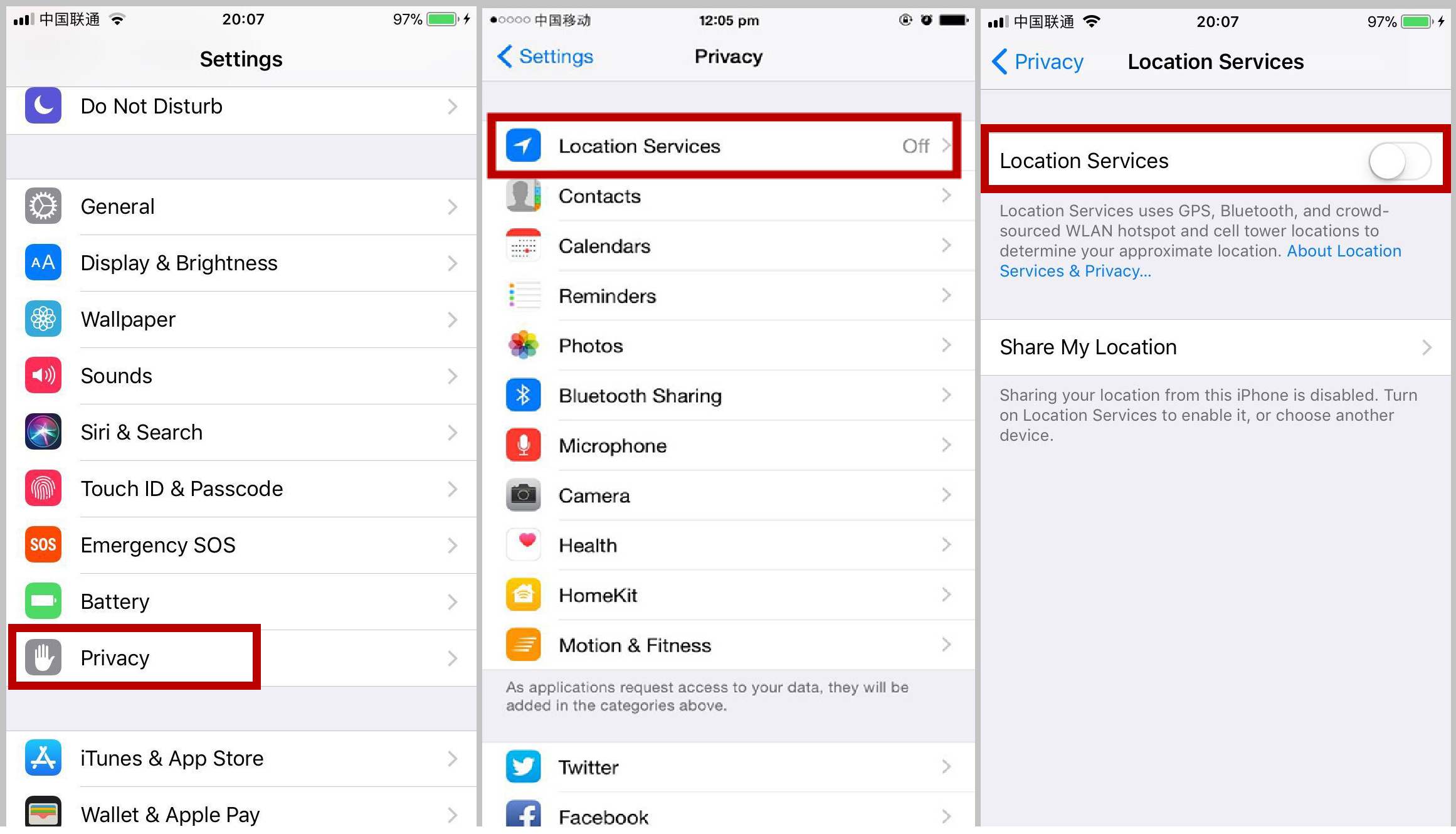
- Ensure Location Services are On: Navigate to Settings > Privacy & Security > Location Services and verify that it is enabled for the Find My app.
- Enable Precise Location: Within the Location Services settings for the Find My app, ensure that "Precise Location" is toggled to the "On" position. This allows the system to use the most granular data available.
- Maintain Connectivity: While the Find My network can locate offline devices, a device with active Wi-Fi or Cellular data will always provide a faster and more frequent location update.
- Refresh the Map: Simply refreshing the app can force a new handshake between the device and the network, potentially triggering a more accurate update if the device has moved to a better signal area.
Common Misconceptions
A frequent point of confusion is the belief that Find My iPhone functions like a precision engineering tool. It is critical to recognize that it is a loss-prevention service, not a survey-grade GPS tool. It is not designed to measure distance between two points in feet for the purpose of indoor tracking. If your phone is lost, the service is designed to guide you to the correct building or general vicinity, at which point you may need to use the "Play Sound" feature to pinpoint the exact location.
Limitations and Legal Considerations
It is important to note that the data provided by Find My is based on estimated signal processing. If you are attempting to recover a stolen device, do not rely on the map to enter private property or confront individuals. The map can occasionally display a device in a neighboring house or on a different street due to the inherent technical margins of error. Always prioritize personal safety and contact local law enforcement if you believe your device has been stolen.
FAQ: Common Questions Regarding Accuracy
Q: Does moving the map help refine the accuracy? A: No, moving the map view is simply a UI action. However, refreshing the page or app forces the device to re-calculate its coordinates using current available signals, which may result in a more accurate pin.
Q: Can I see the exact floor my phone is on? A: Generally, no. While some newer hardware utilizes Ultra Wideband technology for localized tracking of items like AirTags, standard iPhone location tracking does not reliably report vertical (Z-axis) positioning.
Q: Why does the location circle sometimes disappear? A: The circle disappears when the device has achieved a high-confidence location fix, usually via a strong GPS lock. It signifies that the system believes the phone is at that exact point.
Q: Does "Find My" work if the iPhone is dead? A: Yes, for newer iPhone models (iPhone 11 and later), the device keeps a reserve of power to remain discoverable via the Find My network for a period after the battery is depleted. However, the precision may be lower than when the phone is fully powered.
Q: Is the accuracy different on an iPad or Mac? A: Yes. MacBooks often lack GPS hardware and rely entirely on Wi-Fi database triangulation, which can be less accurate than the hardware found in iPhones or cellular-capable iPads.
Next Steps for Recovery
If you are currently tracking a missing device, start by observing the location for several minutes to see if the "pin" settles into a consistent area. If the blue circle is large, navigate to the center of that area and use the "Play Sound" feature. If the device remains elusive, ensure your "Lost Mode" is active to lock the device and display your contact information.
Image Gallery