How to Receive Verification Codes in Practice: A Complete Technical and Operational Guide
Receiving verification codes in practice requires configuring a reliable delivery channel—such as SMS, Time-based One-Time Password (TOTP) authenticator apps, push notifications, email, or hardware security keys—linked to your verified...
Receiving verification codes in practice requires configuring a reliable delivery channel—such as SMS, Time-based One-Time Password (TOTP) authenticator apps, push notifications, email, or hardware security keys—linked to your verified identity. To ensure consistent code delivery, maintain active cellular connectivity, synchronize device clocks, whitelist verification domain senders, and select channels based on security and delivery reliability requirements.
Contents
Understanding Verification Code Delivery Channels
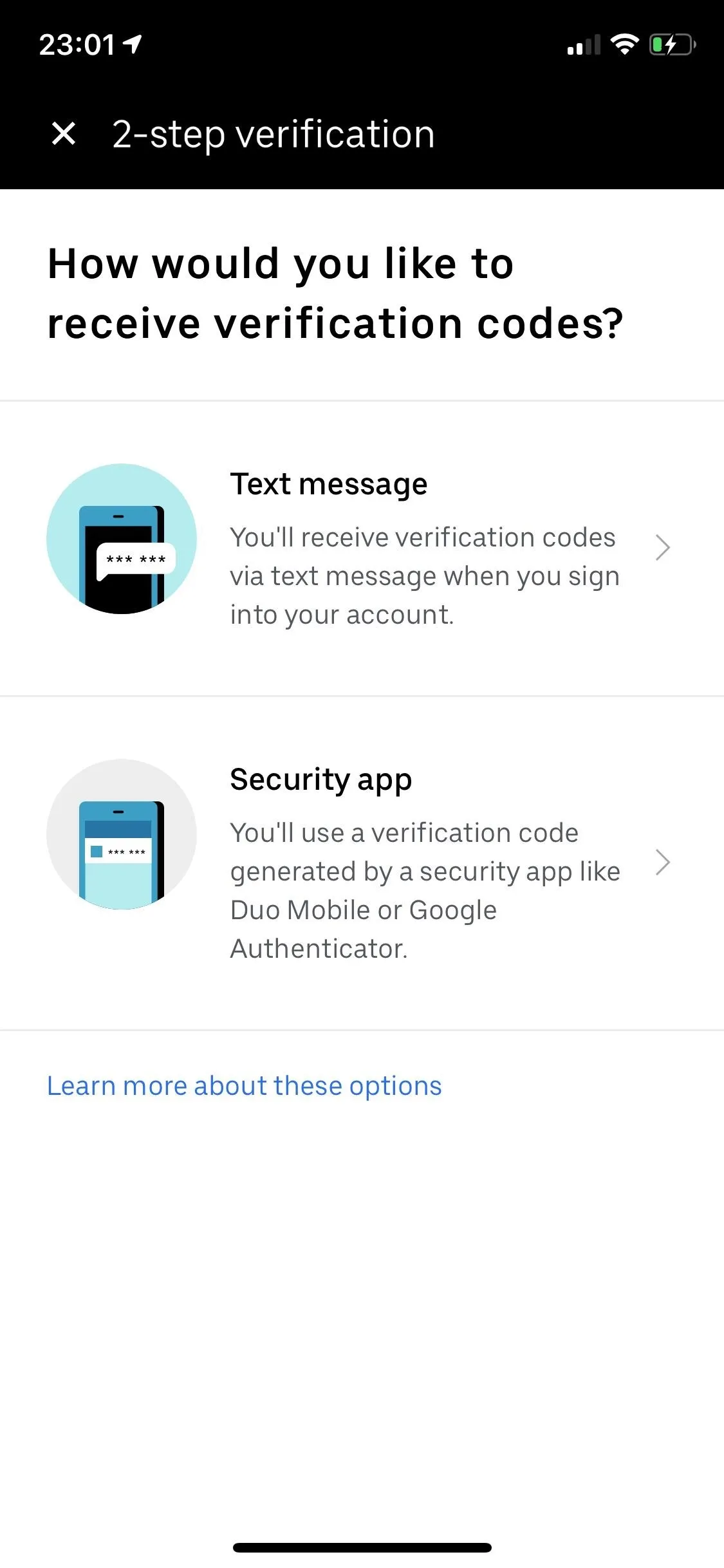
Identity verification relies on out-of-band authentication (OOB), where a service provider delivers a temporary, single-use credential to a secondary channel controlled by the user. While all verification codes serve the common purpose of multi-factor authentication (MFA) or account activation, the underlying practical mechanisms vary significantly across platforms.
1. SMS (Short Message Service) Delivery
SMS remains the most widely deployed authentication channel. When an online service triggers an SMS verification code, it transmits an API request to an Application-to-Person (A2P) messaging aggregator (such as Twilio, Infobip, or Sinch). The aggregator routes the message over the Short Message Peer-to-Peer (SMPP) protocol through signaling networks like SS7 or Diameter to the recipient’s mobile network operator (MNO). The carrier then pushes the SMS to the recipient's handset via local cell towers.
- Dedicated Short Codes: 5- or 6-digit numbers dedicated to enterprise transactional traffic. Short codes bypass standard consumer rate limits and feature higher throughput and delivery rates.
- 10DLC (10-Digit Long Code): Standard local phone numbers registered with carriers for commercial A2P traffic. They require brand and campaign registration under carrier frameworks to avoid spam filtering.
- Toll-Free Numbers: Used for transactional messaging, requiring explicit carrier verification to ensure deliverability.
2. Time-Based One-Time Passwords (TOTP)
Standardized under IETF RFC 6238, TOTP relies on a shared secret key (a cryptographic seed) established between the server and the authentication application (such as Google Authenticator, Microsoft Authenticator, or 1Password) during initial setup. Both the server and the client run an algorithm combining the secret key with the current Unix epoch time divided by a standard time step (typically 30 seconds).
Because the code calculation happens locally on the device using a mathematical function (HMAC-SHA1, HMAC-SHA256, or HMAC-SHA512), TOTP requires no cellular connection, active SIM card, or internet access to generate and display codes in practice.
3. Push Notifications
Mobile application push notifications leverage native OS push infrastructure—Apple Push Notification service (APNs) for iOS and Firebase Cloud Messaging (FCM) for Android. When an authentication event occurs, the server sends a payload to the push gateway, which routes a notification to the target device. The user receives a prompt directly within the service's mobile app displaying a numeric code or asking to approve or decline the login attempt. This channel circumvents telephony protocols entirely.
4. Email Verification Codes
Email codes rely on standard SMTP transport protocols. A server generates a random numerical string, injects it into an HTML or text template, and dispatches it through an outgoing mail transfer agent (MTA). Delivery speed depends on domain configuration, domain reputation, and strict sender validation frameworks including SPF (Sender Policy Framework), DKIM (DomainKeys Identified Mail), and DMARC (Domain-based Message Authentication, Reporting, and Conformance).
5. FIDO2 / Passkeys and Hardware Tokens
Modern identity security standards specified by the FIDO Alliance and the World Wide Web Consortium (W3C) replace static verification codes with public-key cryptography. Hardware tokens (such as YubiKeys) or device-bound passkeys create a unique key pair per service. During login, the server issues a cryptographic challenge that the client signs using a private key stored inside a secure enclave or Hardware Security Module (HSM). This completely eliminates manual code entry while providing resistance against phishing attacks.
Step-by-Step Setup to Receive Verification Codes Reliably
Configuring your accounts to receive verification codes without interruption requires methodical setup across device settings, network parameters, and application preferences.
Step 1: Select the Optimal Authentication Method
Evaluate the service criticalities and technical environment before choosing a delivery medium:
- Use FIDO2 / Passkeys or Hardware Tokens for primary accounts (email, cloud infrastructure, financial services) due to phishing resistance.
- Use TOTP Authenticator Apps as the standard default for accounts without hardware key support, ensuring codes generate even without mobile reception.
- Reserve SMS Verification primarily for services that do not support software tokens, or where carrier infrastructure is guaranteed.
Step 2: Bind the Mobile Number or Device Seed
When setting up phone-based verification, ensure the phone number is entered using international E.164 format (e.g., +1 followed by the ten-digit number for the US/Canada). For TOTP enrollment:
- Open your authenticator application.
- Scan the QR code presented by the service, which encodes a URI containing the secret key parameter (e.g.,
otpauth://totp/Provider:user@example.com?secret=JBSWY3DPEHPK3PXP). - Enter the initial 6-digit confirmation code generated by the app back into the service interface to confirm clock and seed synchronization.
Step 3: Configure Device Clock Synchronization
Because TOTP relies on precision timing, any drift exceeding 30 seconds between your local hardware clock and global Network Time Protocol (NTP) servers will cause generated codes to be rejected.
- On Android: Navigate to Settings > System > Date & Time and toggle on Set time automatically and Set time zone automatically.
- On iOS: Navigate to Settings > General > Date & Time and enable Set Automatically.
- Inside Authenticator Apps: Some authenticators (such as Google Authenticator on Android) feature an internal time correction setting under Settings > Time correction for codes > Sync now.
Step 4: Export and Store Emergency Recovery Credentials
Every setup must account for lost devices or cellular network outages:
- Download the provided one-time recovery codes (also referred to as backup codes) upon enabling multi-factor authentication.
- Store these backup codes in an offline, encrypted location or password manager—never in unencrypted plain text files or email drafts.
- If using TOTP applications, enable encrypted cloud sync (e.g., via iCloud KeyChain or account-bound sync engines) or export an encrypted backup file to a secondary device.
Delivery Channels Comparison: Security, Speed, and Reliability
The following matrix compares primary verification code delivery methods across operational attributes, network reliance, and security characteristics.
| Delivery Channel | Primary Delivery Infrastructure | Offline Capability | Average Delivery Speed | Phishing Resistance | Primary Technical Failure Point |
|---|---|---|---|---|---|
| SMS OTP | Cellular (SMPP / SS7 / A2P Gateways) | No (Requires MNO Signal) | 5 – 45 Seconds | Low | Carrier shortcode blocking, roaming limits, SIM swap |
| TOTP (App) | Local Hardware (IETF RFC 6238) | Yes (100% Offline) | Instant (<1 Second) | Moderate | Device clock drift, unbacked seed loss |
| Push Notification | APNs / FCM Gateways | No (Requires Internet) | 1 – 5 Seconds | Moderate to High | Background data restrictions, battery saver blocks |
| Email OTP | SMTP / MTA Transport | No (Requires Internet) | 5 – 300 Seconds | Low | Spam/Junk filtering, strict DMARC rejection, MTA latency |
| Hardware Token / Passkey | FIDO2 / WebAuthn Public Key | Yes (For USB/NFC Keys) | Instant (<1 Second) | High (Phishing Proof) | Physical token loss, unsupported web browser APIs |
Troubleshooting Verification Code Failures in Practice
Failure to receive verification codes usually stems from distinct bottlenecks in message transport, system settings, or security policies.
- Service Request
- Delivery Infrastructure
- If fails, check: SMS Aggregator Status / Email SMTP Routing
- Network / Carrier
- If fails, check: Cell Tower Roaming / Short Code Blocking Settings
- Receiving Device
- If fails, check: Device Time Sync (TOTP) / Battery Saver Rules
1. SMS Verification Code Delays and Non-Delivery
- Carriers Blocking Short Codes: Certain mobile subscriptions or prepaid plans block incoming messages from short-code numbers by default. Contact your mobile provider to verify that transactional short-code receiving is enabled on your account.
- VoIP and Virtual Number Restrictions: High-security institutions (including banks and government agencies) query carrier lookup databases (such as Neustar or Twilio Lookup). If the line is flagged as a Virtual IP (VoIP) number (e.g., Google Voice, Skype, OpenPhone), the system will refuse to transmit the verification code. Use a true wireless line tied to a physical SIM or eSIM for these platforms.
- International Roaming and Short-Code Routing: When traveling internationally, local roaming partner networks frequently fail to relay short-code A2P traffic across borders. Switching the verification method to an offline authenticator app prior to travel prevents access loss.
- Device-Level Filtering: Modern mobile operating systems feature automated spam filtering. Check the "Spam and Blocked" folder in Android Messages or "Unknown Senders" in iOS Messages to ensure automated codes are not hidden.
2. TOTP Code Rejection (Invalid Code Errors)
If an authenticator app displays a code, but the platform flags it as incorrect:
- Check Device Time Synchronization: A clock discrepancy as small as 30 to 60 seconds causes local code calculations to fall out of sync with server-side counters. Force a manually triggered NTP time sync in system settings.
- Verify Account Matching: When managing multiple accounts under the same platform (e.g., two distinct Google or GitHub profiles), confirm that the specific profile's secret seed is selected.
- Time Step Window Limits: Server implementations usually accept codes within a narrow drift window (typically $\pm 1$ time step of 30 seconds). If you type a code with only 1–2 seconds remaining on the visual timer, network transmission latency may cause the server to process it after expiry. Wait for the timer to reset and submit a fresh code immediately.
3. Missing Email Verification Codes
- Mail Server Content Rules: Corporate email gateways (such as Microsoft Defender for Office 365 or Proofpoint) often quarantine incoming messages containing terms like "verification code," "OTP," or automated login links. Check admin quarantine logs or the personal junk folder.
- Greylisting Latency: Incoming mail servers using greylisting temporarily reject emails from unrecognized IP addresses, forcing sending MTAs to retry. This safety check can introduce a 5- to 15-minute delay, causing short-lived verification codes to expire before arrival.
Security Best Practices and Risk Mitigation
While receiving verification codes is an everyday operational necessity, relying on insecure channels introduces severe security vulnerabilities. Protecting authentication pathways requires adhering to established security frameworks, such as the NIST Special Publication 800-63B Guidelines for Digital Identity.
Protecting Against SIM Swapping and Port-Out Attacks
SMS-based verification codes are inherently vulnerable to SIM swapping, a social engineering attack where a threat actor tricks a mobile carrier employee into transferring your phone number to an attacker-controlled SIM card.
- Set Carrier Account Security PINs: Place an explicit port-out lock and a secondary security PIN on your cellular account to block unauthorized number transfers.
- Remove Phone Numbers from High-Value Portals: Once an authenticator app or hardware token is attached to a core account, remove your mobile phone number as an active recovery option to prevent fallback attacks.
Implementing Team and Enterprise Code Distribution
In enterprise environments, multiple operations engineers or financial administrators may need access to accounts secured by verification codes. Using individual personal phones for shared accounts creates operational bottlenecks and security risks.
- Use Enterprise Identity Providers (IdP): Implement Single Sign-On (SSO) backed by SAML 2.0 or OpenID Connect (OIDC) through providers such as Okta, Microsoft Entra ID, or Ping Identity. This centralizes access policy and enforces MFA at the identity level rather than managing localized verification codes per user.
- Shared Cryptographic Vaults: Where SSO is unsupported, store the TOTP secret key inside an enterprise credential manager (such as 1Password Teams or Bitwarden Enterprise). These platforms calculate and distribute synchronized TOTP codes securely across authorized team members without exposing raw cryptographic seeds or transmitting plain-text SMS messages.
Frequently Asked Questions
Why am I not receiving SMS verification codes on my mobile phone?
SMS non-delivery typically occurs due to carrier-level A2P short-code blocking, aggressive device-level spam filters, roaming network restrictions, or utilizing a virtual (VoIP) phone line flagged by anti-fraud databases. Check your blocked messages folder, confirm that your carrier allows commercial short-code traffic, and ensure your device has a stable connection to a cellular tower.
Can I receive verification codes using a virtual phone number or VoIP service?
Many financial institutions, government portals, and major tech platforms actively block virtual phone numbers (VoIP) from receiving authentication codes using real-time carrier lookup APIs. While low-security websites may send codes to virtual numbers, critical services usually mandate a line tied to a physical SIM card or eSIM issued by a traditional wireless provider.
How do TOTP authenticator apps work without an internet connection?
TOTP authenticator applications use an algorithm specified in RFC 6238 that combines a static secret key (stored locally during account setup) with the current UTC time derived from the device clock. Because both the authentication app and the remote login server perform the exact same mathematical formula independently, no active data connection, cellular signal, or Wi-Fi network is required to generate a valid code.
What should I do if I lose access to my primary verification device?
If your primary verification device is lost or non-functional, use one of the single-use backup recovery codes generated during your initial MFA setup. If backup codes are unavailable, authenticate using an alternate pre-configured method (such as an secondary email address or a backup hardware key), or initiate an identity verification recovery process directly with the platform's account recovery team.
Are push notifications more secure than traditional SMS verification codes?
Yes, push notifications are substantially more secure than SMS codes. Push notifications bypass the vulnerable public switched telephone network (PSTN) and SS7 signaling protocols, protecting users against SIM swapping, man-in-the-middle interception, and local cellular eavesdropping. Additionally, many push systems implement "number matching," forcing the user to select the correct digits displayed on the login screen to prevent prompt-fatigue attacks.
Summary and Next Actions
Receiving verification codes reliably comes down to choosing delivery methods with low failure rates and high security. To optimize your personal or organizational authentication configuration:
- Audit Active Channels: Transition all primary email, financial, and infrastructure services away from SMS authentication to TOTP software apps or FIDO2 hardware keys.
- Synchronize Device System Time: Verify that automatic time synchronization is permanently enabled across all devices running authenticator applications to prevent time-drift code rejections.
- Secure Recovery Pathways: Generate and store offline backup codes within an encrypted manager to ensure uninterrupted account access if a hardware device is lost or replaced.
Image Gallery