Navigating Court Services in Minnesota: Online Records, eFiling, and Judicial Resources
Minnesota Court Services provide state residents, legal professionals, and self-represented litigants with centralized access to judicial branch operations, including online court record searches (MCRO), electronic case filing (eFile &...
Minnesota Court Services provide state residents, legal professionals, and self-represented litigants with centralized access to judicial branch operations, including online court record searches (MCRO), electronic case filing (eFile & eServe), fine payments, and county-level probation services. Operating across 87 counties organized into 10 judicial districts, the Minnesota Judicial Branch offers both digital tools and local courthouse resources to facilitate case management, court appearances, and legal representation support.
Contents
Structure of the Minnesota Judicial System
The Minnesota court system is structured into three distinct judicial levels designed to manage legal proceedings efficiently across all 87 counties. Understanding how these courts operate helps individuals direct their legal actions, filings, and public record requests to the appropriate authority.
(Note: Using clear narrative structural explanation instead of ASCII diagrams to adhere strictly to rules.)
Minnesota District Courts (Trial Level)
The District Court is the general trial court in Minnesota. It possesses original jurisdiction over almost all civil, criminal, family, probate, juvenile, and traffic cases across the state's 10 Judicial Districts. Each of Minnesota’s 87 counties has at least one District Court courthouse. Special divisions within larger metropolitan district courts (such as Hennepin County 4th Judicial District and Ramsey County 2nd Judicial District) include:
- Conciliation Court (Small Claims): Handles civil disputes involving claims up to $15,000 (or $4,000 for consumer credit transactions).
- Family Court: Oversees marriage dissolutions (divorce), child custody, parenting time, child support, and domestic abuse Orders for Protection (OFP).
- Housing Court: Resolves landlord-tenant disputes, eviction actions, and rent escrow matters in select counties.
- Probate & Mental Health Court: Manages estate administration, wills, trusts, guardianship, conservatorship, and civil commitments.
- Criminal & Traffic Division: Processes petty misdemeanors, misdemeanors, gross misdemeanors, and felony offenses.
Minnesota Court of Appeals (Intermediate Appellate Level)
The Court of Appeals reviews decisions rendered by the District Courts and state administrative agencies. Functioning as an intermediate appellate court, a panel of judges evaluates trial transcripts and legal briefs to ensure correct legal application without holding new trials or hearing direct witness testimony.
Minnesota Supreme Court (Highest State Court)
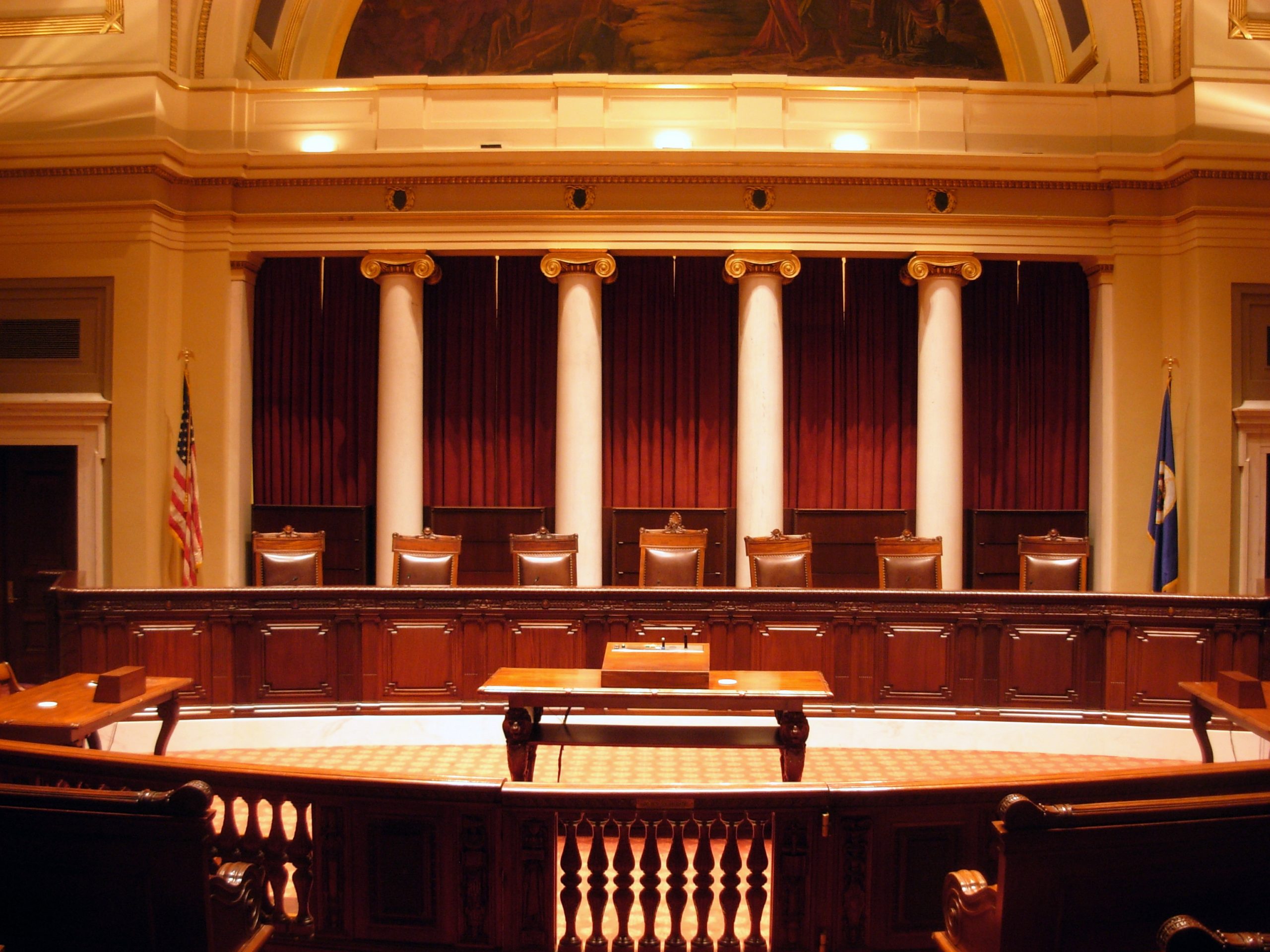
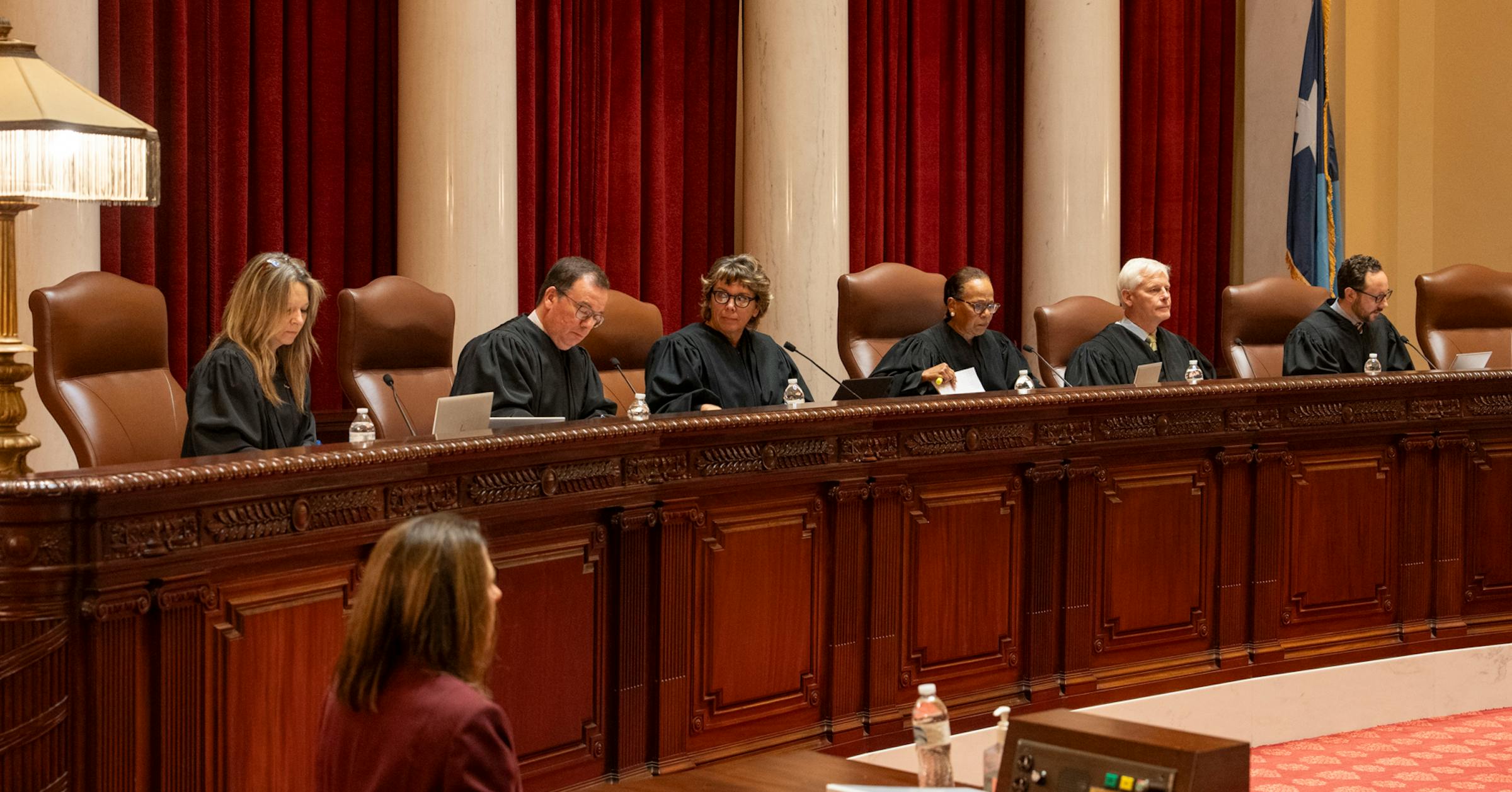
As the court of last resort, the Minnesota Supreme Court hears discretionary appeals from the Court of Appeals, direct appeals for first-degree murder convictions, workers' compensation appeals, and tax court reviews. Additionally, the Supreme Court regulates legal practice standards and oversees state judicial branch administrative operations.
Digital Minnesota Court Services: Records, Filings, and Payments
The Minnesota Judicial Branch provides several statewide web platforms designed to deliver public access, streamline document submission, and facilitate fine payments remotely.
1. Minnesota Court Records Online (MCRO)
Minnesota Court Records Online (MCRO) serves as the official public portal for searching state district court records. Governed by the Minnesota Rules of Public Access to Records of the Judicial Branch, MCRO permits public users to search case registers of actions, view public court calendars, and download public case documents.
Public Access vs. Confidentiality Notice Under Minnesota Judicial Branch public access rules, certain sensitive documents—such as child protection records, confidential medical reports, pre-sentence investigation reports, and financial source documents—are restricted from remote online viewing. To inspect restricted public documents that are not accessible via MCRO remotely, individuals must utilize a dedicated public access terminal located inside a Minnesota County District Courthouse.
2. eFile & eServe (eFS) System
Powered by the Tyler Technologies Odyssey enterprise platform, eFile & eServe is Minnesota’s mandatory electronic filing and service portal for licensed attorneys. Self-represented (pro se) litigants may also register to file court documents and accept service electronically.
- Mandatory eFiling: Required for all attorneys practicing in Minnesota District Courts and Appellate Courts.
- Integrated Service: Documents served through eFS automatically fulfill formal legal notice requirements to registered case parties.
- Document Formatting Standards: Requires text-searchable PDF formats, specific caption margins, and explicit redaction of restricted identifiers (e.g., Social Security numbers, financial account details) under Rule 11 of the Minnesota General Rules of Practice.
3. Minnesota Court Payment Center
The Minnesota Judicial Branch operates a centralized Payment Center for paying fines associated with payable citations, such as minor traffic infractions, parking tickets, and non-mandatory appearance misdemeanor violations.
- Online Payments: Processed securely via the MNCourts online payment portal using credit or debit cards.
- Telephone Payments: Executed through automated interactive voice response (IVR) systems.
- Mandatory Court Appearances: Citations requiring a judge or referee appearance cannot be resolved through the Payment Center; defendants must contact the local court administrator to schedule a hearing.
County Court Services vs. Judicial Branch Operations
A critical distinction in Minnesota legal administration exists between statewide court operations managed by the Minnesota Judicial Branch and County Court Services departments managed by local county governments.
(Distinction explained via comparative breakdown)
Local County Court Services (Correctional & Pre-Trial Departments)
In many Minnesota jurisdictions (such as Hennepin County Court Services, Ramsey County Community Corrections, and Dakota County Community Corrections), "Court Services" refers specifically to county-level departments focused on public safety, rehabilitation, and court compliance. Core functions include:
- Pre-Trial & Bail Evaluations: Conducting risk assessments to provide judges with release recommendations and conditional bail terms prior to trial.
- Probation Supervision: Overseeing adults and juveniles sentenced to formal probation, ensuring compliance with court-ordered conditions such as chemical dependency treatment, restitution, and community service.
- Pre-Sentence Investigations (PSI): Compiling detailed background reports, victim impact statements, and sentencing recommendations for criminal judges prior to felony disposition.
- Juvenile Diversion & Placement: Managing community-based programs, juvenile detention facilities, and alternative restorative justice initiatives for youth offenders.
- Domestic Abuse & Victim Services: Coordinating supervised visitation, domestic violence offender programs, and advocacy support for crime victims.
District Court Administration (Judicial Management)
Conversely, State Court Administration and local Court Administrators handle the procedural management of legal cases. Their duties include maintaining court dockets, processing court filings, swearing in witnesses, issuing court summonses, managing jury summons selection, and managing judicial schedules.
Step-by-Step Guide: Accessing Records and Filing Documents
Navigating Minnesota district court procedures requires strict adherence to technical and procedural guidelines.
How to Search Court Case Records on MCRO
- Access the Portal: Navigate to the official Minnesota Court Records Online (MCRO) website.
- Select Search Type: Search by Case Number, Party Name (First and Last Name or Business Name), Attorney Name, or Judicial District / County.
- Refine Results: Filter searches using specific case types (e.g., Civil, Criminal, Family, Housing) or filing date ranges to narrow public index records.
- View Register of Actions: Click on the targeted Case Number to display the full procedural history, assigned judge, scheduled court hearings, and filed entry logs.
- Download Public Documents: Select unassigned, public document icons to view or print official case orders and motions (applicable fees may apply for certified copies).
How to File Court Documents via eFile & eServe
- Establish an Account: Create an eFS user account through the Minnesota Judicial Branch portal. Self-represented filers must register as an "Independent Filer."
- Prepare Court Documents: Draft pleadings according to Minnesota Rules of Civil Procedure. Convert all documents directly to text-searchable PDF format.
- Redact Confidential Data: Strictly remove or confidential-file-cover-sheet mark Social Security numbers, employer identification numbers, and financial account numbers pursuant to Rule 11 of the Minnesota General Rules of Practice.
- Upload & Select Filing Type: Log into eFS, select the appropriate District Court location, enter the case number (or initiate a new case), upload PDF attachments, and select appropriate filing codes.
- Pay Filing Fees & Submit: Pay required court filing fees securely online or attach an approved Fee Waiver Order (In Forma Pauperis). Submit the envelope for review by the local court administrator.
Tool Comparison: Digital Minnesota Court Systems
The following comparison details the specific operational capabilities, access limits, and primary user groups for Minnesota's digital court service platforms.
| Digital Platform / System | Primary Purpose | Authorized User Base | Accessible Information & Documents | Key Limitations |
|---|---|---|---|---|
| MCRO (Minnesota Court Records Online) | Public record search & document viewing | General Public, Media, Legal Professionals | Public case dockets, registers of actions, public filed documents | Remote access restricted for confidential, juvenile, and sealed records |
| MPA Courthouse Terminals | In-person full public access inspection | Public accessing physical courthouse terminals | Standard public records plus extended non-confidential court documents | Requires physical presence inside a Minnesota District Courthouse |
| eFile & eServe (eFS) | Electronic court filing and legal service | Mandatory for Attorneys; Optional for Pro Se Litigants | Submission of motions, pleadings, evidence, and official case notices | Requires account registration, PDF compliance, and transaction fee management |
| Minnesota Court Payment Center | Administrative payment of minor citations | Defendants, Ticket Holders | Fine balances, citation status, payment confirmation receipts | Cannot process mandatory court appearance violations or contested citations |
Filing Fees, Fee Waivers, and Legal Self-Help Resources
Accessing court services in Minnesota involves specific statutory filing fees, financial assistance protocols, and self-help guidance options.
Minnesota District Court Fee Schedule
Statutory court fees are established by the state legislature under Minn. Stat. § 357.021. Common standard court costs include:
- Civil Action First Filing Fee: Approximately $285 to $320 depending on county-specific law library fees.
- Conciliation Court (Small Claims) Filing Fee: Ranges from $65 to $75 depending on claim amount and county assessment.
- Motion Filing Fee: $75 to $100 for post-decree or intermediate civil/family motions.
- Certified Copy Fee: $14 per certified document copy.
Fee Waivers: In Forma Pauperis (IFP)
If a party cannot afford required court filing fees, transcript costs, or service fees, they may apply for a fee waiver under Minn. Stat. § 563.01 by filing an In Forma Pauperis (IFP) Affidavit.
Eligibility Criteria for IFP Status Applicants qualify for an IFP court order if their income is at or below 125% of the federal poverty guidelines, if they receive means-tested public assistance (such as MFIP, SNAP, SSI, or General Assistance), or if they demonstrate to the presiding judge that paying court expenses would cause severe financial hardship for their household. A judge must review and sign an IFP Order before fees are officially waived.
Minnesota Judicial Branch Self-Help Centers
For individuals navigating legal matters without an attorney, the Minnesota Judicial Branch provides robust legal assistance resources:
- Statewide Legal Self-Help Center: Offers downloadable court forms, step-by-step procedural instruction packets, and online information across civil, family, landlord-tenant, and conciliation court matters.
- Self-Help Phone & Email Services: Staffed by court personnel who provide neutral procedural guidance. Staff cannot give formal legal advice, interpret laws, or predict court outcomes.
- County Law Libraries: Located within local county courthouses, offering access to Westlaw legal research databases, legal treatises, and self-help reference materials.
Common Challenges and Practical Solutions
Navigating court services involves avoiding technical and procedural errors that could jeopardize legal standing or delay case progression.
1. Rejection of Electronic Filings (eFS Envelope Failures)
- Issue: Court administrators reject uploaded eFS envelopes due to non-compliant document formatting or missing redacted information.
- Solution: Verify that documents are saved as clean, text-searchable PDFs. Ensure the case caption matches existing record names exactly, attach a Form 11.2 Cover Sheet for Confidential Information when submitting restricted data, and confirm filing codes prior to final submission.
2. Missing Public Documents on Remote Search (MCRO)
- Issue: A user cannot locate a specific court document or case online via MCRO.
- Solution: Check whether the case type is confidential by law (e.g., adoption, juvenile protection, commitment). If the case is public but the document is restricted from remote viewing, visit a local county court public access terminal to view and request copies in person.
3. Missing Mandatory Court Dates
- Issue: Failing to appear for a scheduled court hearing in a District Court proceeding.
- Solution: Immediately contact the presiding judge's court clerk or the local District Court administration office. Unexcused non-appearances can result in default judgments in civil cases or arrest warrants (bench warrants) in criminal matters.
Frequently Asked Questions
How do I find out when my Minnesota court date is scheduled?
You can search your court date online using Minnesota Court Records Online (MCRO) by searching your name or case number under the "Court Calendars" or "Case Search" tab. Alternatively, you can contact the Court Administrator's office in the specific county where the case was filed.
Can I pay a traffic ticket online if a court appearance is required?
No, citations marked "Mandatory Court Appearance" cannot be settled through the Minnesota Court Payment Center online portal. You or your legal counsel must attend the designated District Court hearing; failing to appear can lead to a driver's license suspension or a warrant for arrest.
What is the difference between Minnesota State Courts and County Court Services?
Minnesota Judicial Branch District Courts handle legal adjudications, case filings, trials, and judicial rulings. County Court Services departments operate under county administrative government to manage pre-trial supervision, probation enforcement, bail evaluations, and community corrections programs.
How can I expunge a criminal record through Minnesota Court Services?
Criminal record expungement involves petitioning the District Court to seal judicial and law enforcement records. Under the Minnesota Clean Slate framework and statutory expungement laws (Minn. Stat. Chapter 609A), eligible non-violent offenses may qualify for automatic administrative sealing or require a formal court petition and hearing.
What should I do if I am served with an Eviction Summons in Minnesota?
Read the summons immediately to identify the scheduled court date and time. Prepare an Answer form using Minnesota Self-Help Center resources, file the response with the local District Court before or at the initial hearing, and attend the scheduled housing court proceeding to present your defense.
Strategic Recommendations for Interacting with Minnesota Courts
For efficient interaction with the Minnesota Judicial Branch and County Court Services, observe the following standard practices:
- Utilize Official Portals Directly: Always access records and file payments via official government web domains (
.govor.us). Avoid third-party commercial background check sites that charge fees for public records obtainable directly through MCRO. - Adhere to Redaction Rules: Carefully review all court filings to purge personal identifiers before submission to avoid statutory fines or procedural sanctions under Rule 11.
- Verify County-Specific Rules: While the Minnesota General Rules of Practice apply statewide, individual Judicial Districts and specific county courts enforce local standing orders regarding hearing schedules, remote court appearances (via Zoom), and mediation prerequisites.
Image Gallery