Understanding the Label SAS for Data Projects: A Technical Guide
In data projects, the term "SAS label" primarily refers to descriptive metadata attached to variables within SAS datasets (.sas7bdat), providing business context beyond short column names. In cloud data architecture, it can also refer...
In data projects, the term "SAS label" primarily refers to descriptive metadata attached to variables within SAS datasets (.sas7bdat), providing business context beyond short column names. In cloud data architecture, it can also refer to Azure Shared Access Signature (SAS) labels used for access control. Understanding both ensures accurate data migration, governance, and cloud security.
Contents
Disambiguating "SAS Labels" in Enterprise Data Architecture
When working on enterprise data projects, technical teams frequently encounter the acronym SAS in two distinct contexts. The exact meaning depends on whether the project focuses on statistical data engineering, legacy migration, or cloud storage architecture.
- "SAS Label" in Data Projects
- SAS Statistical System (Variable & Table Labels)
- Extended column descriptions
- Regulatory compliance
- Metadata preservation
- Azure Storage Security (Shared Access Signature)
- Scoped access tokens
- Granular permissions
- Data lake access control
- SAS Statistical System (Variable & Table Labels)
1. SAS System Metadata (Variable and Dataset Labels)
In the context of statistical analysis, data science, and clinical reporting, SAS refers to the SAS System (Statistical Analysis System). Within SAS datasets, a label is a descriptive string of up to 256 characters assigned to a variable (column) or dataset (table). Unlike database column names, which are often abbreviated due to system constraints (such as PAT_DOB_V1), a SAS variable label provides human-readable documentation (such as "Patient Date of Birth - Baseline Visit"). These labels are stored within the header metadata of native SAS files (.sas7bdat and .xpt).
2. Azure Shared Access Signature (SAS Tokens and Access Labels)
In cloud data engineering and data lake architecture, SAS stands for Shared Access Signature. A SAS token or SAS access label is a secure URI string that grants restricted, time-bound access rights to Azure Storage resources (such as Blob containers or Azure Data Lake Storage Gen2) without exposing account keys. Data teams label and tag these tokens to manage identity, grant granular read/write permissions to specific data pipelines, and maintain audit logs.
Clarifying which interpretation applies to a given workflow prevents architectural missteps—whether migrating legacy SAS metadata into a cloud data catalog or configuring secure storage access for ETL pipelines.
SAS Variable Labels: Core Mechanics and Data Dictionary Integration
In traditional data engineering, SAS dataset structures separate the technical identifier (the variable name) from the business attribute (the variable label). This distinction allows analysts to write concise code using short variable names while rendering formatted, publishable reports containing full labels.
Syntax and Declaration
Within SAS programming, labels are assigned using the LABEL statement inside DATA steps or PROC DATASETS procedures.
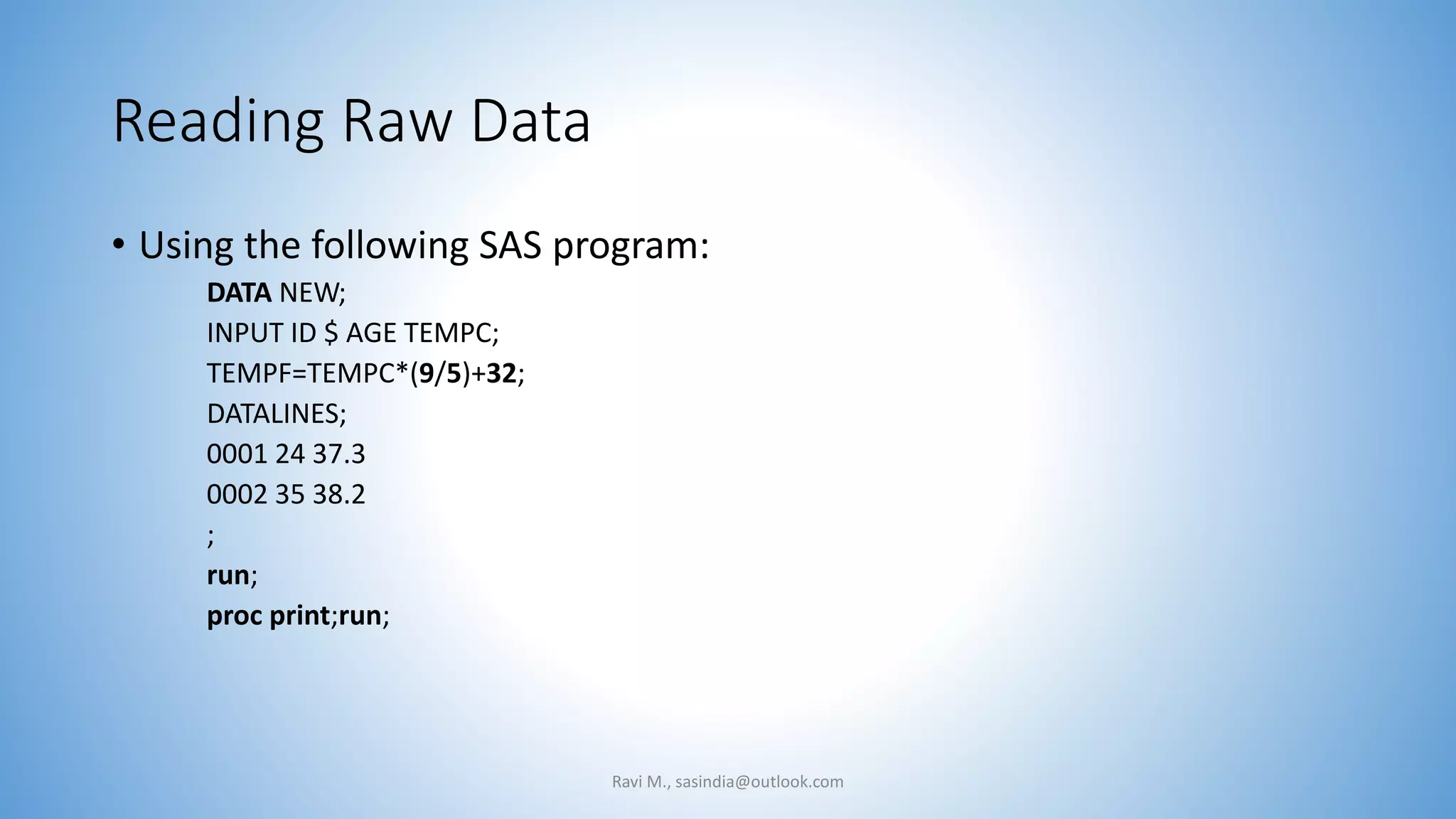
data work.patient_demographics; set raw.patient_intake; label subjid = "Subject Unique Identification Number" age = "Age at Informed Consent (Years)" sysbp = "Systolic Blood Pressure (mmHg)" diab_fl = "Baseline Diabetes Flag (Y/N)"; run;
When SAS executes this block, it writes the label metadata directly into the header block of the output .sas7bdat file. The metadata overhead is negligible, but the semantic value is substantial.
Key Functional Differences: Name vs. Label vs. Format
| Attribute | Character Limit | Primary Purpose | Example |
|---|---|---|---|
| Variable Name | 32 characters | Programmatic reference in code and SQL queries | SYSBP_B |
| Variable Label | 256 characters | Business description and user-facing report headers | Systolic Blood Pressure at Baseline (mmHg) |
| Variable Format | Varies | Display mapping for data values (e.g., numeric to text) | NYFMT. (maps 1 to "Yes", 0 to "No") |
Regulatory and Compliance Role
In regulated industries—most notably pharmaceutical research governed by the U.S. Food and Drug Administration (FDA)—SAS variable labels are mandatory. The Clinical Data Interchange Standards Consortium (CDISC) defines strict requirements for Study Data Tabulation Model (SDTM) and Analysis Data Model (ADaM) datasets. Submissions missing standardized variable labels are automatically flagged during data validation checks.
Handling SAS Labels in Modern Data Pipelines
Modern cloud data platforms (such as Snowflake, Databricks, BigQuery, and DuckDB) rely on relational database management system (RDBMS) principles or Parquet storage models. Unlike SAS files, standard Parquet formats and relational tables do not have an identical native "label" field on every column. Consequently, migrating data from SAS to modern platforms risks stripping away valuable metadata.
- Native SAS File (
.sas7bdat/.xpt) - Ingestion / Parsing (
pyreadstat/haven) - Data Parsing & Extraction:
- Raw Data Values (Dataframe/SQL)
- SAS Metadata Dictionary (Labels, Formats, Types)
- Cloud Target Platform (Snowflake, Unity Cat, dbt, AWS Glue Catalog)
Preserving Metadata in Python
Standard file readers like pandas.read_sas() load data values effectively but often drop variable labels. To preserve SAS labels, data engineers use specialized libraries such as pyreadstat.
import pyreadstat import pandas as pd # Read SAS dataset along with metadata header df, meta = pyreadstat.read_sas7bdat("clinical_trial.sas7bdat") # Extract variable labels dictionary variable_labels = meta.column_names_to_labels # Example output: {'SUBJID': 'Subject Unique ID', 'SYSBP': 'Systolic Blood Pressure'} print(variable_labels) # Option A: Rename DataFrame columns directly to their descriptive labels df_labeled = df.rename(columns=variable_labels) # Option B: Store metadata separately for data catalog ingestion metadata_catalog = [ {"column_name": col, "label": variable_labels.get(col, "")} for col in df.columns ]
Preserving Metadata in R
In R pipelines, the haven package naturally attaches SAS variable labels as attributes to individual vectors within a data frame.
library(haven) library(labelled) # Read SAS file preserving attributes data <- read_sas("clinical_trial.sas7bdat") # Extract variable labels labels_list <- var_label(data) # Print specific variable label print(var_label(data$SYSBP))
Ingesting SAS Labels into Enterprise Data Catalogs
To maintain data governance when migrating legacy SAS repositories to cloud data warehouses, data teams map SAS labels directly into database metadata structures:
- Snowflake Column Comments: Apply SAS labels as SQL column comments using
ALTER TABLE ... ALTER COLUMN ... SET COMMENT 'label_text'. - dbt (data build tool) Documentation: Export extracted SAS labels into
schema.ymlfiles as column descriptions, exposing them directly in dbt Docs. - Unity Catalog & AWS Glue: Write metadata attributes to cloud catalog APIs during automated ETL ingestion jobs.
Cloud Security Context: Azure Shared Access Signature (SAS)
When "SAS label" appears in cloud data infrastructure discussions, it typically refers to metadata tagging and scoped authorization for Azure Shared Access Signatures (SAS).
How Azure SAS Tokens Function
An Azure SAS token is a signed query string parameter attached to a storage URL. It explicitly defines:
- Allowed Permissions: Read (
r), Write (w), List (l), Delete (d), Create (c). - Resource Types: Blob (
b), Container (c), File (f). - Validity Period: Start time and precise expiration time.
- IP Restrictions: Permitted public IP addresses or range masks.
- Allowed Protocols: HTTPS only vs. HTTP/HTTPS.
Types of Azure SAS
- Azure SAS Types
- User Delegation SAS
- Entra ID keys
- Highest safety
- Audit-tracked
- Service SAS
- Storage key
- Single resource
- Direct access
- Account SAS
- Account key
- Multi-service
- Broad scope
- User Delegation SAS
- User Delegation SAS: Secured using Microsoft Entra ID (formerly Azure Active Directory) credentials rather than root account keys. This is the recommended approach for modern cloud data projects.
- Service SAS: Secured with storage account keys, granting access to a specific resource (such as a single container or blob file) in Azure Blob storage.
- Account SAS: Secured with storage account keys, granting broad access to resources across multiple storage services (Blob, Queue, Table, File).
Labeling and Tracking SAS Tokens in Cloud Projects
Because unmonitored SAS tokens create security vulnerabilities, cloud data management teams use resource tagging and token labeling to maintain control over shared signatures:
- Purpose Tagging: Labeling generated SAS URLs with metadata attributes indicating the target client, downstream pipeline name, or project code (e.g.,
project=analytics_q1; owner=data_eng). - Stored Access Policies (SAP): Grouping SAS authorizations under named policies on storage containers. Modifying or deleting the named policy revokes all associated SAS tokens instantly without altering storage access keys.
Technical Comparison Matrix
Understanding how SAS metadata labels contrast with security SAS tokens and standard database governance tools helps clarify technical requirements across data engineering projects:
| Feature / Dimension | SAS Metadata Variable Label | Azure Shared Access Signature (SAS) | Database Column Comment | Enterprise Data Catalog Tag |
|---|---|---|---|---|
| Primary Domain | Analytics & Statistics | Cloud Security & Storage | Relational Data Engineering | Data Governance & Discovery |
| Core Function | Provides human-readable variable descriptions | Grants temporary access rights to resources | Stores in-database column descriptions | Categorizes data assets for search and lineage |
| Storage Location | File header (.sas7bdat / .xpt) |
URI string / Azure Storage engine | Database Information Schema | Catalog metadata store (e.g., Collibra, Alation) |
| Maximum Length | 256 characters | Variable (URL string length limits) | Platform dependent (e.g., 1,024+ chars) | Short text tags or taxonomy terms |
| Security Impact | None (Informational only) | Critical (Grants data access permissions) | None (Informational only) | Medium (Used to drive RBAC/ABAC rules) |
| Native Tooling | SAS Base, pyreadstat, haven |
Azure Portal, Azure CLI, Azure SDKs | Standard SQL (COMMENT ON) |
REST APIs, Metadata crawlers |
Best Practices for Managing SAS Labels in Data Projects
Whether handling SAS software metadata migration or managing Azure cloud security signatures, adhering to standardized practices prevents data loss and security vulnerabilities.
Governance Framework for SAS Variable Labels
Automate Metadata Extraction During Ingestion: Never convert
.sas7bdatfiles directly to standard.csvfiles during migration. Plain CSV files discard header labels entirely. Instead, convert SAS files to Parquet or DuckDB tables while simultaneously extracting metadata into a JSON schema file.Establish Label Standardizations Early: Define explicit rules for label lengths and formatting across data pipelines. Avoid special characters or line breaks inside variable labels, as these cause parsing failures in modern catalog crawlers.
Map SAS Labels to dbt and SQL Data Warehouses: Maintain a single source of truth for business definitions by writing extracted SAS labels directly into dbt schema definitions or automated migration scripts.
# Example dbt schema.yml incorporating extracted SAS labels version: 2 models: - name: stg_patient_demographics description: "Staging table converted from legacy SAS clinical dataset" columns: - name: subjid description: "Subject Unique Identification Number" - name: sysbp description: "Systolic Blood Pressure at Baseline (mmHg)"
Security Framework for Azure SAS Signatures
Enforce Short Expiration Windows: Never issue open-ended Azure SAS tokens. Limit operational data access tokens to the minimum required window (e.g., 1 to 8 hours for automated ETL batch jobs).
Prefer User Delegation SAS Over Account SAS: Authenticate SAS creation requests with Entra ID identities rather than shared account keys. This ensures user activity appears in cloud audit logs.
Use Stored Access Policies for Long-Term Integrations: When third-party applications require continuous access to storage containers, issue SAS tokens linked to a Stored Access Policy. This allows administrators to revoke access instantly by modifying the policy without rotating storage keys.
Common Pitfalls and Troubleshooting
1. Stripped Metadata During ETL File Conversions
- Symptom: Converting SAS tables to CSV or Parquet causes business analysts to lose column context in BI tools (e.g., Tableau, Power BI).
- Cause: Standard DataFrame export procedures (such as
pandas.DataFrame.to_parquet()) ignore custom dictionary metadata unless explicitly written to Parquet metadata fields. - Solution: Extract labels using
pyreadstatprior to export, and embed them into the Parquet file's custom key-value metadata store viapyarrow.
2. Character Encoding Errors in Legacy SAS Datasets
- Symptom: Importing older
.sas7bdatfiles results in corrupted text strings or missing characters inside labels. - Cause: Legacy SAS datasets often use system-specific encodings (such as
LATIN1orWINDOWS-1252) rather than standardUTF-8. - Solution: Explicitly pass the source encoding parameter when reading SAS files in Python (
encoding="latin1") or R (encoding="latin1").
3. Over-Privileged Azure SAS Tokens
- Symptom: Security audit warnings regarding unrestricted access to data lake containers.
- Cause: Generating SAS tokens with broad permissions (
racwdl—Read, Add, Create, Write, Delete, List) when an integration only requires read-only ingestion access (r). - Solution: Apply the principle of least privilege. Limit SAS scopes strictly to required actions (e.g.,
rfor extraction pipelines,wfor logging destinations).
Frequently Asked Questions
What is the difference between a SAS variable name and a SAS variable label?
A SAS variable name is the technical identifier used in code (up to 32 characters, no spaces, e.g., CUST_AGE). A SAS variable label is a descriptive metadata string (up to 256 characters, spaces allowed, e.g., "Customer Age at Last Account Renewal") that explains the variable's business context in reports and outputs.
How do I preserve SAS labels when converting SAS datasets to Python pandas DataFrames?
By default, pandas.read_sas() drops SAS variable labels. To preserve them, use the pyreadstat package (pyreadstat.read_sas7bdat()). It returns both the data frame and a metadata object containing a dictionary map of column names to variable labels.
Why are SAS variable labels mandatory in regulatory data projects like CDISC?
Regulatory authorities, such as the U.S. FDA, require standardized study submissions adhering to CDISC standards (SDTM/ADaM). Variable labels are mandatory in these standards to ensure reviewers can interpret clinical data accurately across different trial submissions without needing proprietary SAS software to decipher raw column names.
What is an Azure Shared Access Signature (SAS) in cloud data architecture?
In Azure cloud data projects, a Shared Access Signature (SAS) is a signed URI token that grants delegated, time-bound, and restricted access rights to Azure Storage resources (such as Data Lake blobs or containers) without sharing account access keys.
How do enterprise data catalogs handle SAS variable labels during ingestion?
Enterprise data catalogs (such as Alation, Collibra, or Microsoft Purview) use custom metadata connectors or REST APIs to parse SAS file headers (.sas7bdat/.xpt). They extract the variable labels and populate them directly into the metadata catalog's column description fields for governance and search indexing.
Practical Next Steps
- Audit Existing Datasets: Review your current data migration pipelines to determine whether incoming SAS files contain variable labels critical for business context or compliance.
- Implement Metadata Extraction Rules: Update Python or R extraction scripts using
pyreadstatorhavento parse and export SAS labels alongside raw data tables. - Synchronize Data Catalog Tools: Configure your orchestration framework (such as dbt or Apache Airflow) to automatically write extracted SAS labels directly into database column comments or catalog schemas.
- Review Cloud SAS Permissions: If working with Azure infrastructure, run a security check to ensure all active Shared Access Signatures use short expiration windows, IP restrictions, and minimum required permissions.
EDITORIAL CATEGORY METADATA:
Image Gallery