StubHub Website: Safe Ticket Buying, Selling, and Fee Navigation Guide
The StubHub website is an online ticket marketplace that connects buyers and sellers for live sports, concerts, theater, and entertainment events. It functions as a secondary ticketing exchange rather than a primary box office, backing...
The StubHub website is an online ticket marketplace that connects buyers and sellers for live sports, concerts, theater, and entertainment events. It functions as a secondary ticketing exchange rather than a primary box office, backing eligible purchases with its FanProtect Guarantee to ensure valid tickets or prompt replacements and refunds if an event is canceled.
Contents
What the StubHub Website Is and How the Marketplace Works
Founded in 2000 and operating globally across North America, Europe, and parts of Asia, StubHub serves as an intermediary platform rather than an original issuer of tickets. Unlike primary platforms such as Ticketmaster or AXS, which contract directly with venues, artists, and teams to issue initial allocations of tickets, StubHub facilitates peer-to-peer and broker-to-consumer secondary sales.
When you purchase on the platform, you are buying from an independent seller: a season ticket holder unable to attend, an individual fan, or a commercial ticket broker. StubHub does not own the inventory listed on its marketplace. Instead, it maintains the transaction infrastructure, verifies listing authenticity through software integrations with major venue ticketing systems, processes secure payments, and establishes logistics for electronic transfer, PDF download, or physical delivery.
Understanding this structural difference between primary and secondary ticketing prevents common misunderstandings regarding pricing, seat selection, and customer service obligations. Because the StubHub platform hosts private inventory, prices are dictated by market demand rather than original face value, meaning tickets can sell either well below or far above the original box office price.
Account Setup, Navigation, and Ticket Search Essentials
Finding tickets efficiently on the portal requires utilizing the search architecture, dynamic filters, and seat visualization tools effectively.
Finding Events and Filtering Options
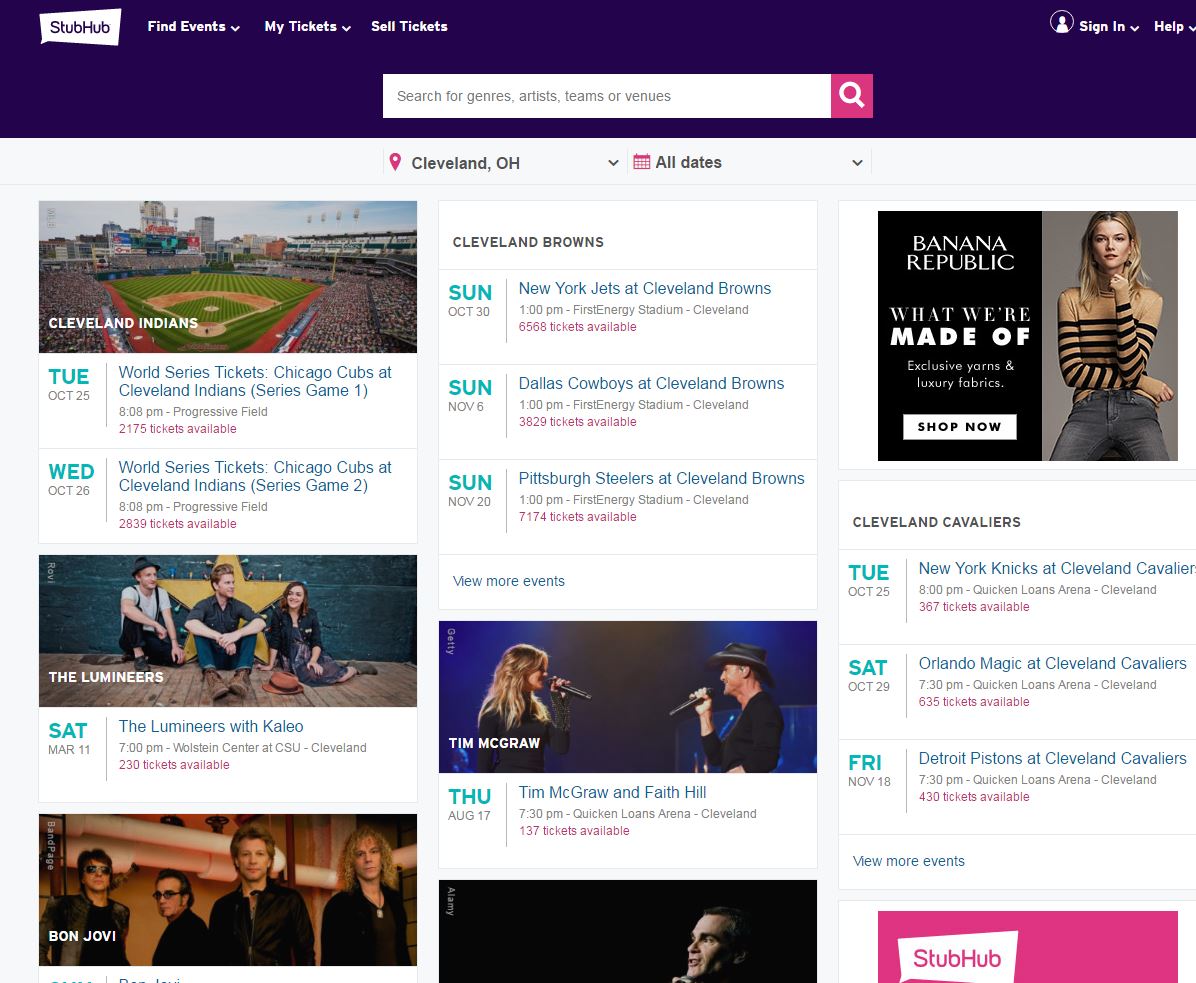
The platform organizes inventory using an indexed database searchable by performer, sports franchise, venue, or geographic location. Once you reach an event page, several interactive filters refine the search:
- Quantity Selector: Always set the exact number of seats required first. Sellers frequently specify split rules (such as selling only pairs or preventing odd-numbered orphan seats), so setting the quantity up front prevents viewing seats that cannot be purchased together.
- Price Range and Value Filters: The interactive slider allows you to restrict results by price ceiling. The platform also applies an internal pricing algorithm that labels listings based on historical pricing benchmarks for that specific venue and section.
- Delivery Method Filters: Select between Mobile Transfer, Instant Download, or Physical Shipping depending on your purchase timeline. For same-day events, filtering strictly by instant access options prevents delivery failure.
- Specific Features: Toggle filters for aisle seats, covered seating, club access, parking passes, or accessible seating (ADA).
Navigating the Interactive Seating Map
The platform provides dynamic venue charts rendering section, row, and approximate sightline representations. Clicking any section isolates listings within that zone, updating the price list in real time.
Visual Sightline Tip
Many listings feature virtual 3D seat views. These models simulate approximate elevation and distance to the stage or field, helping you verify potential obstructions, overhangs, and extreme side-stage angles before checking out.
Step-by-Step Guide: Buying Tickets Safely on the StubHub Platform
Purchasing secondary tickets requires tracking the delivery method and the corresponding delivery timeline.
- Locate and Select the Target Event: Search the catalog, select the correct date, and review the venue information. Verify time zones carefully for touring productions or multi-day festivals.
- Evaluate Section, Row, and Seller Disclosures: Check listing notes for warnings such as "Obstructed View," "Behind Stage," "Wheelchair Accessible Only," or "Alcohol-Free Section." Sellers are required by platform policy to disclose restricted views.
- Inspect All-In Pricing: Before finalizing your decision, toggle the pricing display setting to show total prices including estimated fees. This prevents unexpected price jumps on the checkout screen.
- Confirm the Delivery Protocol: The platform handles several delivery mechanisms:
- Mobile Transfer: The seller transfers the ticket via an external primary ticketing app (such as Ticketmaster, SeatGeek, or a team-specific account) using your account email address.
- Instant Download: Pre-uploaded PDF e-tickets generated immediately after payment processing.
- Mobile App QR Display: Native barcode displayed directly inside the StubHub mobile app.
- UPS Physical Delivery: Applied primarily to non-transferable commemorative hard stock tickets, wristbands, or badge credentials for multi-day festivals.
- Complete the Secure Checkout: Process the transaction through an encrypted gateway utilizing credit cards, debit cards, PayPal, Apple Pay, or Google Pay.
- Accept the Ticket Transfer: For mobile transfers, watch for an external email notification from the primary ticketing vendor indicating tickets are ready to accept. You must explicitly log in to the specified primary service and accept the transfer into your primary account.
Step-by-Step Guide: Selling Tickets on the Platform
Selling tickets requires accurate input of row, seat, and delivery data to avoid cancellation penalties and fees.
- Identify the Event Listing: Search the seller portal for the specific event matching your tickets. Double-check date, start time, and tour name.
- Declare Seat Details Accurately: Enter the exact section, row, and seat numbers. If the venue utilizes general admission (GA), lawn, or standing-room-only (SRO) designations, list them accordingly.
- Specify Any Seat Restrictions: Disclose whether the seats have an obstructed view, are located near safety railings, include VIP club lounge access, or carry age limits. Failing to disclose restrictions allows the buyer to reject the tickets, triggering seller penalty charges.
- Select the Delivery Method:
- Mobile Transfer: Indicate that you will transfer tickets via your external primary ticketing platform once sold.
- PDF Electronic Upload: Upload barcoded PDF tickets directly from your device at the time of listing.
- Wristband / Physical Shipment: StubHub issues a pre-addressed, prepaid UPS shipping label as soon as the sale confirms.
- Set Pricing Strategy: Choose between a fixed price or a declining price strategy that automatically lowers the ask as the event date approaches.
- Fulfill the Sale Immediately: Once an order confirmation arrives, deliver the ticket using the specified delivery channel well before the stated fulfillment deadline.
- Receive Payout: In standard transactions, the platform processes seller payouts via direct deposit (ACH) or PayPal approximately 5 to 8 business days after the event takes place. Payouts are deliberately held until after the event to confirm the buyer gained entry without issue.
Fee Structure and Real Cost Breakdown
The marketplace operates on a dual-fee monetization model, levying service fees on the buyer side and commission fees on the seller side.
Total Transaction Value:
- Buyer Pays: Base Ticket Listing Price + Service Fee (typically 15%–35%) + Delivery Fee (if physical)
- Seller Receives: Base Ticket Listing Price - Seller Fee (typically 10%–15%)
Understanding this split clarifies why secondary tickets carry significant markups over face value:
- Buyer Service Fees: These charges fluctuate based on total ticket value, event popularity, venue location, and overall market liquidity. They typically range between 15% and 35% of the ticket price.
- Fulfillment/Delivery Fees: While mobile transfers are generally processed without additional logistics fees, physical deliveries of wristbands or paper badges incur courier shipping and handling costs.
- Seller Commission: The platform deducts a standard listing commission—often 10% to 15%—from the total ticket sale price upon successful order completion and post-event verification.
- All-In Pricing Visibility: Several regional jurisdictions mandate all-in fee transparency by law. Users can turn on the "Show prices with estimated fees" toggle directly within the site filter interface to eliminate checkout-screen surprises.
Marketplace Comparison: StubHub vs. Major Competitors
Evaluating secondary exchanges on guarantees, pricing transparency, and structural fees helps clarify when to use the platform over alternative marketplaces.
| Feature / Metric | StubHub Website | SeatGeek | Vivid Seats | Ticketmaster Resale |
|---|---|---|---|---|
| Market Role | Secondary Marketplace | Hybrid (Primary & Secondary) | Secondary Marketplace | Hybrid (Primary Box Office & Resale) |
| Buyer Protection Program | FanProtect Guarantee | Buyer Guarantee | 100% Buyer Guarantee | Verified Tickets Guarantee |
| Average Buyer Fees | 20% – 35% | 20% – 35% | 20% – 35% | 15% – 25% |
| Default Price Display | Subtotal (All-in toggle available) | Deal Score / All-in toggle | Subtotal (All-in toggle available) | Subtotal or All-in depending on regional law |
| Seller Commission | 10% – 15% standard | 10% – 15% standard | 10% – 15% standard | 10% – 15% standard |
| Seller Payment Timing | Post-event (5–8 days) | Post-event | Post-event | Post-event (some primary transfers vary) |
| Inventory Source | Fan listings, brokers | Fan listings, team allocations, brokers | Fan listings, commercial brokers | Direct box office, verified season ticket holders |
Buyer Protection: Understanding the FanProtect Guarantee
The FanProtect Guarantee is the core policy framework governing transactions on the website. Designed to maintain consumer trust in an open marketplace, the policy establishes specific rights and dispute resolution mechanisms for buyers.
Guarantee Terms for Buyers
Under the FanProtect Guarantee, buyers are entitled to:
- Receipt of tickets in time for the scheduled event.
- Tickets that are valid for entry into the designated venue.
- Tickets identical, comparable, or better than those ordered (if an original seller fails to deliver).
- A full refund or replacement credit if the event is officially canceled without rescheduling.
What Happens When an Event Is Postponed or Rescheduled
If an event is postponed, the platform does not issue automatic cash refunds. Existing tickets remain valid for the new, rescheduled date. If a buyer cannot attend the new date, their primary recourse under standard platform terms is to relist the tickets on the exchange. Full cash refunds are reserved primarily for outright cancellations where the event will not occur.
Troubleshooting Scenarios and Solutions
Ticket delivery issues or invalid barcodes require swift action before or at the venue gate:
- Tickets Not Received on Time: If the transfer deadline passes without an email invitation, check your spam/junk folder for notifications from primary transfer engines (like Ticketmaster, AXS, or MLB Ballpark). If the transfer is missing, initiate a dispute via StubHub customer support immediately so an agent can re-contact the seller or source equivalent replacement tickets.
- Denied Entry at the Gate: If a ticket scanner rejects a mobile or paper barcode, request a formal "Turnaway Slip" or written confirmation from the venue box office detailing that the barcode was invalid, duplicated, or canceled. Submit this evidence to platform support within their reported window to claim a replacement or full refund under the FanProtect terms.
- Incorrect Seats Delivered: If the seats delivered are positioned farther back, split up, or missing listed amenities (e.g., standard seats delivered when club passes were purchased), do not wait until after the event. Report the discrepancy to platform support prior to entering the venue.
Frequently Asked Questions
Is the StubHub website a legitimate and safe place to buy tickets?
Yes, the platform is a verified, established secondary ticketing exchange that has operated for over two decades. Purchases made on the site are backed by the FanProtect Guarantee, which verifies that tickets will be valid for entry or replaced with equal or better seats, or fully refunded if the event is canceled.
Why are tickets on the platform more expensive than face value?
Ticket prices on the platform are set by individual sellers based on free-market supply and demand, not by the event organizer. When demand exceeds venue capacity, sellers routinely price tickets above face value; conversely, if demand is low, listings can drop below original box office prices.
How are mobile transfer tickets delivered to the buyer?
Mobile transfer tickets are delivered through an external email notification sent by the primary ticketing provider (such as Ticketmaster or AXS). The buyer receives an email containing a link to claim the tickets, which requires logging into or creating an account on that specific primary platform to access the entry barcode.
Can a buyer get a refund if they cannot attend an event?
No, the platform does not accept returns or process voluntary refunds simply because a buyer can no longer attend. The built-in solution is to relist the purchased tickets back onto the marketplace directly from your account page.
When does a seller receive payment after a completed transaction?
Sellers receive their payout approximately 5 to 8 business days after the event successfully concludes. The marketplace holds funds until event completion to verify that the buyer gained entry without barcode disputes or fraudulent transfer issues.
Ensure you toggle on all-in pricing filters, double-check mobile transfer email requirements, and review seller notes before completing your purchase on the StubHub website. If you are selling, list accurate row details and transfer your tickets well before the stated fulfillment deadline to maintain platform standing and guarantee prompt post-event payout.
Image Gallery