How Oracle Cloud Security Advisor Secures Your Cloud Resources
Oracle Cloud Security Advisor acts as a centralized intelligence and automation layer that evaluates your Oracle Cloud Infrastructure (OCI) environment against industry best practices. It simplifies cloud security by providing a unifie...
Oracle Cloud Security Advisor acts as a centralized intelligence and automation layer that evaluates your Oracle Cloud Infrastructure (OCI) environment against industry best practices. It simplifies cloud security by providing a unified view of vulnerabilities, suggesting remediations for misconfigurations, and guiding users through the deployment of security controls to ensure a hardened and compliant cloud posture.
Contents
The complexity of cloud environments in 2026 requires more than just passive monitoring; it demands an active, guided approach to threat mitigation. As organizations scale their digital footprints, the surface area for potential misconfigurations grows exponentially. Oracle Cloud Security Advisor is designed to bridge the gap between complex security requirements and operational execution, ensuring that even teams without deep cybersecurity expertise can maintain a robust defense against evolving threats.
Understanding the Role of Security Advisor within OCI
Oracle Cloud Security Advisor is not a standalone product but rather a core capability integrated into the OCI Security Console. It functions as a "security concierge," prioritizing the most critical security gaps in an environment and providing a structured path to close them. In the landscape of 2026, where automated attacks and sophisticated social engineering are prevalent, having a centralized tool that enforces "security by default" is essential for organizational resilience.
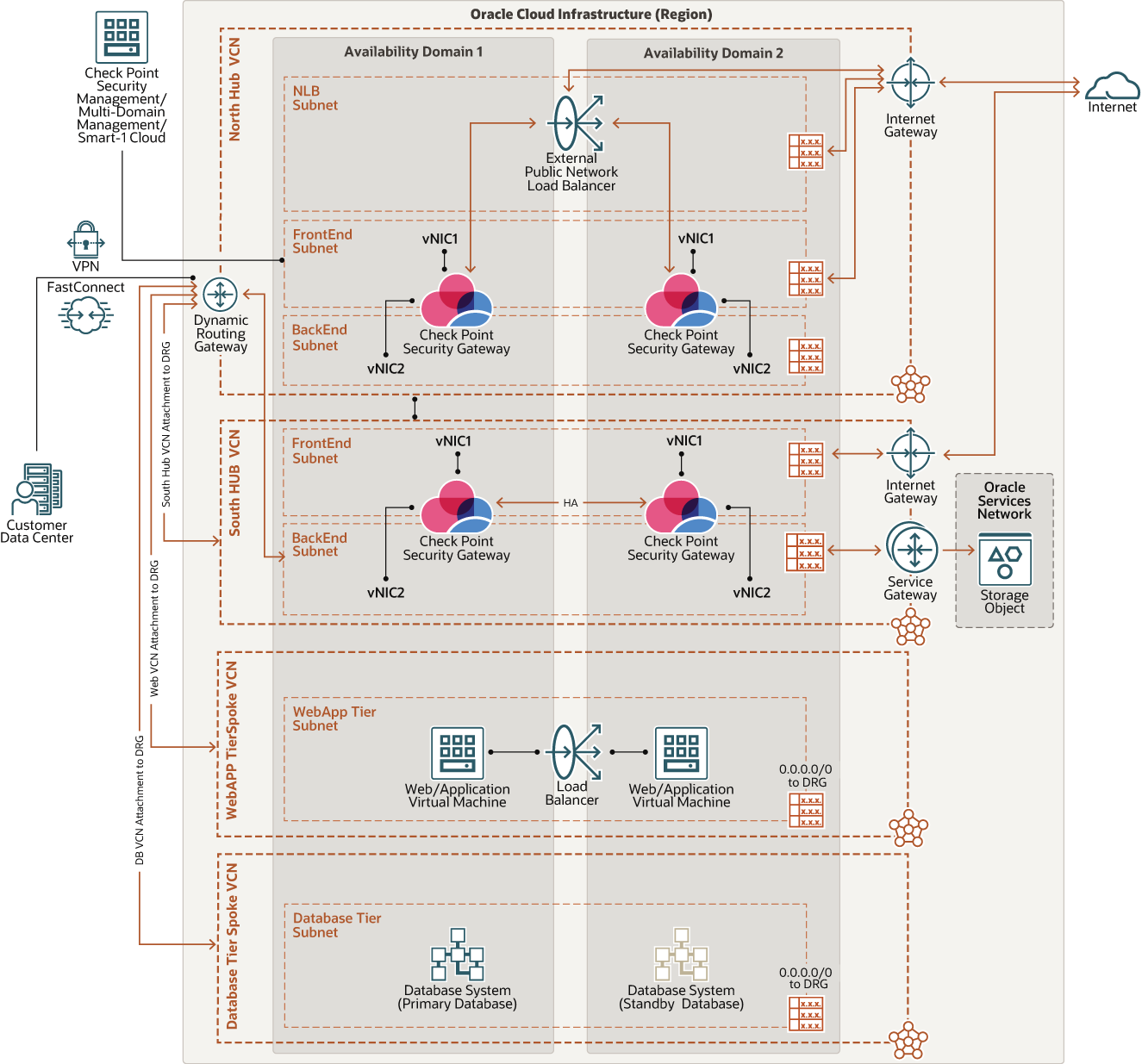
The tool focuses on the Security Posture Management (CSPM) category. It scans your tenancy for resources that deviate from the Oracle Maximum Security Architecture (OMSA). This includes identifying unencrypted storage buckets, overly permissive network security groups, and users lacking multi-factor authentication (MFA). By consolidating these disparate issues into a single guided workflow, the Security Advisor prevents "alert fatigue," a common problem where security administrators are overwhelmed by thousands of low-priority notifications.
The Security Advisor's primary value proposition lies in its prescriptive nature. While traditional monitoring tools might tell you that a problem exists, the Advisor tells you why it is a risk and walks you through the exact steps to fix it, often with "one-click" remediation options. This lowers the barrier to entry for maintaining high security standards and ensures that security is baked into the resource lifecycle rather than being an afterthought.
Core Capabilities and the Guidance-Driven Approach
The Advisor operates on a continuous feedback loop consisting of identification, guidance, and enforcement. Its capabilities are structured to address the most common vectors of cloud data breaches: misconfigured storage, weak identity management, and exposed network ports.
Centralized Security Posture Visibility
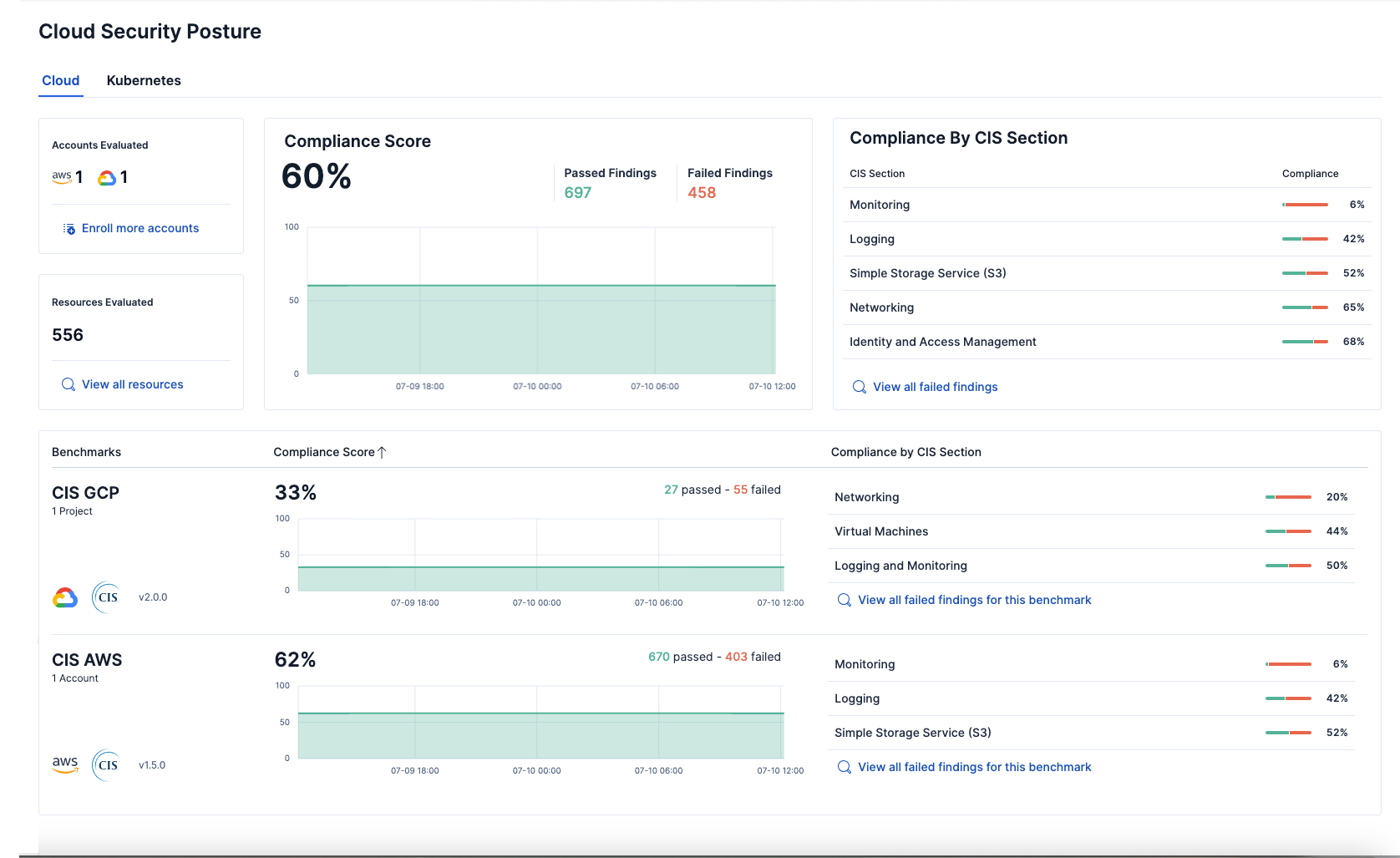
In 2026, visibility remains the biggest hurdle in cloud security. The Advisor provides a "Security Score" for the entire tenancy or specific compartments. This score is a real-time reflection of how well the environment aligns with Oracle’s best practices. It tracks improvements over time, allowing security leaders to demonstrate compliance and progress to stakeholders. The visibility extends across all regions where OCI resources are deployed, providing a global "single pane of glass" view.
Automated Remediation Workflows
One of the most powerful features of the Security Advisor is its ability to initiate remediation directly from the console. For example, if the Advisor detects a public Object Storage bucket that should be private, it doesn't just flag it; it provides a direct workflow to apply a "Security Zone" policy or update the bucket settings. This minimizes the "Time to Remediate" (TTR), which is a critical metric in preventing data exfiltration during a breach.
Alignment with Security Zones
The Security Advisor works in tandem with OCI Security Zones. While Security Zones are preventative (blocking the creation of insecure resources), the Advisor is both diagnostic and corrective. It identifies existing resources that were created before a policy was in place or those that have drifted from their intended secure state. By aligning these two services, OCI provides a comprehensive "defense-in-depth" strategy that covers both new and legacy resources.
Navigating the Implementation Workflow
Implementing the recommendations provided by Oracle Cloud Security Advisor follows a logical progression designed to minimize operational disruption while maximizing security gains.
Step 1: Initial Tenancy Assessment
Upon accessing the Security Advisor within the OCI Console under the "Security" tab, the tool automatically performs an initial scan. In 2026, these scans are near-instantaneous due to enhanced telemetry. The Advisor categorizes findings by severity: Critical, High, Medium, and Low. Administrators should always begin with "Critical" items, which typically involve exposed data or unauthorized access paths.
Step 2: Reviewing Guidance and Rationale
For every identified risk, the Advisor provides a detailed explanation. If the Advisor recommends enabling OCI Cloud Guard, it will explain how Cloud Guard’s detectors identify suspicious activity and how its responders can automatically kill unauthorized processes. This educational component is vital for junior administrators to understand the "why" behind the security protocols they are enforcing.
Step 3: Executing Remediation Recipes
The Advisor uses "recipes"—pre-defined sets of rules and actions—to fix issues. Users can choose to apply these recipes globally or to specific compartments. For instance, an IAM (Identity and Access Management) recipe might involve enforcing a policy that requires all users to rotate their API keys every 90 days. The Advisor handles the backend API calls to update these policies across the tenancy, ensuring consistency.
Step 4: Verification and Continuous Monitoring
Once a remediation action is taken, the Advisor re-evaluates the resource to verify that the risk has been mitigated. The Security Score is updated, and the finding is moved to the "Resolved" state. In 2026, this verification is often backed by Oracle Cloud Infrastructure Documentation, which provides the underlying technical standards for each check.
Integration with the Broader OCI Security Ecosystem
Oracle Cloud Security Advisor does not operate in a vacuum. Its effectiveness is amplified by its deep integration with other OCI native security services. This ecosystem approach ensures that security signals are shared across the platform for a more intelligent response.
- OCI Cloud Guard: The Advisor acts as the management interface for many Cloud Guard findings. While Cloud Guard monitors for ongoing threats, the Advisor helps configure the baseline policies that Cloud Guard enforces.
- OCI Vault: The Advisor frequently recommends the use of Vault for managing encryption keys and secrets. It identifies resources using Oracle-managed keys and provides a guided path to migrate them to Customer-Managed Keys (CMK) for higher regulatory compliance.
- Vulnerability Scanning Service (VSS): The Advisor integrates data from VSS to highlight unpatched compute instances or container images with known vulnerabilities (CVEs), placing these technical flaws within the context of the overall security posture.
- Identity and Access Management (IAM): A significant portion of Advisor recommendations focus on IAM. By enforcing the principle of least privilege, the Advisor ensures that even if a credential is compromised, the "blast radius" is severely limited.
Comparative Analysis of OCI Security Tools
Understanding where the Security Advisor fits in the hierarchy of OCI security tools is essential for effective resource management. The following table compares the primary functions of the Advisor with its sibling services as of 2026.
| Feature | Oracle Cloud Security Advisor | OCI Cloud Guard | OCI Security Zones |
|---|---|---|---|
| Primary Goal | Guided remediation and posture improvement. | Continuous monitoring and threat detection. | Preventative enforcement of security policies. |
| User Experience | Wizard-based, prescriptive workflows. | Dashboard-driven alerts and responders. | Policy-based restrictions on resource creation. |
| Best Used For | Fixing existing misconfigurations and baseline setup. | Identifying active threats and behavioral anomalies. | Ensuring "Secure by Design" for new projects. |
| Automation Level | High (Guided "one-click" fixes). | Very High (Autonomous responders). | High (Automated blocking). |
| Scope | Tenancy-wide best practice alignment. | Event-based security monitoring. | Compartment-level policy enforcement. |
Managing Shared Responsibility in 2026
It is a common misconception that using the Security Advisor shifts all security responsibility to Oracle. In 2026, the Shared Responsibility Model remains a cornerstone of cloud computing. Oracle is responsible for the security of the cloud (physical infrastructure, hardware, and the virtualization layer), while the customer is responsible for security in the cloud.
Oracle Cloud Security Advisor is the tool Oracle provides to help customers fulfill their half of the responsibility. However, the customer must still:
- Define Policy: Decide which recommendations are appropriate for their specific business needs and regulatory environment (e.g., GDPR, HIPAA).
- Act on Findings: The Advisor identifies the risk, but the customer must authorize the remediation, especially if it involves changes to network traffic or access permissions that could impact production applications.
- Manage Data: The Advisor can help secure the "container" (the bucket or the database), but the customer is responsible for the classification and integrity of the data stored within.
Failure to actively engage with the Advisor’s findings leaves an organization vulnerable. A "Critical" finding ignored is a door left unlocked; the Advisor provides the key, but the administrator must turn it.
Common Pitfalls and Troubleshooting
While Oracle Cloud Security Advisor is designed for ease of use, organizations may encounter hurdles during its deployment. Recognizing these early can prevent security gaps.
Over-Reliance on Default Recipes
While the default security recipes are excellent for general use, they may be too restrictive for certain legacy applications. For example, enforcing strict TLS versions via the Advisor might break communication with older on-premises systems. Administrators should review the impact of each "fix" before applying it globally.
IAM Permission Issues
To use the Security Advisor effectively, the administrator account must have the correct permissions. A common error is a "Permission Denied" message when trying to apply a remediation. This usually means the user has inspect permissions but lacks the manage permissions required to alter resource configurations. Access should be granted via the SecurityAdmins group or equivalent custom policies.
Ignoring Low-Priority Findings
Over time, "Low" and "Medium" findings can accumulate. While they may not represent an immediate breach risk, they often indicate poor "security hygiene" that attackers can exploit in a multi-stage campaign. Periodically clearing the Advisor’s dashboard of all findings is a best practice for maintaining a clean audit trail.
FAQs
Is there an additional cost for using Oracle Cloud Security Advisor in 2026?
Oracle Cloud Security Advisor is generally included as a core management feature of the OCI Console at no additional cost. However, some of the remediation actions it suggests—such as enabling OCI Vault or advanced Cloud Guard features—may incur costs based on resource consumption or licensing tiers. Users should check the current OCI pricing schedule for specific service dependencies.
Can the Security Advisor automatically fix all issues without human intervention?
While the Advisor offers automated remediation workflows, it does not typically "self-heal" resources without an initial administrative trigger. This is a safety measure to prevent automated changes from causing unexpected downtime. For fully autonomous security, users should look into Cloud Guard Responders, which can be configured to take immediate action on specific event triggers.
Does the Security Advisor help with regulatory compliance like PCI-DSS or SOC2?
Yes. The Advisor’s recommendations are mapped to many common compliance frameworks. By following the Advisor’s guidance to secure networking, encryption, and identity, organizations can significantly simplify the evidence-gathering process for audits. The Advisor provides reports that show the status of security controls, which are invaluable for compliance officers.
How often does the Security Advisor scan my resources?
In 2026, the Advisor performs continuous scanning. Most changes to your environment are reflected in the Security Advisor dashboard within minutes. For large tenancies, a full deep-scan might occur on a scheduled basis, but high-risk misconfigurations (like public storage buckets) are usually identified and flagged in near real-time.
Can I customize the security rules the Advisor uses?
You can customize the underlying recipes in Cloud Guard and Security Zones, which the Advisor references. This allows you to tailor the "security bar" to your organization's specific risk tolerance. For instance, you can create a custom recipe that allows public access to specific web-hosting buckets while strictly forbidding it for all other storage resources.
Practical Recommendation
For organizations operating on OCI in 2026, the first step toward a hardened posture is to conduct a Security Advisor Audit. Navigate to the Security Advisor in your OCI Console and resolve every "Critical" and "High" finding immediately. Once the baseline is established, integrate the Security Advisor’s findings into your weekly operational reviews. Security is not a one-time setup but a continuous process of refinement; leveraging the Advisor’s automated intelligence ensures that your team stays ahead of attackers without needing to manually audit every resource in your cloud.
Image Gallery