Mastering Music Notes in ABC Notation: A Comprehensive Technical Guide
ABC notation is a lightweight, text-based music representation format that uses standard ASCII characters to encode musical pitch, duration, accidentals, and overall score structure. Base pitches are represented by letters A through G,...
ABC notation is a lightweight, text-based music representation format that uses standard ASCII characters to encode musical pitch, duration, accidentals, and overall score structure. Base pitches are represented by letters A through G, octave levels are designated by letter casing combined with apostrophes or commas, and note durations are defined relative to a standard unit header.
Contents
What Is ABC Notation?
Developed by Chris Walshaw in the 1990s, ABC notation was designed to make musical scores readable by both human musicians and computer software using plain text files. Unlike graphical score layout engines or dense binary music formats, ABC files can be written in any basic text editor, transmitted over low-bandwidth channels, and rendered into standard sheet music or MIDI audio output. The language is governed by community specifications published on the ABC Notation Standard 2.1 documentation repository.
An ABC tune file consists of two primary sections: the header and the tune body. The header contains essential metadata fields defined by single-letter tags followed by a colon, such as reference numbers, titles, time signatures, and key signatures. The tune body follows immediately after the header and contains the sequence of music notes, rhythms, measure boundaries, and structural repetition markers.
Core Header Fields Required for Interpretation
Before analyzing individual notes, standard rendering software reads key structural headers to interpret the pitch and temporal framework of the tune:
- X: Reference number (e.g.,
X:1). This assigns an index number to the tune within a larger document or collection. - T: Title of the piece (e.g.,
T:The Irish Washerwoman). - M: Meter or time signature (e.g.,
M:4/4orM:6/8). - L: Default unit note length (e.g.,
L:1/8orL:1/4), which defines the base rhythmic value of an unadorned note letter in the body. - Q: Tempo designation (e.g.,
Q:1/4=120), indicating the number of beats per minute. - K: Key signature (e.g.,
K:GorK:Dm), which establishes default flats, sharps, and clefs for the body notes.
Pitch Representation in ABC Notation
In ABC notation, pitch is represented using the seven traditional Western musical note letters: A, B, C, D, E, F, and G. Because standard keyboard text lacks stave lines or graphical pitch registers, ABC relies on a combination of letter casing and punctuation modifiers to specify exact pitch octaves.
The Middle C Anchor Point
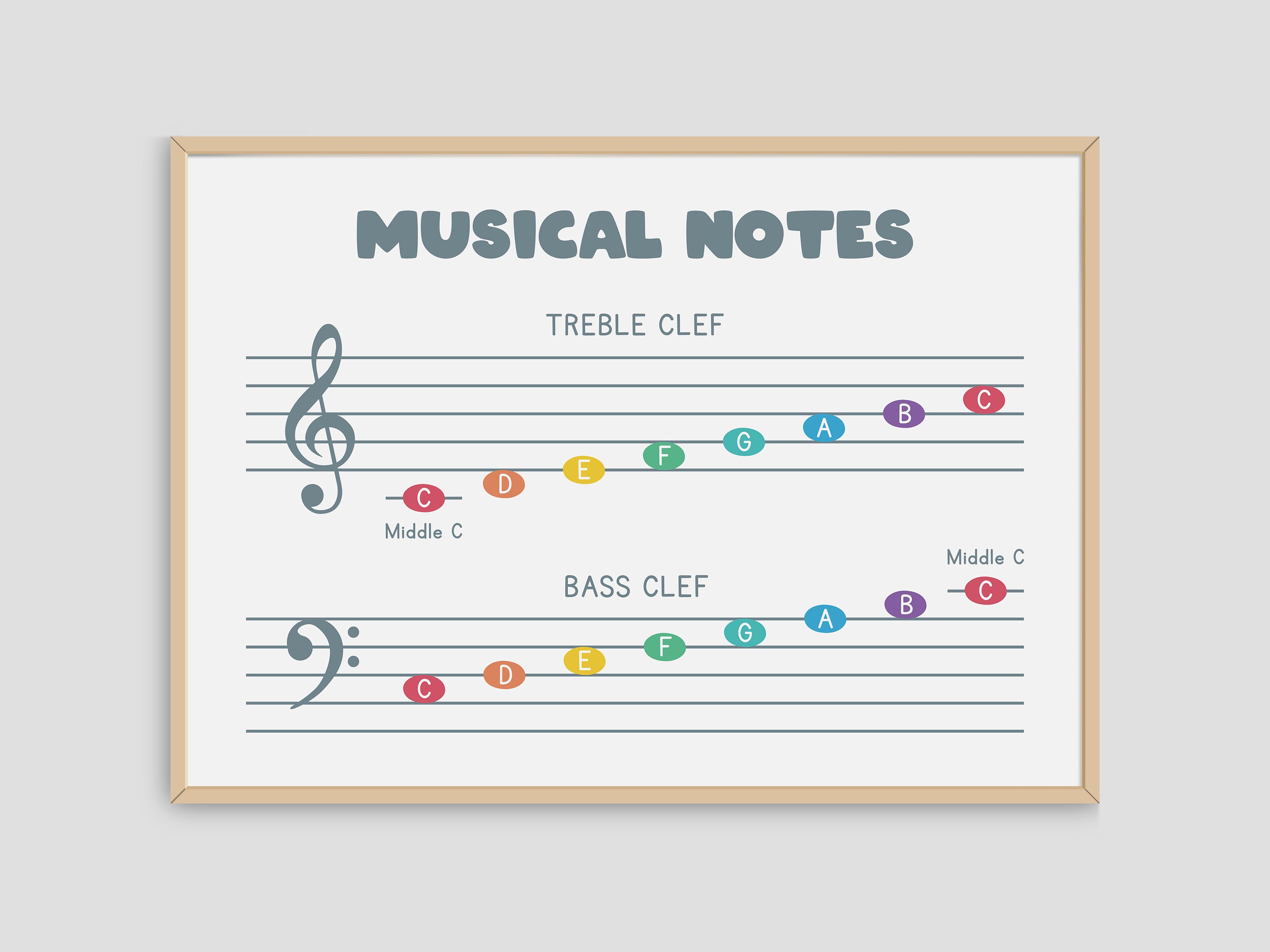
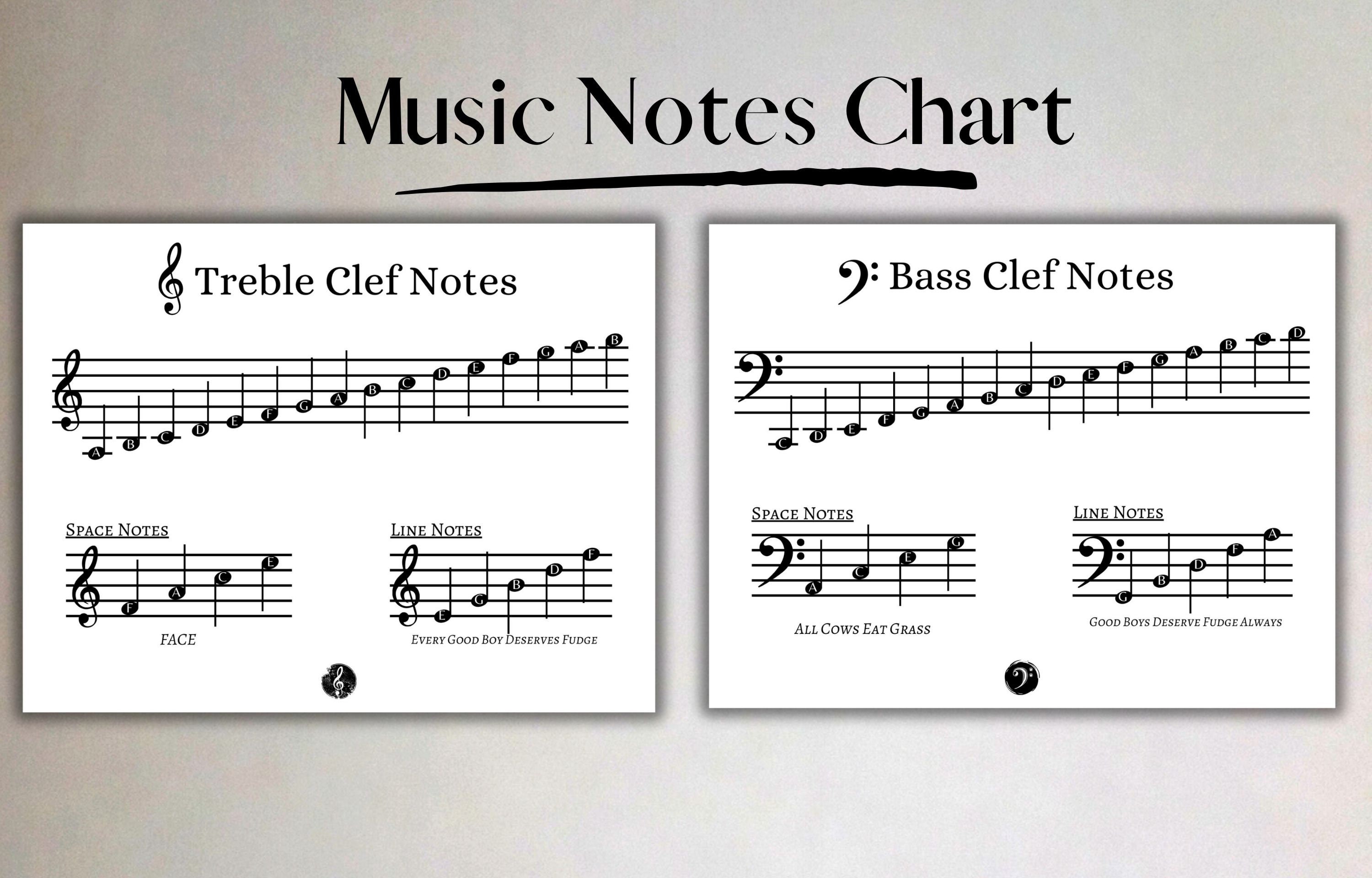
The foundational reference point in ABC notation is Middle C (C4 in standard scientific pitch notation, corresponding to approximately 261.63 Hz). Middle C is written as an uppercase C.
The octave spanning from Middle C up to the B natural below the treble clef space C is encoded entirely using uppercase letters:
- C: Middle C (C4)
- D: D4
- E: E4
- F: F4
- G: G4
- A: A4
- B: B4
Higher Octaves: Lowercase Letters and Apostrophes
Notes in the treble clef register starting at C5 (the third space of the treble stave) transition to lowercase letters:
- c: C5 (one octave above Middle C)
- d: D5
- e: E5
- f: F5
- g: G5
- a: A5
- b: B5
To move higher by additional octaves, append single apostrophes (') directly after the lowercase letter:
- c': C6 (two octaves above Middle C)
- d': D6
- c'': C7 (three octaves above Middle C)
Lower Octaves: Commas
To represent pitches below Middle C (the bass clef region), append commas (,) directly after uppercase note letters:
- C,: C3 (one octave below Middle C)
- D,: D3
- B,: B3
- C,,: C2 (two octaves below Middle C)
- C,,,: C1 (three octaves below Middle C)
This systematic structure ensures that every letter unambiguously maps to a single pitch on the chromatic scale without requiring graphical staff positioning.
Note Durations, Rhythm Syntax, and Rests
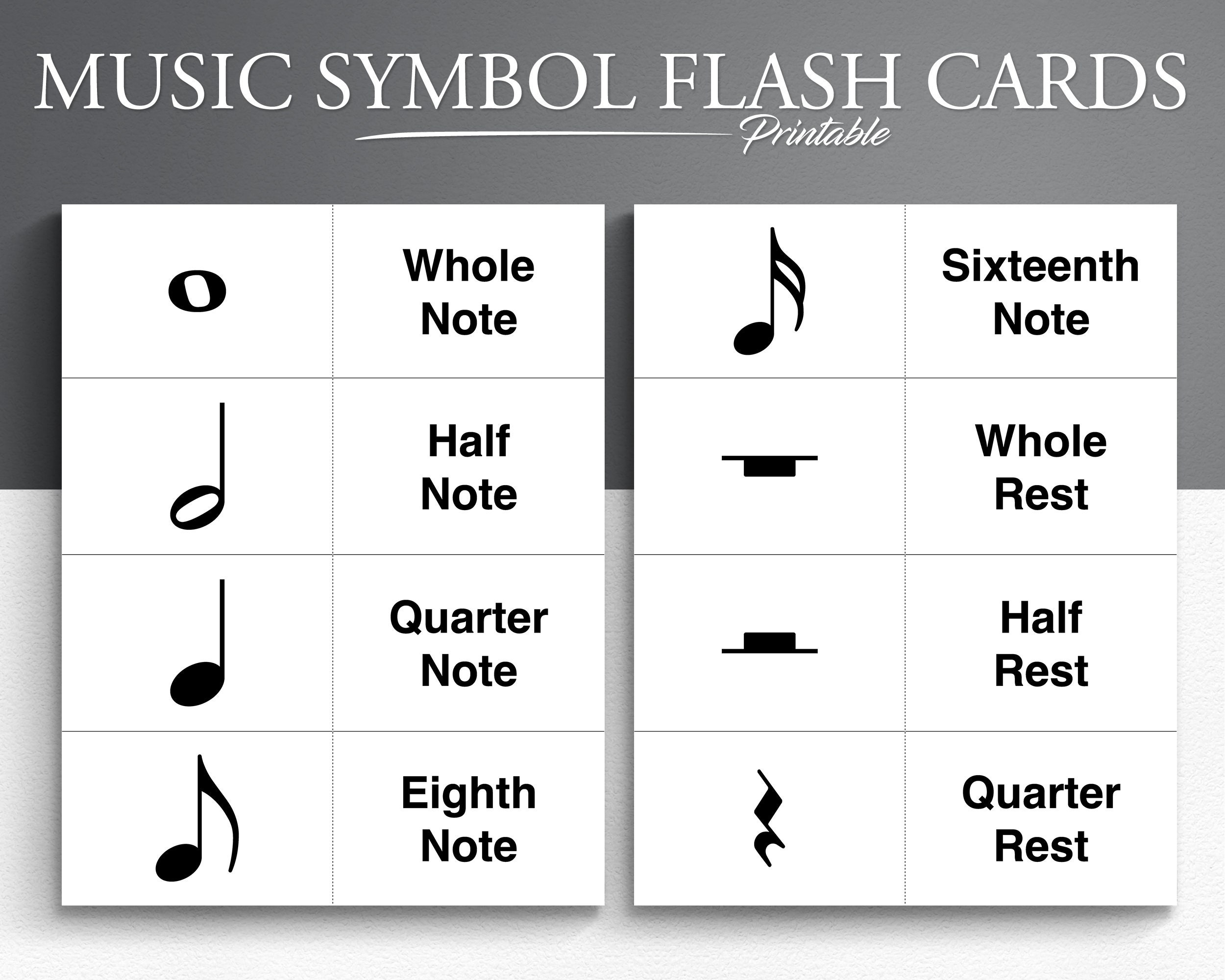
Note values in ABC notation are determined relative to the unit note length established by the L: header field. If the header specifies L: 1/8, an unmodified note letter represents an eighth note. If L: 1/4 is specified, an unmodified letter represents a quarter note.
Extending Durations via Multipliers
To increase the length of a note relative to the base unit note length, place an integer multiplier directly after the pitch letter:
- C: Base unit duration (1/8 note if
L: 1/8). - C2: Twice the base duration (1/4 note if
L: 1/8). - C3: Three times the base duration, equivalent to a dotted quarter note (3/8 duration if
L: 1/8). - C4: Four times the base duration, equivalent to a half note (1/2 duration if
L: 1/8).
Fractional Durations and Division
To shorten a note relative to the unit note length, place a slash (/) followed by a division factor directly after the pitch letter:
- C/2: Half the base unit length (sixteenth note if
L: 1/8). - C/: Shorthand for
C/2, halving the note length. - C//: Shorthand for
C/4, dividing the note length by four (thirty-second note ifL: 1/8). - C3/2: A fractional multiplier representing 1.5 times the base duration (dotted eighth note if
L: 1/8).
Broken Rhythms (Dotted and Cut Syntax)
Folk and dance music frequently utilize dotted-and-cut rhythmic pairs (such as hornpipes or strathspeys). ABC provides a concise notation shorthand for these figures using angle brackets:
- C > D: Shorthand for
C3/2 D/2. The first note takes half the length of the second note, creating a dotted note followed by a short note. - C >> D: Shorthand for
C7/4 D/4, representing a double-dotted rhythmic pair. - C < D: Shorthand for
C/2 D3/2, shortening the first note and lengthening the second (a reverse-dotted or "Scotch snap" figure).
Rest Syntax
Rest symbols follow the exact same duration modifier rules as pitch notes, but replace the note letter with specialized rest characters:
- z: An audible rest symbol. An unmodified
zlasts for the default unit note length (L:).z2double-lengths the rest, whilez/2halves it. - Z: A full-measure rest. An unmodified
Zcauses the renderer to insert a full bar rest matching the duration defined by the meter (M:).Z4indicates four consecutive measures of full rests. - x: An invisible rest. It consumes temporal space for alignment in multi-voice scores without displaying a rest symbol on the printed stave.
Accidentals, Key Signatures, and Bar Lines
Managing sharps, flats, naturals, and bar lines is critical for maintaining correct harmonic structures across measures.
In-Line Accidentals
In-line accidentals are placed immediately before the pitch letter they modify:
- ^: Sharp (e.g.,
^Cyields C-sharp). - ^^: Double sharp (e.g.,
^^Cyields C-double-sharp). - _: Flat (e.g.,
_Byields B-flat). - __: Double flat (e.g.,
__Byields B-double-flat). - =: Natural (e.g.,
=Fcancels an active sharp or flat, restoring F-natural).
According to the official ABC Specification 2.1, an explicit accidental applies to that exact pitch for the rest of the measure in which it appears, unless overruled by a subsequent explicit accidental or bar line.
Key Signatures (K:) and Explicit Transposition
The key header tag (K:) automatically applies accidentals to notes across the entire tune without requiring explicit symbols on individual notes. For example, K: D automatically applies sharps to all F and C notes in all octaves (F# and C#).
Key signatures can also specify global modal context or clefs:
K: G: G Major (1 sharp: F#)K: Dm: D Minor (1 flat: Bb)K: AMix: A Mixolydian modeK: C clef=bass: Sets the staff layout to bass clef while keeping pitch letters relative to absolute octave positions.
Bar Lines and Structural Repeats
Bar lines segment measures, define rhythm boundaries, and reset temporary accidental modifications:
- |: Standard single bar line.
- ||: Double bar line (used between sections).
- |]: Terminal bar line marking the end of a tune.
- |:: Start of a repeated section.
- :|: End of a repeated section.
- ::: Dual repeat line (ends previous repeat and opens next repeat).
- |1 and :|2: First and second repeat endings (volta brackets).
Chords, Polyphony, Ties, Slurs, and Articulations
Beyond single melodic lines, ABC notation can express harmony, overlapping voices, and expressive performance techniques.
Polyphonic Chords
To play multiple pitches simultaneously as a chord, group the pitch letters inside square brackets [...]:
- [CEG]: A major triad consisting of C, E, and G played concurrently.
- [GBd]2: A G major chord held for twice the unit note duration.
- [_EGA]: An accidental applied inside a chord bracket applies directly to that specific pitch.
Ties and Slurs
- Ties: Connect two identical pitches across duration limits or bar boundaries using a hyphen placed directly between or immediately after the first pitch (e.g.,
c-corC2-C). - Slurs: Group distinct pitches to signify smooth, legato phrasing using curved parentheses surrounding the target note group (e.g.,
(c d e)or nested slurs like(c (d e) f)).
Grace Notes and Performance Articulations
Grace notes are enclosed in curly braces {...} before the primary note:
- {g}f: A single grace note on G preceding an F pitch.
- {agf}e: A multi-note ornament running down to E.
Expressive articulations utilize standard character shortcuts or exclamation mark annotations:
- .: Staccato mark placed before the note (e.g.,
.C). - ~: Irish roll or ornamental turn (e.g.,
~G). - !fermata! or H: Holds the note beneath a fermata symbol (e.g.,
!fermata!C2). - !accent!: Adds a dynamic accent mark to the note (e.g.,
!accent!G).
Technical Reference Summary of ABC Syntax
The following table summarizes how core musical elements map directly to ABC text syntax, including their duration or pitch results relative to a standard default setting of L: 1/8 in 4/4 time.
| Musical Element | ABC Syntax Example | Musical Pitch / Value | Function & Render Effect |
|---|---|---|---|
| Middle C | C |
C4 (261.63 Hz) | Upper-case letter representing Middle C pitch |
| Low C | C, |
C3 (130.81 Hz) | Single comma drops pitch by one full octave |
| High C | c' |
C6 (1046.50 Hz) | Apostrophe raises lowercase note by one octave |
| Quarter Note | C2 |
1 Beat (when L: 1/8) |
Numeric multiplier doubles unit note duration |
| Sixteenth Note | C/ or C/2 |
1/4 Beat (when L: 1/8) |
Slash operator divides unit note duration by two |
| Dotted Eighth Note | C3/2 |
3/4 Beat (when L: 1/8) |
Fractional factor scales duration by 1.5x |
| C Major Chord | [CEG] |
C4 + E4 + G4 simultaneous | Enclosed square brackets execute pitches concurrently |
| Sharp Accidental | ^F |
F-sharp (F#) | Carat symbol raises note by one chromatic half-step |
| Natural | =F |
F-natural (F♮) | Equals sign removes active key signature sharp/flat |
| Dotted Pair | G > A |
Dotted 8th + 16th Note | Transfers 50% duration from second note to first note |
| Measure Rest | Z |
Full Measure Silence | Upper-case Z silences score for entire bar duration |
Software Utilities for Processing ABC Notation
Because ABC is plain text, software application chains are used to convert raw input files into visual vector sheet music (SVG/PDF) or digital audio streams (MIDI/WAV).
- abcjs: A widely implemented open-source JavaScript library that renders ABC source text directly into responsive SVG music scores within web browsers, while offering web-audio MIDI playback support.
- EasyABC: An open-source desktop editor providing integrated side-by-side editing, dynamic visual previewing, MIDI playback, and export options to PDF or MIDI.
- abcm2ps: A command-line tool that parses ABC files and layout options to produce high-resolution PostScript or PDF sheet music files suitable for print publication.
- abc2midi: A utility component within the
abcm2pspackage ecosystem designed specifically to convert ABC score files into multi-track standard MIDI audio files. - MuseScore: A graphical score writer that offers native or plugin-based ABC importing capabilities, allowing transcribers to convert text tunes into full graphical orchestra layouts.
Comprehensive file libraries, software listings, and community databases are hosted at abcnotation.com.
Common Mistakes and Troubleshooting
When authoring or parsing ABC notation files, syntax errors can prevent accurate score rendering or trigger software compilation warnings.
Octave Transposition Errors
- Symptom: Notes appear one octave higher or lower than intended on the staff.
- Cause: Mixing up letter casing. Writing a lowercase
cinstead of an uppercaseCplaces the note on treble space C rather than Middle C. - Fix: Audit casing carefully. Use uppercase letters (
A-B) for the lower stave register and lowercase (a-g) for the higher stave register.
Rhythm Measure Mismatch Warnings
- Symptom: Renderers flag measure duration warnings or force incorrect bar line spacing.
- Cause: The total rhythmic value of notes and rests within a measure does not equal the time signature defined by
M:. - Fix: Calculate note durations per measure. In
M: 4/4withL: 1/8, each measure must sum to exactly 8 eighth-note units (e.g.,C2 C2 C2 C2orC4 C4).
Missing Unit Note Length Headers
- Symptom: The tune renders at double speed or half speed relative to expected tempo.
- Cause: Omitting the explicit
L:header line forces renderers to guess unit lengths based on the meterM:. - Fix: Always declare explicit unit note lengths in the tune header (e.g.,
L: 1/8for reels and jigs,L: 1/4for hymns or slow marches).
Scope and Unclosed Syntax Tags
- Symptom: Entire sections fail to render, or chords appear distorted across measures.
- Cause: Unmatched brackets
[, missing grace note braces{, or unclosed slur parentheses(. - Fix: Ensure every open bracket, brace, or parenthesis has a matching closing symbol within the same voice segment.
Frequently Asked Questions
What is the default octave for uppercase pitch letters in ABC notation?
Uppercase pitch letters (A through B) represent the octave starting at Middle C (C4) up to B4. To represent pitches below Middle C, add commas (e.g., C, for C3). To represent pitches an octave above Middle C (C5 and higher), transition to lowercase letters (e.g., c).
How do you write dotted notes in ABC notation?
Dotted notes are written either by modifying duration numbers directly (for example, C3 represents a dotted quarter note when L: 1/8) or by using the broken rhythm shorthand (>). Writing C > D extends the duration of C by 50% while reducing D by 50%.
How are multiple musical voices encoded in a single ABC tune?
Multiple voices are designated using the V: header tag within the tune body. Defining V:1 clef=treble and V:2 clef=bass creates separate staff lines. Body content assigned under V:1 and V:2 renders parallel staves playing simultaneously in polyphonic arrangements.
What is the structural difference between lowercase rest z and uppercase rest Z?
A lowercase z represents an individual rest element whose duration is modified by standard numeric multipliers (e.g., z, z2, z/2). An uppercase Z represents an entire measure of rest automatically scaled to the active time signature meter, regardless of measure length.
Can ABC notation files be converted into audio files?
Yes. Software programs such as abc2midi process ABC text files directly into standard MIDI (.mid) audio streams. Modern web libraries such as abcjs convert ABC notation into Web Audio API synthesized playback directly inside browser sessions without requiring desktop installation.
Recommended Next Steps
To begin creating, transcribing, or integrating ABC music files into web or publishing pipelines:
- Setup a Text Editor: Open any standard plain text editor (VS Code, Notepad++, or TextEdit) and save a new file with the
.abcextension. - Draft a Simple Header: Include fundamental headers (
X:1,T: My First Tune,M:4/4,L:1/8,K:C). - Write the Melodic Sequence: Enter pitches, bar lines, and measure structures in the tune body (e.g.,
C D E F | G2 G2 |). - Validate and Render: Paste your text into an online previewer powered by
abcjsor an application like EasyABC to visually review rendered vector stave lines and verify audio playback accuracy.
Image Gallery