Optimizing Your Search Strategy on Bexar.org for Local Government Resources
Navigating Bexar.org effectively requires understanding how to leverage its centralized municipal search engine to access public records, property tax assessments, and county services. This guide provides a strategic approach to queryi...
Navigating Bexar.org effectively requires understanding how to leverage its centralized municipal search engine to access public records, property tax assessments, and county services. This guide provides a strategic approach to querying the Bexar County portal efficiently, ensuring you locate official government documentation without navigating redundant directory pages.
Contents
Understanding the Bexar County Digital Ecosystem and Search Architecture
Bexar County, anchored by San Antonio, Texas, manages a vast digital infrastructure designed to serve over two million residents. The primary domain, Bexar.org, serves as the digital gateway for multiple distinct departments, including the Bexar County Clerk, Tax Assessor-Collector, District Courts, and Commissioners Court. Recognizing how these departments interconnect is essential for crafting precise search queries.
When utilizing the built-in search tool on Bexar.org, users often encounter vast arrays of document types, ranging from historical deed records to modern public health notices. The underlying search architecture indexes content based on metadata tags, document titles, and specific statutory classifications.
- Departmental Separation: Content is often siloed by elected office, meaning a search for election results will yield different repository paths than a search for marriage licenses.
- Public Record Accessibility: Certain records, such as vital statistics, are governed by strict Texas state privacy laws, influencing how search results display or restrict access.
- Navigation Best Practices: Utilizing targeted keyword syntax rather than conversational phrasing drastically improves retrieval accuracy within county databases.
Step-by-Step Guide to Executing Targeted Searches on Bexar.org
Executing a successful query on a government portal requires moving beyond basic keyword entry. By employing targeted search modifiers and understanding the layout of county databases, users can bypass standard navigation menus and access direct file repositories.
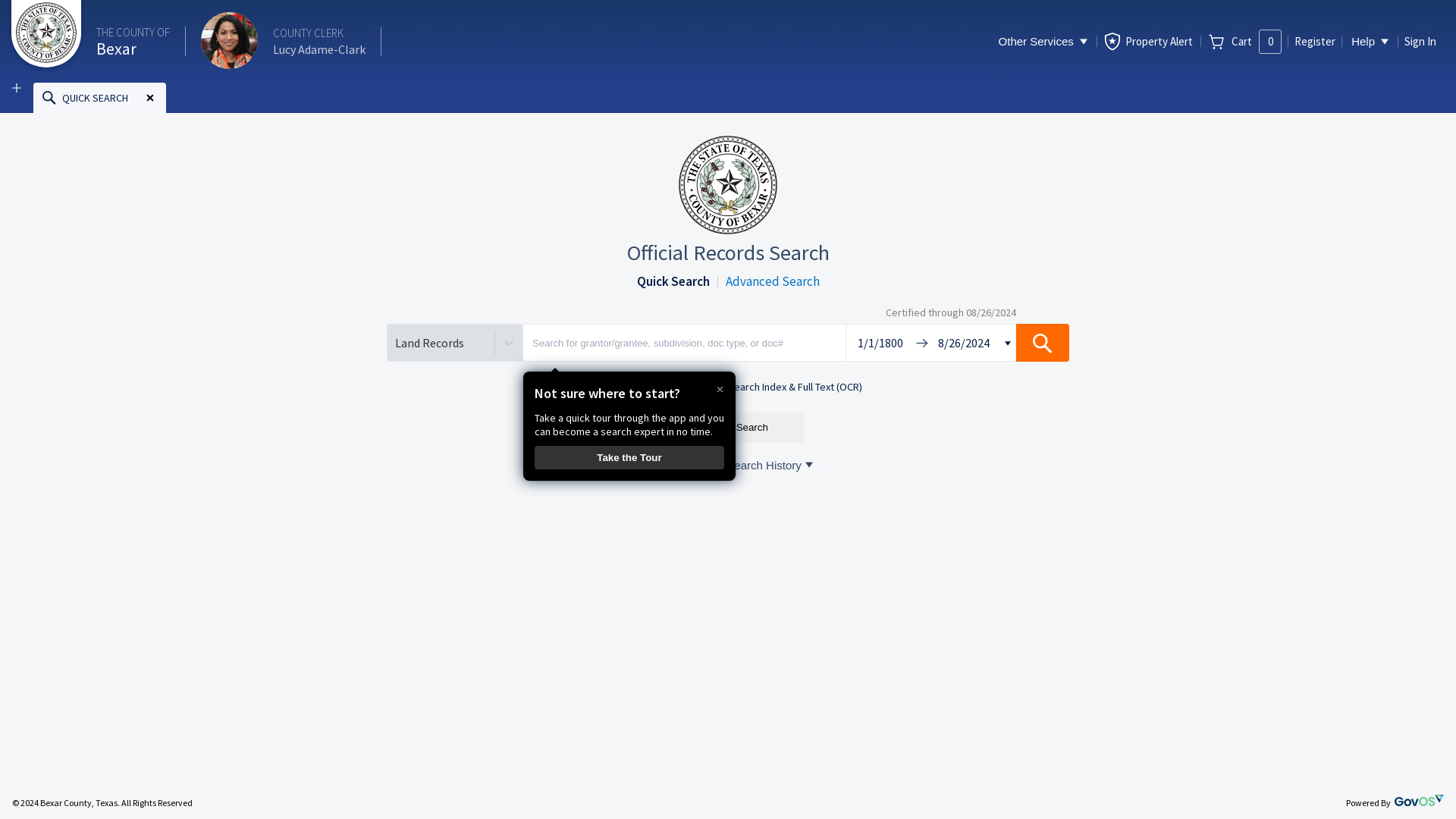
- Navigate to the official homepage at Bexar County Official Website and locate the primary search bar positioned prominently in the header or central navigation frame.
- Enter specific departmental keywords followed by the exact record type you require (e.g., typing "County Clerk Assumed Name Search" rather than just "business").
- Apply available sidebar filters to narrow results by date range, document category, or originating department.
- Verify URL authenticity to ensure you are interacting with secure county subdomains (typically ending in .gov or securely managed through official portal gateways).
- Download or view records using authorized PDF or secure viewer plugins supported by the county platform.
Key Services and Portal Categories Available via Bexar.org
The breadth of services hosted on Bexar.org spans judicial, financial, and administrative domains. Knowing which portal category houses your specific requirement minimizes search fatigue and prevents redirection to third-party data brokers.
| Service Category | Primary Department | Typical Record Types | Search Specificity Level |
|---|---|---|---|
| Property & Taxation | Tax Assessor-Collector | Property valuations, tax statements, exemptions | High precision via Account Number |
| Judicial & Legal | County/District Clerk | Civil filings, criminal records, marriage licenses | Moderate to High (requires name/case number) |
| Elections & Voting | Elections Department | Voter registration status, polling locations, results | High precision via personal details |
| Commissioners Court | County Manager / Judge | Agendas, minutes, county budget documents | Moderate (chronological indexing) |
Leveraging Advanced Public Records and Property Search Tools
Property records and vital statistics represent the highest volume of search queries on Bexar.org. The Tax Assessor-Collector and County Clerk maintain separate databases that require distinct search protocols. For property assessments, having the Property Identification (ID) number or exact situs address eliminates ambiguity caused by common street names or spelling variations.
For historical document searches managed by the County Clerk, users must often navigate specific public search portals that require account registration or adherence to specific viewing hours. It is important to note that while basic index searches are free, official certified copies of deeds, liens, and vital records incur statutory copying fees defined by Texas Local Government Code.
- Property ID Lookup: Always prioritize searching by Property ID rather than owner name to avoid matching common surnames.
- Historical Indexing: Records prior to the digital transition may require specialized archival search parameters or in-person visits to the Paul Elizondo Tower or Bexar County Courthouse.
- Security Protocols: Be cautious of third-party websites mimicking Bexar.org that charge excessive fees for publicly accessible county documents.
Comparative Overview of Bexar.org Search Methods vs. External Public Record Sites
When seeking government information, users frequently debate whether to use official municipal portals or aggregate search engines. The following comparison highlights operational differences, security, and cost factors.
| Feature / Metric | Official Bexar.org Portal | Third-Party Record Aggregators |
|---|---|---|
| Data Accuracy | Direct from source; legally binding | Often outdated or scraped periodically |
| Cost for Basic Index | Free public access | Subscription-based or pay-per-report |
| Security & Privacy | High-level encryption, state compliance | Variable data-handling practices |
| Document Certification | Available (official county seal) | Not legally valid for official use |
| Customer Support | County department help desks | Automated or outsourced support |
Troubleshooting Common Search Roadblocks on Bexar.org
Users frequently encounter specific technical hurdles when attempting to retrieve documents or navigate municipal subdomains. Addressing these issues systematically prevents wasted time and ensures successful data retrieval.
- Browser Compatibility Issues: Older county document viewers may require updated browsers or specific PDF plug-in permissions. Ensure your browser is not blocking pop-ups from official .gov domains.
- Exact Match Limitations: If a search for a person's name yields zero results, broaden the criteria by using wildcards or searching by partial date parameters.
- Database Timeouts: High-traffic periods, particularly during property tax payment deadlines or election nights, can slow down query response times. Try accessing regional portals during off-peak hours.
- Restricted Access Prompts: If a document link prompts a login error, verify whether the record requires a paid subscription or specific legal clearance pursuant to Texas Public Information Act guidelines.
Frequently Asked Questions Regarding Bexar.org
How do I find my property tax records using Bexar.org?
Navigate to the Tax Assessor-Collector section via the main search bar and enter either your property account number, owner name, or physical street address to view current and historical tax statements.
Are all documents on Bexar.org free to view and download?
While basic index searches and public meeting agendas are entirely free to view, obtaining certified copies of legal instruments, vital statistics, or court filings may require statutory fees.
What should I do if a search query on Bexar.org returns a server error?
Clear your browser cache, check your internet connection, or try accessing the specific department portal directly rather than relying on the site-wide global search engine.
Can I access Bexar County court records directly through the main search portal?
Court records are managed through specialized judicial search portals linked within Bexar.org, which often require separate user authentication and adherence to court privacy rules.
How are privacy laws enforced on public records searched via Bexar.org?
Certain sensitive records, such as juvenile files or protected personal identification numbers, are automatically redacted or restricted in compliance with Texas state law and judicial mandates.
Maximizing Your Administrative Workflow
Mastering the search functionality on Bexar.org streamlines interactions with local municipal authorities, saving time and eliminating procedural friction. By utilizing official departmental pathways, verifying property identifiers, and understanding statutory record limitations, residents and legal professionals can efficiently retrieve accurate, authoritative documentation for personal, legal, or commercial purposes.
Image Gallery