How to Make a Villager Change Jobs in Minecraft
To make a villager change jobs, you must first ensure they have never been traded with, as trading permanently locks their profession. If they are eligible, destroy their existing job site block (workstation). Once the villager becomes...
To make a villager change jobs, you must first ensure they have never been traded with, as trading permanently locks their profession. If they are eligible, destroy their existing job site block (workstation). Once the villager becomes unemployed, place the new job site block corresponding to your desired profession nearby to allow them to claim it.
Contents
Understanding Villager Profession Mechanics
In Minecraft, a villager’s profession is determined by their interaction with Job Site Blocks. This system, fundamentally overhauled in the 1.14 Village & Pillage update and refined through various iterations leading into 2026, relies on a "claim" system. Every employed villager is linked to a specific workstation in the game world. To change a villager's job, you are essentially manipulating this linking system by removing their current "Point of Interest" (POI) and providing a new one.
However, the process is not always instantaneous. Villagers operate on a strict daily schedule. They only seek out or change jobs during "work hours," which typically run from game time 2,000 to 9,000 (roughly right after dawn until late afternoon). If you attempt to change a job at midnight, the villager will remain unemployed or stuck in their old profession until the sun rises and their AI routine triggers a search for a workstation.
Furthermore, not every villager is capable of holding a job. Nitwits (distinguishable by their green robes) and baby villagers cannot claim job site blocks. Nitwits are essentially the "unemployed for life" class of the village and are often used for breeding rather than trading. Baby villagers must grow into adults before they can enter the workforce and link to a workstation.
The Critical "Trade Lock" Rule
Before attempting to change a villager's profession, you must verify their trading history. This is the most common point of failure for players. As soon as you complete a single trade with a villager—whether it is buying a loaf of bread or a Mending book—that villager’s profession and their entire inventory of trades are permanently locked.
Even if you destroy their workstation after trading, they will remain a Farmer, Librarian, or Fletcher. They will still need a workstation to restock their supplies, but they will never accept a different type of job site block. If you are trying to "reroll" a villager to get a specific enchanted book or a better price, you must check their trades first, and if you don't like what you see, do not trade. Simply break the block and replace it until the desired trade appears.
Step-by-Step Guide to Changing a Job
Changing a job is a three-part process involving preparation, termination of the current contract, and re-assignment.
1. Preparation and Verification
Identify the villager you wish to change. Ensure they are an adult and not a Nitwit. Check their interface to ensure the experience bar at the top is completely empty (showing they are at the "Novice" level with zero XP). If they have any experience, they are locked into their current role. Ensure the area is clear of other unemployed villagers, as another villager might "steal" the workstation you are about to place.
2. Destroying the Current Workstation
Locate the specific block the villager is using. If you are in a crowded village, this can be tricky. When you break the correct block, you should see gray "angry" particles appear above the villager’s head. This indicates they have lost their connection to their job site. If they are a Novice and have not been traded with, they will immediately lose their professional clothing and revert to their default biome outfit (e.g., plain tan robes for plains, white for snowy biomes).
3. Placing the New Job Site Block
Place the new workstation (such as a Lectern for a Librarian) near the villager. If it is during work hours and the villager can pathfind to the block, you will see green "happy" particles appear over the block and the villager. They will instantly change into the outfit associated with that new job. You can now open their trading menu to see their new offerings.
Complete List of Job Site Blocks and Professions
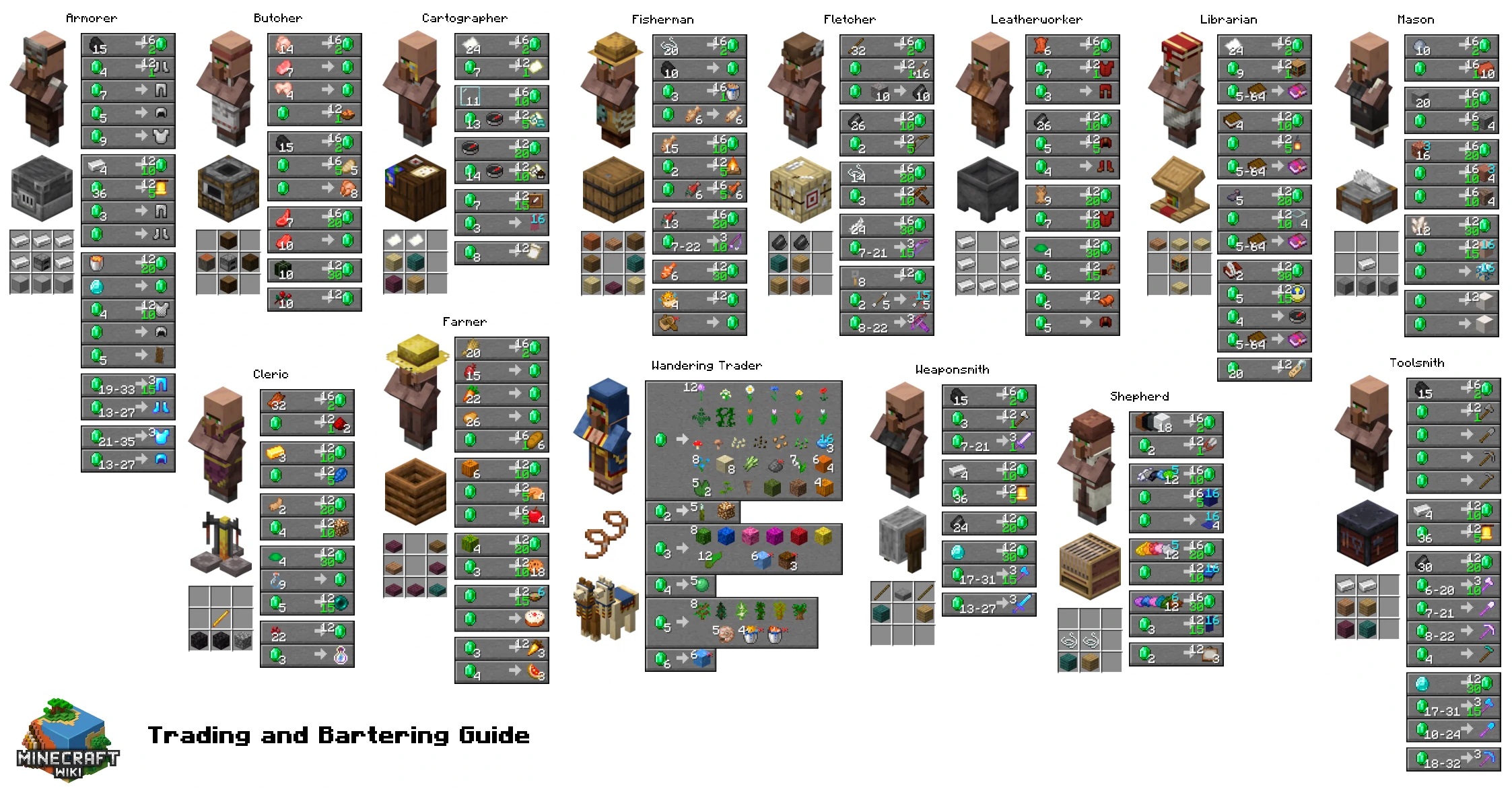
To successfully change a villager's job, you must know which block corresponds to which profession. The following table outlines the requirements for every available profession in the game as of 2026.
| Profession | Job Site Block | Key Utility / Primary Trades |
|---|---|---|
| Librarian | Lectern | Enchanted books, Name Tags, Glass, Ink Sacs |
| Farmer | Composter | Golden Carrots, Apples, Suspicious Stew, Crop-for-Emerald trades |
| Fletcher | Fletching Table | Tipped Arrows, Bows, Crossbows, Flint-for-Emerald trades |
| Cleric | Brewing Stand | Bottle o' Enchanting, Ender Pearls, Redstone, Glowstone |
| Armorer | Blast Furnace | Enchanted Diamond/Iron Armor, Chainmail, Shield |
| Toolsmith | Smithing Table | Enchanted Diamond/Iron Tools (Pickaxes, Axes, Shovels) |
| Weaponsmith | Grindstone | Enchanted Diamond/Iron Swords and Axes, Bells |
| Butcher | Smoker | Cooked Meats, Rabbit Stew, Berry-for-Emerald trades |
| Leatherworker | Cauldron | Leather Armor, Saddles, Horse Armor, Scute |
| Mason | Stonecutter | Quartz, Terracotta, Glazed Terracotta, Brick blocks |
| Shepherd | Loom | Wool, Banners, Paintings, Dye-for-Emerald trades |
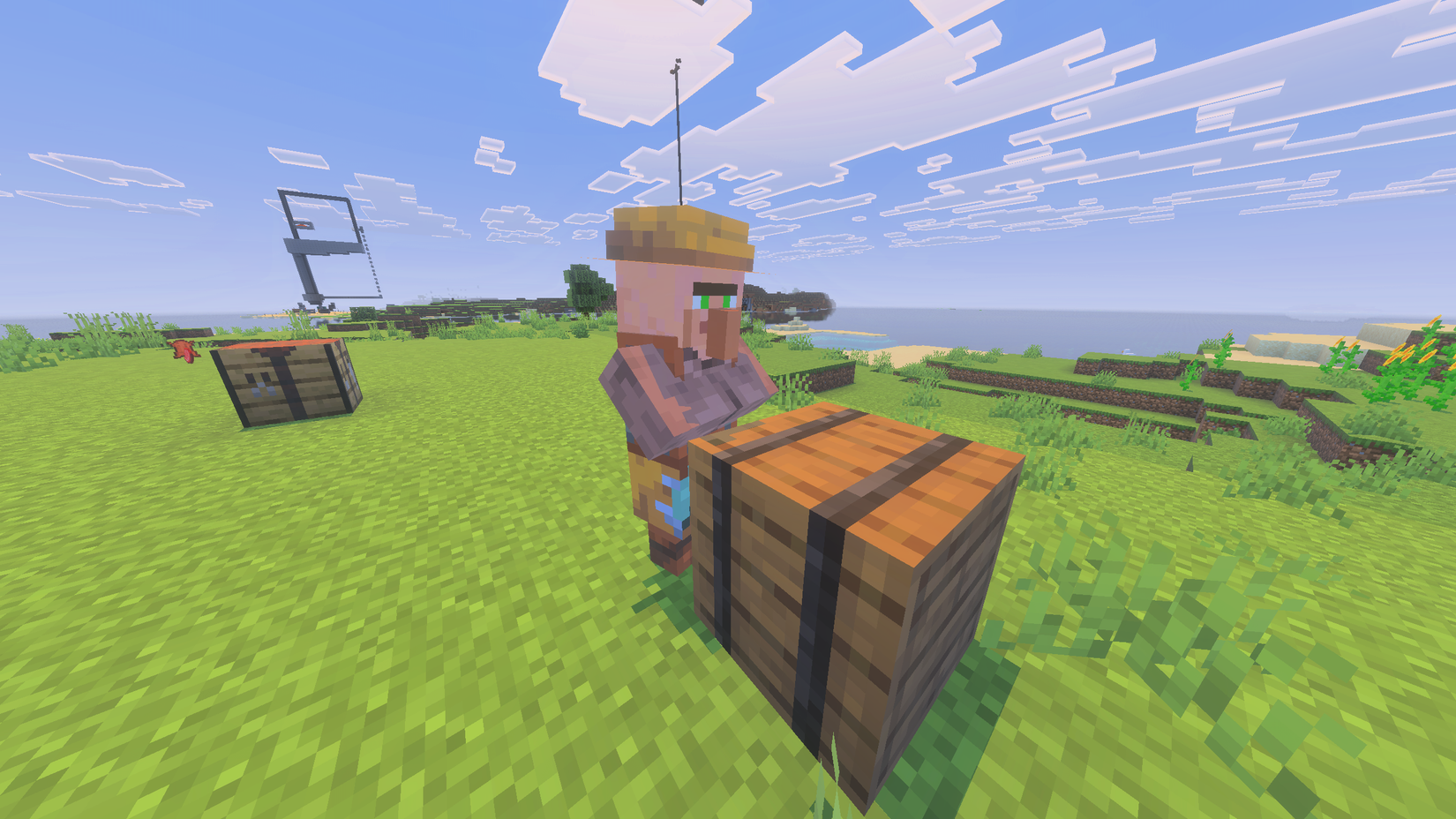
| Fisherman | Barrel | Enchanted Fishing Rods, Cooked Fish, Campfires |
| Cartographer | Cartography Table | Ocean/Woodland Explorer Maps, Trial Chamber Maps, Paper |
The Art of "Rerolling" for Elite Trades
The primary reason players change villager jobs is to "reroll" the trades of a Librarian. By repeatedly breaking and replacing a Lectern, you can cycle through the Librarian's first-level trades. This is the most efficient way to obtain powerful enchantments like Mending, Silk Touch, or Efficiency V without relying on the RNG (random number generation) of an enchanting table.
In 2026, the game’s mechanics regarding biome-specific trades (originally introduced as an experimental feature) have become a core consideration. For example, some high-tier enchantments may now be tied to villagers born in specific biomes (like Swamp or Jungle). Even when changing jobs, the pool of available trades may be restricted by the villager's origin. Therefore, if you are rerolling a Librarian and cannot seem to find a specific book, verify if that villager’s biome supports that trade in the current version of the game.
Pathfinding and Environment Constraints
A villager cannot change their job if they cannot "see" or "reach" the workstation in the game's logic. While they don't always need to stand directly next to it, their AI must be able to calculate a valid path to the block.
- Obstructions: If there are fences, trapdoors, or walls between the villager and the workstation, the link might fail.
- Distance: Generally, a villager needs to be within 16 blocks of a workstation to detect it and claim it.
- Beds: While beds are not strictly required for a villager to hold a job, a village is technically defined by at least one villager and one bed. In Bedrock Edition especially, the presence of beds can influence the "village leader" and how workstations are distributed among the population.
- Competing Villagers: If you have multiple unemployed villagers, the one closest to the block usually claims it first. When building a trading hall, it is best to isolate one villager at a time to ensure they link to the correct block in front of them.
Troubleshooting: Why Won't the Villager Change?
If you have followed the steps and the villager refuses to change professions, consider these common issues:
- The Time of Day: Villagers do not claim or lose jobs during the night or during scheduled "gathering" times at the village bell. Wait until mid-morning to try again.
- Existing Trades: Double-check that the villager has zero experience. Even a accidental click on a trade that you didn't complete won't lock them, but a completed transaction will.
- The "Phantom" Workstation: The villager might still be linked to a workstation blocks away that you haven't destroyed. This often happens in generated villages where workstations are hidden in basements or behind walls.
- Other Villagers: Another villager in the vicinity might have claimed the workstation you just placed before your target villager had the chance. Look for the green particles on other nearby NPCs.
- Pathfinding Glitches: Occasionally, a villager’s AI gets stuck. Moving them to a different square or restarting the world/server can reset their pathfinding logic.
Recommended Strategy for Trading Halls
For players looking to optimize their survival experience, the best way to handle job changes is to build a controlled Trading Hall. In this setup, you place each villager in a 1x1 or 1x2 stall with a space for their workstation in front of them.
This isolation prevents them from wandering off or linking to the wrong block. It also allows you to easily "cure" them. By allowing a zombie to infect a villager and then curing them with a Splash Potion of Weakness and a Golden Apple, you can significantly lower their prices. This discount remains even if you continue to change their job (provided you haven't locked it yet). However, it is usually more efficient to find the trade you want first, lock it in by trading once, and then perform the curing process to lower the fixed costs of that specific trade.
FAQ
Can a Master-level villager change jobs if I break their station? No. Once a villager reaches any level beyond "Novice" (and even at Novice if a trade was made), their job is permanent. Breaking their station will only prevent them from restocking their items, but it will not make them unemployed.
How many times can I change a villager's job? You can change an un-traded villager's job an infinite number of times. There is no "memory" in their AI that prevents them from switching back and forth between professions as long as they remain un-traded.
Why did my villager turn into a witch? This is not related to job mechanics but occurs when a villager is struck by lightning. A witch is a hostile mob and cannot hold a profession or be traded with. You can prevent this by placing a Lightning Rod near your trading area.
Does the workstation have to be on the floor? Not necessarily, but it must be at the villager's eye level or below their feet for them to interact with it properly. Placing a workstation on a ceiling will usually prevent them from claiming it.
What happens to a villager's trades if I break their workstation after locking them in? The trades remain exactly the same. However, the villager will eventually run out of stock (items will be crossed out with a red 'X'). They must have access to their specific workstation to "work" and refresh those trades, which they typically do twice per game day.
Practical Recommendation
When setting up your village economy, start with a Librarian. Use the "break and replace" method with a Lectern until you secure a Mending book trade. Once you see the Mending book in their inventory, trade for it immediately using emeralds and paper to lock the trade. This ensures that even if a creeper blows up the Lectern later, your Librarian will always offer Mending once the workstation is replaced. This "Secure and Lock" strategy is the foundation of high-level Minecraft resource management.
Image Gallery