Microsoft GPU Overview: Azure Infrastructure, Custom Silicon, and Developer Integration
Microsoft’s GPU ecosystem encompasses a broad range of cloud-based hardware, virtualization technologies, and custom-designed silicon. From Azure N-Series virtual machines powered by NVIDIA and AMD to the proprietary Maia AI accelerato...
Microsoft’s GPU ecosystem encompasses a broad range of cloud-based hardware, virtualization technologies, and custom-designed silicon. From Azure N-Series virtual machines powered by NVIDIA and AMD to the proprietary Maia AI accelerators, Microsoft provides the necessary compute power for deep learning, high-performance computing, and hardware-accelerated Windows development in 2026.
Contents
The Architecture of Microsoft GPU Resources
Microsoft’s approach to Graphics Processing Units (GPUs) is bifurcated into two primary domains: infrastructure-as-a-service (IaaS) through Azure and local development acceleration via Windows Subsystem for Linux (WSL2) and DirectML. Unlike hardware manufacturers who sell physical cards directly to consumers, Microsoft focuses on providing the compute fabric and the software abstraction layers that allow enterprises and developers to leverage high-end GPU power without managing physical data centers.
As of 2026, the demand for GPU resources has shifted from traditional graphical rendering toward massive-scale generative AI training and inference. To meet this, Microsoft has integrated advanced networking, such as NVIDIA Quantum-2 InfiniBand, with their virtual machines to ensure that individual GPUs can communicate with one another at near-zero latency, effectively turning a cluster of virtual machines into a single, massive supercomputer.
Azure N-Series: The Enterprise Foundation
The Azure N-Series is the primary vehicle through which Microsoft delivers GPU capabilities. These virtual machines (VMs) are categorized based on their intended workload, ranging from lightweight visualization to the most demanding large language model (LLM) training.
NC-Series: Compute and AI Training
The NC (Next Generation Compute) family is designed for compute-intensive workloads. These are frequently used for training smaller machine learning models, autonomous driving simulations, and risk modeling. In 2026, the NCv4 and NCv5 instances utilize NVIDIA’s high-bandwidth memory (HBM) architectures to ensure that data bottlenecks do not stall the processor.
ND-Series: Deep Learning and Scale-Out
The ND (Next Generation Deep Learning) series is the flagship of Microsoft’s AI infrastructure. These instances are built specifically for scale-out workloads. When a company needs to train a model with trillions of parameters, they use ND-series VMs. These are typically equipped with NVIDIA H100, H200, or the newer Blackwell-based B200 GPUs. The defining feature here is not just the individual GPU, but the NVLink and InfiniBand interconnects that allow thousands of GPUs to work in parallel.
NV-Series: Visualization and Virtual Desktops
The NV (Next Generation Visualization) family focuses on powerful remote graphics. This is the go-to solution for CAD (Computer-Aided Design), video editing, and 3D rendering. These instances often utilize NVIDIA’s L40S or specialized AMD Radeon Pro hardware, optimized for DirectX and OpenGL applications.
Microsoft’s Custom Silicon: The Azure Maia 100
A significant evolution in the Microsoft GPU overview is the introduction and maturation of Azure Maia. First deployed in late 2023 and expanded throughout 2024 and 2025, the Maia 100 is Microsoft’s first custom AI accelerator chip designed specifically for its cloud infrastructure.
Maia is not a general-purpose GPU in the traditional sense; it is an Application-Specific Integrated Circuit (ASIC) optimized for AI tasks. By designing its own silicon, Microsoft can optimize the entire stack—from the silicon layer to the software compilers—specifically for workloads like OpenAI’s GPT models and Microsoft’s own Copilot services.
Key advantages of the Maia 100 include:
- Thermal Management: Maia chips are housed in custom "Sidekick" racks that utilize liquid cooling, allowing for higher density and better energy efficiency than traditional air-cooled data centers.
- Integration: Because Microsoft controls the hardware, they can provide tighter integration with the Azure Cobalt CPUs (their ARM-based processors), reducing the latency between general compute and AI acceleration.
- Cost Control: Custom silicon reduces Microsoft’s total reliance on third-party vendors, which stabilizes pricing for end-users in the long term.
Comparing Azure GPU Instance Families (2026 Standards)
The following table outlines the current primary GPU offerings within Azure to help users determine which instance fits their specific technical requirements.
| Instance Family | Primary GPU Model | Ideal Use Case | Key Performance Feature |
|---|---|---|---|
| NDv5 / NDv6 | NVIDIA H200 / B200 | LLM Training, Generative AI | 3.2 Tbps InfiniBand Networking |
| NCv5 | NVIDIA A100 / H100 | Mid-range AI, CUDA dev | High-bandwidth Memory (HBM3) |
| NVv6 | NVIDIA L40S / AMD V620 | 3D Rendering, VDI, CAD | Single-root I/O Virtualization (SR-IOV) |
| Maia 100 | Microsoft Maia | Internal AI Inference, Copilot | Optimized for Transformer models |
GPU Acceleration in Windows and WSL2
For developers, the Microsoft GPU story isn't just about the cloud; it’s about how that power is harnessed on local machines. The Windows Subsystem for Linux (WSL2) has become the industry standard for cross-platform development, allowing Linux binaries to run natively on Windows.
Microsoft has implemented GPU Paravirtualization (GPU-PV), which allows the Windows host GPU to be shared with the Linux kernel in WSL2. This means a developer can run a Linux-based Docker container and utilize the local NVIDIA or AMD GPU for hardware acceleration. This is managed through DirectML, a high-performance, hardware-agnostic DirectX 12 library for machine learning.
DirectML acts as a bridge, allowing developers to write code once and have it run across different GPU vendors. This is particularly vital for local AI inference, where a user might be running a localized version of a Llama or Mistral model on their workstation.
Prerequisites and Deployment Requirements
To utilize Microsoft’s GPU resources effectively, users must navigate specific licensing and technical requirements.
- Quota Requests: By default, Azure subscriptions have a GPU quota of zero to prevent accidental high costs. Users must submit a formal request via the Azure Portal to increase "Regional vCPU" and "N-Series" quotas.
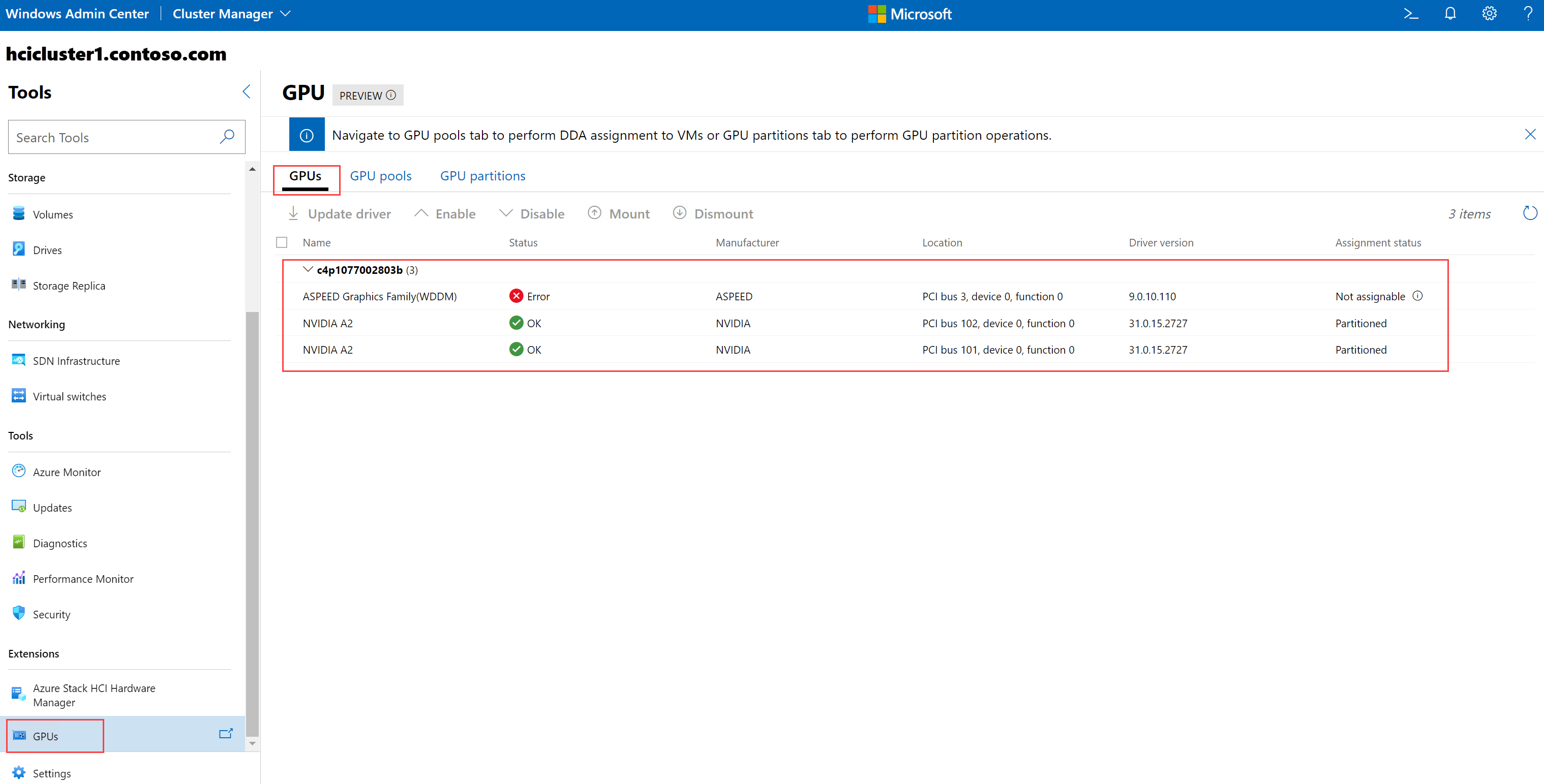
- Driver Management: Unlike standard VMs, GPU instances require specific drivers. Microsoft provides GPU Driver Extensions for both Windows and Linux, which automatically install the correct NVIDIA GRID or CUDA drivers during the VM provisioning process.
- NVIDIA AI Enterprise: Many of the high-end ND-series instances require an NVIDIA AI Enterprise license for full support and access to optimized frameworks like NeMo and TensorRT.
- Networking: For multi-node GPU clusters, users must deploy within a Proximity Placement Group to ensure that VMs are physically close to each other in the data center, minimizing the latency of the InfiniBand fabric.
Cost Considerations and Management
GPU compute remains one of the most expensive resources in the cloud. In 2026, Microsoft offers several ways to mitigate these costs:
- Spot Instances: For non-time-sensitive workloads (like batch processing or periodic model retraining), users can use Azure Spot Instances at a discount of up to 90%, with the caveat that Microsoft can reclaim the hardware with 30 seconds' notice.
- Reserved Instances: For steady-state workloads, a one-year or three-year reservation can significantly lower the hourly rate compared to "Pay-As-You-Go" pricing.
- Azure AI Content Safety: When using GPUs for AI, Microsoft integrates safety filters at the infrastructure level to prevent the generation of harmful content, which can be managed via the Azure AI Studio.
Frequently Asked Questions
Can I run NVIDIA CUDA code on Microsoft’s Maia chips?
No, the Maia 100 uses its own software stack and compilers. However, Microsoft supports standard frameworks like PyTorch and ONNX Runtime. If your code is written in PyTorch, the underlying hardware (whether NVIDIA or Maia) is abstracted away, allowing for relatively easy migration between GPU and ASIC.
Does Azure offer AMD GPUs for compute?
Yes. Microsoft has expanded its partnership with AMD, offering instances like the HBv4 and specialized NV-series VMs that utilize AMD Instinct and Radeon Pro hardware. These are often preferred for specific high-performance computing (HPC) tasks that benefit from AMD’s specific memory architecture.
How do I enable GPU acceleration in WSL2?
To enable GPU acceleration, you must have a Windows 10 or 11 host with a compatible GPU driver from the vendor (NVIDIA, AMD, or Intel). Once the host driver is installed, WSL2 automatically detects the hardware. You can verify this by running nvidia-smi within your Linux terminal if using an NVIDIA card.
Is there a limit to how many GPUs I can link together in Azure?
Technically, yes, but the limit is in the thousands. Through Azure Dedicated Hosts and InfiniBand networking, Microsoft supports "Supercomputing" clusters that can scale to over 10,000 GPUs, specifically designed for the training of foundational models.
Can I use Microsoft GPUs for gaming or crypto mining?
While NV-series instances are capable of cloud gaming, Microsoft’s terms of service and pricing models generally make them inefficient for cryptocurrency mining. Most GPU instances are geared toward professional visualization, simulation, and artificial intelligence.
Practical Recommendation
For organizations starting their journey into GPU-accelerated computing, the best first step is to perform a Proof of Concept (PoC) using the NCv5 series. These instances provide a balanced mix of performance and cost and are compatible with the vast majority of existing CUDA-based software. If your goal is local development, ensure your team is utilizing WSL2 with DirectML, which provides the most seamless transition between local experimentation and large-scale Azure deployment. Always monitor your consumption via Azure Cost Management to avoid unexpected expenses related to high-performance GPU uptime.
Image Gallery