Optimizing iOS Barcode Scanner Implementation: A 2026 Technical Guide
Integrating an iOS barcode scanner into your mobile application provides users with immediate data capture capabilities, bridging the gap between physical inventory and digital databases. By utilizing the native Vision framework and AV...
Integrating an iOS barcode scanner into your mobile application provides users with immediate data capture capabilities, bridging the gap between physical inventory and digital databases. By utilizing the native Vision framework and AVFoundation, developers can achieve high-performance, real-time scanning without relying on bloated third-party libraries, ensuring lower app overhead and enhanced privacy for your 2026 application architecture.
Contents
Core Technical Requirements for Native iOS Scanning
To implement a robust barcode scanner on iOS, your application must interact with the hardware-software stack provided by Apple. The process relies on the camera input stream and the image processing engine to decode symbologies. Before beginning development, ensure your project environment meets these requirements:
- iOS 15.0 or later for stable support of the latest Vision framework APIs.
- Xcode 17.0+ (the current standard for 2026 development workflows).
- A declared usage description in the Info.plist for NSCameraUsageDescription, explaining to the user why the app requires camera access.
- Device hardware featuring a high-resolution camera module to handle various barcode density levels and lighting conditions.
Selecting the Right Framework: AVFoundation vs. Vision
When building a barcode scanner, developers typically choose between the legacy AVFoundation metadata output and the more modern Vision framework. In 2026, the industry standard shifts heavily toward the Vision framework due to its superior processing speed and flexibility in handling multiple barcode types simultaneously.
| Feature | AVFoundation Metadata Output | Vision Framework |
|---|---|---|
| Processing Speed | High (Hardware Accelerated) | Very High (Optimized CoreML) |
| Symbology Support | Limited to predefined list | Extensive and Extensible |
| Ease of Integration | Moderate | High (More verbose code) |
| Multi-Code Detection | Restricted | Robust (Detects multiple codes per frame) |
| Real-time Accuracy | Good | Superior in low-light/blur |
Implementing the Scanning Logic Step-by-Step
The implementation of an iOS barcode scanner follows a predictable pipeline. You must first configure the capture session, connect the input, and then analyze the output frames.
Step 1: Configuring the Capture Session
Create an instance of AVCaptureSession. This acts as the coordinator for your data flow from the physical camera to the processing block. Assign the AVCaptureDeviceInput using the default back camera.
Step 2: Defining the Output Processing
Attach an AVCaptureVideoDataOutput to your session. Set your class as the delegate for this output. This allows your app to receive every frame captured by the camera as a CMSampleBuffer.
Step 3: Utilizing Vision for Recognition
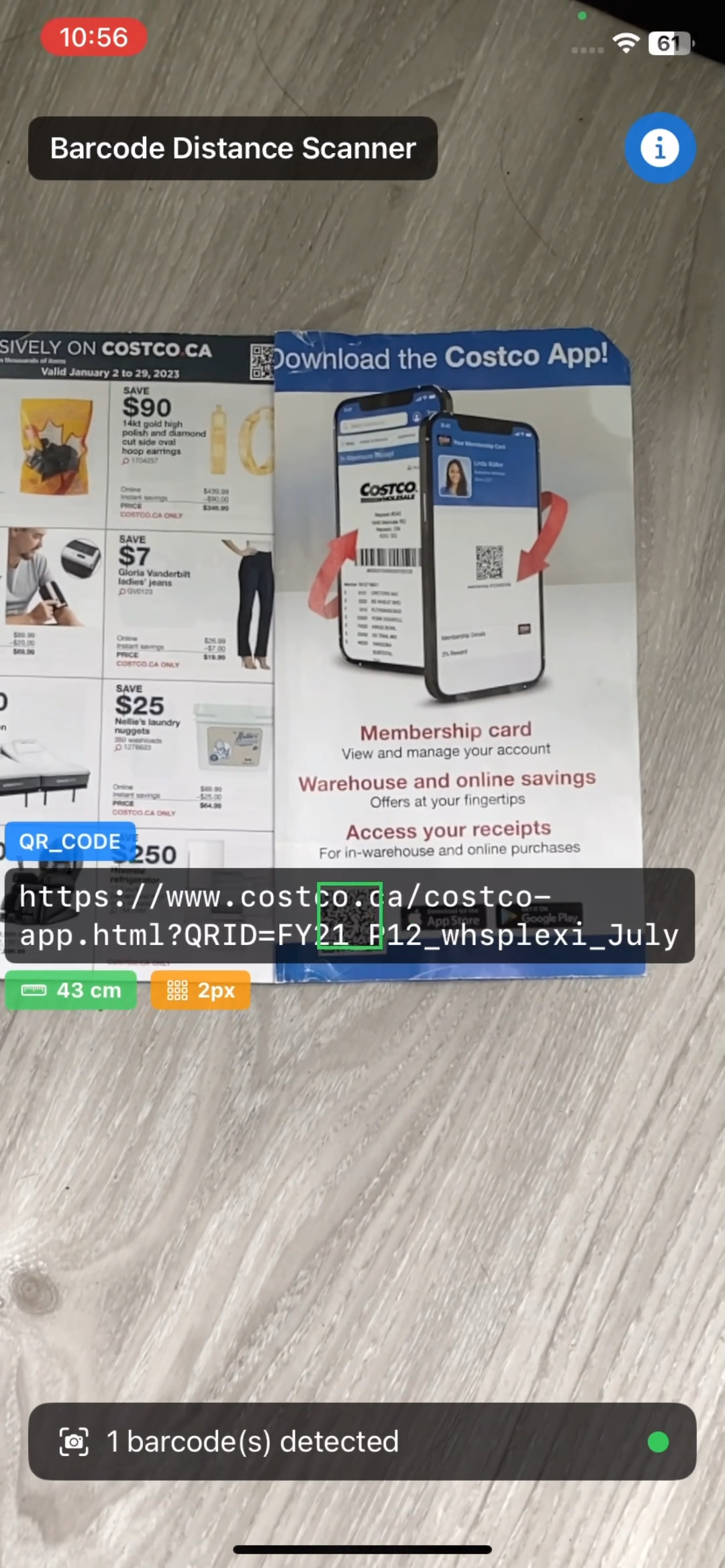
Within the captureOutput delegate method, convert the CMSampleBuffer into a VNImageRequestHandler. Request a VNDetectBarcodesRequest. This is where the heavy lifting occurs. The Vision framework automatically identifies the barcode symbology (such as QR, EAN-13, or Code 128) and returns the payload data.
Step 4: UI/UX Considerations
Provide clear visual feedback to the user. A framing box (reticle) on the screen is mandatory to show where the user should position the barcode. As of 2026, users expect haptic feedback or an audible ping once a successful scan is confirmed.
Best Practices for Scanning Performance in 2026
To ensure your application maintains a high rating, address common performance bottlenecks.
- Thread Management: Always perform the decoding logic on a background serial queue to prevent the UI from freezing. Use DispatchQueue to bridge back to the main thread only when updating the user interface.
- Lighting Conditions: Implement an auto-exposure and focus-lock mechanism. Users often scan barcodes in dimly lit warehouse environments; consider adding a toggle for the device's LED flashlight within your scanner interface.
- Data Validation: Never trust the raw output of a barcode. Implement server-side validation to check if the scanned payload corresponds to an active, valid database entry before triggering downstream business logic.
Common Obstacles and Troubleshooting
Even with perfect code, physical variables can disrupt the scanning process.
Environmental Factors High-gloss surfaces often cause reflections that render barcodes unreadable to optical scanners. Encourage users to tilt their devices slightly to minimize glare. High-density barcodes (such as those on small pharmaceutical labels) require modern camera modules with high macro capabilities.
Permission Handling If your application is rejected during the App Store review process, it is almost always due to improper handling of the camera permission. Ensure that you gracefully handle the case where a user denies access. Your app should display an informative alert directing them to the Settings app to toggle camera permissions manually.
Frequently Asked Questions
Which barcode formats are supported on iOS in 2026?
Apple’s Vision framework supports virtually all standard 1D and 2D barcodes, including QR, Aztec, Code 128, Code 39, EAN-8, EAN-13, ITF, and Data Matrix. The framework is highly efficient at detecting multiple symbologies in a single frame without needing configuration changes.
Is a third-party library necessary for barcode scanning?
No. While libraries like Scandit or ZBar offer advanced enterprise features for specialized logistics, the native Vision framework is sufficient for 95% of consumer-facing applications, offering better performance and no third-party dependency risks.
How do I handle QR code scanning vs. EAN codes?
The Vision framework handles the distinction automatically. You can filter the results by checking the symbology property of the detected VNBarcodeObservation. This allows you to restrict the scanner to specific types if your app only handles internal inventory labels.
Does my app need internet access to scan a barcode?
The actual decoding process of a barcode occurs locally on the iOS device, so internet access is not required for the scan itself. However, you will need connectivity if the scanned data needs to be verified against a remote cloud-based database.
What is the best way to handle "noisy" backgrounds?
To improve precision in busy environments, use the Region of Interest (ROI) property on your VNDetectBarcodesRequest. By restricting the detection area to the center of the camera view, you significantly reduce the likelihood of misidentifying random textures as barcodes.
Optimization Strategy Moving Forward
For applications requiring high-throughput scanning (e.g., inventory management systems), prioritize minimizing the number of frames processed per second. If the user is not holding the device steady, dropping frames can actually increase battery life and reduce thermal throttling without degrading the perceived speed of the application. Test your implementation across multiple device generations to ensure that older models remain performant with current iOS versions.
If you are currently developing an enterprise-grade mobile application and require a tailored integration strategy for your inventory pipeline, reach out to a senior developer to audit your capture session configurations for optimal latency.
Image Gallery