Complete Guide to Pinal County Case Lookup and Public Records Search
Conducting a Pinal County case lookup requires navigating specific online portals, understanding Arizona judicial structures, and knowing whether you need civil, criminal, family, or probate records. This guide outlines official search...
Conducting a Pinal County case lookup requires navigating specific online portals, understanding Arizona judicial structures, and knowing whether you need civil, criminal, family, or probate records. This guide outlines official search methods, required data fields, record restrictions, and step-by-step procedures to locate court documents efficiently.
Contents
Understanding the Pinal County Judicial System
Before initiating a case lookup in Pinal County, Arizona, it is essential to understand how local courts are organized. The judicial system is divided into different jurisdictions, each handling specific types of legal matters. Knowing where a case was filed prevents wasted time searching the wrong database.
The court structure in Pinal County includes:
- Pinal County Superior Court: Handles felony criminal cases, civil lawsuits involving claims over a specific monetary threshold, domestic relations (divorce, custody), juvenile matters, and probate cases.
- Justice Courts: Divided into various precincts throughout the county (such as Precinct 1 in Florence, Precinct 2 in San Tan Valley, and Precinct 4 in Maricopa). These courts handle misdemeanor criminal cases, minor civil disputes, traffic violations, and forcible entry/detainer actions.
- Municipal Courts: Handled locally within city limits (e.g., Casa Grande Municipal Court, Maricopa Municipal Court) for city ordinance violations, local traffic infractions, and municipal misdemeanors.
Official Online Portals for Case Searches
The primary method for conducting a remote case lookup is through official digital portals provided by the Arizona Judicial Branch and Pinal County courts. Each portal serves a distinct function and covers specific court levels.
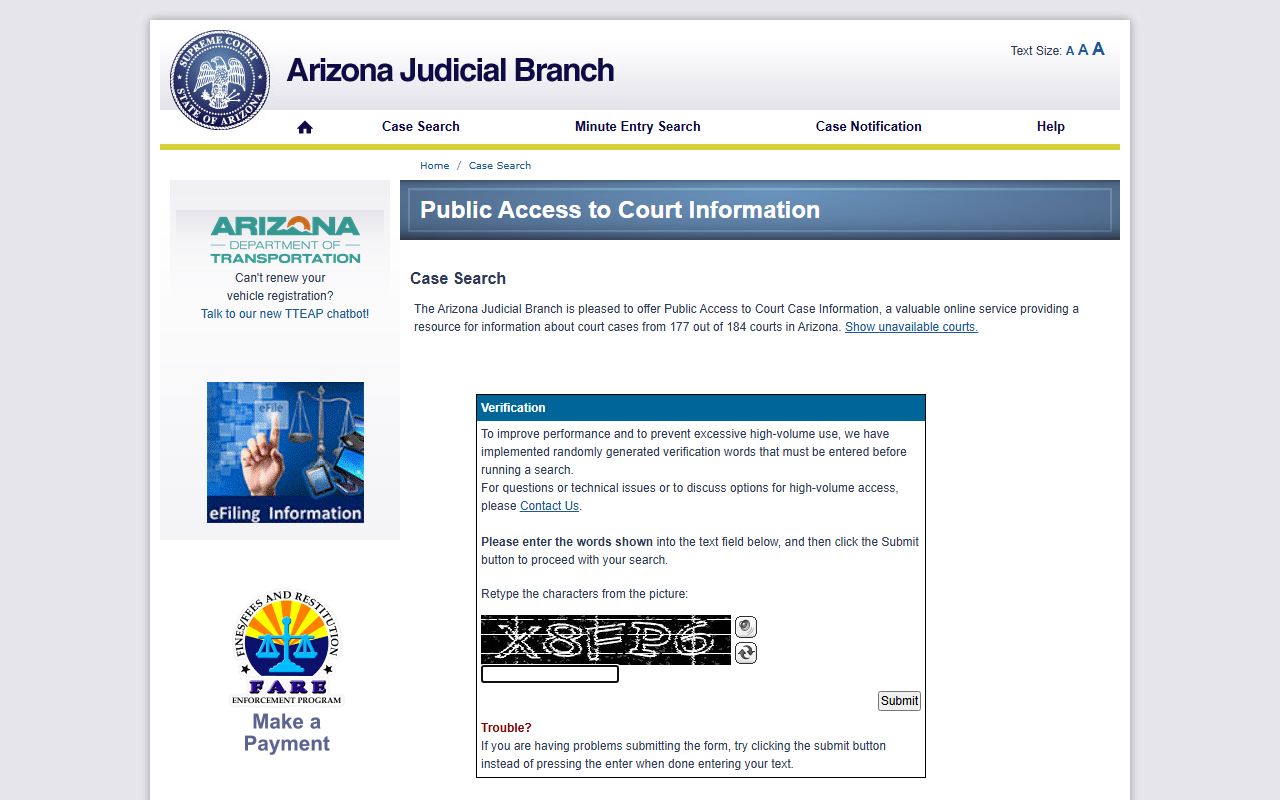
Superior Court Public Access
The Pinal County Superior Court utilizes online public access tools to let users search court dockets by party name, case number, or attorney.
- Case Search Parameters: Users can search using a party's first and last name, a specific date range, or an exact Case Number (e.g., S1100CR202600123).
- Available Information: Results typically display the register of actions, filed documents, minute entries, scheduled hearings, and disposition details.
Justice Courts Public Access
For misdemeanor and minor civil matters, the Pinal County Justice Courts maintain a separate electronic case management system.
- Search Requirements: You will need either the defendant's full name, date of birth, or the exact ticket/citation number for traffic infractions.
- Limitations: Some records regarding minor traffic infractions may have retention periods that lead to purging after a set number of years.
Step-by-Step Guide to Performing a Case Lookup
Executing a successful search involves gathering the correct identifiers and navigating the search portal systematically. Follow these steps to retrieve accurate file data:
- Identify the Correct Court Level: Determine whether the case falls under the jurisdiction of the Superior Court, a specific Justice Court precinct, or a Municipal Court.
- Gather Necessary Identifiers: Collect as much known data as possible, including the full legal name of the plaintiff, defendant, or petitioner; the approximate filing year; or the precise case number.
- Navigate to the Official Portal: Access the Arizona Courts Public Access website or the specific Pinal County Superior Court records page. Avoid third-party data brokers that charge subscription fees for public record access.
- Enter Search Criteria: Input the parameters into the search fields. If searching by name, enter the last name followed by the first name, using middle initials to narrow down common names.
- Review Docket Entries: Click on the matching case number to view the register of actions. Scroll through the chronological list of filings to read minute entries or check hearing outcomes.
- Request Physical or Certified Copies: If electronic documents are restricted or unavailable due to privacy regulations, submit a formal records request to the Clerk of the Superior Court in Florence, Arizona.
Comparison of Pinal County Search Methods
Different methods of looking up court records offer varying degrees of detail, cost, and convenience. The table below compares the primary options available to the public.
| Search Method | Primary Use Case | Cost | Availability | Limitations |
|---|---|---|---|---|
| Online Court Portal | General docket checks, hearing dates, public filings | Free | 24/7 Web Access | Some sensitive family/juvenile records are restricted from public view. |
| In-Person Public Terminals | Accessing sealed or restricted public terminals at the courthouse | Free | Court Business Hours | Requires physical travel to the courthouse in Florence, AZ. |
| Clerk Records Request | Obtaining certified copies of judgments or decrees | Per-page copy fees apply | Mail, Fax, or In-Person | Processing times vary depending on archive retrieval needs. |
| Third-Party Background Sites | Broad background checks across multiple states | Subscription or per-report fee | 24/7 Web Access | Data can be outdated, inaccurate, or incomplete compared to official court logs. |
Privacy Restrictions and Sealed Records
While Arizona operates under strong open-government and public-records laws, certain case types and document categories are legally restricted to protect privacy, safety, and statutory rights.
- Juvenile Court Records: Cases involving minors (delinquency and dependency) are strictly confidential and generally unavailable for public search.
- Adoption and Mental Health: Probate matters involving mental health evaluations, guardianships of vulnerable adults, and adoption proceedings are typically sealed.
- Order of Protection and Injunctions Against Harassment: While the existence of an order may appear in public dockets, specific identifying location data or private contact information of petitioners is often redacted.
- Expungement and Set-Asides: Under modern Arizona laws, individuals who have had convictions set aside or records expunged will see those entries removed or updated to reflect dismissed status on public search portals.
Frequently Asked Questions
Can I search Pinal County court cases by name?
Yes, online public access portals allow you to search using the first and last name of an individual or business entity. Providing a middle name or date of birth helps filter out common name matches.
Are all Pinal County court documents viewable online?
No, while the register of actions and many minute entries are accessible, certain documents—such as financial statements, medical records, social security numbers, and sealed family court exhibits—are restricted from public remote viewing.
How do I find a traffic ticket in Pinal County?
Traffic tickets are typically handled by the specific Justice Court precinct where the citation was issued or the local Municipal Court. You can search the Arizona Supreme Court ticket lookup portal using your citation number or driver's license details.
What should I do if I cannot find the case online?
If an online search yields no results, the case may be too old, stored in physical archives, or filed under a court that does not publish records online. Contact the Pinal County Clerk of the Superior Court directly for assistance.
Do I have to pay to view Pinal County court records?
Viewing basic docket information and public case summaries on official state and county portals is generally free. However, requesting certified copies, physical prints, or bulk data extracts from the clerk's office involves statutory fees.
Conclusion and Official Records Contact
Performing an accurate Pinal County case lookup depends on utilizing official state-run databases, verifying court jurisdictions, and respecting statutory privacy limitations. For direct assistance, official document requests, or in-person archive searches, contact the Pinal County Clerk of the Superior Court located at the main judicial complex in Florence, Arizona, or utilize the portal links provided through the official Arizona Judicial Branch network.
Image Gallery