Best Scientific Calculator App for iPhone: The 2026 Professional Evaluation
Finding the best scientific calculator app for iPhone in 2026 requires looking beyond basic arithmetic and standard iOS utility tools to evaluate advanced computational engines, RPN logic, graphing capabilities, and symbolic math handl...
Finding the best scientific calculator app for iPhone in 2026 requires looking beyond basic arithmetic and standard iOS utility tools to evaluate advanced computational engines, RPN logic, graphing capabilities, and symbolic math handling. Whether you are an engineering student, a financial analyst, or a researcher, Apple's default iOS Calculator app often falls short when tackling complex matrices, calculus, complex numbers, and unit conversions.
Contents
This comprehensive guide analyzes the top-performing scientific calculator applications available on the iOS App Store, breaking down their math engines, interface ergonomics, and specialized feature sets to help you select the ideal tool for your academic or professional workflow.
Understanding the Limitations of the Native iOS Calculator
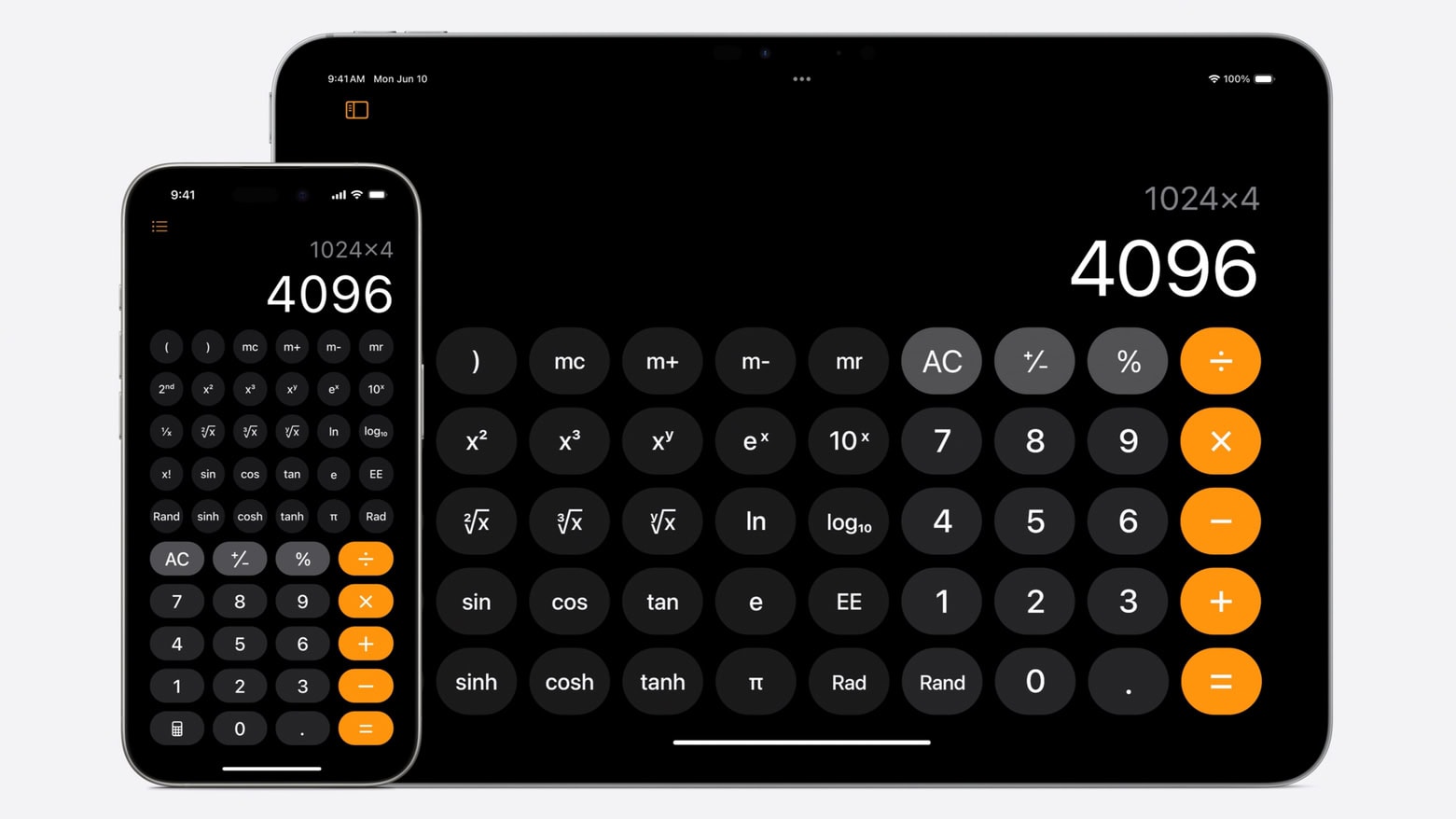
The native iOS Calculator app included with every iPhone serves well for quick, everyday arithmetic. However, when rotated to landscape mode, it reveals a rudimentary scientific layout that lacks critical engineering functions.
Core System Constraints: The built-in iOS calculator lacks a history tape for reviewing past computations, provides no symbolic algebra system (CAS) for solving equations algebraically, and offers zero support for programming custom functions or user-defined formulas.
For rigorous academic courses like physics, electrical engineering, or linear algebra, relying on the native app introduces calculation risks. Modern iOS scientific calculator apps bridge this gap by offering precision floating-point arithmetic, variable storage matrices, and clean, high-contrast layouts optimized for OLED displays.
Essential Criteria for Evaluating iOS Scientific Calculators
Selecting an elite calculator app demands a clear understanding of technical specifications. Not all apps are built with the same underlying computational architecture. When evaluating options for your iPhone, focus on the following core metrics:
- Computational Engine: Look for apps powered by robust math libraries (such as MuPAD, Giac/Xcas, or custom-built arbitrary-precision engines) that prevent rounding errors in multi-step equations.
- Input Logic: Determine whether the app uses Algebraic input (standard equation entry), Reverse Polish Notation (RPN) for efficient stack-based calculations, or Natural Textbook Display (RPN/Natural Display hybrids).
- Graphing and Visualization: Assess whether 2D Cartesian, 3D parametric, polar, and implicit plotting tools render smoothly with touch gestures.
- History and Export Features: Check if calculations can be saved, annotated, exported as PDF/CSV, or shared across Apple ecosystem devices via iCloud sync.
- Accessibility and Interface Design: Ensure tactile feedback, haptic responses, large button hit-targets, and dark mode support reduce input errors during high-stress exams or field calculations.
Top Scientific Calculator Apps for iPhone Compared
To simplify your decision, the following comparison table details the industry standards available on iOS, highlighting their core input styles, pricing structures, and primary use cases.
| App Name | Primary Input Style | CAS (Computer Algebra System) | Best Suited For | Pricing Model |
|---|---|---|---|---|
| PCalc | RPN and Algebraic | No (Numeric focus) | Engineers, programmers, and power users | Premium (Paid upfront with optional packs) |
| SciCalc Prime | Natural Textbook / Algebraic | No | High school and undergraduate STEM students | Freemium (Ad-supported / Subscription) |
| Desmos Graphing Calculator | Natural Algebraic | Yes (Graphing & Regression) | Algebra, statistics, and graphing visualization | Free |
| WolframAlpha | Natural Language / Query | Yes (Full Cloud-based CAS) | Advanced university research and cross-disciplinary queries | Subscription (Wolfram |
| Calc Made Easy | Standard Algebraic | No | General-purpose technical math | Free with In-App Purchase |
Deep-Dive Analysis of Leading iPhone Calculator Apps
PCalc: The Gold Standard for Power Users and Engineers
Developed by James Thomson, PCalc has long stood as the premier calculator choice for technical professionals within the Apple ecosystem. It features extensive support for Reverse Polish Notation (RPN), a customizable button layout, and a comprehensive set of unit conversions and physical constants.
- Technical Strengths: PCalc handles engineering notations, binary, octal, and hexadecimal calculations seamlessly. Its computational depth allows for complex number manipulation and statistical analysis without crashing or rounding prematurely.
- Ecosystem Integration: It offers exceptional widget support, Apple Watch integration, and macOS companion apps, ensuring your calculation history syncs smoothly across devices.
Desmos Graphing Calculator: The Visual Powerhouse
While technically styled as a graphing calculator, Desmos functions brilliantly as an advanced scientific and algebraic tool on the iPhone. Its layout mimics physical graphing calculators used in standardized testing (like the SAT and AP exams), but with vastly superior rendering speeds.
- Technical Strengths: Dynamic sliders let you alter variables in real-time to observe how equations react. It excels at regression analysis, plotting statistics datasets, and solving simultaneous equations graphically.
- Accessibility: Completely free with no ads, Desmos is widely adopted by educational institutions globally.
WolframAlpha: Computational Knowledge Engine
For users who require symbolic computation, calculus step-by-step solutions, and chemical stoichiometry, the WolframAlpha iOS app acts as a portal to the world's most powerful semantic search and mathematical engine.
- Technical Strengths: Rather than just computing raw numbers, WolframAlpha parses natural language inputs to return exact analytical solutions, domain definitions, and derivative steps.
- Consideration: It requires an active internet connection for heavy cloud-based computation, making it less ideal for offline field environments compared to locally computed apps like PCalc.
Choosing the Right App Based on Your Technical Field
Different disciplines demand vastly different mathematical toolsets. Matching your workflow to the right app prevents wasted time and input frustration:
- Mechanical and Electrical Engineering: Prioritize PCalc or specialized RPN calculators. The ability to manage complex impedance, matrix operations, and quick unit conversions (from slugs to kilograms, or horsepower to watts) without menu diving is critical.
- Pure Mathematics and Physics: Utilize apps featuring a Computer Algebra System (CAS) such as WolframAlpha or advanced graphing suites. You need the ability to factor polynomials, evaluate limits, and compute infinite series symbolically.
- General STEM Coursework: Students in introductory chemistry, biology, or economics benefit most from apps with Natural Textbook Display (mirroring TI-30XS or Casio fx-991EX formats) to ensure input parity with classroom textbooks.
Step-by-Step Guide to Optimizing Your iPhone Calculator Workflow
Configuring your chosen scientific calculator app correctly prevents costly calculation errors during high-stakes work.
- Step 1: Set Your Angle Units: Open your app settings immediately after installation and verify whether your default trigonometric functions operate in Degrees or Radians. This is the single most common source of calculation failure in physics and engineering.
- Step 2: Enable Haptic Feedback: Go into the app preferences and toggle on haptic touch responses. Physical haptic bumps simulate tactile key presses on a glass screen, significantly reducing mistypes.
- Step 3: Master Memory Registers: Learn how to store values in temporary variables (such as A, B, C, or memory stacks) to avoid rounding errors caused by re-typing intermediate decimal outputs.
- Step 4: Configure History Export: Enable automatic history logging so you can audit past equations, export calculation transcripts to your Notes app, or verify steps before submitting reports.
Common Mistakes and Troubleshooting Calculator Errors
Even with advanced software, operator error remains the primary cause of mathematical discrepancies on mobile devices.
- Order of Operations Misunderstandings: Non-RPN apps rely on strict algebraic parser hierarchies (PEMDAS/BODMAS). Always use parentheses liberally when nesting fractions or exponents to prevent the engine from evaluating terms out of sequence.
- Precision and Overflow Limits: Be aware of floating-point representation limits. While apps like PCalc support massive arbitrary precision, standard single-precision floats can introduce rounding drift in iterative numerical methods (such as Newton-Raphson approximations).
- Offline Functionality Failures: Cloud-dependent tools will fail in basement classrooms or remote job sites. Always keep a locally computed app (such as PCalc or a standard local scientific layout) installed as an offline backup.
Practical Recommendation
If you require a reliable, lightning-fast, offline-capable engineering calculator with unmatched customization, purchase PCalc. If your work relies heavily on visual graphing, regression, and curve analysis, download Desmos for free. For deep symbolic calculus, advanced integrals, and fact-checking complex proofs, subscribe to WolframAlpha. Evaluate your primary daily computational tasks, install the tool that directly addresses your workflow bottlenecks, and secure precise mathematical execution on your iPhone.
Image Gallery