City of Pinecrest Permit Search: Step-by-Step Portal Guide & Public Records Lookup
To conduct a Village of Pinecrest permit search, access the official Pinecrest eTRAKiT online portal or submit a public records request to the Building & Planning Department. Search by property address, folio number, permit number, or...
To conduct a Village of Pinecrest permit search, access the official Pinecrest eTRAKiT online portal or submit a public records request to the Building & Planning Department. Search by property address, folio number, permit number, or contractor name to review active applications, historical building permits, inspection results, certificate of occupancy records, and open code violations.
Contents
Understanding the Village of Pinecrest Building & Planning System
The Village of Pinecrest, located in Miami-Dade County, Florida, maintains strict municipal building regulations to ensure structural safety, environmental preservation, and adherence to the Florida Building Code. Whether you are a homeowner planning a renovation, a buyer conducting pre-closing real estate due diligence, or a licensed contractor submitting plans, navigating the Pinecrest Building Department’s digital records system is an essential operational step.
Pinecrest operates an electronic permitting management system (primarily driven by the eTRAKiT database platform), allowing public users to query municipal construction histories without requiring formal registration for basic record lookups. Because Pinecrest is an incorporated municipality within Miami-Dade County, property records are managed under a dual-layer jurisdictional framework: local municipal land use, structural, zoning, and tree preservation permits fall under Pinecrest authority, while fire rescue, environmental resource management (DERM), and water/sewer connections involve Miami-Dade County oversight.
Understanding how to efficiently locate, filter, and interpret these permit records helps prevent costly real estate transaction delays, uncovers unpermitted additions prior to closing, and ensures current construction projects stay compliant with 2026 Florida Building Code standards.
Prerequisites for Performing a Pinecrest Permit Lookup
Before accessing the online portal or contacting the building department, gathering precise property identification parameters significantly improves search accuracy. Searching solely by street name can return dozens of irrelevant records in a village with strict municipal naming conventions.
Key Information to Gather Before Searching
Property Folio Number: The 13-digit Miami-Dade County tax parcel identifier (e.g., 20-5014-xxx-xxxx). This is the most accurate query parameter because street addresses may have subtle formatting differences in municipal databases.
Complete Physical Address: Standardize the address format using exact street numbers and directional indicators (e.g., SW 104th Street or S Dixie Highway).
Permit Identification Code: If tracking an active project, obtain the specific permit number issued at application submittal (e.g., B-2026-XXXX or P-2026-XXXX).
Contractor License Number or Name: Useful when auditing all active permits linked to a specific qualifier or general contractor working within village limits.
Step-by-Step Guide: Accessing Pinecrest Permit Records Online
Searching public permit records in Pinecrest can be completed entirely online through the Village’s official digital services platform. Follow this process to perform a thorough public search.
- Step 1: Access Portal: Navigate to Pinecrest eTRAKiT / Public Portal
- Step 2: Choose Search Type: Select Address, Folio, Permit #, or Contractor
- Step 3: Filter Results: Review Building, Trade, Zoning, & Tree Permits
- Step 4: Inspect Status: Check Finaled, Issued, Expired, or Pending
- Step 5: Verify County: Cross-check Miami-Dade DERM & Fire Records
1. Accessing the Official Pinecrest eTRAKiT Portal
Visit the official Village of Pinecrest municipal portal and navigate to the Building & Planning Department section. Click on the direct link for Permit Search / eTRAKiT Portal. The search interface allows public access without requiring an account login, though registered accounts are required for contractors pulling online trade permits or paying municipal inspection fees.
2. Selecting the Query Parameter
On the portal search page, select your primary search category from the main navigation dropdown:
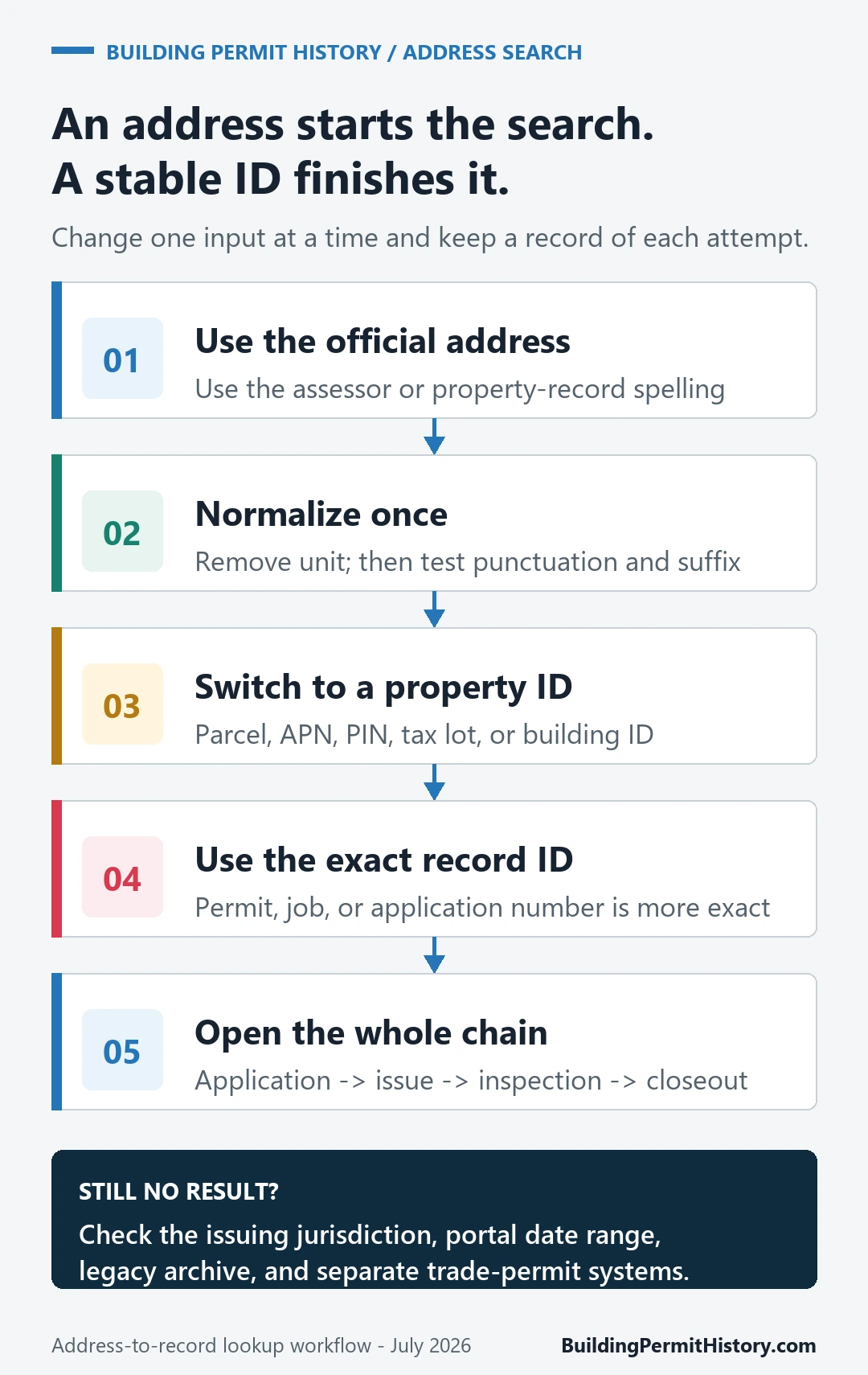
- Search by Address: Enter the street number and street name. Omit suffix abbreviations (like "St", "Ave", or "Rd") if initial exact searches yield zero results, as database entries may utilize strict standardized naming.
- Search by Parcel / Folio: Enter the 13-digit parcel number without hyphens or spaces. This is the recommended search method for vacant land or parcels undergoing historic lot splits.
- Search by Permit Number: Enter the exact alphanumeric string printed on the building permit application or job site card.
- Search by Contractor: Enter the contractor's company name or Florida Department of Business and Professional Regulation (DBPR) license number to view all associated municipal jobs.
3. Reviewing Permit Details and Document Attachments
Once the system returns the search results, click on the specific permit line item to open the detailed record view. The online file contains comprehensive information including:
- Permit Status: Identifies whether the permit is Applied, Under Review, Issued, Approved, Expired, or Finaled.
- Scope of Work: Explains the exact work permitted (e.g., "Full roof replacement with standing seam metal", "Residential pool installation", or "Interior kitchen remodel").
- Contractor of Record: Lists the qualifying general contractor or specialty subcontractor responsible for the work.
- Inspection History: Displays a chronologically ordered list of passed, failed, or pending building, electrical, mechanical, plumbing, and structural inspections.
- Associated Documents: Provides downloadable access to approved site plans, notice of commencements (NOC), elevation certificates, and Certificates of Occupancy (CO) or Certificates of Completion (CC) when digitized.
Deciphering Building Permit Statuses and Real-World Meanings
When auditing permit records during real estate due diligence or project management, the current status assigned to a permit governs what legal or financial actions are required to clear the record.
| Permit Status | Technical Definition | Legal Impact on Property | Required Action |
|---|---|---|---|
| Applied / Under Review | Application submitted; plan review underway by building officials. | No construction may legally begin; non-punitive. | Monitor portal for plan examiner comment responses. |
| Approved / Ready for Issuance | Plans cleared by all disciplines; awaiting fee payment & contractor validation. | Permit not active until fee payment and formal issuance. | Pay outstanding municipal fees and collect job card. |
| Issued / Active | Permit active; contractor authorized to perform work and call for inspections. | Work in progress; subject to mandatory inspection timelines. | Perform work and schedule mandatory milestone inspections. |
| Finaled / Closed | All required inspections passed; final Certificate of Completion issued. | Clean title standing; work fully compliant with Florida code. | Retain documentation for future real estate transactions. |
| Expired | No passed inspections logged within 180 days of issuance or prior inspection. | Unresolved code defect; encumbers title; potential code enforcement fines. | Re-open permit, pay extension fees, and schedule required inspections. |
| Revoked / Void | Permit cancelled due to non-payment, abandonment, or submittal error. | Open work remains unpermitted if physical alterations occurred. | Submit new permit application and updated construction plans. |
Resolving Open, Expired, or Unpermitted Work in Pinecrest
An open or expired permit discovered during a title search can halt a real estate closing or delay refinancing. In Pinecrest, permits automatically expire if work is not commenced within 180 days of issuance, or if construction is suspended or abandoned for a period of 180 days without a logged, passed inspection.
Procedure to Close Expired Permits
Step 1: Perform an In-Person File Audit: Contact the Pinecrest Building Department at 12645 S. Dixie Highway to request paper archives if older microfiche records are not fully digitized on eTRAKiT.
Step 2: Re-open or Extend the Permit: The original contractor of record or a newly hired, licensed contractor must submit a permit renewal or re-issuance application. If the original contractor is unreachable, the property owner must execute a contractor change-out affidavit.
Step 3: Schedule Required Engineering Inspections: A structural engineer or qualified building code inspector must evaluate the work performed to verify it complies with the building code version in effect at the time the permit was issued (or current code if substantial modifications are needed).
Step 4: Pass Final Inspections & Receive Certificate of Completion: Once all trade inspections (building, electrical, plumbing, mechanical, roofing) are signed off, the building official issues a formal letter of completion, officially clearing the property record.
Handling Unpermitted Construction (After-the-Fact Permits)
If physical modifications exist on a Pinecrest property without any permit search history on eTRAKiT, the property owner must apply for an After-the-Fact (ATF) Permit. This process requires:
- Submitting as-built architectural and engineering plans certified by a registered Florida Architect or Professional Engineer.
- Paying double or triple municipal permit application fees as mandated by local ordinance penalties.
- Exposing structural components (such as drywall cutouts for framing/wiring inspection or slab core tests) if requested by the Pinecrest Building Official to verify structural integrity.
Inter-Agency Requirements: Miami-Dade County Overlap
Because the Village of Pinecrest operates within Miami-Dade County, several local municipal permits require prior approval from county-level agencies before the Pinecrest Building Department can issue a final permit card.
- Miami-Dade DERM (Environmental)
- Tree/Septic Review
- Miami-Dade Fire Rescue Department
- Life-Safety Rules
- Village of Pinecrest Building
- Final Permit Issuance
- Department of Regulatory and Economic Resources (DERM): Any construction affecting trees, septic tanks, sewer connections, drainage, or designated environmental protection zones must undergo DERM review. Pinecrest is known for its dense canopy protection rules; tree removal or construction near tree drip lines requires strict municipal and DERM environmental sign-offs.
- Miami-Dade Fire Rescue Department: Commercial projects, multi-family structures, and major residential additions must pass fire safety plan reviews conducted by Miami-Dade County Fire Prevention bureaus.
- Water and Sewer Department (WASD): New construction or plumbing expansions adding fixture units may require capacity evaluation letters and impact fee payments to Miami-Dade WASD prior to Pinecrest permit issuance.
Frequently Asked Questions
How do I check if a property in Pinecrest has open code enforcement violations?
Open code enforcement violations are managed separately from standard building permits. While some structural code violations appear within the eTRAKiT permit portal search, you should contact the Pinecrest Code Compliance Division directly or submit a formal municipal public records request to obtain a certified Lien & Special Assessment Search before completing a property acquisition.
Can a homeowner perform a permit search for historical records before 1996?
Yes. However, because the Village of Pinecrest incorporated in December 1996, building permits issued prior to incorporation were processed by Miami-Dade County. To research structural history prior to 1996, users must query the Miami-Dade County Department of Regulatory and Economic Resources online permit system or request historical microfiche archives from the county.
Why does a permit show as "Expired" if the construction work was completed years ago?
A permit receives an "Expired" status if the contractor completed the physical construction but failed to schedule or pass the mandatory final inspection with a Pinecrest building inspector. Even if the work is structurally sound, the legal status remains incomplete until final inspections are formally logged and signed off by the building department.
What is the fee for conducting a permit search in Pinecrest?
Online self-service permit lookups using the Pinecrest eTRAKiT database are entirely free of charge. If you require certified public records copies, historical microfiche retrieval, or an official written municipal permit clearance letter for a commercial real estate closing, standard administrative fees apply per the municipal fee schedule.
Do I need a permit in Pinecrest for minor residential repairs like painting or flooring?
Cosmetic finishes such as interior painting, standard carpet installation, floating tile flooring, and ordinary cabinetry work do not require a building permit in Pinecrest. However, projects involving structural alterations, electrical wiring changes, plumbing modifications, window/door replacements (impact glass), roof repairs, driveways, fences, and tree removal strictly require permits.
Technical Permit Due Diligence Summary
When performing property research in the Village of Pinecrest, systematically cross-reference local building portal records with county environmental databases to ensure complete regulatory compliance.
To protect real estate asset value and avoid unexpected code enforcement penalties:
- Verify that all completed historical work displays a Finaled or Closed status in eTRAKiT.
- Require sellers to resolve open or expired permits prior to closing title.
- Confirm that tree preservation and DERM environmental clearances were properly documented for any site layout changes.
- Keep physical copies of all final inspection cards and Certificates of Completion on file for future municipal auditing.
Image Gallery