How Edclub Touch Typing Helps You Learn Faster
Edclub touch typing accelerates the learning process by automating the motor skills required for keyboard entry, which reduces cognitive load and allows the brain to focus entirely on content creation rather than character location. By...
Edclub touch typing accelerates the learning process by automating the motor skills required for keyboard entry, which reduces cognitive load and allows the brain to focus entirely on content creation rather than character location. By utilizing a structured, gamified pedagogical framework, the platform minimizes the time spent on corrective backspacing and visual scanning, effectively increasing overall typing speed and operational accuracy.
Contents
The Science of Cognitive Load and Typing Efficiency
The primary obstacle to rapid learning in a digital environment is cognitive interference. When a student must look at the keyboard to find specific keys, they engage in a process called "hunt-and-peck" typing. This method demands significant visual and mental attention, effectively splitting the learner's focus between the cognitive task—such as writing an essay or learning code—and the mechanical task of inputting data.
Edclub’s approach to touch typing is rooted in the development of muscle memory. By training fingers to occupy specific "home row" positions, the platform helps transition the act of typing from a conscious, effortful process to a subconscious, automatic one. Once a user achieves this state of automaticity, the brain is freed from the distraction of spatial character mapping. Research in educational psychology suggests that when mechanical tasks become automatic, the learner can devote their full working memory capacity to high-level thinking, synthesis, and creative output. This shift is the fundamental driver behind why proficiency in touch typing correlates with higher productivity and faster knowledge acquisition.
Pedagogical Framework of Edclub
Edclub utilizes a systematic curriculum designed to build proficiency through incremental difficulty. Instead of overwhelming the learner with the full keyboard, the program introduces keys in controlled sequences. This methodology ensures that each new motor skill is anchored to previously mastered movements.
- Foundational Positioning: The program begins by strictly enforcing home row placement, which serves as the physical anchor for all subsequent keyboard navigation.
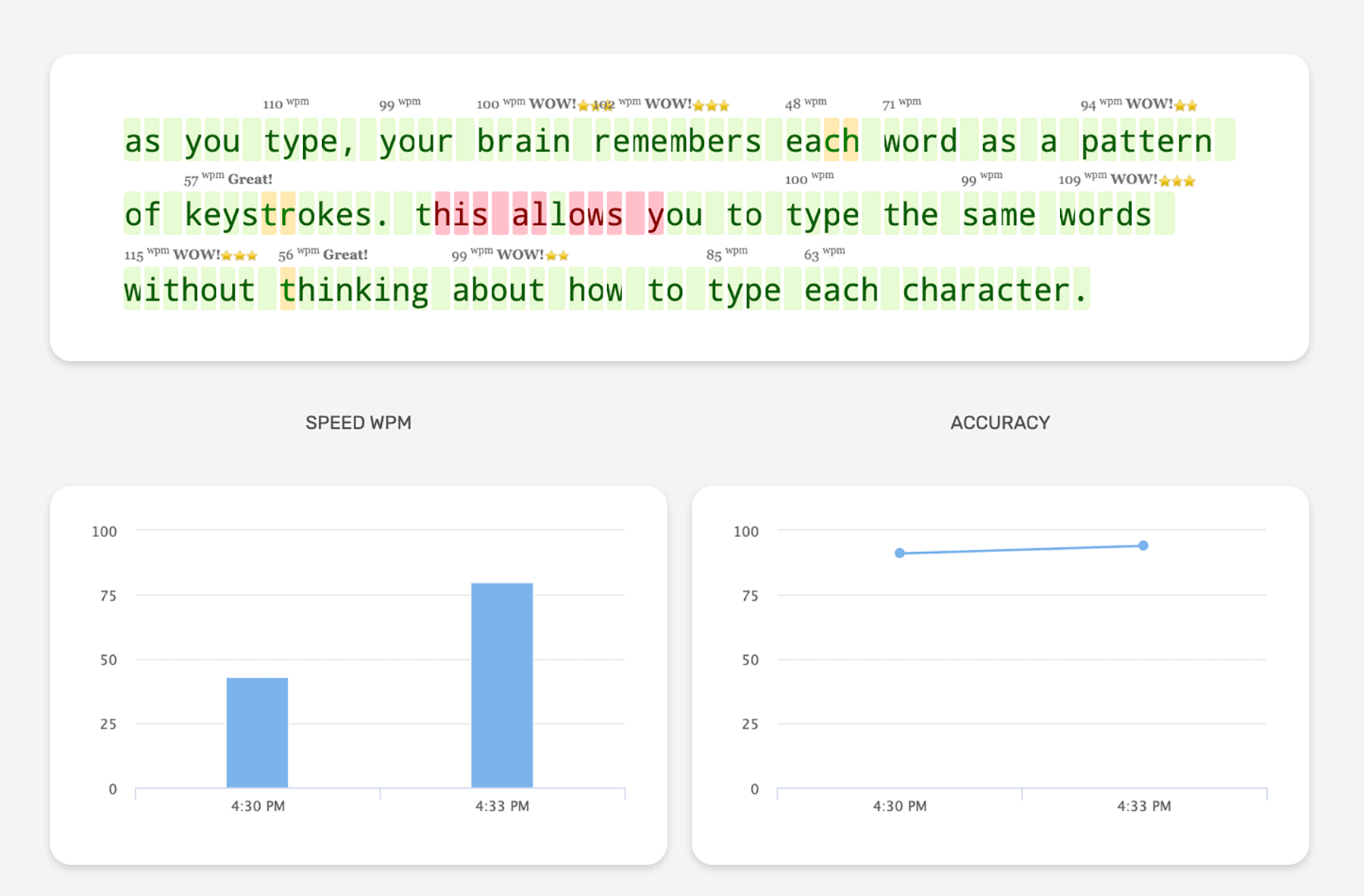
- Dynamic Feedback Loops: As the user practices, Edclub provides real-time indicators regarding speed and accuracy. This immediate feedback loop allows learners to correct suboptimal finger placement before it becomes entrenched as a habit.
- Adaptive Difficulty: The platform identifies specific keys or letter combinations where a user struggles. By generating personalized exercises based on these weaknesses, Edclub prevents the student from merely repeating known patterns and forces engagement with problematic areas.
Gamification and Sustained Learning Momentum
Motivation is a critical component of learning speed. Traditional typing drills are often monotonous, leading to fatigue and decreased engagement. Edclub integrates gamification elements—such as progress badges, levels, and narrative-driven tasks—to maintain user interest over extended sessions.
Gamification serves two purposes: it reduces the perceived effort of repetitive practice and provides tangible milestones. By breaking down the daunting task of mastering the entire keyboard into manageable, rewarded segments, learners are more likely to complete consistent practice sessions. Consistency, rather than intensity, is the most accurate predictor of success in developing neuromuscular skills. The platform’s architecture encourages frequent, shorter practice windows, which are scientifically superior for long-term retention compared to infrequent, exhaustive "cramming" sessions.
Comparative Efficiency: Hunt-and-Peck vs. Touch Typing
The transition from visual-reliant typing to touch typing produces a measurable impact on workflow efficiency. The following table highlights the operational differences between the two methods:
| Feature | Hunt-and-Peck | Touch Typing (Edclub) |
|---|---|---|
| Focus | Visual (Keyboard-centric) | Cognitive (Screen-centric) |
| Cognitive Load | High (Split attention) | Low (Automatic motor memory) |
| Error Rate | High (Visual error correction) | Low (Sensory feedback loops) |
| Speed Potential | Capped (Limited by sight) | Scalable (Limited by neural speed) |
| Fatigue Factor | High (Visual/neck strain) | Low (Ergonomic efficiency) |
Technical Prerequisites and Hardware Considerations
To maximize the learning benefits provided by Edclub, the physical environment must support the pedagogical goals of the software. Users should be aware of the following technical and ergonomic requirements:
- Keyboard Layout: Edclub is designed for standard QWERTY layouts; users operating on alternative layouts like Dvorak or Colemak should verify that the platform’s current interface supports their specific configuration before beginning.
- Ergonomic Positioning: The software assumes the user is in a position to utilize all ten fingers. A chair height that allows the elbows to remain at a 90-degree angle to the desk is essential to minimize fatigue.
- Hardware Latency: While Edclub is a web-based platform, using a high-quality mechanical or membrane keyboard with consistent key tension improves the tactile feedback essential for developing muscle memory. Avoid using flat, low-profile keyboards during the initial learning phase, as they provide insufficient physical confirmation of key presses.
Troubleshooting Common Learning Plateaus
Users often reach a "plateau" where their speed stops increasing despite consistent practice. This is usually caused by the development of "micro-habits"—subconscious inefficiencies that are difficult to detect without external analysis.
- Identifying Inefficiencies: If a user finds they are consistently failing on specific character clusters (e.g., "th" or "ed"), they should utilize the platform's custom drill features to isolate those clusters. Repeating these pairs in isolation for five minutes can often break the plateau.
- The Velocity vs. Accuracy Trade-off: A common mistake is attempting to type faster than one can accurately execute the key presses. If your accuracy drops below 95%, you are training your brain to ignore errors. During the learning phase, prioritize accuracy over raw speed; speed is a natural byproduct of accurate, repetitive motion.
- Revisiting Foundational Lessons: If a user consistently struggles with speed, it is often a sign that they are reaching for keys with the wrong fingers. Returning to the foundational lessons to reset proper finger-to-key mapping is often more time-efficient than continuing to practice with incorrect form.
Frequently Asked Questions
How long does it typically take to see measurable results? Most users begin to see a significant decrease in visual reliance on the keyboard within 10 to 15 hours of structured practice. Achieving a speed of 40–50 words per minute (WPM) typically requires 20 to 30 hours of consistent, focused engagement.
Can Edclub be used to fix bad typing habits? Yes. However, the process is slower than learning from scratch. It requires a conscious effort to "unlearn" current muscle memory. Users should focus on slow, deliberate practice until the new finger patterns feel more natural than the old ones.
Does touch typing actually improve memory retention? Yes, in the context of academic writing. When you can transcribe your thoughts as quickly as you formulate them, you are less likely to lose the nuances of an idea before it is captured. This prevents the "cognitive decay" that occurs when an idea is held in working memory while you struggle to locate the 'p' or 'q' key.
Is it necessary to practice every day? While not mandatory, daily practice is highly recommended. The neural pathways associated with muscle memory are best reinforced through short, daily sessions—approximately 15–20 minutes—rather than longer, sporadic practice sessions.
Will I become faster at typing if I only use the program once a week? No. Motor skill acquisition requires regularity to move skills from short-term memory into long-term procedural memory. Without consistent, repeated effort, the brain does not optimize the neural pathways required for high-speed, automatic typing.
Recommended Next Steps
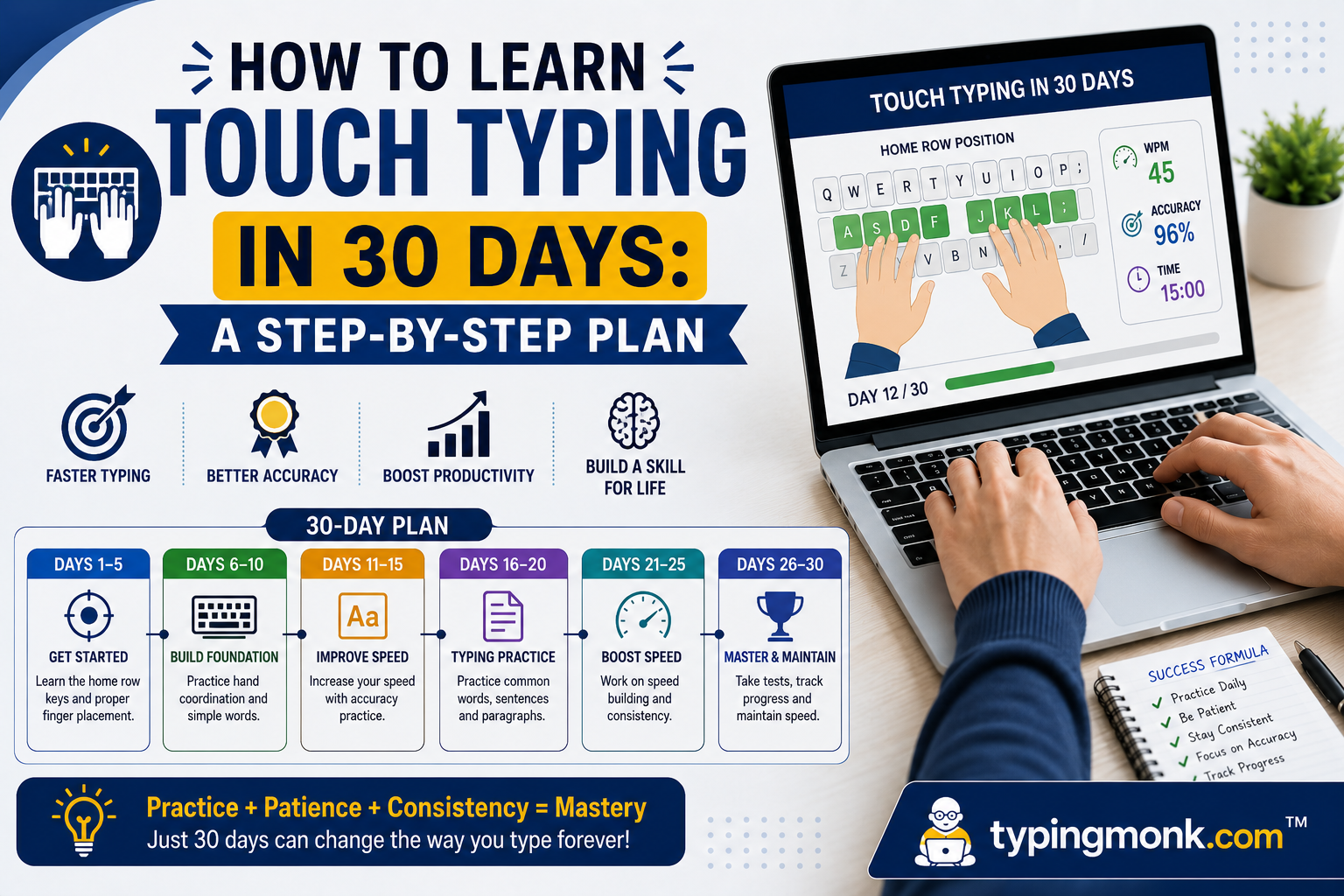
To begin your journey toward faster learning, conduct an initial assessment on the Edclub dashboard to establish your baseline speed and accuracy. Once identified, commit to a schedule of 20 minutes per day, five days a week, focusing strictly on accuracy. Do not attempt to bypass the foundational modules; they are the architectural bedrock upon which all future typing speed is built. If you find your progress stalling, use the custom drill feature to target specific problem keys rather than increasing your daily practice time.
Image Gallery