OS X vs macOS: Comprehensive Comparison, History, and Architectural Evolution
OS X and macOS refer to the exact same core Unix-based operating system developed by Apple for Mac computers, representing different branding eras in its evolution. "Mac OS X" (2001–2011) and "OS X" (2012–2015) were superseded by "macO...
OS X and macOS refer to the exact same core Unix-based operating system developed by Apple for Mac computers, representing different branding eras in its evolution. "Mac OS X" (2001–2011) and "OS X" (2012–2015) were superseded by "macOS" starting in 2016 with version 10.12 Sierra to align with Apple's unified software naming convention across iOS, iPadOS, watchOS, and visionOS.
Contents
The Evolution of Apple Desktop Operating Systems: A Historical Breakdown
To understand the difference between OS X and macOS, it is essential to trace the lineage of Apple desktop software across its four major historical eras. Apple has rebranded and re-architected its desktop operating system multiple times to accommodate massive shifts in hardware, processor architecture, and software design paradigms.
(Note: Ensure no backticks or code block formatting is used anywhere in the output)
The Classic Mac OS Era (1984–2001)
The original Macintosh operating system debuted in 1984 as "System Software" (System 1 through System 7) before officially taking the moniker "Mac OS" with Mac OS 7.6. Classic Mac OS was praised for pioneering the consumer graphical user interface (GUI), featuring the Finder, desktop icons, and menu bar paradigms still in use today.
However, Classic Mac OS suffered from fundamental architectural limitations. It lacked true cooperative or preemptive multitasking, featured fragile memory management where a single malfunctioning app could crash the entire system, and lacked multi-user security boundaries. Mac OS 9, released in 1999, marked the final iteration of this classic code base.
The Mac OS X Era (2001–2011)
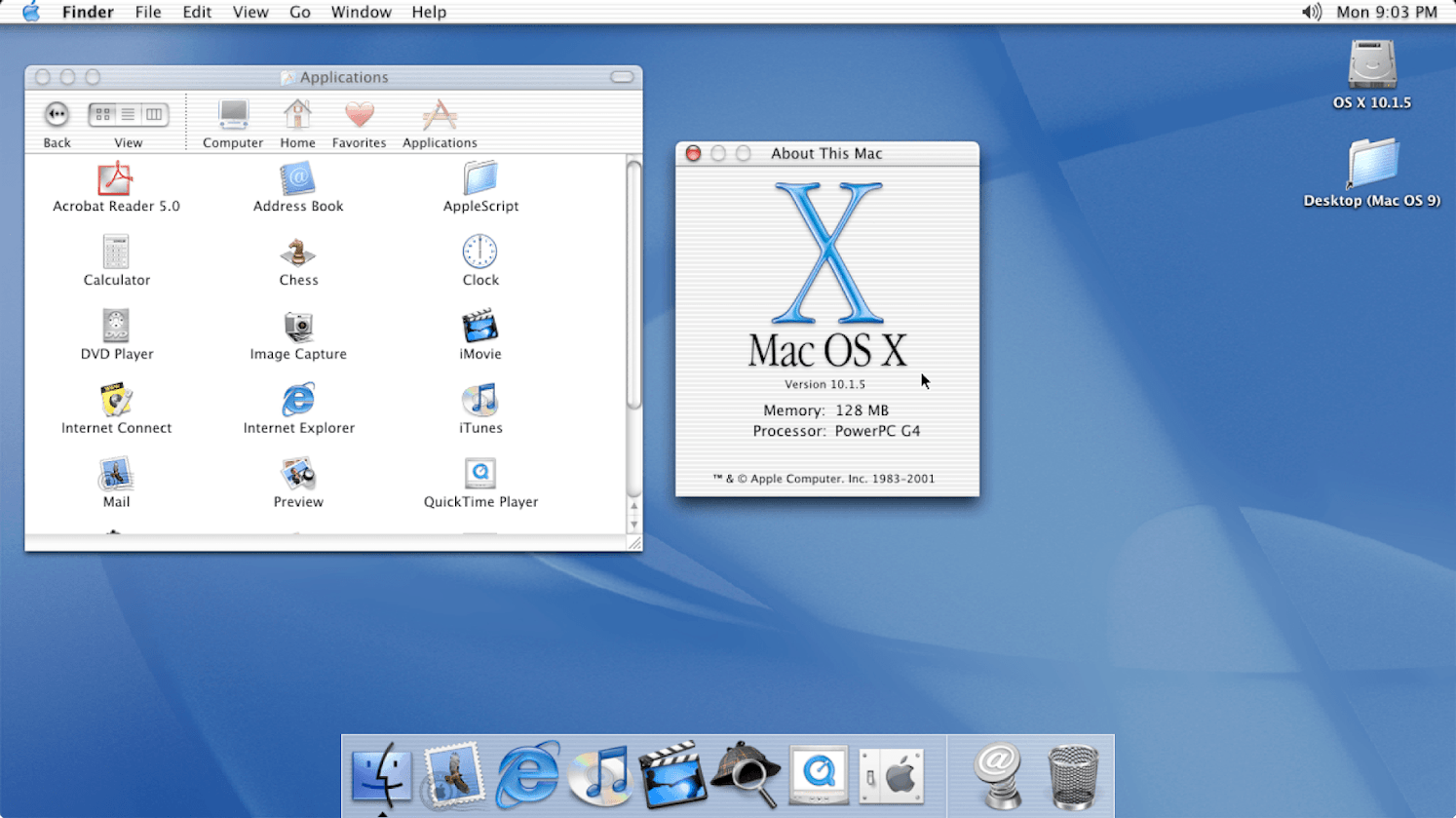
Following Apple's acquisition of NeXT in 1997, Steve Jobs brought the NeXTSTEP operating system to Apple, serving as the foundation for an entirely modern operating system built on Unix principles. Mac OS X 10.0 (Cheetah) launched in March 2001.
- Unix Foundation: Built on the XNU kernel, combining the Mach microkernel with FreeBSD subsystems to deliver true preemptive multitasking, memory protection, and enterprise-grade stability.
- The Aqua Interface: Introduced a vibrant visual design language characterized by translucent buttons, drop shadows, liquid-like scroll bars, and the iconic desktop Dock.
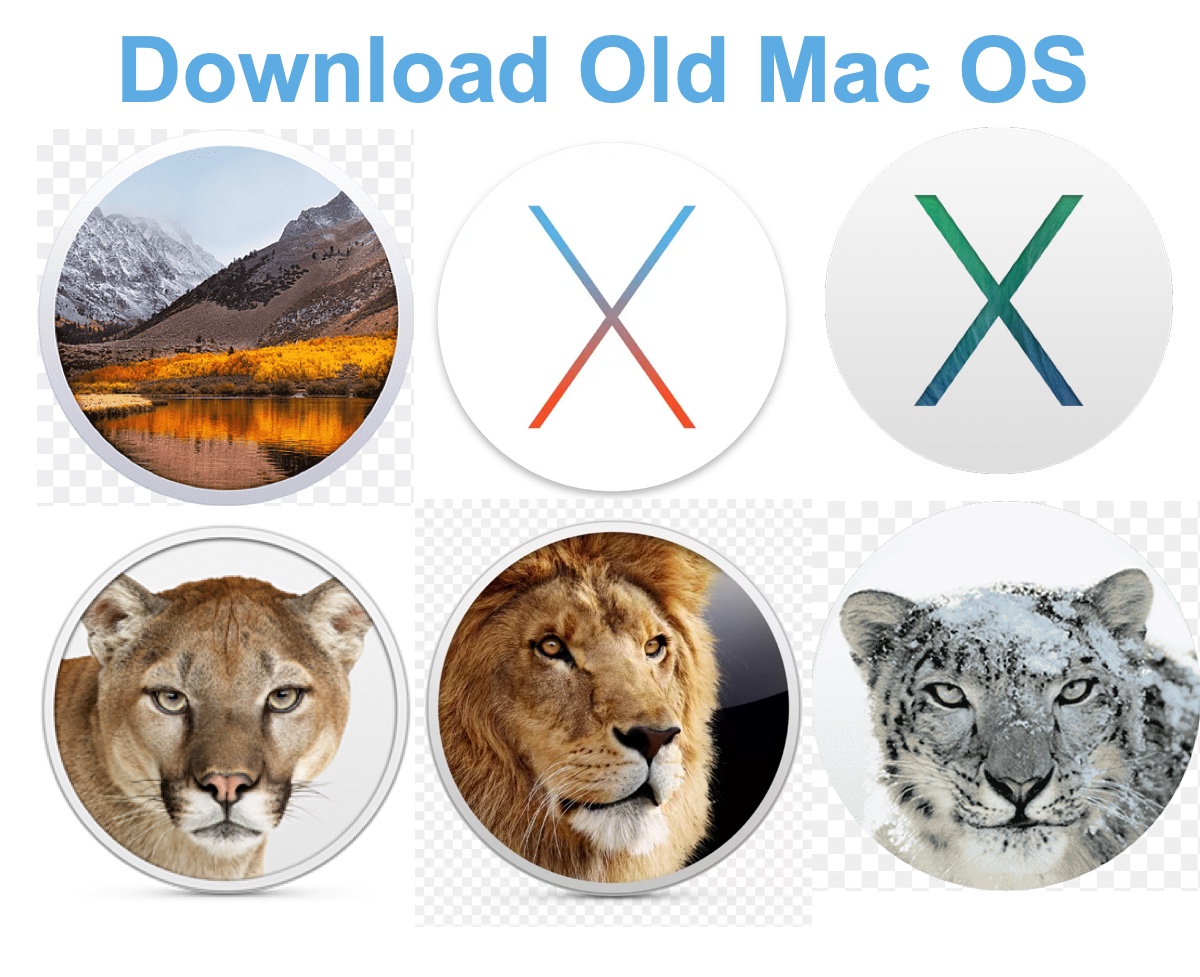
- Cat Codenames: Apple designated internal and marketing codenames based on big cats, including 10.1 Puma, 10.2 Jaguar, 10.3 Panther, 10.4 Tiger, 10.5 Leopard, 10.6 Snow Leopard, and 10.7 Lion.
The OS X Era (2012–2015)
With the launch of OS X 10.8 Mountain Lion in 2012, Apple officially dropped the word "Mac" from the operating system name. This shift reflected Apple's growing identity as a mobile-first technology leader driven by the iPhone and iPad. During this era, Apple began introducing iOS features back into the desktop environment, including Notification Center, Launchpad, AirDrop, and iMessage.
Beginning with OS X 10.9 Mavericks in 2013, Apple abandoned big cat codenames in favor of iconic California landmarks. This era also encompassed OS X 10.10 Yosemite and OS X 10.11 El Capitan, transitioning the UI design from skeuomorphic textures (leather, glass, paper) to a flat, modern aesthetic.
The Modern macOS Era (2016–Present)
At WWDC 2016, Apple announced the transition from OS X to macOS with the release of macOS 10.12 Sierra. The change brought typographical symmetry across Apple's operating system family: iOS, iPadOS, watchOS, tvOS, visionOS, and macOS.
Beyond branding, the macOS era represents the transition from legacy versioning (where every release remained under major version 10) to a yearly major version increment system starting with macOS 11 Big Sur in 2020. Today, macOS powers both legacy Intel Macs and high-performance Apple Silicon devices.
Technical Architecture: XNU Kernel, File Systems, and Hardware Transitions
While the name shifted from Mac OS X to OS X and finally to macOS, the underlying low-level system architecture maintained continuous lineage. However, several critical technical transitions occurred under the surface that dictate device compatibility, system performance, and software longevity.
The XNU Core Subsystem
At the heart of Mac OS X, OS X, and modern macOS sits XNU, an acronym for "X is Not Unix." XNU is a hybrid kernel that combines the flexibility of the Mach microkernel with the advanced networking, POSIX compliance, and process management of FreeBSD.
Key Architectural Components of XNU
Mach Kernel Subsystem: Handles thread scheduling, task management, inter-process communication (IPC), and virtual memory allocation.
FreeBSD Subsystem: Provides POSIX API compliance, networking stacks (TCP/IP), file system drivers, process credentials, and user-space security primitives.
I/O Kit: An object-oriented C++ framework responsible for dynamically loading device drivers and managing hardware power states.
Processor Transitions Across Operating System Eras
The evolution of Apple's desktop OS branding directly mirrors major underlying hardware processor switches:
- PowerPC to Intel (2005–2006): Mac OS X 10.4 Tiger was the first version to support Intel x86 processors alongside PowerPC chips, using the Rosetta translation layer to bridge application compatibility.
- 32-Bit to 64-Bit Architecture: OS X 10.6 Snow Leopard removed support for PowerPC processors and made the core OS applications 64-bit. macOS 10.15 Catalina officially eliminated all 32-bit application support.
- Intel to Apple Silicon (2020–Present): macOS 11 Big Sur heralded the transition from x86_64 Intel CPUs to ARM64 Apple Silicon (M-series) processors. Rosetta 2 enabled legacy Intel-compiled apps to execute seamlessly on Apple Silicon hardware.
File System Evolution: HFS+ to APFS
During the Mac OS X and OS X eras, Apple relied on HFS+ (Hierarchical File System Plus) as its primary file storage format. HFS+ was originally designed for spinning hard disk drives and mechanical storage arrays, making it inefficient for modern flash memory and solid-state drives (SSDs).
In 2017, with the release of macOS 10.13 High Sierra, Apple introduced the Apple File System (APFS). Built natively for SSDs and modern storage controllers, APFS introduced strong encryption, space-efficient file cloning, fast directory sizing, crash protection through redirect-on-write logging, and atomic system snapshots used for system restoration and secure operating system updates.
Detailed Comparison Matrix: Mac OS X vs. OS X vs. macOS
| Dimension / Feature | Mac OS X (2001–2011) | OS X (2012–2015) | macOS (2016–Present) |
|---|---|---|---|
| Official Name | Mac OS X | OS X | macOS |
| Version Range | 10.0 Cheetah to 10.7 Lion | 10.8 Mountain Lion to 10.11 El Capitan | 10.12 Sierra to macOS 16+ |
| Naming Theme | Big Cats (Cheetah, Tiger, Snow Leopard) | California Landmarks (Mavericks, Yosemite) | California Landmarks & Regional Natural Features |
| Supported Hardware Architectures | PowerPC (PPC 750/G3, G4, G5), Intel x86 (32-bit & 64-bit) | Intel x86_64 (64-bit only) | Intel x86_64 (Legacy) & Apple Silicon ARM64 (M1–M4/M5) |
| Primary File System | HFS+ (Mac OS Extended) | HFS+ | APFS (Apple File System) |
| Default Graphics Infrastructure | Quartz, QuickTime, OpenGL | Quartz Extreme, OpenGL, Core Graphics | Metal Framework, Metal Performance Shaders |
| Application APIs | Classic, Carbon, Cocoa | Cocoa, WebKit | Cocoa, SwiftUI, Catalyst, Mac Catalyst |
| Primary Security Infrastructure | Basic UNIX permissions, FileVault 1 | Gatekeeper, FileVault 2, Sandbox | System Integrity Protection (SIP), SSV, T2/Secure Enclave |
| Distribution Method | Optical Discs (CD/DVD), Mac App Store (10.6.6+) | Mac App Store Digital Download | Mac App Store, System Settings Software Update |
Application Frameworks and Security Model Progressions
The transition from Mac OS X through OS X to modern macOS reflects a continuous evolution toward higher software security, memory safety, and developer efficiency.
Developer API Transitions: From Carbon to SwiftUI
When Mac OS X first debuted, developers were hesitant to completely rewrite legacy C-based Mac OS 9 apps into native Objective-C Cocoa APIs. Apple provided the Carbon API as a transitional framework, allowing developers to adapt legacy code with minimal friction.
- Carbon Framework: C-based legacy API bridging Classic Mac OS and early Mac OS X. Officially deprecated and removed as 64-bit architectures took over.
- Cocoa Framework: Objective-C object-oriented framework providing modern desktop UI capabilities, window management, and event handling.
- Mac Catalyst: Introduced in macOS 10.15 Catalina, allowing developers to bring native iPad OS applications directly to the desktop environment with minimal platform-specific code modification.
- SwiftUI: Introduced by Apple in 2019, SwiftUI offers a declarative UI framework written in Swift, operating uniformly across macOS, iOS, iPadOS, watchOS, and visionOS.
Security and Hardening Enhancements
Security architectures in early Mac OS X releases relied primarily on traditional Unix file permissions and local passwords. As cyber security threats matured, Apple introduced hardware-backed security controls deep within the OS kernel.
- Gatekeeper: Introduced in OS X 10.8, Gatekeeper verifies cryptographic code-signing signatures against registered Apple Developer IDs to block malware execution before an app opens.
- System Integrity Protection (SIP): Introduced in OS X 10.11 El Capitan, SIP (also known as rootless) restricts the root account from modifying protected system files, runtime processes, and kernel directories.
- Signed System Volume (SSV): Introduced in macOS 11 Big Sur, SSV uses cryptographic SHA-256 hashes arranged in a Merkle tree to lock down the boot volume. The system boots from an immutable, read-only cryptographically verified snapshot, making host-level rootkits virtually impossible to persist across reboots.
Hardware Compatibility, Enterprise Integration, and System Maintenance
The continuous renaming and technological development of Apple's desktop OS impacts system maintenance strategies, enterprise deployment practices, and device longevity.
Managing System Upgrades and Support Lifecycles
Apple actively maintains security updates for the three most recent versions of macOS. As software hardware requirements change, older Intel Macs running earlier OS X or Mac OS X versions are restricted from upgrading to contemporary macOS releases.
Best Practices for Deployment and Upgrades
Storage Capacity Assessment: Upgrading from legacy OS X or early macOS releases to modern versions requires at least 25 GB to 45 GB of available storage space for temporary installer expansion and APFS snapshot generation.
64-Bit Compatibility Enforcement: Verify all enterprise productivity tools are strictly 64-bit. Legacy 32-bit applications built during the OS X El Capitan era will not launch on macOS 10.15 Catalina or newer.
MDM Protocol Migration: Legacy configuration profiles configured via Server.app during the OS X era must be migrated to modern Mobile Device Management (MDM) enrollment workflows utilizing Declarative Device Management (DDM) protocols.
Apple Silicon Acceleration and Rosetta 2 Performance
For organizations or power users bridging the gap between legacy OS X Intel-compiled binaries and modern macOS ARM64 systems, Rosetta 2 provides ahead-of-time (AOT) binary translation.
Unlike the original Rosetta used during the Mac OS X PowerPC-to-Intel transition—which performed real-time dynamic translation—Rosetta 2 translates x86_64 instructions into ARM64 instructions during installation or upon first launch. This eliminates execution overhead, enabling legacy OS X apps to run with native-level performance on Apple Silicon chips.
Frequently Asked Questions
Are OS X and macOS the exact same operating system?
Yes, OS X and macOS are different brand names for the exact same underlying Unix-based desktop operating system. Apple rebranded OS X to macOS in 2016 starting with version 10.12 Sierra to match the naming structure of iOS, iPadOS, and watchOS.
Historically, the operating system was named Mac OS X from 2001 to 2011, simplified to OS X from 2012 to 2015, and changed to macOS from 2016 onward. The core operating system architecture, including the XNU kernel and file management systems, maintained continuous technological development throughout these name changes.
Why did Apple drop the letter "X" from the OS X name?
Apple dropped the "X" (which stood for the Roman numeral 10 and signified its Unix roots) to align desktop software branding with the rest of its product ecosystem. By changing OS X to macOS, all Apple software platforms followed a unified lowercase prefix naming format: iOS, iPadOS, watchOS, tvOS, visionOS, and macOS.
Additionally, keeping "X" (10) in the title created naming confusion once Apple reached major structural updates, leading them to transition away from version 10 point releases (like 10.15) to whole-number increments (macOS 11, 12, 13, and beyond).
Can software designed for OS X run on modern macOS versions?
Software designed for legacy OS X versions can run on modern macOS releases only if the software is compiled as a 64-bit application. Starting with macOS 10.15 Catalina released in 2019, Apple completely removed all support for legacy 32-bit applications and libraries.
If the application is 64-bit and compiled for Intel x86 processors, modern Apple Silicon Macs running current macOS releases can seamlessly run it using the built-in Rosetta 2 translation layer.
What was the final version released under the OS X branding?
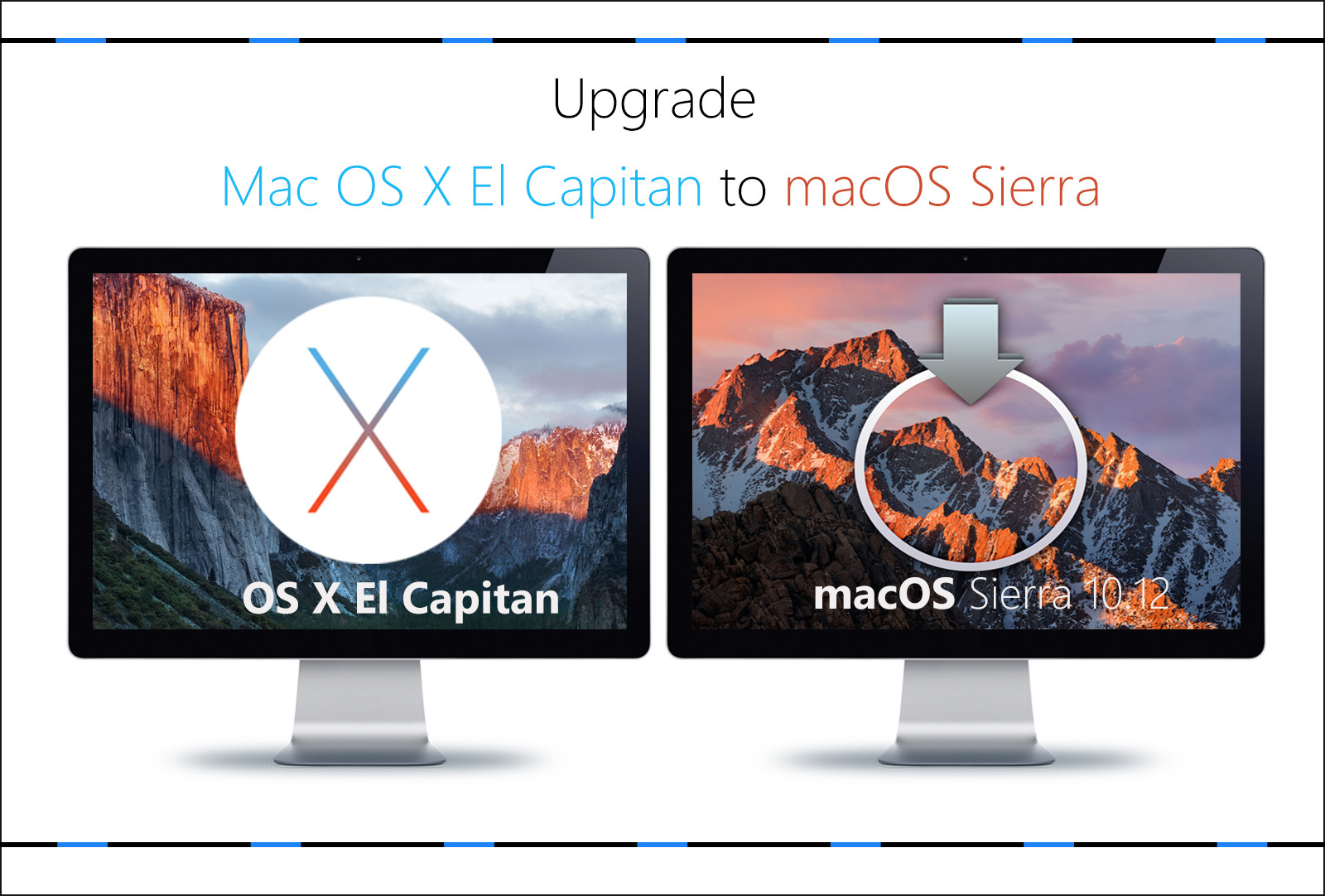
The final version released under the OS X brand name was OS X 10.11 El Capitan, launched in September 2015. The subsequent major release in September 2016 was officially titled macOS 10.12 Sierra, marking the definitive transition away from the OS X brand.
OS X El Capitan focused heavily on performance, stability, and security enhancements, introducing System Integrity Protection (SIP) to safeguard critical system files from unauthorized root access.
How does APFS on modern macOS differ from HFS+ used in OS X?
APFS (Apple File System) is optimized for modern flash storage and solid-state drives (SSDs), whereas HFS+ was designed for spinning magnetic hard disks. APFS delivers faster file cloning, native dynamic multi-key encryption, snapshot support for system recovery, and crash-protected journaling.
HFS+ was the standard storage format throughout the Mac OS X and OS X eras. Apple transitioned all Mac system boot drives to APFS starting with macOS 10.13 High Sierra in 2017.
Strategic Summary and Operational Recommendations
Understanding the lineage from Mac OS X to OS X and macOS highlights Apple's unwavering strategy: tightly integrating proprietary operating system software with custom hardware design. For IT administrators, software engineers, and daily Mac users, managing modern workstations requires recognizing these historic platform boundaries.
- For System Administrators: Ensure all managed endpoints are fully updated to actively supported macOS versions. Upgrade legacy deployments relying on HFS+ storage layouts or obsolete 32-bit dependencies to APFS and 64-bit/ARM64 native applications.
- For Software Developers: Target current Swift and SwiftUI frameworks while maintaining Mac Catalyst compatibility. Build applications as Universal 2 binaries containing both ARM64 and x86_64 architecture code to ensure optimal performance across both Apple Silicon and modern Intel hardware.
- For End Users: Verify hardware compatibility before updating major OS versions, maintain automated Time Machine or cloud backups prior to system upgrades, and embrace built-in security features such as FileVault encryption and Gatekeeper app verification.
To keep your deployment secure, modern, and optimized, regularly inspect system requirements via Apple Software Update and ensure all enterprise software dependencies maintain native ARM64 support.
Image Gallery