Complete Guide to Accessing and Managing Inova Medical Records in 2026
Accessing and managing your Inova medical records in 2026 is primarily streamlined through the MyChart patient portal, ensuring patients across Northern Virginia have secure, digital access to their health histories, test results, and...
Accessing and managing your Inova medical records in 2026 is primarily streamlined through the MyChart patient portal, ensuring patients across Northern Virginia have secure, digital access to their health histories, test results, and clinical notes. Inova Health System, a premier not-for-profit healthcare provider headquartered in Falls Church, Virginia, manages extensive clinical data across multiple hospitals, emergency departments, and outpatient facilities, making efficient digital record retrieval essential for ongoing patient care.
Contents
Understanding Inova Health System and Patient Record Access
Inova Health System operates major hospital campuses and specialized medical facilities throughout Northern Virginia, including Inova Fairfax Hospital, Inova Alexandria Hospital, Inova Loudoun Hospital, Inova Mount Vernon Hospital, and Inova Fair Oaks Hospital. Because patient encounters occur across these diverse regional sites, centralizing health information prevents data fragmentation.
Medical records encompass a comprehensive profile of your interactions with healthcare providers. This documentation includes:
- Inpatient and outpatient clinical notes
- Diagnostic imaging reports (X-ray, MRI, CT scan)
- Laboratory test results and pathology reports
- Medication lists, allergy histories, and immunization records
- Operative reports and discharge summaries
- Billing statements and insurance correspondence
Under federal regulations, specifically the Health Insurance Portability and Accountability Act (HIPAA) and the 21st Century Cures Act, patients maintain a legal right to access, inspect, and obtain copies of their protected health information (PHI) without unreasonable delay. Inova facilitates this right through both digital interfaces and formal release-of-information channels.
Prerequisites and Account Setup for Inova MyChart
The fastest method to view, download, and share your health data is through the Inova MyChart platform. Before initiating record requests or communicating with providers digitally, patients must establish an active, authenticated account.
To register for Inova MyChart, patients typically utilize an activation code provided on a recent after-visit summary or hospital discharge paperwork. Alternatively, individuals can complete identity verification online using a matching algorithm that cross-references demographic data with trusted identity verification services.
System Requirements for Secure Access: Ensure your device runs a modern web browser with TLS 1.2 or higher encryption standards, or download the official MyChart mobile application available on iOS and Android devices. For account security, Inova mandates multi-factor authentication (MFA) via SMS text message or authenticator apps upon login.
Step-by-Step Guide to Retrieving Your Inova Health Records
Depending on whether you require immediate access to recent lab results or a certified historical archive for legal or specialist review, the retrieval process varies. The following workflows detail how to obtain records efficiently.
Method 1: Using the MyChart Patient Portal for Real-Time Access
- Navigate to the official Inova MyChart login portal via desktop browser or mobile application.
- Enter your secure username and password, then complete the multi-factor authentication verification step.
- Select the "Health" tab from the primary navigation menu to view test results, clinical notes, and active medications.
- Navigate to the "Document Center" to download or print historical after-visit summaries and specific clinical encounter notes.
- Utilize the "Sharing Hub" feature if you need to grant temporary electronic access to an external treating physician or family member.
Method 2: Requesting Formal Medical Records Through Health Information Management (HIM)
For records older than what is currently displayed in MyChart, imaging discs, or certified copies required for legal, disability, or insurance purposes, formal requests through the Inova Health Information Management (HIM) department are necessary.
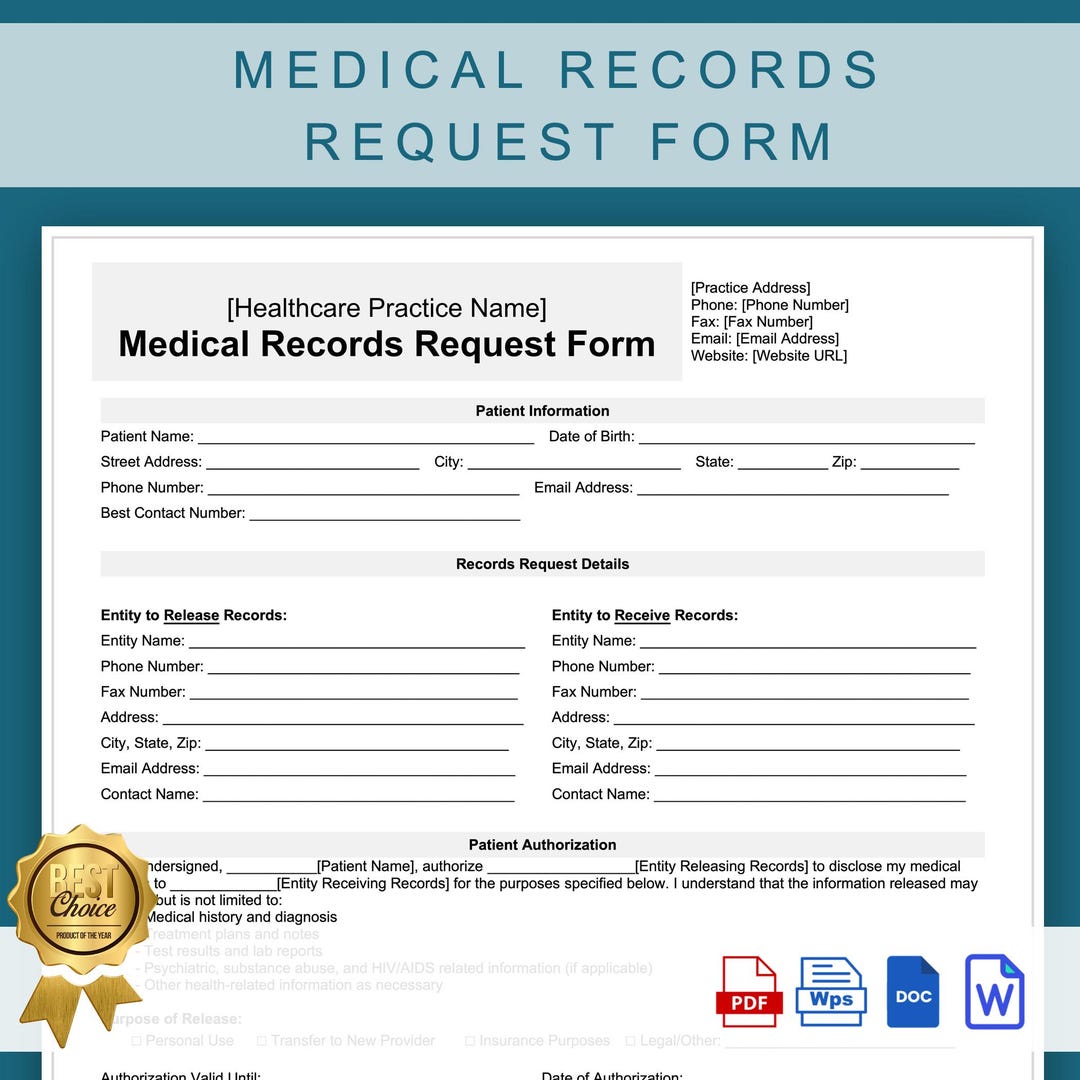
- Download and print the Authorization for Disclosure of Health Information form from the official Inova website, or request a physical copy from a facility HIM office.
- Complete all required fields accurately, including your full legal name, date of birth, contact information, specific dates of service needed, and the exact destination where records should be sent.
- Sign and date the authorization form. Unsigned requests or forms lacking legal guardian verification for minor patients will be rejected.
- Submit the completed document via mail, secure fax, or through the online patient portal document submission tool designated for your primary servicing facility.
| Record Type | Access Speed | Delivery Method | Cost / Fees |
|---|---|---|---|
| Lab Results & Notes | Instant (Real-time) | MyChart App / Web Portal | Free |
| Imaging Studies (CD/DVD) | 3 to 5 Business Days | Mail or Facility Pickup | Free for personal use; nominal fee for third parties |
| Complete Medical Chart | 5 to 10 Business Days | Secure Electronic Delivery / Mail | Compliant with state and federal statutory fee limits |
Troubleshooting Common Access and Technical Issues
Patients occasionally encounter obstacles when attempting to retrieve clinical data. Resolving these issues quickly ensures uninterrupted management of personal health timelines.
- Activation Code Expiration: Activation codes issued on after-visit summaries typically expire after 14 days. If your code has lapsed, you can request a new activation link directly on the MyChart login page by verifying your social security number and date of birth.
- Missing Test Results: While the 21st Century Cures Act mandates immediate electronic release of results, certain sensitive diagnostic reports, specialized psychiatric evaluations, or pathology reviews may experience a brief administrative hold before appearing in MyChart.
- Identity Verification Failures: Automated online verification relies on credit bureau data to confirm identity. If the system fails to verify your identity automatically, you must submit a signed copy of a government-issued photo ID alongside your registration request to complete manual authentication.
Comparing Inova Record Access Methods to Alternative Healthcare Systems
Navigating record retrieval across different healthcare ecosystems highlights the standardization brought by interoperability frameworks like Carequality and CommonWell, which Inova utilizes to share data with other regional networks (such as MedStar Health, Johns Hopkins Medicine, and Kaiser Permanente).
| Feature / Metric | Inova MyChart Portal | Formal HIM Paper/Electronic Request | Direct Provider Office Request |
|---|---|---|---|
| Primary Use Case | Daily management, lab tracking, appointment scheduling | Legal, disability, comprehensive historical archive | Immediate physician-to-physician continuity of care |
| Processing Time | Immediate | 3 to 10 Business Days | Varies by clinic workflow |
| Format | PDF, structured clinical data | Certified PDF, paper, or DICOM imaging discs | Electronic transmission or paper transfer |
| Authentication | MFA, username/password | State-compliant signed HIPAA authorization form | In-person ID check |
Frequently Asked Questions Regarding Inova Health Records
How long does Inova retain patient medical records?
Inova Health System retains adult medical records for a minimum of 10 years from the last date of service, while pediatric records are maintained until the patient reaches the age of majority plus the statutory retention period, ensuring historical data availability for long-term health tracking.
Can I access medical records for my children through MyChart?
Yes, parents or legal guardians can request proxy access to view pediatric records through their own MyChart account until the child turns 12. Due to state privacy laws regarding adolescent healthcare, proxy access is restricted or modified once the patient turns 12, requiring the adolescent to establish their own account or grant explicit consent.
Are there any fees associated with obtaining copies of my medical records?
Under federal regulations and Inova policy, patients requesting copies of their own medical records for personal review or continued medical care are generally provided electronic or paper copies at no charge. Fees may apply for specialized requests, such as duplicate imaging CDs or third-party legal and insurance processing.
What should I do if I spot an error in my Inova medical record?
If you identify an inaccurate clinical entry, medication error, or demographic mistake, you can submit a formal Request for Amendment of Health Information through your MyChart portal or by contacting the HIM department, prompting clinical review and potential record correction by your provider.
How do I transfer my Inova records to a physician outside the network?
You can share your active chart electronically by using the "Share Everywhere" feature inside MyChart, which allows you to generate a secure, one-time viewing code for an external provider. For a permanent transfer of exhaustive records, submit a signed authorization designating the receiving physician's clinic address and fax number.
Practical Recommendations for Managing Your Health Profile
Maintaining an organized archive of your medical documentation ensures safety during medical emergencies, specialist consultations, and interstate relocations. Regularly download your comprehensive health summary from Inova MyChart following major diagnostic procedures or hospital discharges, and store these digital files securely in an encrypted personal health vault. Keeping your contact information, emergency contacts, and insurance details updated within the portal also ensures seamless administrative processing across all Inova facilities.
Image Gallery