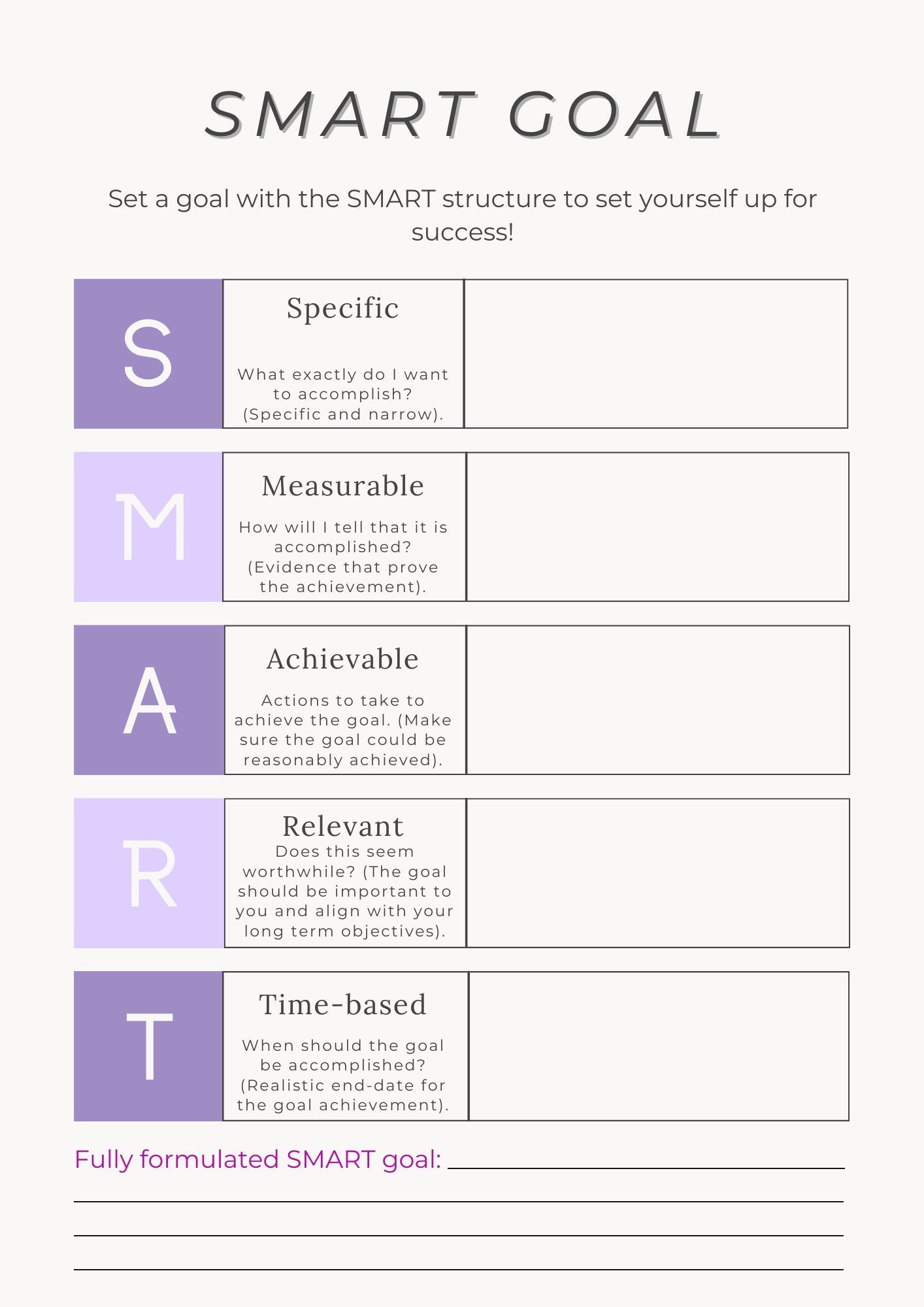
How to Use a SMART Goal Worksheet Effectively to Achieve Your Objectives
To use a SMART goal worksheet effectively, you must translate vague intentions into concrete actions by documenting specific, measurable, achievable, relevant, and time-bound criteria. Begin by defining your primary objective, then use...
To use a SMART goal worksheet effectively, you must translate vague intentions into concrete actions by documenting specific, measurable, achievable, relevant, and time-bound criteria. Begin by defining your primary objective, then use the worksheet’s structured prompts to dissect that goal into verifiable milestones, resource requirements, and a firm deadline.
Contents
The SMART framework—an acronym for Specific, Measurable, Achievable, Relevant, and Time-bound—has remained the gold standard for personal and professional development since George T. Doran first introduced the concept in 1981. While the core philosophy is decades old, the application of this framework in 2026 has evolved. Modern SMART goal worksheets are no longer just static pieces of paper; they are strategic blueprints that bridge the gap between "wanting" something and "executing" the steps to get it.
The Purpose of a SMART Goal Worksheet
A SMART goal worksheet serves as a cognitive forcing function. Most people fail to achieve their objectives not because of a lack of willpower, but because of a lack of clarity. When you use a worksheet, you are forced to move beyond the "dreaming" phase and into the "planning" phase.
The worksheet acts as a filter. If a goal cannot survive the scrutiny of the five SMART criteria, it is likely a wish, not a goal. By the time you finish filling out a high-quality worksheet, you should have a roadmap that tells you exactly what success looks like, how you will measure it, and when the finish line occurs. In a professional setting, these worksheets ensure alignment between individual contributions and organizational KPIs (Key Performance Indicators).
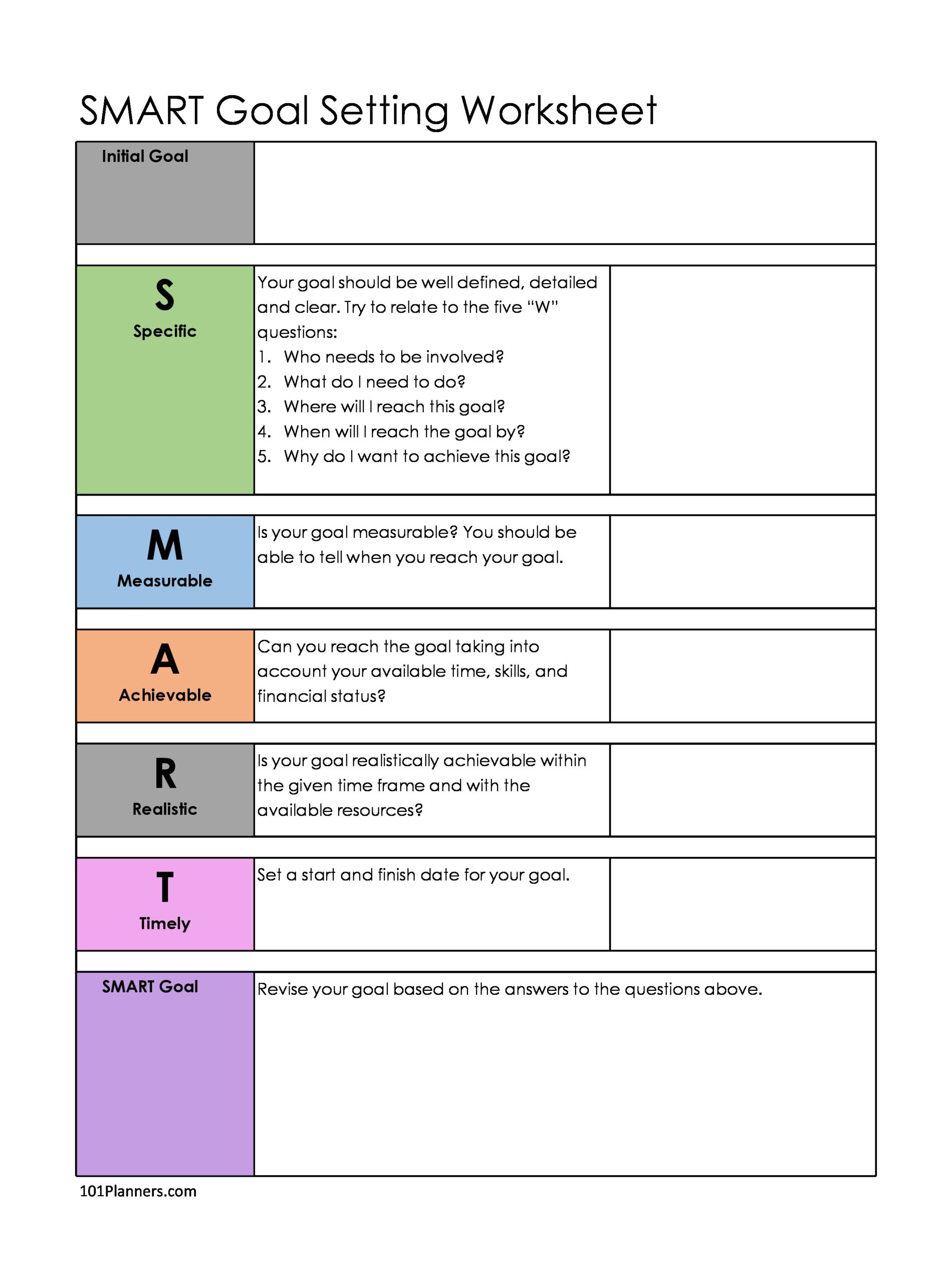
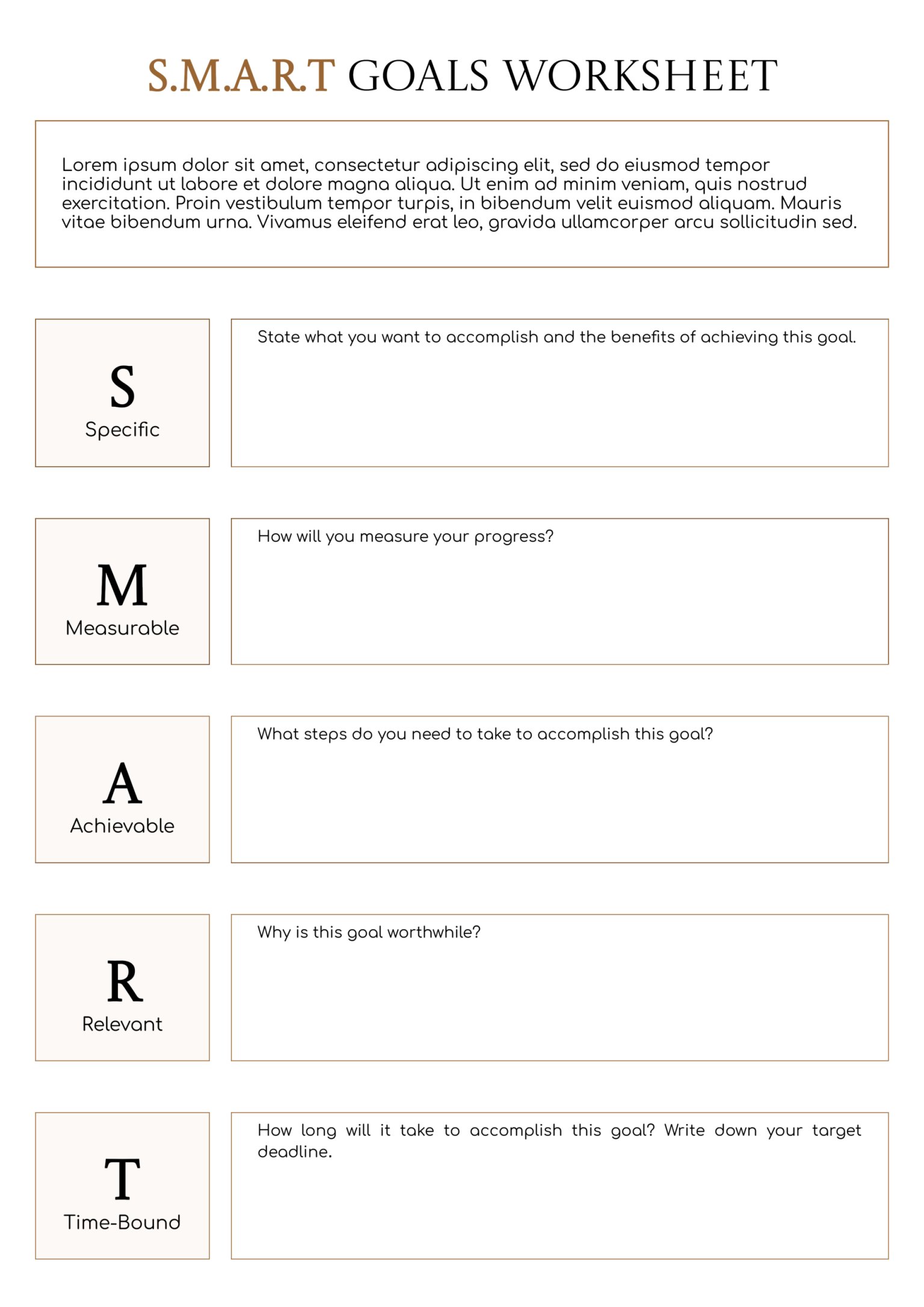
Step 1: Defining the "Specific" (The Who, What, and Why)
The first section of your worksheet will ask you to define your goal with surgical precision. Vague goals like "I want to grow my business" or "I want to get healthy" are the primary reasons for failure. They provide no direction.
To fill this section effectively, answer the following:
- What exactly do I want to accomplish? Use action verbs. Instead of "Improve sales," use "Acquire 10 new enterprise-level clients."
- Who is involved? Identify if this is a solo mission or if you need to delegate tasks to a team.
- Why is this goal important? This provides the emotional or logical leverage needed to persist when obstacles arise.
Technical Tip: Avoid "omni-goals." If your specific definition contains the word "and" more than once, you are likely trying to cram two or more goals into one worksheet. Break them apart to maintain focus.
Step 2: Establishing "Measurable" Metrics
If you cannot measure it, you cannot manage it. This section of the worksheet requires you to identify the specific numbers, percentages, or milestones that will signal progress and ultimate completion.
Effective measurement involves two types of data:
- Lead Measures: These are predictive. For a fitness goal, a lead measure might be "working out four times a week."
- Lag Measures: These are the results. For the same goal, a lag measure would be "reducing body fat percentage by 3%."
When using your worksheet, define the "source of truth" for your measurements. Will you use a CRM (Customer Relationship Management) tool, a physical scale, a financial statement, or a project management dashboard? Documenting the tool ensures that your data remains objective.
Step 3: Assessing "Achievability" and Resource Availability
The "A" in SMART is often misinterpreted as "easy." In reality, an achievable goal should be a "stretch" goal—challenging enough to motivate you, but grounded in reality.
When filling out this portion of the worksheet, conduct a Gap Analysis:
- Skills: Do I have the necessary expertise? If not, how will I acquire it?
- Time: Do I have the weekly bandwidth to dedicate to this?
- Tools/Budget: Do I have the financial resources or software required?
If you find that a goal is not achievable given your current constraints, the worksheet has done its job. You must then either scale back the goal or increase your resources before proceeding.
Step 4: Ensuring "Relevance" and Strategic Alignment
The "Relevant" section is where most people falter. A goal can be specific, measurable, and achievable, but if it doesn't actually matter to your long-term vision, it is a distraction.
In 2026, with the sheer volume of "shiny objects" and technological shifts, relevance is your primary filter for productivity. Ask yourself:
- Does this goal align with my core values or my company's mission for this fiscal year?
- Is this the right time to pursue this?
- Am I the right person to be doing this, or should it be someone else's SMART goal?
If a goal is "Relevant," it should feel like a logical step in a larger journey. If it feels like a pivot that doesn't lead anywhere, re-evaluate.
Step 5: Setting "Time-bound" Constraints
A goal without a deadline is a hobby. The final section of your worksheet must include a firm end date. However, an effective worksheet doesn't just stop at the final deadline; it should also include interim milestones.
For example, if your goal is a 12-month objective, your worksheet should have check-ins at the 3-month, 6-month, and 9-month marks. This prevents "deadline panic," where 80% of the work is attempted in the final 20% of the time allotted.
Comparison of SMART Worksheet Formats
Choosing the right medium for your worksheet can impact your consistency. Below is a comparison of the most common formats used in 2026.
| Format | Best For | Pros | Cons |
|---|---|---|---|
| Physical/Paper | Deep focus and tactile thinkers. | Reduces digital distraction; improves memory retention through writing. | Hard to share; no automated reminders or data syncing. |
| Interactive PDF | Standardized corporate reporting. | Easy to distribute; maintains consistent formatting across devices. | Static; does not integrate with live data sources. |
| Digital Task Managers | Ongoing project tracking. | Integrates with calendars; allows for sub-tasks and attachments. | Can lead to "app fatigue" or notification overload. |
| AI-Assisted Templates | Complex or multi-step goals. | Automatically suggests milestones and identifies potential risks. | May feel impersonal; requires high-quality data input. |
Common Pitfalls When Using a SMART Worksheet
Even with a perfect template, the effectiveness of the tool depends on the quality of the input. Avoid these common mistakes:
1. Being Too Granular Too Early
While specificity is key, don't get bogged down in the "how" before you've solidified the "what." The worksheet is for the high-level strategy. Detailed daily to-do lists should live in your task manager, not your SMART worksheet.
2. Ignoring the "Why"
If the "Relevant" section of your worksheet is weak, your motivation will crater the moment things get difficult. Ensure the emotional or professional stakes are clearly documented.
3. Setting and Forgetting
A SMART goal worksheet is a living document. Many people fill it out with great enthusiasm on January 1st and never look at it again. To use it effectively, the worksheet must be reviewed at every milestone you've set in the "Time-bound" section.
4. Overestimating Bandwidth
Users often fill out five or six SMART goal worksheets simultaneously. Research into cognitive load suggests that pursuing more than two or three significant goals at once leads to a "diffusion of effort," where nothing actually gets finished.
Integrating the Worksheet into Your Workflow
To make the worksheet a functional part of your routine, sync the deadlines and milestones with your primary calendar immediately after filling it out. If your worksheet says you will have a draft completed by March 15th, that date should be blocked out in your Google Calendar or Outlook.
Furthermore, if you are using a worksheet for a team goal, ensure every stakeholder has a copy. Transparency is the greatest driver of accountability. In 2026, many organizations use shared digital workspaces where the SMART worksheet is pinned to the top of the project channel.
Frequently Asked Questions
Can a goal be too specific?
While rare, a goal can become so narrow that it loses its impact or becomes rigid. If your "Specific" criteria prevent you from making necessary pivots when market conditions change, you may need to broaden the scope slightly while keeping the "Measurable" metrics strict.
What is the difference between a SMART goal and a KPI?
A SMART goal is a specific objective you want to achieve within a timeframe (e.g., "Launch the new website by June"). A KPI (Key Performance Indicator) is a metric used to evaluate ongoing performance (e.g., "Monthly recurring revenue"). You often use SMART goals to improve your KPIs.
How often should I update my SMART goal worksheet?
You should review your worksheet at every "Time-bound" milestone you established. If you hit a major roadblock or your resources change significantly, you should update the "Achievable" and "Time-bound" sections immediately to reflect the new reality.
Does the SMART framework work for creative goals?
Yes, but the "Measurable" section often focuses on output rather than quality. For a novelist, a SMART goal might be "Write 50,000 words of a first draft by December 1st." You cannot easily measure "how good" the writing is, but you can measure the "Specific" act of completing the draft.
What should I do if I fail to meet a SMART goal deadline?
Do not discard the worksheet. Instead, conduct a "post-mortem" analysis using the worksheet as a guide. Was the goal not "Achievable"? Was the "Time-bound" element too aggressive? Use these insights to recalibrate and set a new, more informed SMART goal.
Final Recommendation for Effective Goal Setting
To maximize the utility of a SMART goal worksheet, start with the end in mind. Visualize the exact moment of success and work backward through the worksheet prompts. If you find yourself struggling to fill out a specific section, it is a sign that your goal is still too "fuzzy." Take the time to research and refine your objective before committing it to the worksheet. Once completed, keep the worksheet in a place where you will see it daily—visibility is the final bridge between a plan on paper and a result in reality.
Image Gallery