How to Access Case Records in Minnesota: A Comprehensive Guide for 2026
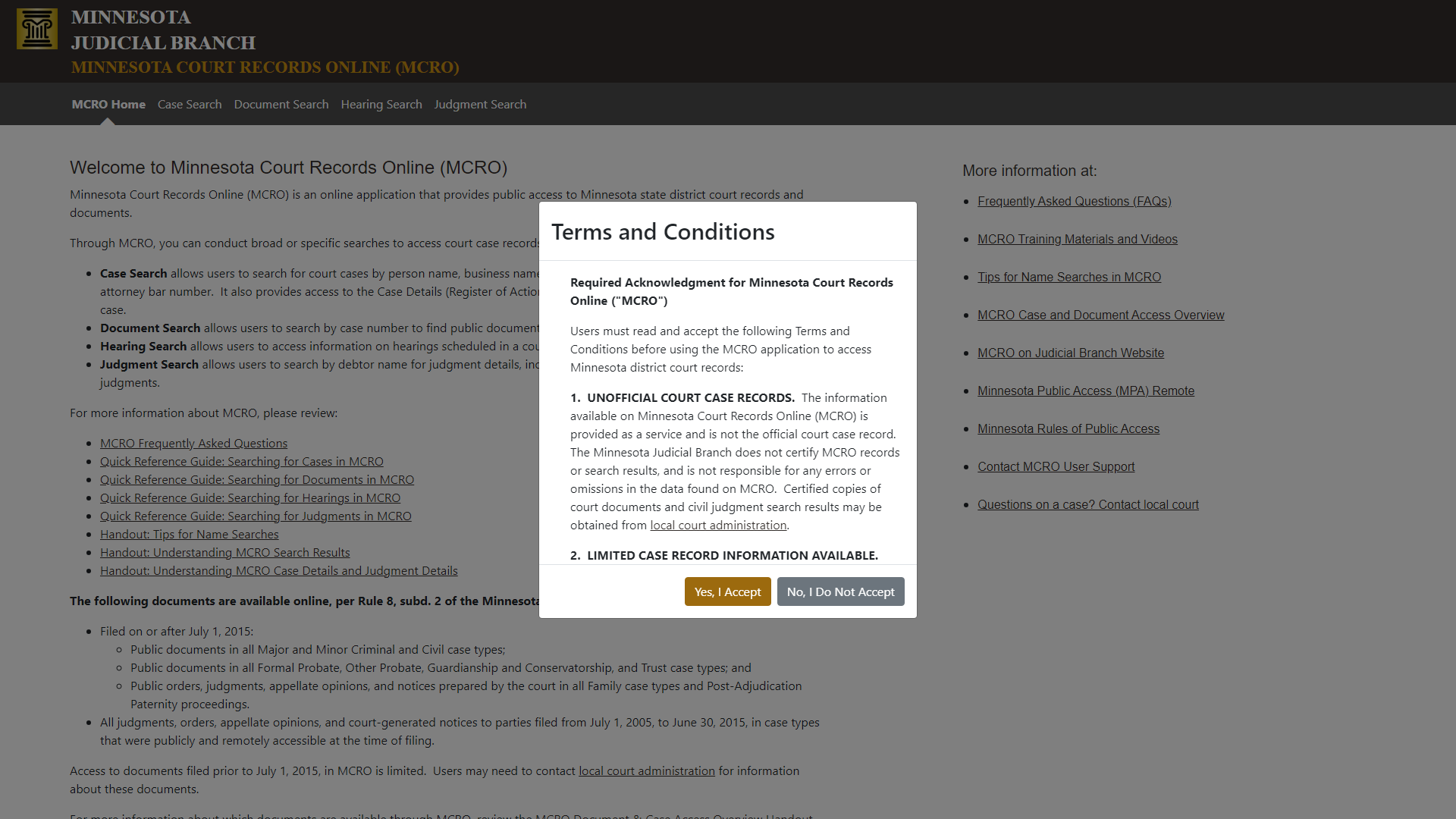
To access case records in Minnesota, you must utilize the Minnesota Judicial Branch’s official portal, known as Minnesota Court Information (MNCIS). Access is governed by the Rules of Public Access to Records of the Judicial Branch, wh...
To access case records in Minnesota, you must utilize the Minnesota Judicial Branch’s official portal, known as Minnesota Court Information (MNCIS). Access is governed by the Rules of Public Access to Records of the Judicial Branch, which distinguish between public, confidential, and sealed records. Users can perform remote searches for public civil, family, and criminal case information.
Contents
Understanding the Minnesota Judicial Branch Record System
The Minnesota court system operates through a centralized electronic filing and record-keeping system. As of 2026, the primary method for the public to view case information is the Minnesota Court Information System (MNCIS) Public Access portal. It is essential to distinguish between "case information" (the docket, parties involved, and hearing schedules) and "case documents" (actual filings like motions, orders, and transcripts).
While much of the docket information is available for free, access to specific electronic documents often requires a registered account or physical presence at a courthouse. The Minnesota Judicial Branch mandates strict privacy protocols, particularly for cases involving juveniles, family court matters involving sensitive data, and criminal cases where expungements or protection orders may restrict public visibility.
Navigating the MNCIS Public Access Portal
The MNCIS portal is the primary digital gateway for legal professionals and the general public. To search effectively, you should prepare specific identifiers to narrow down results, as common names can return hundreds of hits.
Required Search Parameters
To ensure you are accessing the correct file, attempt to use the following data points:
- Case Number: The most accurate identifier, typically formatted as XX-XXXX-XXXXX.
- Party Name: Full legal name as it appears in the court records.
- Date of Birth: Essential for distinguishing individuals with identical names in criminal or family law cases.
- County: Selecting the specific county of venue drastically reduces the search time.
Steps to Perform a Basic Search
- Navigate to the official Minnesota Judicial Branch website.
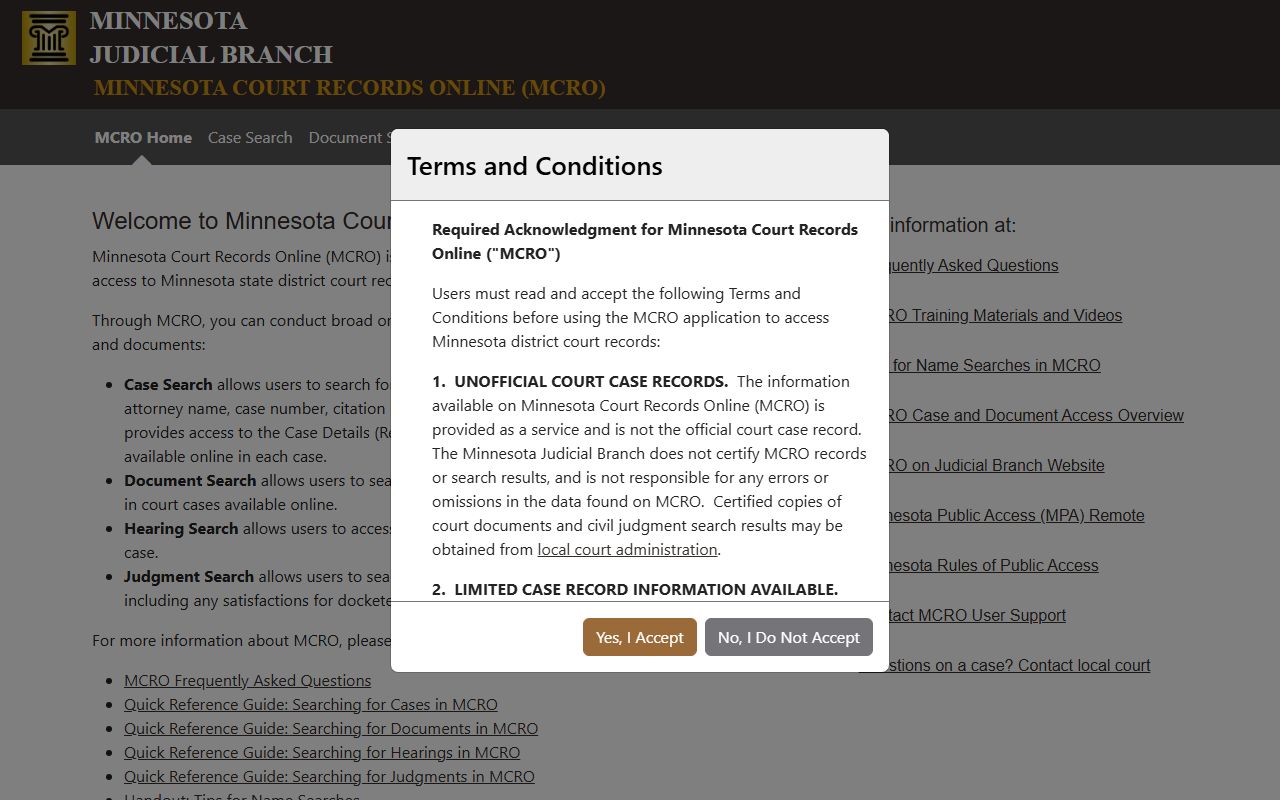
- Select the "Access Case Records" or "MNCIS Public Access" link.
- Review and accept the user agreement regarding the responsible use of judicial data.
- Input your search criteria into the search bars provided.
- Review the "Register of Actions" to see the chronological history of the case filings.
Distinguishing Between Public and Restricted Records
Not all information held by the Minnesota courts is subject to public disclosure. Understanding these limitations prevents frustration when searching for specific files.
| Record Type | Access Level | Requirement for Access |
|---|---|---|
| Public Civil/Traffic | Fully Public | Accessible via online portal. |
| Criminal (Convictions) | Public | Accessible via online portal. |
| Juvenile Records | Confidential | Generally restricted; court order required. |
| Family/Divorce Docs | Restricted | Often requires parties' consent or attorney access. |
| Sealed/Expunged | Private | Restricted by statute or judicial order. |
Legal Authority for Access
Access to judicial records in Minnesota is governed by the Rules of Public Access to Records of the Judicial Branch. These rules ensure transparency while protecting individual privacy rights. If you are a party to a case, you may have greater access to your own records than the general public. You should verify your status through the court clerk's office in the county where the case originated if you believe you have been denied access to non-public documents that pertain to you.
Obtaining Official Copies of Court Documents
If you require certified copies of court orders or judgments for legal or financial purposes, the online portal provides the information, but it does not serve as an official certified source.
Procedure for Official Requests
- Identify the Courthouse: Determine which county courthouse maintains the official physical paper file.
- Submit a Request: Most counties in Minnesota allow you to request copies via mail, email, or in person.
- Fee Payment: The court charges statutory fees for certified copies. These fees are set by the Minnesota legislature and are subject to periodic adjustment.
- Processing Time: Expect a lead time of 3 to 10 business days for administrative processing, depending on the county's current caseload as of 2026.
Frequently Asked Questions Regarding Minnesota Records
Is there a fee to search for case records in Minnesota?
General searches on the MNCIS public portal are free of charge. However, if you request certified physical copies or documents that are not available through the public portal, you will be required to pay the standard administrative fees mandated by the county.
Can I see my own criminal record online?
You can view your public criminal history through the Minnesota Bureau of Criminal Apprehension (BCA) or the MNCIS portal. If your record has been expunged by a judge, it will not appear in these public systems.
What should I do if the information in the record is incorrect?
If you identify a clerical error in a court record, you must contact the court administrator in the county where the case was filed. Only the court clerk or a judge can authorize a correction to an official judicial record.
Why can I see the case existence but not the documents?
Minnesota courts often protect the privacy of sensitive filings. Documents such as mental health evaluations, financial affidavits in divorce cases, or specific discovery materials are protected from public view and remain accessible only to the parties of the case or their legal counsel.
Can I access records from all Minnesota counties in one place?
Yes, the MNCIS portal is a statewide system. You can search for cases across all 87 Minnesota counties simultaneously, provided you have the necessary identifiers to filter the results effectively.
Expert Strategies for Complex Record Searches
For those conducting in-depth research or genealogical studies, the standard search may prove insufficient. Consider these professional tips:
- The Use of Soundex or Wildcards: If you are unsure of the spelling of a name, some court systems support wildcard searches. Ensure you check the portal's "Help" or "Search Tips" section for the specific syntax used in 2026.
- Visiting the Courthouse: If an online search fails to yield a result for an older case, the record may not have been digitized. Physical archives at the county clerk's office often contain records dating back decades before the implementation of the electronic system.
- Consulting an Attorney: For cases involving complex legal outcomes, an attorney can access the "Attorney Portal," which often provides a wider scope of document visibility than the public portal. If you are involved in litigation, your counsel is your primary resource for securing necessary filings.
Final Recommendations for Record Access
Accessing Minnesota case records is a straightforward process when utilizing the official Judicial Branch portal. Always prioritize using the official state website (.mn.gov or .mncourts.gov domains) to ensure data accuracy and security. Avoid third-party "background check" sites that often charge fees for information that is available to the public for free through state resources.
If you encounter technical issues during your search, verify that your browser is up to date, as the 2026 security protocols for the Minnesota Judicial Branch portal require modern encryption standards. If you continue to face access barriers, direct your inquiry to the specific District Court Administrator’s office for professional guidance.
Image Gallery