Comprehensive Guide to Verizon Fios Billing in 2026: Understanding Your Statement and Maximizing Savings
Verizon Fios billing is a monthly statement-based system that charges for fiber-optic internet, television, and digital voice services one month in advance. To manage your billing effectively, you must utilize the My Verizon platform t...
Verizon Fios billing is a monthly statement-based system that charges for fiber-optic internet, television, and digital voice services one month in advance. To manage your billing effectively, you must utilize the My Verizon platform to track service cycles, equipment rentals, and regulatory surcharges. By enabling AutoPay and Paper-free billing, users can typically secure significant monthly discounts while ensuring timely payments via bank account or debit card.
Contents
Managing a telecommunications account in 2026 requires more than just paying the total amount due. As fiber-optic infrastructure expands and pricing models evolve, understanding the granular details of your Fios statement is essential for auditing costs and avoiding unnecessary fees. This guide provides an authoritative breakdown of the Verizon Fios billing ecosystem, from initial setup and proration to advanced troubleshooting of regional surcharges and equipment costs.
Deciphering Your Verizon Fios Monthly Statement
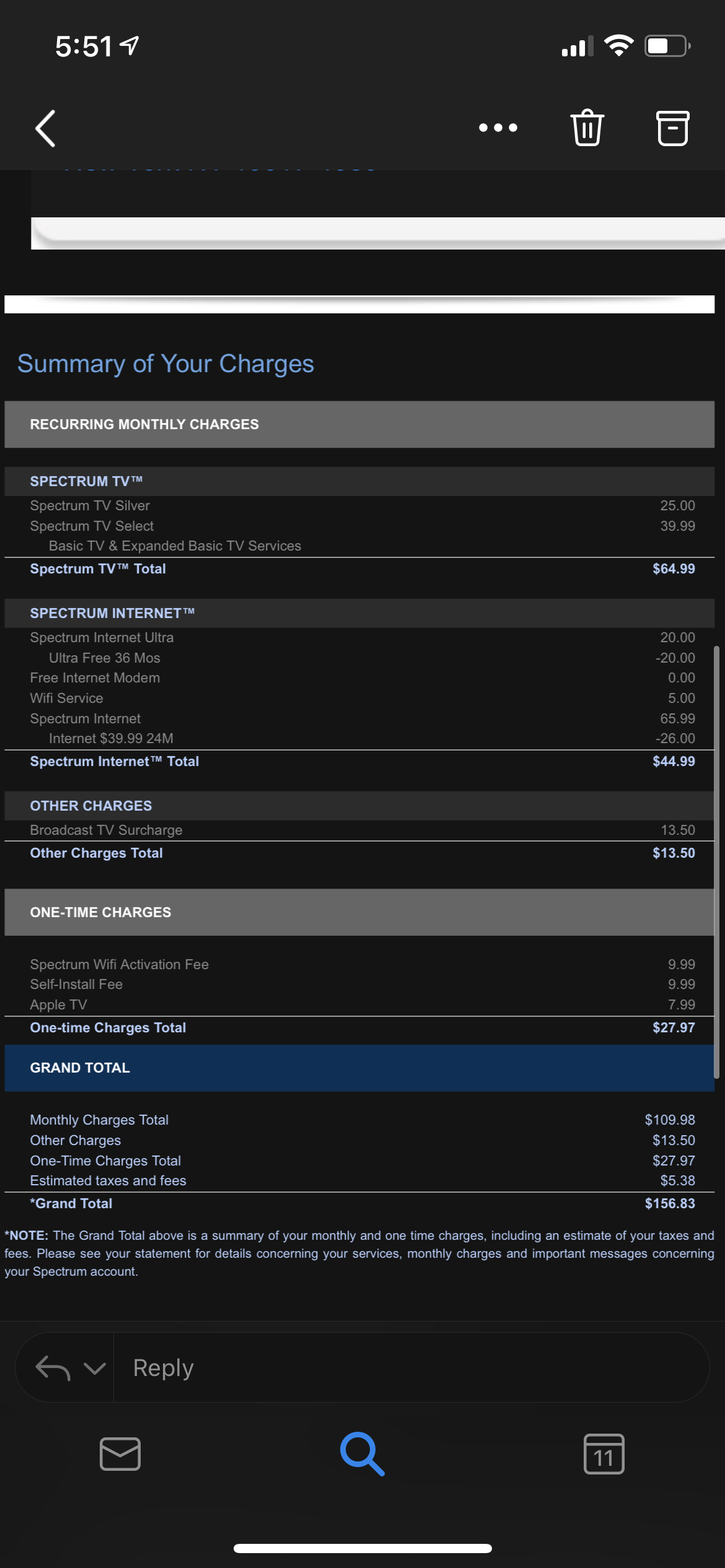
The Verizon Fios bill is structured to provide a high-level summary followed by a granular breakdown of every service and fee. In 2026, Verizon has streamlined this interface for both the My Verizon mobile app and web portal, but the underlying nomenclature remains technical.
Account Summary and Payment Status
The first page of your bill contains the "Summary of Your Bill." This section provides the total amount due, the payment due date, and a snapshot of any previous balances or payments made since the last cycle. If you see a "Previous Balance" listed, it indicates that the prior month's payment was not processed before the current bill was generated.
Monthly Service Charges
This section lists your core Fios plans. Whether you are on a 300 Mbps, 500 Mbps, 1 Gig, or 2 Gig plan, the base rate is displayed here. If you have a bundled service including Fios TV (such as the Your Fios TV or More Fios TV packages) or Fios Digital Voice, these base rates appear as separate line items.
Equipment Rentals and Add-ons
Verizon Fios requires specific hardware to function, and unless you have purchased your own compatible router, you will likely see rental fees.
- Fios Router Rental: Charges for the latest Wi-Fi 7 or Wi-Fi 6E compatible routers provided by Verizon.
- Set-Top Box (STB) Fees: Monthly rentals for each television connected to the Fios TV service.
- Fios Extenders: Additional hardware for mesh networking within larger homes.
- Streaming Services: Third-party integrations like Disney+, Hulu, or Max that are billed directly through your Verizon account.
Navigating Taxes, Surcharges, and Regional Fees
One of the most complex aspects of Verizon Fios billing involves the non-negotiable fees dictated by federal, state, and local regulations. These are not part of the advertised plan price but are mandatory additions to your monthly total.
Regional Sports Network (RSN) Fee
For customers with Fios TV packages that include regional sports channels, this fee covers the rising costs of broadcasting local sports. The amount varies significantly by ZIP code and the specific sports markets (e.g., New York vs. Mid-Atlantic).
Video Franchise Fee
Local governments charge cable and fiber providers a fee to use public rights-of-way. This fee is passed directly to the consumer and is usually calculated as a percentage of your total TV service cost.
Federal and State Universal Service Fund
These fees support telecommunications access for low-income households and rural areas. While these are federal requirements, the exact percentage fluctuates quarterly based on Federal Communications Commission (FCC) adjustments.
Fios Digital Voice (FDV) Surcharges
If you utilize Fios landline services, you will encounter specific telephony taxes:
- 911 State Fee: Supports local emergency response infrastructure.
- Federal Excise Tax: A standard tax on all telecommunications services.
- Regulatory Recovery Fee: Helps Verizon recover costs associated with complying with government regulations.
Verizon Fios 2026 Pricing and Plan Structure
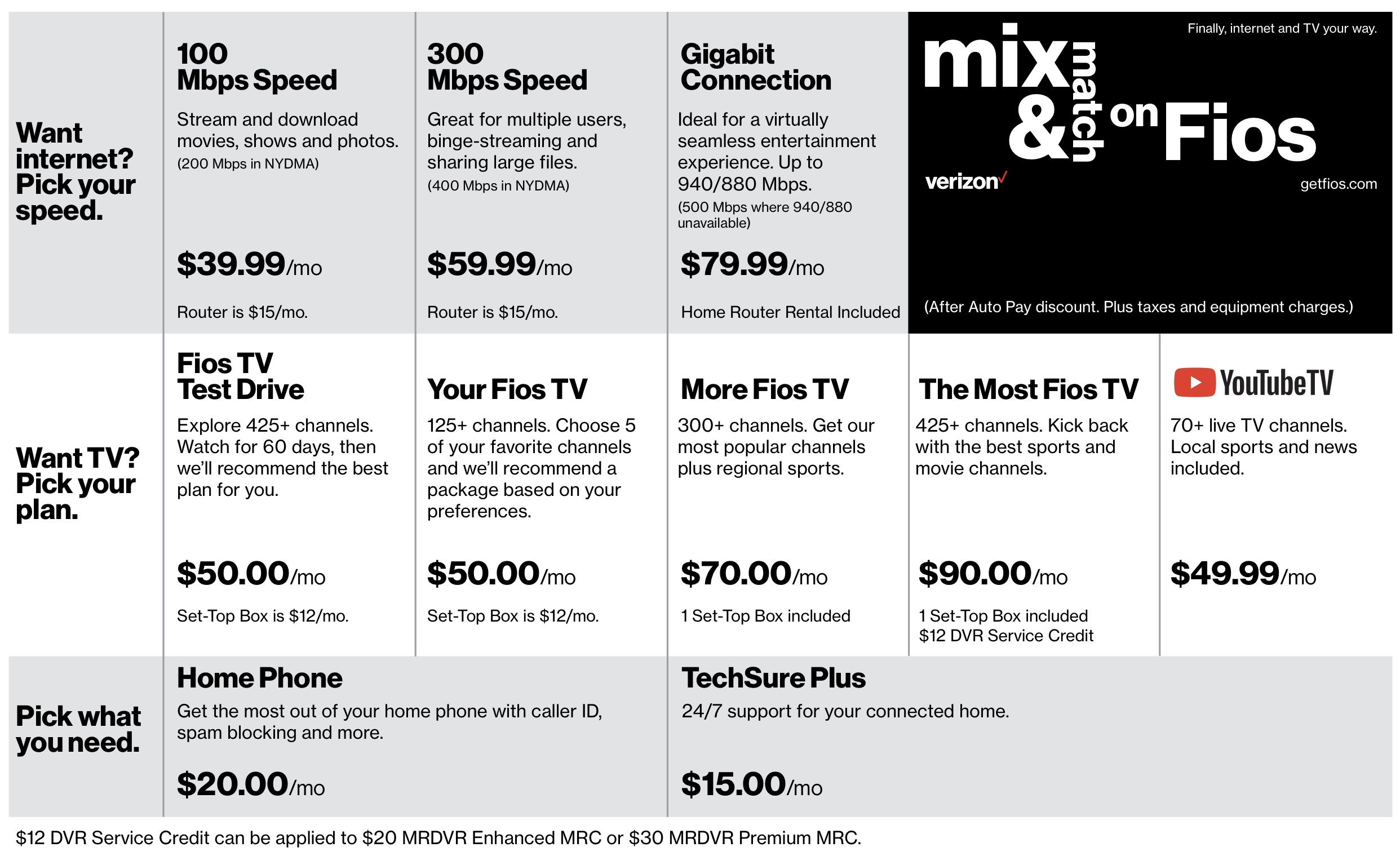
Understanding the current market rates is vital for determining if your bill is accurate. In 2026, Verizon continues to emphasize its "Mix & Match" philosophy, allowing customers to pair internet speeds with TV packages without forced triple-play bundles.
| Service Tier | Download/Upload Speed | Estimated 2026 Base Price | AutoPay & Paper-Free Discount |
|---|---|---|---|
| Fios 300 Mbps | 300/300 Mbps | $59.99 | -$10.00 |
| Fios 500 Mbps | 500/500 Mbps | $79.99 | -$10.00 |
| Fios 1 Gig | 940/880 Mbps | $99.99 | -$10.00 |
| Fios 2 Gig | 2000/2000 Mbps | $119.99 | -$10.00 |
| Fios TV (Basic) | 125+ Channels | $85.00 | N/A |
| Fios Digital Voice | Unlimited Nationwide | $25.00 | N/A |
Operational Requirement: AutoPay Eligibility To receive the $10 monthly discount on internet plans, you must enroll in both AutoPay and Paper-free billing. Crucially, as of 2026, this discount generally requires a debit card or a linked bank account (ACH). Credit card payments often do not qualify for the full AutoPay discount tier unless specifically stated in a promotional offer.
Understanding Your First and Final Bill
The first and last statements you receive from Verizon Fios are almost always different from your "standard" monthly rate due to proration and one-time fees.
The First Bill: Activation and Advanced Billing
Verizon Fios bills for services in advance. Your first bill will include:
- Partial Month Charges: A prorated amount for the days between your service activation and the start of your first official billing cycle.
- Full Month Charges: The standard month of service paid in advance.
- Activation Fee: A one-time setup fee (typically $99), though this is frequently waived for online orders.
The Final Bill: Credits and Equipment Returns
When you disconnect service, your final bill will reflect any remaining balance through the end of your billing cycle. Verizon typically does not provide partial-month credits for internet or TV if you cancel mid-cycle.
- Unreturned Equipment Charges: If you fail to return routers or Set-Top Boxes within 30 days of cancellation, you will see significant "Non-Return Fees" (ranging from $100 to $300 per device).
- Final Credits: Once equipment is returned and scanned into the warehouse, any equipment deposits or overpayments will be credited back to your original payment method or sent via a mailed check.
Troubleshooting Common Billing Discrepancies
If your bill is higher than expected, it is usually due to one of three factors: the expiration of a promotional period, a change in taxes/fees, or an accidental subscription to a premium channel.
Managing Promotional Expirations
Most Verizon Fios plans come with a "Price Guarantee" for 2, 3, or 4 years. In 2026, many customers who signed up during the 2023-2024 expansion may see their promotional credits expiring. To address this, check the "Discounts" section of your bill to see the expiration date of your current credits.
The Dispute Process
If you identify an error, such as a charge for a Set-Top Box you returned or a service you did not authorize, follow this protocol:
- Gather Documentation: Have your account number, the date of the disputed charge, and any relevant return tracking numbers ready.
- Use the My Verizon Chat: The digital assistant can resolve simple billing errors or route you to a specialized billing agent.
- Request a Reference Number: Always ask for a ticket or reference number for the dispute to ensure there is a paper trail for the resolution.
Practical Strategies for Reducing Your Fios Bill
Maintaining an affordable Fios bill in 2026 involves proactive account management and leveraging ecosystem benefits.
- Mobile + Home Discount: If you have a Verizon Wireless 5G Unlimited plan, you can link your Fios account to receive a monthly discount (often $5 to $25 per month depending on the plans). This is managed through the Verizon Up rewards section of the app.
- Ownership of Hardware: Purchase your own Wi-Fi 7 router rather than renting. While the Optical Network Terminal (ONT) is provided by Verizon at no cost, the router rental fee can be eliminated by using compatible third-party hardware.
- Reviewing Add-ons: Periodically check for "Zombie Subscriptions" like "Verizon Cloud" or premium protection plans (Total Mobile Protection) that you may no longer need.
- Annual Plan Audits: Internet speeds that were necessary three years ago may now be overkill. If you are paying for 1 Gig but only utilize 300 Mbps, switching tiers can save over $300 annually.
Frequently Asked Questions (FAQs)
Why is my Verizon Fios bill different every month?
Fluctuations in your Fios bill are typically caused by variable taxes, regional surcharges, or the expiration of promotional discounts. Even if your base plan price is fixed, government-mandated fees like the Federal Universal Service Fund can change quarterly, impacting the total amount due.
How can I pay my Verizon Fios bill without a convenience fee?
To avoid extra charges, pay through the My Verizon app, the Verizon website, or by setting up AutoPay. Using "Pay by Phone" with a live representative often incurs a convenience fee, whereas automated digital methods are free and provide instant confirmation.
Can I change my Fios billing due date?
Yes, Verizon allows customers to change their billing cycle date through the "Billing" section of the My Verizon portal. Note that changing your due date may result in a one-time "bridge" bill that is larger or smaller than usual as the system adjusts to the new 30-day cycle.
What happens if I pay my Verizon Fios bill late?
If a payment is not received by the due date, Verizon typically assesses a late fee (often around $5 or 1.5% of the balance, whichever is greater). If the account remains unpaid, services may be suspended, requiring a "Reconnection Fee" to restore access.
Is the Verizon Fios AutoPay discount applied immediately?
The AutoPay discount usually takes one to two billing cycles to appear on your statement after initial enrollment. You must maintain both AutoPay and Paper-free billing status to remain eligible for the discount; if you revert to paper statements, the discount will be removed on the next bill.
Navigating Verizon Fios billing in 2026 requires a balance of digital management and technical awareness. By auditing your statement monthly, maximizing "Mobile + Home" integrations, and strictly adhering to AutoPay requirements, you can ensure you are receiving the best value for your fiber-optic services.
Image Gallery