How to Convert a UUID to a String: A Comprehensive Technical Guide
Converting a Universally Unique Identifier (UUID) to a string involves transforming its 128-bit binary representation into a human-readable hexadecimal format. Most modern programming languages provide built-in methods, such as the toS...
Converting a Universally Unique Identifier (UUID) to a string involves transforming its 128-bit binary representation into a human-readable hexadecimal format. Most modern programming languages provide built-in methods, such as the toString function or explicit string casting, to handle this conversion automatically while maintaining the standard 36-character hyphenated structure required for most APIs and databases.
Contents
Understanding the UUID Format and Standard Representations
To effectively convert a UUID to a string, one must first understand what the 128-bit value represents. A UUID consists of 16 octets, which are typically displayed as 32 hexadecimal digits. In its canonical string form, these digits are organized into five groups separated by hyphens, following the 8-4-4-4-12 pattern. For example, a standard UUID string looks like 550e8400-e29b-41d4-a716-446655440000.
As of 2026, the industry has largely transitioned to the standards outlined in RFC 9562, which superseded the older RFC 4122. While the internal structure of UUID versions (such as v4 for randomness or v7 for time-ordered sequences) may vary, the string representation remains consistent to ensure backward compatibility across distributed systems.
The conversion process is necessary because while computers process binary data efficiently, humans and many application-layer protocols (like JSON, HTTP, and REST) require text. Whether you are logging an error, passing an identifier through a URL, or storing data in a database that lacks a native UUID type, knowing how to perform this conversion accurately is a fundamental skill for software engineers.
Conversion Methods in Major Programming Languages
Every major programming ecosystem provides a standard library to handle the transition from a binary or object-based UUID to a serialized string. The following sections detail the requirements and procedures for the most common environments.
Java and the JVM Ecosystem
In the Java development environment, the java.util.UUID class is the primary entity for handling identifiers. When you have an instance of a UUID object, the most common way to convert it is by using the toString() method. This method is inherited from the Object class but is overridden in the UUID class to produce the canonical 36-character string.
The implementation of UUID.toString() is highly optimized. It uses a bit-shifting approach to extract the most significant and least significant bits, converting them into the hex characters needed for each segment. If you are working in a performance-critical environment in 2026, you might encounter specialized libraries like Jackson or FastJSON that handle this conversion directly during serialization to avoid the overhead of creating intermediate string objects.
Python and Dynamic Typing
Python treats UUIDs as distinct objects via the built-in uuid module. To convert a UUID object to a string in Python, you simply pass the object to the str() constructor. This returns the lowercase, hyphenated representation.
If your specific use case requires a string without hyphens (the 32-character hex format), you can access the .hex attribute of the UUID object. This is particularly useful when generating keys for systems that do not allow special characters or when attempting to save space in specialized indexing systems.
JavaScript and Web Technologies
In modern web development, the approach to UUIDs has evolved. While third-party libraries like uuid or nanoid were once mandatory, the Web Crypto API is now the standard. The function crypto.randomUUID() actually returns a string directly, bypassing the need for manual conversion in many cases.
However, if you are working with binary UUIDs (represented as a Buffer in Node.js or a Uint8Array in the browser), you must manually encode the bytes into a hexadecimal string. This involves iterating through the 16 bytes and converting each to a two-digit hex value, then inserting hyphens at the appropriate indices (4, 6, 8, and 10).
C# and the .NET Framework
In the .NET ecosystem, the System.Guid structure is the equivalent of a UUID. C# provides a very flexible ToString() method that accepts format specifiers. This is one of the most robust implementations available, as it allows developers to choose exactly how the string should look without manual string manipulation.
Common format specifiers in .NET include:
- "D": The standard 36-character hyphenated string (default).
- "N": The 32-character string without hyphens.
- "B": The hyphenated string enclosed in braces.
- "P": The hyphenated string enclosed in parentheses.
Database Storage and Conversion Strategies
Converting UUIDs to strings is not just an application-level task; it is frequently required when interacting with databases. Depending on the database engine, the "string" version of a UUID might be the primary way the data is stored.
PostgreSQL: Native vs. Text
PostgreSQL is well-known for its native uuid data type. When you query a UUID column in PostgreSQL, the driver usually handles the conversion to a string for you. However, if you need to force a conversion within a SQL query, you can use the casting syntax ::text. This is essential when concatenating a UUID with other string fields in a report or a dynamic query.
MySQL and MariaDB
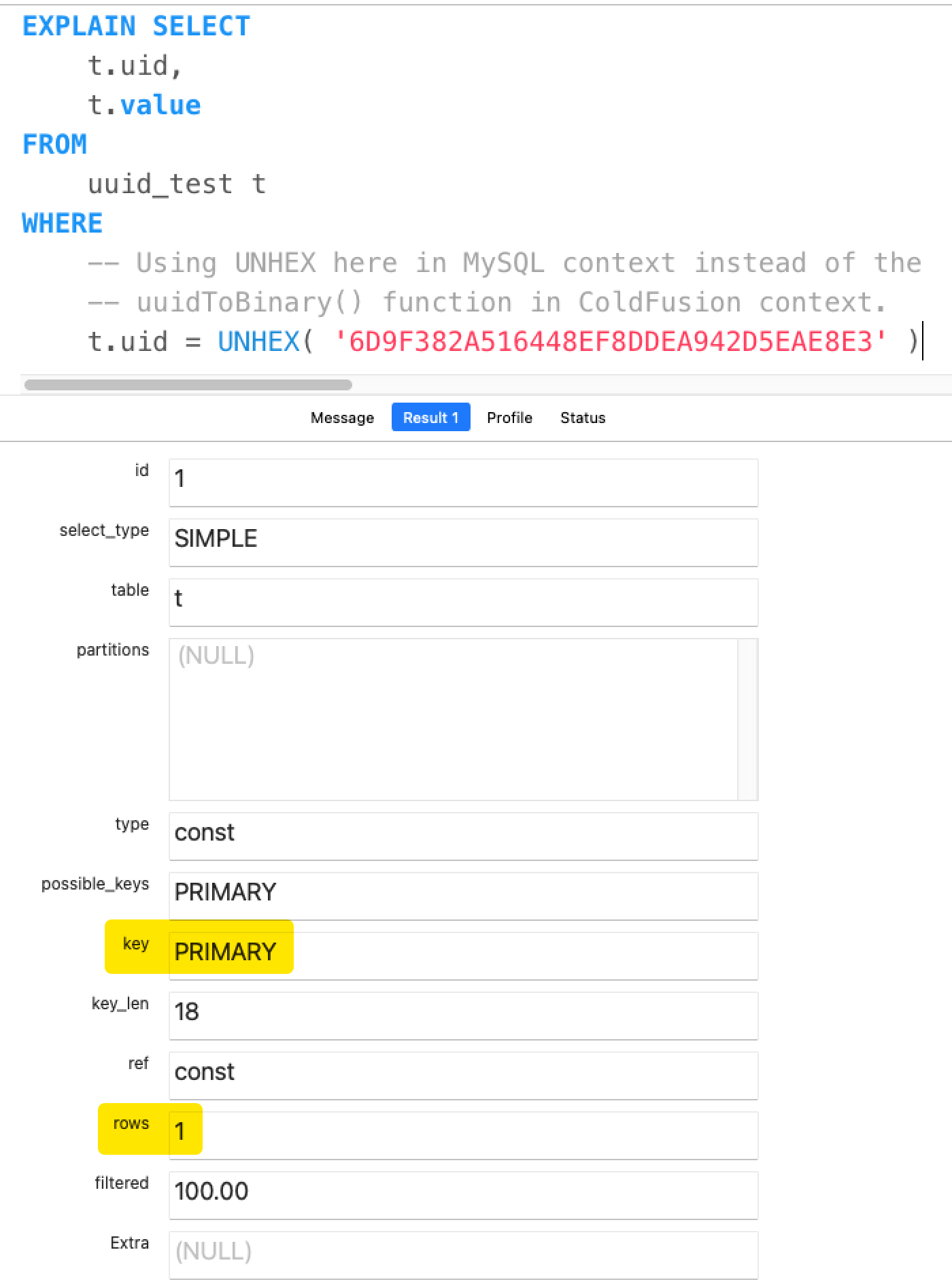
Historically, MySQL lacked a native UUID type, leading many developers to store UUIDs as CHAR(36) or BINARY(16). In 2026, while newer versions have improved handling, the conversion from a binary storage format to a readable string often requires the BIN_TO_UUID() function. This function takes the 16-byte binary value and outputs the standard string format, which is critical for debugging and manual data inspection.
Comparison of Common UUID String Formats
When converting a UUID, the "standard" hyphenated version isn't always the right choice. The following table compares different string representations used in modern software architecture.
| Format Name | Length | Example Pattern | Common Use Case |
|---|---|---|---|
| Canonical (RFC 9562) | 36 chars | 8-4-4-4-12 (with hyphens) | General purpose, APIs, Logging |
| Hex / Compact | 32 chars | Continuous hexadecimal digits | URL slugs, Legacy DB systems |
| URN | 45 chars | urn:uuid:followed-by-uuid | Standardized resource naming |
| Base64 / Short | ~22 chars | URL-safe Base64 encoding | Shortened URLs, QR codes |
| Braced | 38 chars | {8-4-4-4-12} | Windows Registry, COM objects |
Performance and Memory Considerations
While converting a single UUID to a string is computationally inexpensive, doing so at scale (e.g., millions of records per second) can lead to performance bottlenecks. In high-throughput systems, the primary concern is memory allocation.
Each time a UUID is converted to a string, a new string object is allocated on the heap. In garbage-collected languages like Java or C#, generating millions of these strings can trigger frequent garbage collection cycles, increasing latency. To mitigate this, senior engineers in 2026 often use ThreadLocal string builders or pre-allocated byte buffers to perform the hex conversion without creating a new string object unless absolutely necessary.
Furthermore, if the end goal is to send the UUID over a network via a protocol like Protobuf or Avro, it is often better to keep the UUID in its 128-bit binary form rather than converting it to a string. This reduces the payload size by more than 50% (16 bytes vs 36 bytes).
Troubleshooting Common Conversion Issues
Even a simple conversion can run into issues if the environment or the input data is not handled correctly.
Case Sensitivity
According to the IETF standards, UUID strings should be output as lowercase. However, some legacy systems may generate or expect uppercase hex digits. When comparing two UUID strings, always normalize them to a single case (usually lowercase) to avoid "not found" errors in lookups.
Invalid Formats
A common error occurs when a string is assumed to be a UUID but contains invalid characters (anything outside 0-9 and a-f) or has the hyphens in the wrong locations. Most language-specific parsers, such as UUID.fromString() in Java, will throw an IllegalArgumentException if the string does not strictly adhere to the 36-character format. Always validate or use a try-catch block when converting strings back into UUID objects.
Null and Empty UUIDs
The "Nil UUID" is a special case where all bits are set to zero (00000000-0000-0000-0000-000000000000). Ensure your conversion logic handles null pointers or empty objects gracefully. In many frameworks, calling a string conversion method on a null UUID object will result in a NullPointerException, which is a leading cause of application crashes in production environments.
Frequently Asked Questions
Is a UUID string always 36 characters?
The canonical representation is 36 characters, consisting of 32 hexadecimal digits and 4 hyphens. However, as noted in the comparison table, it is possible to represent the same 128-bit value as a 32-character string (by removing hyphens) or a 22-character string (using Base64 encoding). The choice depends on the specific storage or transport requirements of your system.
Does converting a UUID to a string lose any data?
No, the conversion is a lossless process. A string is simply a different way of visualizing the underlying 128 bits of data. As long as you use a standard format (like the 36-character canonical form), you can convert the string back to the original binary UUID without any loss of information or uniqueness.
Which is better: UUID string or binary in a database?
From a performance perspective, storing UUIDs as binary (16 bytes) is superior because it uses less disk space and allows for faster indexing. However, storing them as strings (36 characters) is significantly easier for developers to query manually and debug. In 2026, many modern databases like PostgreSQL and SQL Server offer a dedicated UUID type that provides the storage efficiency of binary with the readability of strings.
Are UUID strings case-sensitive?
Technically, the hexadecimal digits are not case-sensitive; A represents the same value as a. However, the RFC standards recommend using lowercase for consistency. Many programming languages and databases default to lowercase, so it is a best practice to treat them as case-insensitive during comparison but store/emit them as lowercase.
How do I handle UUID v7 strings?
UUIDv7 is a time-ordered version of the UUID. When converted to a string, it looks identical to a v4 UUID in terms of format (8-4-4-4-12). The difference is that v7 strings are naturally sortable by their creation time because the timestamp is embedded in the most significant bits. This makes them ideal for database primary keys where insertion order matters.
Final Recommendations
When converting a UUID to a string, always prioritize the canonical 36-character format unless you have a specific technical reason to use a compressed version. This ensures maximum compatibility with existing libraries, tools, and protocols. For high-performance applications, monitor your memory allocations and consider using specialized serialization libraries that avoid redundant string creations. If you are designing a new system in 2026, aim to use the native UUID types provided by your database while leveraging the standard library of your chosen programming language for application-level conversions.
Image Gallery