Home Access KISD: Navigating Katy ISD Student Portal Resources for 2026
Home access for Katy Independent School District (KISD), facilitated through the Home Access Center (HAC), serves as the primary digital gateway for parents and guardians to monitor student academic progress, attendance, and scheduling...
Home access for Katy Independent School District (KISD), facilitated through the Home Access Center (HAC), serves as the primary digital gateway for parents and guardians to monitor student academic progress, attendance, and scheduling in real-time. As of the 2026 academic year, this centralized platform remains the essential tool for maintaining active engagement with the district’s educational ecosystem, ensuring stakeholders have constant visibility into student performance data.
Contents
Understanding the Role of the KISD Home Access Center
The Home Access Center is an integrated web-based interface designed to bridge the communication gap between KISD campuses and households. By providing a secure, authenticated login environment, the district allows parents to track critical academic metrics without requiring direct contact with administrative staff for routine updates.
In the 2026 school year, the platform encompasses several key data modules that remain critical for monitoring student success. Understanding these modules ensures that parents can effectively advocate for their students and respond to academic challenges promptly.
Core Functionalities of the HAC Dashboard
- Attendance Tracking: Real-time logging of daily and period-based attendance, which is vital for state compliance and student credit requirements.
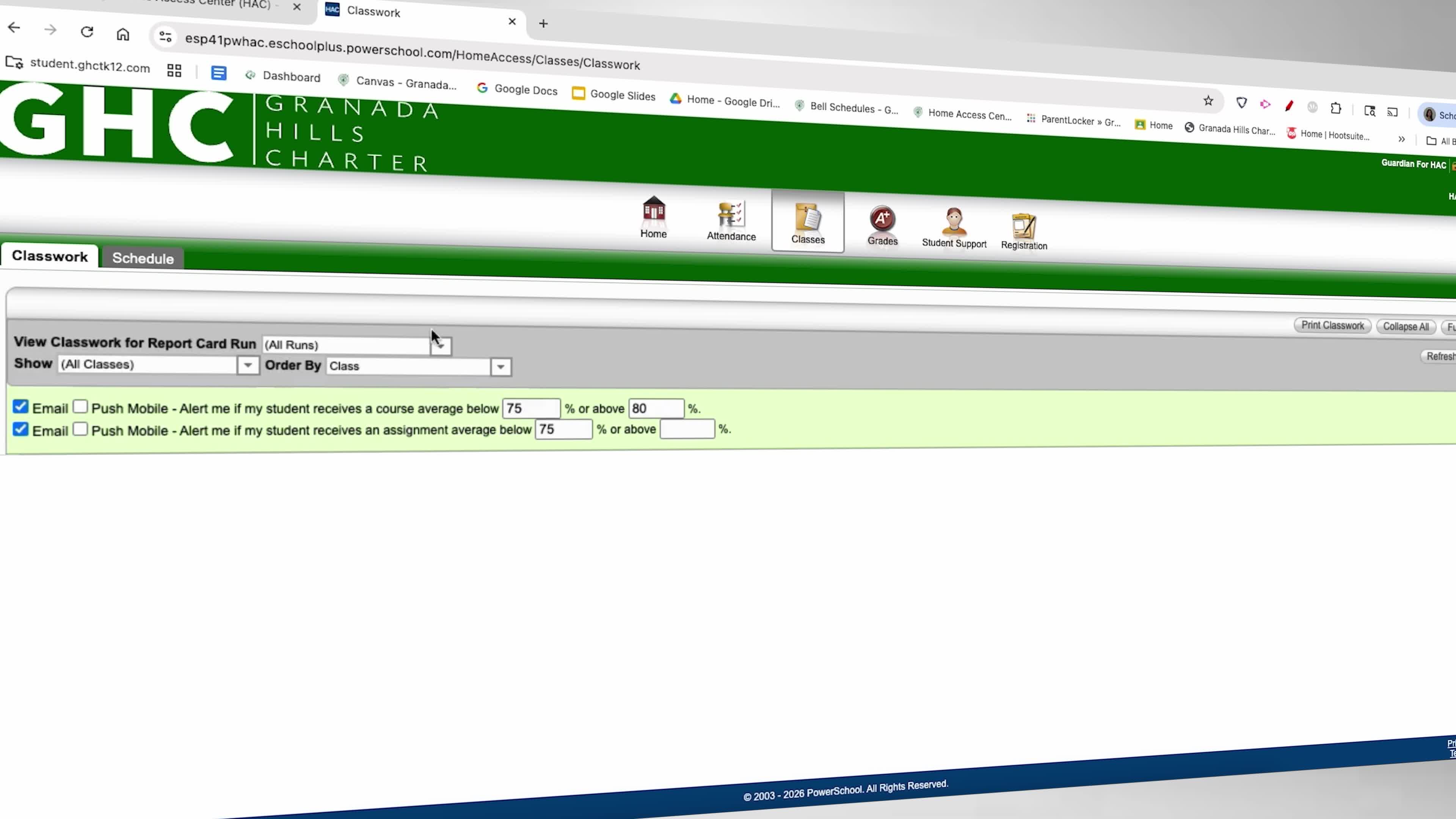
- Gradebook Integration: Access to current course averages, individual assignment scores, and missing work alerts as recorded by instructional staff.
- Scheduling and Enrollment: Digital copies of current class schedules, teacher contact information, and demographic records currently on file with the district.
- Notification Settings: Customizable alerts that inform parents via email or text regarding failing grades or unexpected absences.
Prerequisites for Accessing KISD Student Data
To maintain the security of sensitive student information and adhere to FERPA (Family Educational Rights and Privacy Act) regulations, KISD mandates specific procedural steps for initial setup and account maintenance. Parents are encouraged to review these requirements at the start of each semester to ensure uninterrupted access.
Account Setup and Verification Process
- Verification of Residency: Only legal guardians associated with the student’s enrollment record in the district’s PowerSchool database are granted access credentials.
- Credential Acquisition: New parents or those who have forgotten their login information must contact the registrar at their student’s home campus. The district does not support self-registration to prevent unauthorized data access.
- Authentication Protocols: The system utilizes standard web-browser encryption. Ensure that your browser is updated to the latest 2026 security standards to avoid interface errors during login.
- Device Compatibility: While the portal is mobile-responsive, optimal functionality is achieved through standard desktop browsers like Chrome, Edge, or Safari, ensuring all PDF report cards and detailed grade sheets display correctly.
Comparing Communication Platforms Within Katy ISD
Katy ISD utilizes several digital tools to manage school-to-home communication. Understanding the distinction between these tools prevents confusion regarding where to perform specific tasks.
| Platform Name | Primary Purpose | Best Used For |
|---|---|---|
| Home Access Center (HAC) | Academic Reporting | Checking grades, report cards, and attendance history. |
| Canvas LMS | Classroom Instruction | Viewing assignments, daily modules, and submitting work. |
| SchoolMessenger | Mass Notification | Receiving district-wide announcements and emergency alerts. |
| Pay N' Go | Financial Transactions | Paying for lunches, field trips, and extracurricular fees. |
Security Recommendations for Guardians
Account Integrity Maintain the confidentiality of your login credentials at all times. KISD staff will never call or email requesting your password. If you suspect an unauthorized login, contact your campus administration immediately to reset your access.
Data Privacy Ensure that you are accessing the Home Access Center from a secure network. Avoid using public, unsecured Wi-Fi connections when viewing sensitive student records. Always log out of the session before closing your browser to protect your student’s personal information.
Troubleshooting Common Access Errors
Users occasionally encounter technical hurdles when accessing the system. Most issues originate from browser settings or outdated account associations rather than system-wide outages.
Resolving Login Failures
- Password Resets: Use the "Forgot Password" link on the login page. Ensure the email address provided matches the one currently registered in the district’s system. If the system does not recognize the email, contact the campus registrar to update your contact information.
- Browser Cache Issues: If the page fails to load or displays incorrectly, clear your browser’s cache and cookies. Residual data from previous sessions can often cause display errors in the 2026 version of the portal.
- Pop-up Blockers: Some report card generation features require pop-up windows. Ensure that your browser allows pop-ups specifically for the KISD Home Access domain.
- Locked Accounts: If an account is locked due to multiple failed login attempts, wait 30 minutes for the automated lockout to expire. If the issue persists, campus IT liaisons can manually unlock the account.
Frequently Asked Questions
How can I update my contact information if it appears incorrect in the Home Access Center? You must contact the registrar’s office at your student’s specific campus to update your demographic or contact information. The Home Access Center displays information pulled directly from the student’s official record, and parents cannot edit these fields directly for security reasons.
Can I view my student’s standardized test scores in the HAC? Yes, the Home Access Center provides a section for state and district assessment results. This allows parents to track longitudinal growth across STAAR assessments and other diagnostic tests administered throughout the school year.
Is there a mobile application for the KISD Home Access Center? Katy ISD directs parents to use the browser-based version of the Home Access Center. While third-party apps exist, the district provides official support only for the browser interface to ensure data accuracy and security.
Why are my student’s grades not updated daily? Teachers are required to update gradebooks within a reasonable timeframe, typically following the completion of an assessment or project. If a specific grade has not changed for several days, it is recommended to communicate directly with the teacher via email to inquire about the timeline for feedback.
Can both parents have separate accounts for the same student? Yes, individual accounts can be created for both parents or guardians, provided both are listed in the official student record. Each parent must have their own unique email address associated with their respective portal login to maintain individual access.
Optimizing Your Engagement with KISD
Proactive monitoring through the Home Access Center is the most effective method for identifying academic trends before they become critical issues. By scheduling a recurring weekly review of your student's grades and attendance, you foster a culture of accountability at home. Should discrepancies arise, document the specific assignment or date in question and initiate a professional conversation with the teacher, ensuring your student remains on the optimal path for success throughout the 2026 academic calendar.
Image Gallery