How to Cancel a Western Union Transfer
Canceling a Western Union transfer depends entirely on whether the receiver has already collected the funds or deposited them into a bank account. If the money has not yet been paid out or credited, you can typically cancel the transac...
Canceling a Western Union transfer depends entirely on whether the receiver has already collected the funds or deposited them into a bank account. If the money has not yet been paid out or credited, you can typically cancel the transaction online, through the mobile app, or by contacting customer service to request a refund.
Contents
Understanding Western Union Transfer Cancellation Policies
Navigating the cancellation policies of a global financial services provider requires an understanding of how money transfers move through domestic and international networks. When you initiate a money transfer through Western Union, the transaction enters a rapid processing cycle. Whether you sent funds using cash at an agent location, funded the transfer with a bank account, or used a debit or credit card, the speed of the transfer dictates your window of opportunity for cancellation.
The primary rule governing all Western Union transfers is absolute: once the receiver has picked up the cash, deposited the funds into their bank account, or loaded the money onto a mobile wallet, the transaction cannot be canceled, and refunds are generally not available. This operational reality stems from consumer protection laws, anti-money laundering regulations, and the finality required in payment processing networks. Therefore, verifying the status of your transaction is always the critical first step before attempting any corrective action.
Furthermore, fees associated with the transfer are subject to specific refund rules. If you successfully cancel a transfer before the receiver collects the funds, Western Union typically refunds both the principal transfer amount and the transaction fees. However, if the cancellation is due to an error on your part or if the transaction is halted due to compliance reviews, fee refundability can vary based on the jurisdiction, payment method, and the specific terms and conditions agreed upon at the time of the transaction.
Eligibility and Prerequisites for Canceling a Transfer
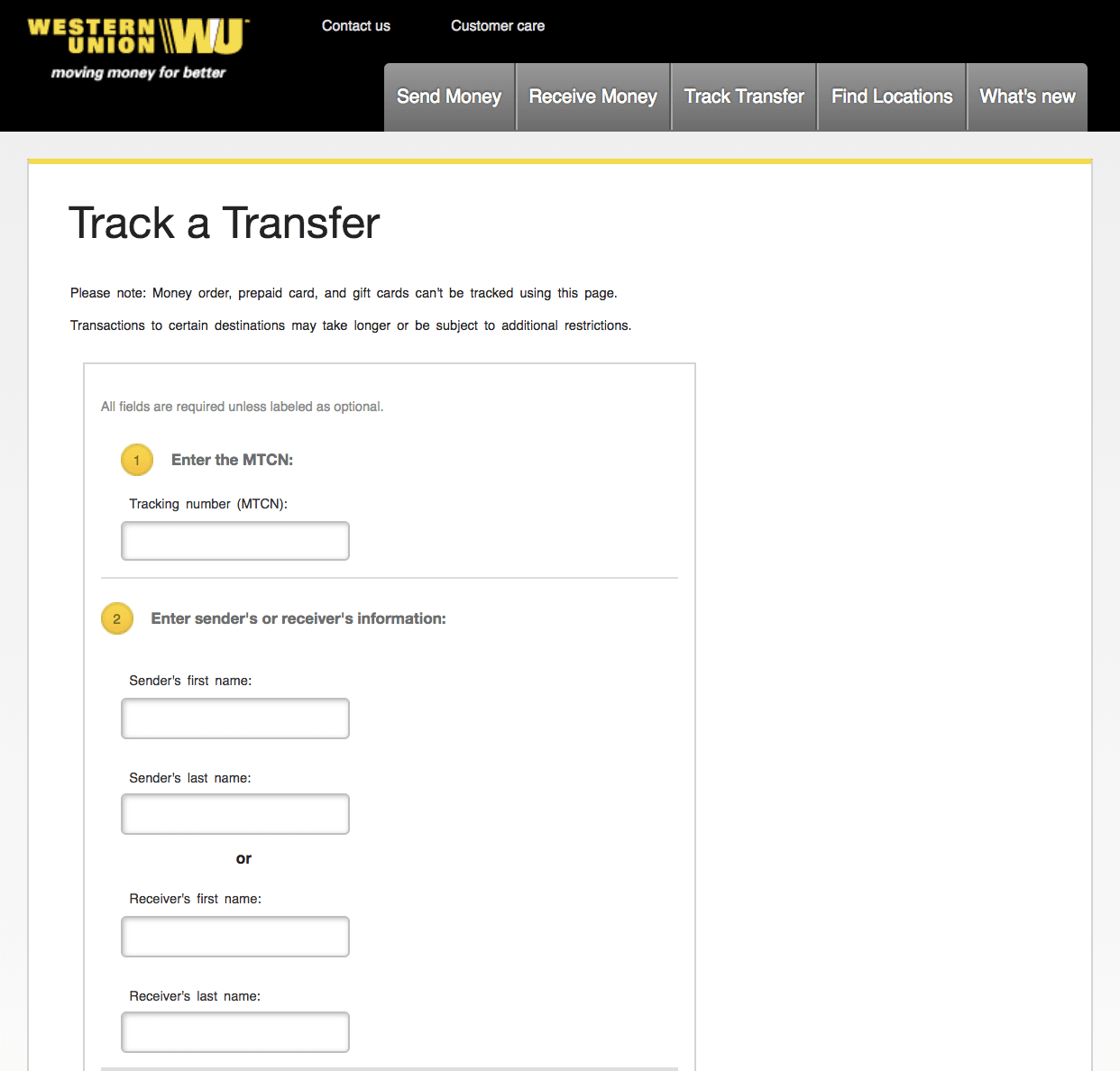
Before you can successfully cancel a Western Union transfer, you must meet specific operational prerequisites. The most critical factor is the current status of the transaction. You can check this status by using the Tracking Number (MTCN) provided on your receipt or confirmation email.
To initiate a cancellation, you generally need to have the following information and access points ready:
- Tracking Number (MTCN): The unique 10-digit number assigned to your specific transfer.
- Original Receipt or Confirmation: Physical receipts for in-person cash sends or digital confirmation emails for online transactions.
- Account Credentials: If you sent the money online or via the mobile app, you must log in to the same profile used to initiate the transfer.
- Proof of Identity: Government-issued identification may be required if you are interacting with customer service or visiting an agent location to request a refund.
If you sent money from a bank account, keep in mind that electronic fund transfers can take several business days to clear, but this does not necessarily extend your cancellation window if the receiving end has already processed an instant payout or credit authorization. Knowing your transaction type and payment instrument ensures you take the correct path toward recovery.
Step-by-Step Methods to Cancel a Transfer
Depending on how you initiated the transfer—whether through the digital website, mobile application, or in person at a physical storefront—the cancellation procedure varies. Follow the designated workflow matching your original sending method to ensure a successful request.
Canceling Online or Through the Mobile App
For transfers initiated through the official Western Union website or mobile application, digital self-service options are often available, provided the transaction meets the time and status requirements.
- Log In: Access your Western Union account using your registered email address and secure password.
- Navigate to History: Go to your transfer history, dashboard, or activity section to view recent transactions.
- Select the Transaction: Locate the specific transfer you wish to stop by referencing the date, recipient name, and MTCN.
- Check for the Cancel Option: If the transfer is eligible for self-service cancellation, a "Cancel transfer" button or link will be visible next to the transaction details.
- Confirm Cancellation: Click the cancellation prompt and follow the on-screen instructions to verify your identity and submit the request.
- Verify Refund Status: Review your confirmation screen and check your email for a cancellation notice. Refunds typically route back to the original payment method, such as your debit card or bank account, within a specified number of business days.
Canceling Transfers Initiated at an Agent Location
If you walked into a retail storefront, grocery store, or check-cashing facility to send cash, you cannot cancel the transaction through the digital website or mobile app.
- Locate Your Receipt: Find the physical paper receipt issued to you at the time of the transaction, ensuring the MTCN is clearly visible.
- Contact Customer Service: Call Western Union telephone support or visit the original agent location where the transfer was initiated.
- Provide Verification Details: Give the customer service representative or agent the MTCN, your personal identification details, and the reason for the cancellation.
- Complete Refund Documentation: If requested, fill out a refund request form and present your government-issued ID to match the sender profile on record.
Contacting Telephone Support
When digital self-service options fail or are unavailable, speaking directly with a customer service representative is the most reliable fallback method. Ensure you call the official, verified customer support number corresponding to your country of residence. Be prepared to recite your MTCN, answer security questions established when you created your profile or sent the transfer, and verify your billing details.
Comparing Transfer States and Cancellation Outcomes
| Transfer Status | Can it be Canceled? | Refund Eligibility | Action Required |
|---|---|---|---|
| In Progress / Pending | Yes | Principal + Fees | Use online dashboard or contact support immediately. |
| Available for Pickup | Yes | Principal + Fees | Cancel online or via phone before recipient collects cash. |
| Received / Picked Up | No | None | Contact the recipient directly for a voluntary return of funds. |
| Deposited to Bank | No (Usually) | None | Contact recipient bank or receiver; request internal bank reversal if eligible. |
| Under Review (Hold) | Yes | Principal + Fees | Contact compliance support; you may also wait for auto-cancellation if verification fails. |
Troubleshooting and Common Roadblocks
Even when acting quickly, senders frequently encounter obstacles during the cancellation process. Understanding these common roadblocks helps you troubleshoot effectively.
The Cancel Button is Missing
If you log into your digital account and notice that the "Cancel transfer" option is absent, it almost always means the receiver has already collected the funds, or the transfer has advanced too far in the clearing network to be recalled automatically. In this scenario, your only recourse is to contact customer service immediately to verify the exact time the payout occurred.
Delayed Refunds to Bank Accounts or Cards
When a cancellation is successfully processed, the time it takes for funds to reflect back in your account depends entirely on your financial institution. While Western Union typically releases the hold or initiates the credit immediately, credit card issuers and banks may take anywhere from 3 to 7 business days to post the credit to your available balance.
Fraud and Scams
If you sent a transfer under false pretenses or as part of a scam, cancel the transfer immediately and report the incident to Western Union's fraud department. While Western Union cannot guarantee recovery of funds once picked up, prompt reporting helps authorities track illicit activity and can prevent further unauthorized transactions from your profile.
Frequently Asked Questions
Can I cancel a Western Union transfer if the receiver has already picked up the cash?
No. Once the recipient collects the cash at an agent location or the funds are successfully deposited into their bank account or mobile wallet, the transaction is final. Western Union cannot reverse or refund completed payouts. If you sent money to the wrong person or fell victim to a scam, you must contact the recipient directly to negotiate the return of the funds or report the fraud to local law enforcement.
How long do Western Union refunds take to process?
Once a cancellation is successfully approved and processed by Western Union, refunds to debit or credit cards generally take between 3 to 5 business days. Refunds tied to bank accounts may take up to 7 business days depending on the processing times of your financial institution. Cash refunds requested at an agent location are typically immediate upon proper identification verification.
Will I get my transfer fee back if I cancel?
Yes, in most cases. If you successfully cancel a transfer before the receiver collects the funds, Western Union refunds both the principal transfer amount and the transaction fees you paid. However, certain regulatory restrictions or specific transaction types in international jurisdictions may have varying fee retention policies, which are outlined in your original receipt terms.
What information do I need to cancel a transfer?
You need the 10-digit Tracking Number (MTCN), the exact send amount, the recipient's name, and access to the original account or receipt used to fund the transaction. If you are dealing with customer support over the phone or in person, you will also need a valid government-issued photo ID to verify your identity as the sender.
Can I change the receiver's name instead of canceling?
In many cases, yes. If the transfer has not yet been picked up, Western Union often allows minor corrections to the receiver's name or destination details rather than a full cancellation. You can check your online dashboard or contact customer support to see if a name correction is permitted for your specific transaction type.
Next Actions and Recommendations
Act immediately if you need to stop a payment; every minute counts before a recipient accesses the funds. Log into your digital account to check the MTCN status, or contact Western Union customer support directly if self-service tools are unavailable. Always review recipient details carefully before initiating future transfers to minimize the need for emergency cancellations.
Image Gallery