How to Transfer Your Phone Number from T-Mobile to Verizon: Step-by-Step Guide
Transferring your phone number from T-Mobile to Verizon requires an active T-Mobile account, your account number, and a temporary T-Mobile Port-Out PIN. You provide these details to Verizon when signing up for new service or adding a l...
Transferring your phone number from T-Mobile to Verizon requires an active T-Mobile account, your account number, and a temporary T-Mobile Port-Out PIN. You provide these details to Verizon when signing up for new service or adding a line. The wireless transfer process usually completes within minutes to 24 hours once submitted correctly.
Contents
Key Prerequisites Before Switching Carriers
Before initiating the transfer of your mobile phone number, preparing your account and device prevents unnecessary service delays, carrier rejections, or unexpected costs. Under federal regulations enforced by the Federal Communications Commission (FCC), wireless carriers are required to port numbers upon request, provided the account details match and the line remains active.
Keep Your T-Mobile Account Active
The most critical rule when porting a line is to maintain an active T-Mobile account. Never cancel your T-Mobile service prior to submitting the transfer request to Verizon. The number portability system relies on active routing mechanisms; closing your T-Mobile account prematurely releases your phone number back into the carrier's general pool, rendering it unrecoverable for transfer. Your T-Mobile service will automatically terminate for that line once Verizon successfully completes the port and activates the line on its network.
Unlock Your T-Mobile Device
If you plan to bring your existing smartphone to Verizon (Bring Your Own Device, or BYOD), the hardware must be carrier-unlocked. Devices purchased directly from T-Mobile under an Equipment Installment Plan (EIP) or promotional agreement are locked to T-Mobile’s network until specific eligibility criteria are met:
- Financial Fulfillment: The device must be fully paid off with no remaining installment balances.
- Account Status: The account must be in good standing without delinquent balances.
- Network Usage: The device must have been active on the T-Mobile network for at least 40 days for postpaid accounts, or 12 months for prepaid accounts.
To request an unlock, navigate to your device settings or use the T-Mobile app under Account > Device Details > Unlock Device. Apple iPhones generally unlock automatically over the air within 24 to 48 hours after financial obligations are satisfied, whereas Android devices may require a manual unlock code or app-driven request.
Disable T-Mobile Account Protection Features
T-Mobile provides security features such as Account Takeover Protection and Port Validation to prevent fraudulent unauthorized transfers. If enabled on your account, these safeguards explicitly block any external carrier request to port your number out.
You must disable these security features before requesting a transfer. Access your T-Mobile account online or open the T-Mobile app, navigate to Line Settings, locate Account Takeover Protection, and toggle it off for every line you intend to transfer to Verizon.
Essential Information You Need from T-Mobile
To approve a transfer request, Verizon must submit exact account matching credentials to T-Mobile. Discrepancies in punctuation, addresses, or identification numbers will trigger an automated port rejection.
T-Mobile Account Holder credentials to be submitted to Verizon:
- Account Number (9 digits)
- Temporary Port-Out PIN (6 digits)
- Billing Zip Code & Address
Locating Your T-Mobile Account Number
Your T-Mobile account number is a unique 9-digit identifier distinct from your mobile phone number. You can locate this number using three methods:
- Online Portal: Log into your T-Mobile account via a web browser. The account number is displayed at the top of the main dashboard screen.
- PDF Billing Statements: Download your most recent billing statement. The 9-digit account number appears in the top right corner of the first page.
- T-Mobile App: Open the official T-Mobile mobile application, select the Account tab, and view the account number listed under the primary line owner's name.
Generating a T-Mobile Port-Out PIN
T-Mobile requires a dynamic, temporary Port-Out PIN (also known as a Transfer PIN) for line porting. This PIN replaces the static account PIN or account password previously used for security verification.
A generated Port-Out PIN remains valid for 7 days. If it expires before you complete your switch to Verizon, you must generate a new one.
To generate a Port-Out PIN:
- Via Dialing Code: From the T-Mobile device you wish to transfer, open the phone dialer and call
#PORT(or#7678). Follow the automated voice prompts or text message links to receive your 6-digit PIN. - Via the T-Mobile App: Log into the app, go to Account, choose Profile Settings, select Line Settings, and tap Request a Transfer PIN.
- Via Web Browser: Log into your T-Mobile account online, navigate to My Profile, click on Line Settings, and select Transfer Phone Number to generate the code.
Step-by-Step Guide to Porting Your Number to Verizon
Once you have gathered your T-Mobile account credentials and ensured your phone is unlocked, you can initiate the porting process with Verizon.
Step 1: Check Number Transferability with Verizon
Before purchasing a plan, verify that your T-Mobile number is eligible for transfer to Verizon's network. While federal law mandates number portability, edge cases exist where a carrier lacks network infrastructure or rate-center coverage in a specific geographic area.
Visit the official Verizon Switch Page and enter your 10-digit phone number into the carrier's eligibility checker. The tool will confirm whether your number can be ported seamlessly.
Step 2: Select Your Verizon Plan and Activation Method
Choose whether you are purchasing a new device from Verizon or opting for a Bring Your Own Device (BYOD) activation:
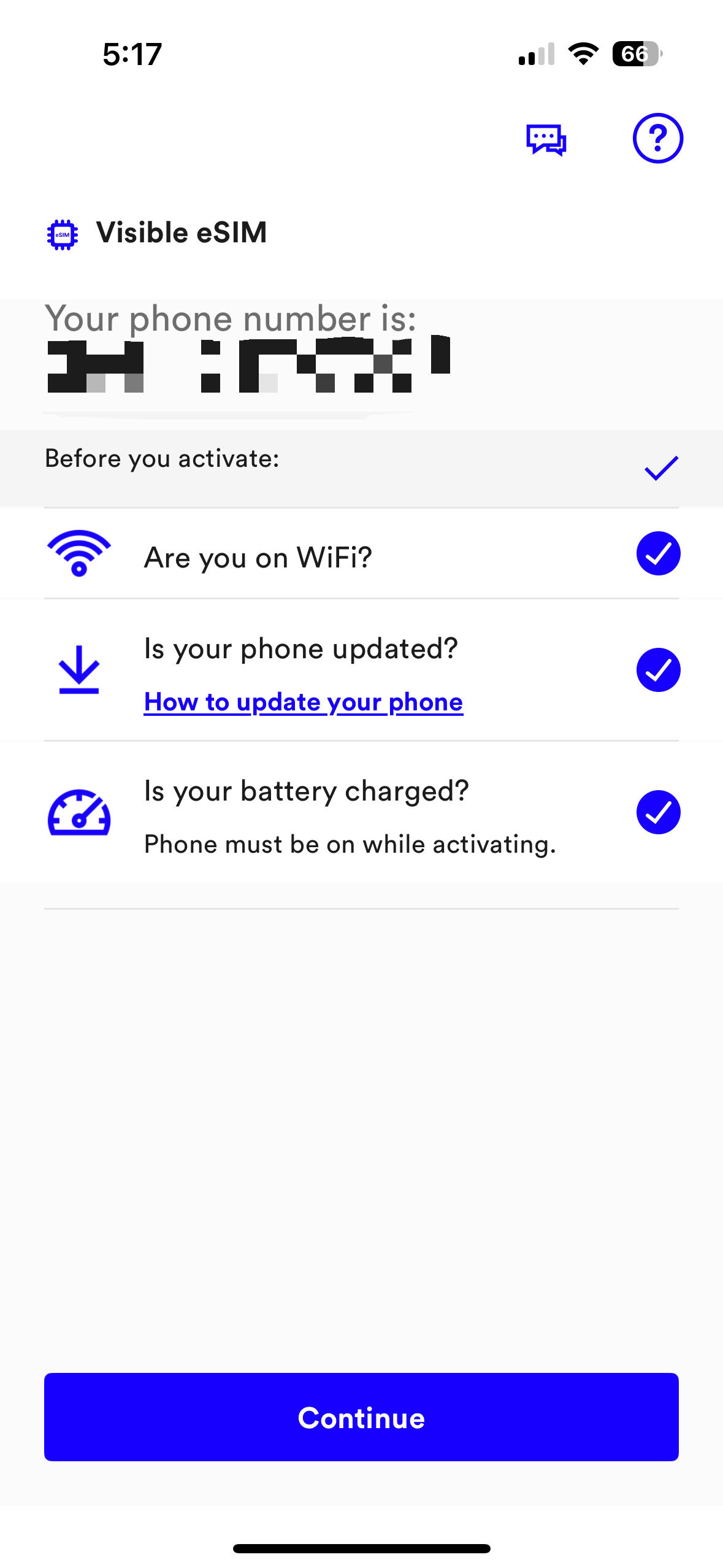
- eSIM Activation: If your smartphone supports embedded SIM (eSIM) technology (e.g., iPhone XS or newer, recent Samsung Galaxy or Google Pixel devices), activation can occur digitally without waiting for a physical card.
- Physical SIM Activation: If using a device without eSIM capabilities, Verizon will ship a physical SIM card to your address or provide one for pickup at a retail store.
Select your desired unlimited or prepaid plan and proceed to checkout.
Step 3: Enter Your Transfer Details During Order Submission
During the online checkout process (or when speaking with a customer service representative), select the option labeled Keep My Existing Number.
You will be prompted to enter the exact credentials gathered earlier:
- The 10-digit phone number you are transferring.
- The 9-digit T-Mobile Account Number.
- The 6-digit T-Mobile Port-Out PIN (not your account password).
- The primary account owner's Billing Name and Zip Code registered with T-Mobile.
Step 4: Complete Activation on the Verizon Network
The porting process initiates automatically once Verizon submits the request to T-Mobile's clearinghouse system.
- If Using eSIM: Connect your device to Wi-Fi, open the cellular settings, and follow the on-screen prompt to download your Verizon eSIM profile.
- If Using a Physical SIM: Wait until your current T-Mobile SIM loses cellular signal (indicating the line has officially transferred). Power off your phone, remove the T-Mobile SIM, insert the new Verizon SIM card, and power the device back on.
Step 5: Verify Active Service and Complete Setup
Test your connection by making an outbound phone call, sending a standard text message (SMS), and loading a web page over cellular data.
If you use an Apple iPhone, navigate to Settings > Messages and Settings > FaceTime to toggle iMessage and FaceTime off and back on. This refreshes your registration with Apple's servers under the Verizon network connection.
T-Mobile vs. Verizon Transfer Requirements Comparison
The following table summarizes the key operational differences and credentials required when moving your line from T-Mobile to Verizon.
| Requirement / Parameter | T-Mobile Source Side | Verizon Destination Side | Operational Best Practice |
|---|---|---|---|
| Account Line Status | Must remain active throughout process | Initiates request as new line | Do not cancel T-Mobile account manually. |
| Account Identifier | 9-digit Account Number | Submitted during order setup | Obtain directly from T-Mobile bill or portal. |
| Security Credential | 6-digit Port-Out PIN (Expires in 7 days) | Entered as verification PIN | Generate using #PORT code or T-Mobile App. |
| Device Unlock Status | Required before switching SIM cards | Needs unlocked BYOD hardware | Verify unlock status under device settings. |
| Account Fraud Locks | Must disable "Account Takeover Protection" | N/A | Turn off in T-Mobile Line Settings prior to request. |
| Average Transfer Time | Releases line upon valid request | 5 to 60 minutes for mobile numbers | Can take up to 24 hours in rare circumstances. |
Costs, Fees, and Final Financial Adjustments
Porting a phone number itself is free under FCC regulations, but switching carriers involves financial considerations between both service providers.
Final Financial Responsibilities:
- T-Mobile: Outstanding EIP Balance + Final Prorated/Full Billing Cycle
- Verizon: One-Time Activation Fee + First Month Service Plan
Verizon Activation Charges
Verizon typically charges a standard, one-time activation fee per line (generally around $35). However, Verizon frequently waives or discounts this fee if you complete your order online via their website or app, or if you take advantage of specific promotional Bring Your Own Device (BYOD) bill credits.
Outstanding T-Mobile Device Balances (EIP)
If you turn off service with T-Mobile while carrying an outstanding balance on an Equipment Installment Plan (EIP) or accessory agreement, the remaining unpaid balance becomes due immediately on your final T-Mobile bill.
- Promotional Credits: Any recurring monthly bill credits applied to your T-Mobile hardware purchase will forfeit instantly upon line termination.
- Carrier Switcher Promotions: If Verizon offers a carrier-switch rebate or contract-buyout promotion, save your final detailed T-Mobile bill showing the remaining device payoff amount. You must submit this documentation to Verizon's redemption center to claim contractual buyout credits.
Final T-Mobile Billing Cycle Costs
T-Mobile does not prorate final monthly service charges for lines ported out mid-billing cycle. If your billing cycle runs from the 1st to the 30th of the month and your port completes on the 5th, you will be billed for the full billing cycle. Ensure all automated payment methods remain active until your final closing invoice is paid to avoid credit reporting penalties.
Troubleshooting Common Porting Delays and Errors
While most mobile-to-mobile number transfers execute automatically within minutes, administrative errors can stall progress. You can check the real-time status of your transfer at any time by visiting Verizon's Switch Status Portal.
Issue 1: Transfer Request Rejected (Invalid Account Info or PIN)
- Cause: The T-Mobile Account Number or Port-Out PIN entered during Verizon setup was incorrect, expired, or contained typographical errors.
- Resolution: Access your T-Mobile account to re-verify the 9-digit account number. Dial
#PORTto generate a fresh 6-digit Port-Out PIN. Visit the Verizon Switch Portal or contact Verizon Porting Customer Support to update the transfer details on your pending order.
Issue 2: Partial Service (Mixed Service State)
- Cause: Dual routing occurs when Verizon has provisioned the voice network, but T-Mobile has not yet released the text messaging (SMS/MMS) routing tables.
- Resolution: Restart your mobile device every 30 minutes to force a fresh network registration. If the partial service state persists past 24 hours, contact Verizon's dedicated Porting Department to manually issue a network broadcast update.
Issue 3: Line Lock / Security Rejection
- Cause: T-Mobile's Account Takeover Protection feature remained enabled when Verizon sent the automated port command.
- Resolution: Log into your T-Mobile account app, navigate to Line Settings, toggle Account Takeover Protection off, and then notify Verizon support to re-submit the existing port request.
Frequently Asked Questions
How long does it take to transfer a number from T-Mobile to Verizon?
Wireless-to-wireless number transfers typically take between 5 minutes and several hours to process. In rare instances involving system maintenance or peak demand, the procedure may take up to 24 hours. Landline or VoIP numbers being transferred to Verizon can take between 2 to 10 business days.
Does transferring my number automatically cancel my T-Mobile account?
Yes, transferring your primary phone number automatically cancels that specific line of service with T-Mobile once the port completes on Verizon's network. If you have multiple lines on your T-Mobile account, only the ported line cancels; remaining lines stay active under your T-Mobile plan until explicitly ported or closed.
Can I transfer my number if I still owe money on my T-Mobile phone?
Yes, you can transfer your phone number even if you have an unpaid balance on your T-Mobile device. However, cancelling your line causes the full remaining balance of your device installment plan to become due immediately on your final statement. Additionally, you must pay off the device balance before T-Mobile will unlock it for use on Verizon.
What is the difference between a T-Mobile account PIN and a Transfer PIN?
A standard T-Mobile account PIN is a static 4-to-6 digit security code used to verify your identity when calling customer service or visiting a retail store. A T-Mobile Transfer PIN (Port-Out PIN) is a temporary, 6-digit authorization code generated specifically for number porting that expires after 7 days.
Will I lose my voicemail messages when porting to Verizon?
Yes. Moving your line to Verizon provisions a completely new voicemail box on Verizon's platform. Any saved voice messages stored on T-Mobile’s voicemail servers will be deleted permanently when the line ports out. Save important audio files locally to your device storage before initiating the transfer.
Next Actions and Recommendations
To ensure a seamless transition from T-Mobile to Verizon, follow these operational steps in order:
- Check Device Compatibility: Ensure your phone is paid off and carrier-unlocked via T-Mobile before proceeding.
- Turn Off Transfer Locks: Log into your T-Mobile app and disable Account Takeover Protection.
- Generate Credentials: Dial
#PORTon your T-Mobile phone to generate a 7-day Port-Out PIN, and record your 9-digit account number from your bill. - Initiate Transfer with Verizon: Submit your order online at Verizon using your exact T-Mobile details.
- Complete Activation: Install your new Verizon SIM card or activate your eSIM profile once your T-Mobile service loses connectivity, then restart your phone.
Image Gallery