Best iPhone Email Clients 2026: Top iOS Apps for Productivity and Security
The best iPhone email client for 2026 is one that seamlessly integrates advanced AI-driven organization with uncompromising privacy protocols. While Apple Mail remains the most deeply integrated option for iOS users, third-party altern...
The best iPhone email client for 2026 is one that seamlessly integrates advanced AI-driven organization with uncompromising privacy protocols. While Apple Mail remains the most deeply integrated option for iOS users, third-party alternatives like Outlook, Spark, and Proton Mail provide specialized tools for enterprise workflows, automated inbox management, and end-to-end encryption to meet modern digital security standards.
Contents
Choosing the right email client for your iPhone involves more than just checking an inbox; it is about managing your digital identity and workflow. In 2026, the landscape of mobile email has shifted from simple message retrieval to complex task management, powered by matured "Apple Intelligence" features and cross-platform synchronization. Whether you are a professional managing multiple corporate accounts or a privacy-conscious individual, the technical specifications and feature sets of current iOS mail apps vary significantly.
Essential Criteria for Evaluating an iPhone Email Client
When selecting a mail application for iOS in 2026, several technical and functional benchmarks must be met to ensure a high-quality experience. The following pillars represent the industry standards for top-tier mobile email software.
Security and Privacy Protocols
Modern email clients must support OAuth 2.0 for secure authentication, ensuring that your login credentials are never stored directly by the app. Furthermore, support for S/MIME or PGP encryption is critical for users handling sensitive data. Privacy features, such as remote image blocking (to prevent tracking pixels) and IP address masking, are no longer optional but standard requirements for 2026.
AI Integration and Automation
The maturity of Apple Intelligence and third-party LLMs (Large Language Models) has transformed email. A competitive client now offers:
- Smart Summaries: Condensing long threads into actionable bullet points.
- Priority Sorting: Automatically surfacing urgent messages based on your behavior.
- Generative Drafting: Assisting in composing replies with specific tones and contexts.
Connectivity and Protocol Support
High-performance clients must provide robust support for IMAP, POP3, and Exchange Web Services (EWS). Additionally, the adoption of JMAP (JSON Meta Application Protocol) is increasingly important for faster synchronization and reduced battery consumption compared to the aging IMAP standard.
Detailed Comparison of Top iPhone Email Clients in 2026
The following table provides a technical breakdown of the leading email clients available on the App Store as of 2026.
| Feature | Apple Mail | Microsoft Outlook | Spark Mail | Proton Mail | Gmail |
|---|---|---|---|---|---|
| Best For | System Integration | Enterprise Users | Productivity/Teams | Privacy/Security | Google Ecosystem |
| Protocol Support | IMAP, iCloud, Exchange | Exchange, IMAP, MS 365 | IMAP, Exchange | Proprietary (E2EE) | Gmail API, IMAP |
| AI Features | Apple Intelligence | Copilot Integration | Spark AI + Smart Inbox | Limited (Privacy focus) | Gemini Integration |
| Encryption | S/MIME | S/MIME / OME | TLS / Standard | End-to-End (PGP) | TLS / Client-Side |
| Cost | Free | Free / Subscription | Subscription Model | Free / Paid Tiers | Free / Google One |
| Cloud Sync | iCloud | OneDrive | Spark Cloud | Proton Drive | Google Drive |
Deep Dive: The Native Advantage of Apple Mail
In 2026, Apple Mail has evolved into a powerhouse through deep system-level integration. Unlike third-party apps, Apple Mail has direct access to the latest iOS kernel optimizations, which results in the lowest battery impact of any mail client on this list.
Apple Intelligence and Siri 2.0
With the refined Apple Intelligence framework, the native Mail app now features "Priority Mail," which utilizes on-device processing to categorize emails without compromising privacy. The system analyzes your contact frequency and the content of the message to move important receipts or flight updates to the top of your stack.
Seamless Ecosystem Continuity
Apple Mail excels in its ability to hand off tasks between iPhone, iPad, and Mac. The 2026 version of Handoff allows users to start a draft on their iPhone via voice command and finish it on their MacBook with zero latency. Furthermore, the "Hide My Email" feature is natively baked into the interface, allowing users to generate unique, random email addresses for third-party sign-ups directly within the app.
Professional Productivity: Microsoft Outlook and Spark
For users who view their inbox as a command center, third-party clients like Outlook and Spark offer tools that surpass the native app's capabilities in specific areas.
Microsoft Outlook: The Enterprise Standard
In 2026, Outlook for iOS is the definitive choice for those within the Microsoft 365 ecosystem. Its integration with Microsoft Copilot allows for sophisticated data analysis; for example, Copilot can scan your upcoming calendar and draft an email to attendees with a summary of the last three related email threads. The "Focused Inbox" remains one of the most accurate algorithmic filters in the industry.
Spark Mail: The Workflow Specialist
Spark has pivoted toward a "Home" screen philosophy in 2026. It treats emails like tasks. Its most powerful feature is the "Gatekeeper," which screens emails from new senders and requires your approval before they ever reach your inbox. For teams, Spark allows for real-time collaborative drafting, where multiple people can edit an email simultaneously, similar to a Google Doc.
Security-First Architecture: Proton Mail
For users in legal, financial, or high-risk sectors, Proton Mail is the gold standard for 2026. Headquartered in Switzerland, Proton operates under some of the world's strictest privacy laws.
Technical Security Note
End-to-End Encryption (E2EE) Unlike standard providers who can access your data to train AI models or serve ads, Proton Mail uses zero-access encryption. This means the service provider itself cannot read your messages.
Open Source Verification The Proton Mail iOS app is fully open-source and regularly audited by third-party security firms, ensuring there are no hidden backdoors in the code.
Self-Destructing Messages Users can send encrypted emails to non-Proton users with a password and an expiration timer, after which the email is deleted from the recipient's view.
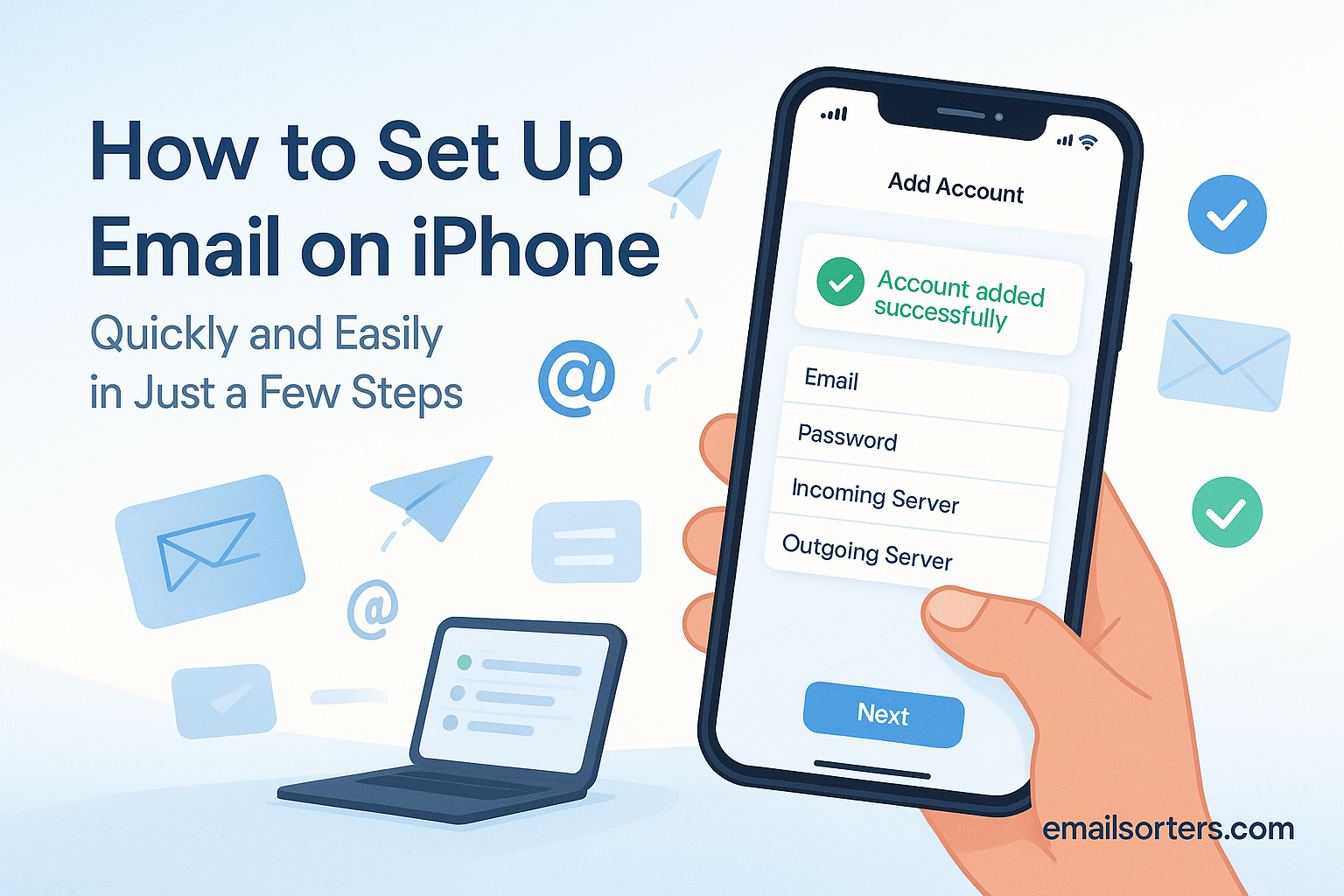
Step-by-Step: Configuring a Custom IMAP Account on iPhone
If you are using a professional domain or a private hosting provider, you may need to configure your email client manually. Follow this guide for a standard setup in 2026.
- Locate Your Credentials: Ensure you have your Incoming (IMAP) and Outgoing (SMTP) server addresses, port numbers, and full email address and password.
- Open iOS Settings: Navigate to Settings > Apps > Mail > Mail Accounts.
- Add Account: Tap "Add Account" and select "Other" from the list of providers.
- Enter Server Details:
- Incoming Mail Server: Host Name (e.g., imap.yourdomain.com), Username, and Password. Use Port 993 with SSL/TLS.
- Outgoing Mail Server: Host Name (e.g., smtp.yourdomain.com), Username, and Password. Use Port 465 or 587 with STARTTLS.
- Verify and Save: The iOS system will verify the handshake with the server. Once verified, choose whether to sync Mail and Notes, then tap Save.
Troubleshooting Common Sync Issues
Even the best iPhone email clients can encounter connectivity hurdles. In 2026, most issues stem from background refresh restrictions or expired security certificates.
- Push Notifications Not Arriving: Check Settings > Notifications > Mail and ensure "Allow Notifications" is active. Additionally, go to Settings > Apps > Mail > Mail Accounts > Fetch New Data and ensure "Push" is enabled. Note that some IMAP providers do not support true Push and require "Fetch" intervals.
- Authentication Errors: This is often caused by 2FA (Two-Factor Authentication). If your provider uses 2FA, you may need to generate an "App-Specific Password" rather than using your primary login password.
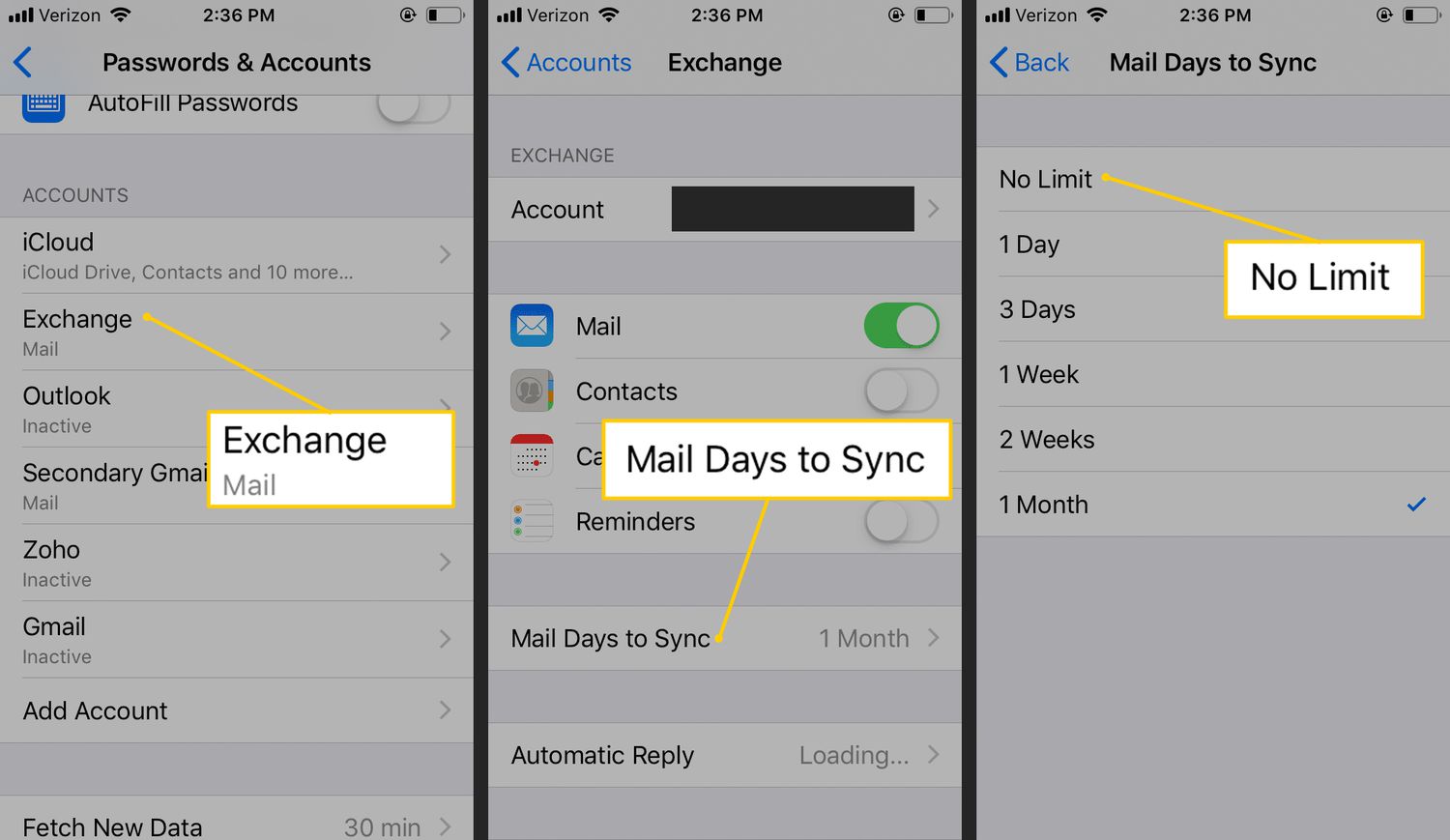
- Storage Limitations: If your app is sluggish, clear the cache or limit the "Mail Days to Sync" in settings. Setting this to "1 Month" instead of "No Limit" can significantly improve indexing speed on the iPhone.
FAQ: Frequently Asked Questions
Which iPhone email client is best for privacy in 2026?
Proton Mail is widely considered the best for privacy due to its Swiss jurisdiction and zero-access encryption. It prevents anyone, including the provider, from reading your communications. For users who want to stay within the Apple ecosystem, the native Mail app with "Hide My Email" and "Privacy Protection" enabled offers a strong secondary choice.
Can I change the default email app on my iPhone?
Yes, iOS has allowed users to change the default mail app since version 14. In 2026, you simply go to Settings, select your preferred email app (like Outlook or Gmail), and tap "Default Mail App" to switch it from Apple Mail. This ensures that tapping any "mailto:" link opens your chosen client.
Does Apple Mail support AI-generated replies?
Yes, as of 2026, Apple Mail fully supports generative AI through Apple Intelligence. It can suggest context-aware replies, change the tone of your draft (e.g., making it more professional or friendly), and summarize long email threads directly at the top of the conversation view.
How do I fix a "Server Identity Cannot Be Verified" error?
This error typically occurs when the SSL certificate of your mail server has expired or does not match the domain name you entered in settings. To fix this, verify that your IMAP/SMTP server addresses are correct and that your hosting provider has a valid, active SSL certificate. You can occasionally bypass this by clicking "Details" and "Trust," but this is not recommended for sensitive accounts.
Is Gmail for iPhone better than the native Mail app?
Gmail is superior if you heavily rely on the Google Workspace ecosystem, including Google Drive, Meet, and Calendar integration. However, the Gmail app uses its own proprietary synchronization rather than native iOS background fetch, which can sometimes lead to slightly higher battery usage compared to the optimized Apple Mail app.
Final Recommendations for 2026
The ideal iPhone email client depends on your specific needs. For the vast majority of users, Apple Mail provides the most balanced, power-efficient, and feature-rich experience, especially with the 2026 enhancements to Apple Intelligence. Enterprise professionals should lean toward Microsoft Outlook for its unmatched integration with corporate tools. If security is your non-negotiable priority, Proton Mail is the only logical choice. Evaluate your daily volume and the sensitivity of your data to make the best selection for your mobile workflow.
Image Gallery