Platforms in CRM Software That Are Often Cited for Great Customer Experiences
When evaluating platforms in CRM software that are often cited for great customer experiences, organizations focus on systems that prioritize intuitive user interfaces, robust omnichannel support, and deep analytical capabilities. A hi...
When evaluating platforms in CRM software that are often cited for great customer experiences, organizations focus on systems that prioritize intuitive user interfaces, robust omnichannel support, and deep analytical capabilities. A high-performing CRM does more than store contact data; it acts as a central nervous system for customer interactions, ensuring that every touchpoint—from initial marketing outreach to post-purchase support—is personalized, efficient, and seamless.
Contents
Understanding the Pillars of CRM-Driven Customer Experience
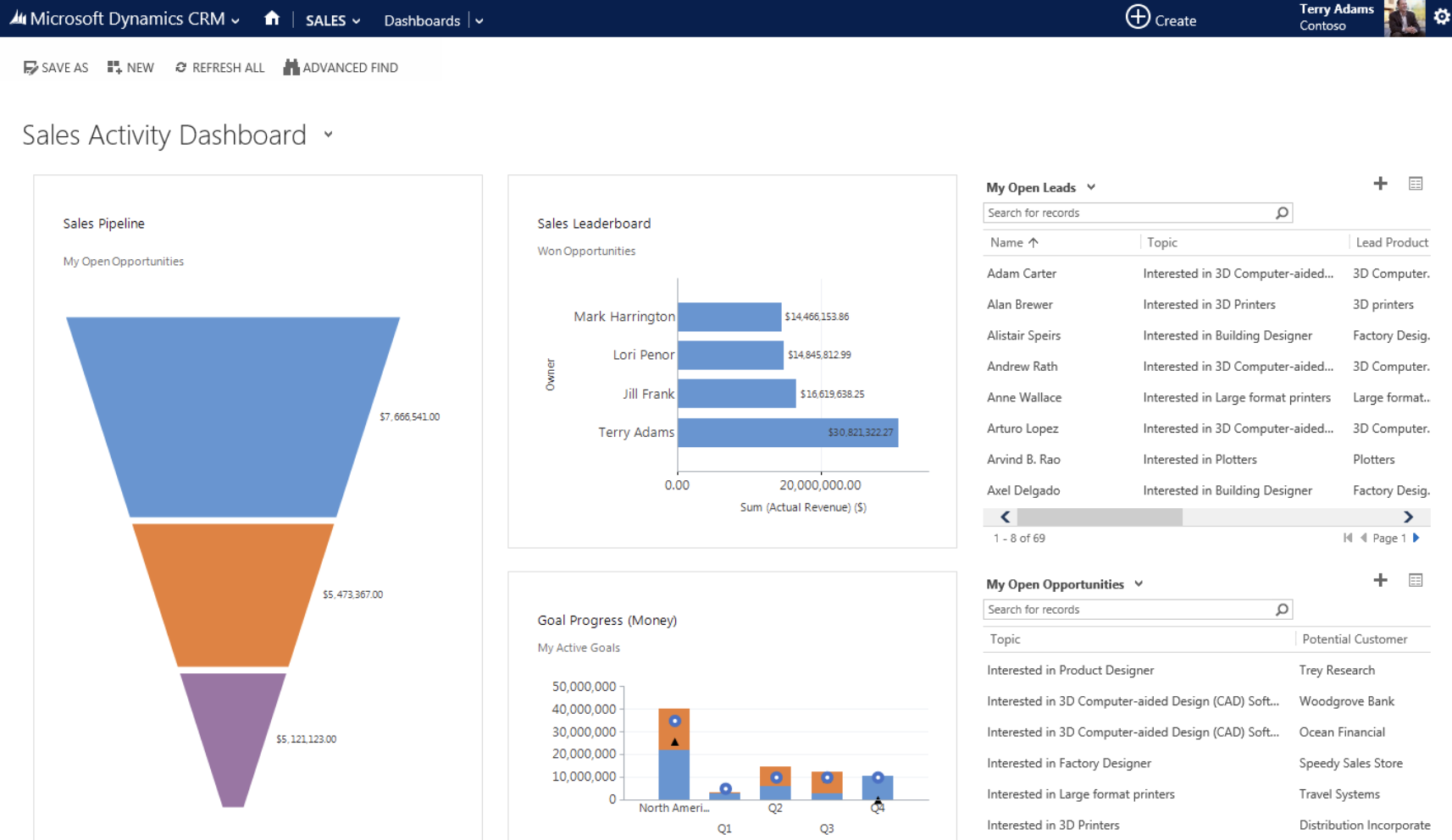
The customer experience (CX) in the context of CRM software is measured by the platform's ability to reduce friction. Users are not just looking for a database; they are seeking platforms that offer high accessibility, reliable uptime, and clear data visualization. A CRM is considered "customer-experience-centric" when it empowers agents to see the full history of a client’s journey. This visibility prevents the common frustration of customers having to repeat their issues or preferences to different departments.
For a platform to earn a reputation for excellence, it must integrate effectively across various communication channels. In 2026, this means native support for social media, real-time messaging, email, and telephony, consolidated into a single dashboard. When these channels operate in silos, the customer experience suffers. Platforms that unify these streams enable businesses to maintain a consistent brand voice and response speed, which are essential factors in achieving high customer satisfaction ratings.
Key Platforms Recognized for CX Excellence
Several market leaders consistently appear in professional reviews and industry analysis for their focus on the end-user experience. These platforms have established their reputation through a combination of feature depth and usability.
Salesforce Customer 360
Salesforce remains a dominant force, primarily due to its modular ecosystem. Its "Customer 360" approach allows businesses to connect sales, service, marketing, and commerce data. The strength here lies in its scalability; as a business grows, the platform adapts to handle more complex customer journey mapping. However, the complexity of its configuration often requires a dedicated administrator, which is a critical consideration for mid-market firms.
HubSpot CRM
HubSpot is frequently cited for its "ease of use" and low barrier to entry. Unlike heavier enterprise platforms, HubSpot excels in its onboarding process and intuitive UI. For teams that prioritize rapid adoption over deep, complex customization, HubSpot provides a frictionless experience that translates directly into better internal usage, and consequently, better interactions with customers.
Zendesk Sell and Support
Zendesk is perhaps best known for its customer support infrastructure, which it has successfully bridged into a robust CRM offering. Because it started with a focus on the support ticket lifecycle, its CRM capabilities are deeply rooted in resolving customer inquiries efficiently. It is widely praised for its ability to handle high-volume support environments where speed and accuracy are paramount to the customer experience.
Zoho CRM
Zoho is often selected by growing businesses that require a feature-rich environment without the enterprise-level price tag. Its strength lies in its extensive suite of integrated applications. For companies looking to unify their entire operational stack—including accounting, inventory, and project management alongside CRM—Zoho provides a highly cohesive experience that minimizes data fragmentation.
Comparison of CRM Platform Strengths
Choosing the right platform depends on the specific nature of your customer touchpoints and the technical maturity of your team. The following table provides a comparison of how these platforms align with different business priorities.
| Platform | Primary Strength | Ideal Use Case | Complexity Level |
|---|---|---|---|
| Salesforce | Ecosystem & Scalability | Large Enterprises | High |
| HubSpot | Usability & Adoption | SMBs to Mid-Market | Low |
| Zendesk | Support-Centric Workflow | Service-heavy industries | Moderate |
| Zoho CRM | Integrated Operations | Multi-departmental SMBs | Moderate |
Technical Considerations for Deployment
Implementing a CRM that prioritizes customer experience requires more than just selecting the right software; it involves a commitment to data hygiene and process design. Before migrating data, organizations must conduct a thorough audit of their existing workflows. If a business pushes inefficient processes into a new, high-quality CRM, the resulting experience will remain poor.
- Data Consolidation: Ensure that all legacy systems—spreadsheets, disparate databases, and email contact lists—are cleaned and mapped correctly to the new platform's architecture.
- User Training: The "customer experience" begins with the employee. If the staff does not understand how to navigate the platform, they will struggle to provide timely service. Prioritize role-based training programs.
- Automation Strategy: Use the platform’s automation features to handle repetitive tasks like lead nurturing or support ticket categorization. This frees up human agents to focus on complex, empathy-driven customer interactions.
- Integration Testing: Verify that API connections to third-party tools (such as billing software or e-commerce platforms) are stable. A break in an integration often leads to stale data, which can confuse customers during support calls.
Common Pitfalls and Troubleshooting
Even the most highly-rated platforms can fail if not managed correctly. A common mistake is "feature bloat," where companies pay for advanced capabilities they do not yet need, leading to a cluttered interface that slows down agents. If your team is struggling with a CRM, it is rarely the software's fault in isolation; it is usually a mismatch between the software’s complexity and the organization’s current operational requirements.
If you encounter performance issues, check your API limits first. As business volume scales in 2026, many organizations find that their initial service tier no longer supports the necessary volume of real-time data syncs. Furthermore, periodic reviews of your "permission structures" are vital. Giving too many users administrative access can lead to unintentional data corruption, which disrupts the continuity of the customer profile.
Strategic Selection for 2026
As you assess these platforms, align your choice with your specific business goals rather than market sentiment. If your primary goal is rapid expansion, a platform with a heavy focus on sales automation like Salesforce or Zoho may be appropriate. If your business model relies on high-touch, long-term support and relationship maintenance, platforms like Zendesk that emphasize service-level agreements and ticketing granularity may prove more effective.
Frequently Asked Questions
Which CRM is best for a small business wanting a fast start? HubSpot is widely considered the leader in this category. Its interface is designed for rapid adoption, allowing teams to begin managing customer interactions within hours of account creation rather than weeks of configuration.
How do I ensure my CRM improves the customer experience? The best way is to map the entire customer lifecycle within the CRM. Every time a customer reaches out, your team should see their entire history. If your CRM requires you to look in three different places to see a customer's status, it is not optimized for CX.
Do these platforms support real-time data integration? Yes, all major platforms mentioned—Salesforce, HubSpot, Zendesk, and Zoho—offer robust APIs and pre-built integrations for common business tools, ensuring that data flows in real-time between your CRM and other critical software.
Is technical expertise required to manage these platforms? It varies. HubSpot and Zoho are generally accessible to non-technical managers. Salesforce, however, almost always requires a dedicated administrator or a specialized consultant to manage custom objects, workflows, and security settings.
How can I verify if a platform fits my needs before buying? Most vendors offer a sandbox environment or a trial period. Use this time to upload a sample of your actual data rather than using the demo data provided. If your team can successfully perform a standard workflow (like logging a support ticket or updating a lead) without assistance, the platform is likely a good fit.
What is the most common reason for a failed CRM rollout? The most common cause is a lack of executive buy-in and poor data quality. If leadership does not mandate the use of the CRM as the single source of truth, employees will resort to personal spreadsheets, which immediately kills the platform's ability to provide a unified customer experience.
Next Steps for Implementation
To begin your transition, start by identifying the top three pain points your customers currently report. Are they waiting too long for responses? Is their data consistently incorrect? Use these specific problems to guide your evaluation of the CRM platforms. By focusing on your most pressing operational gaps, you can select the tool that provides the highest return on investment in customer satisfaction. Contact the sales representatives of your top two candidates and request a demonstration specifically tailored to these identified pain points.
Image Gallery