Understanding the Green Dot on Instagram: A Complete Guide to Activity Status
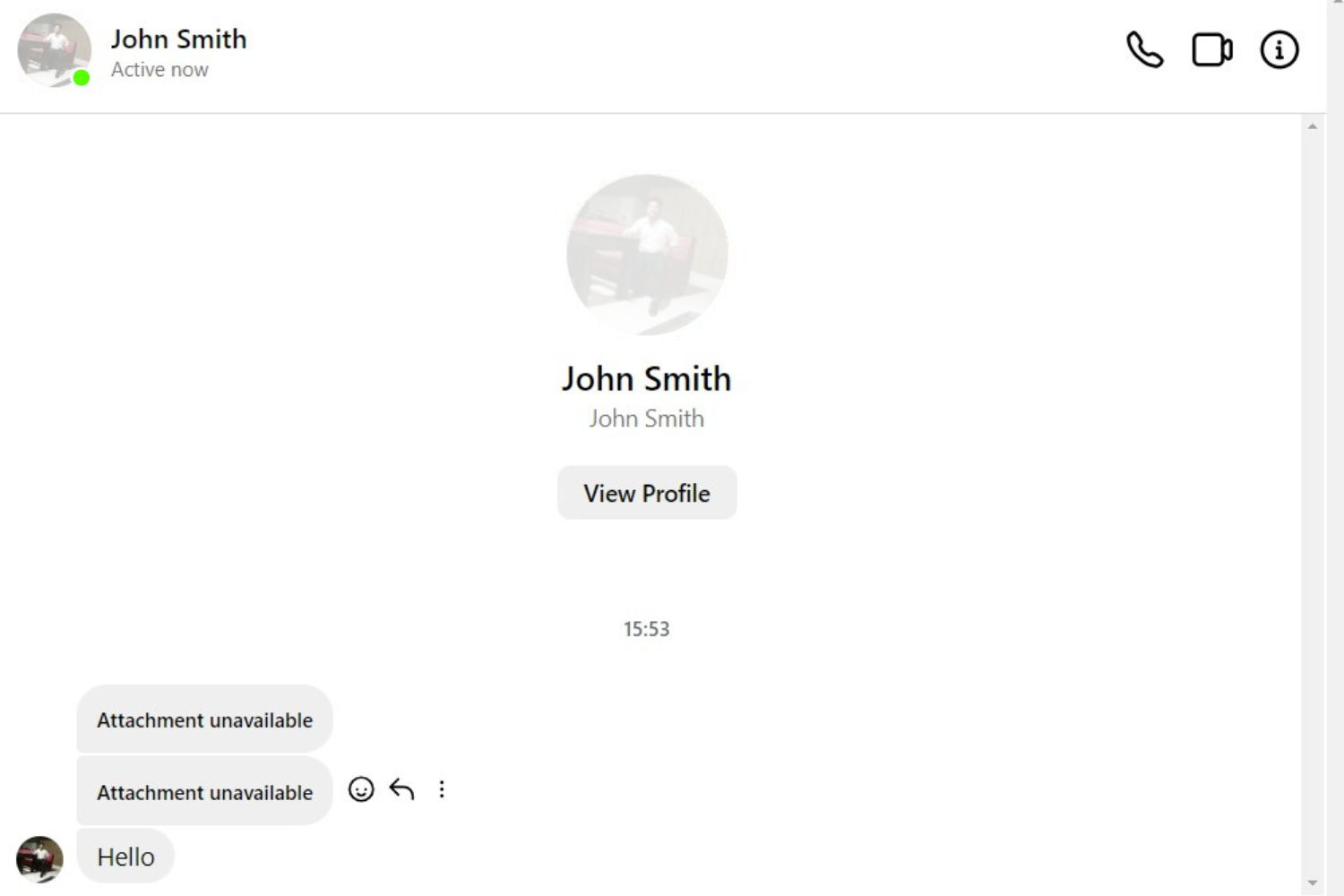
The green dot on Instagram is the platform's "Active Status" indicator, signifying that a user is currently online or was recently active on the app. It appears next to a user's profile picture in the Direct Message (DM) inbox and occa...
The green dot on Instagram is the platform's "Active Status" indicator, signifying that a user is currently online or was recently active on the app. It appears next to a user's profile picture in the Direct Message (DM) inbox and occasionally in other parts of the interface, such as the share sheet.
Contents
In the rapidly evolving landscape of social media, small visual cues often carry significant weight in how we communicate. By 2026, Instagram has refined its interface to prioritize real-time interaction, making the green dot one of the most prominent features for users looking to engage in live conversations. While the feature is designed to facilitate faster communication, it also raises important questions regarding privacy, digital boundaries, and the technical mechanics of how "presence" is tracked.
What Does the Green Dot on Instagram Mean?
At its core, the green dot is a presence indicator. When you see a small green circle at the bottom right corner of someone’s profile picture, it means the Instagram algorithm has detected that the user is currently using the application. This system is part of Instagram’s "Activity Status" suite, which aims to mimic the "Online/Offline" indicators found in traditional instant messaging apps like WhatsApp or Facebook Messenger.
However, the green dot is more nuanced than a simple binary switch. Instagram uses a "heartbeat" signal from the mobile app to the server. As long as the app is open in the foreground and the device is connected to the internet, the server considers the user active. If the user switches to another app or locks their phone, the green dot may persist for a few minutes before transitioning to a time-based status, such as "Active 5m ago."
Where the Green Dot Appears
You will most commonly encounter the green dot in the following locations:
- Direct Message (DM) Inbox: This is the primary location. Next to the names of your friends and contacts, the dot provides a quick glance at who is available for a chat.
- The Share Menu: When you attempt to share a post from your feed with a friend, the list of suggested recipients often features green dots next to those currently online, encouraging you to send content to people who are likely to see it immediately.
- Profile Pictures in the Feed: In some UI versions, the green dot may appear on profile pictures within your main feed or Stories tray if you have recently interacted with that user.
Visibility Rules: Who Can See Your Green Dot?
Instagram does not broadcast your online status to the entire world. There are specific privacy safeguards in place to ensure that only people with whom you have a relationship can see when you are active.
By default, your Activity Status is visible to:
- People you follow: If you follow an account, they can typically see your active status if they also follow you back or if you have an open DM thread.
- People you have messaged: Anyone you have sent a Direct Message to—or received one from—can see your green dot in their inbox, provided neither of you has disabled the feature.
It is important to note that a random stranger browsing your profile will not see a green dot, even if you are currently online. This limitation is a deliberate privacy choice by Meta to prevent "presence stalking" by unknown accounts.
How to Manage Your Activity Status Settings
As digital wellness becomes a priority for many users in 2026, knowing how to toggle the green dot on and off is essential for maintaining privacy. Instagram operates on a reciprocity principle: if you hide your activity status, you will not be able to see the activity status of anyone else.
Steps to Turn Off the Green Dot (iOS and Android)
If you prefer to browse Instagram "incognito" without alerting others to your presence, follow these steps:
- Navigate to your Profile: Tap your profile icon or picture in the bottom right.
- Access the Menu: Tap the three horizontal lines (the "hamburger" menu) in the top right corner.
- Settings and Activity: Select "Settings and Privacy."
- Messages and Story Replies: Scroll down to the "How others can interact with you" section and select "Messages and story replies."
- Show Activity Status: Tap on "Show Activity Status."
- Toggle Off: Switch the toggle for "Show Activity Status" to the off position.
Once disabled, the green dot will disappear from your profile for everyone else. Conversely, the green dots and "Active now" timestamps will disappear from your DM inbox for all your contacts.
Understanding Different Activity States
The green dot is just one part of the visibility ecosystem. Instagram uses several different labels to describe a user's current or recent presence. Understanding these can help you better manage your communication expectations.
| Status Label | Visual Indicator | Meaning |
|---|---|---|
| Active Now | Green Dot | The user is currently using the Instagram app in the foreground. |
| Active [X]m/h ago | No Dot | The user was active within the last few minutes or hours but is currently offline. |
| Active Today | No Dot | The user has accessed the app within the last 24 hours but not recently. |
| Active Together | Two Green Dots | Both you and the other person are currently active in the same DM thread. |
| Seen | Text Label | The user has opened and viewed your message, regardless of their current status. |
The "Active Together" Feature
A specific variant of the green dot occurs when you and a contact are both viewing your shared DM thread simultaneously. In this scenario, you may see a "pulsing" green dot or a notification that you are "Active Together." This is designed to facilitate real-time, synchronous conversation, essentially acting as a "typing" indicator before any text is even entered.
Why the Green Dot Might Be Inaccurate
One of the most frequent complaints regarding Instagram's presence indicator is its perceived inaccuracy. You may notice a friend has a green dot even though they haven't replied to your message, or they might appear "Active Now" while they are actually asleep.
Technical Lag and Background Processes
The "Active Now" status is not always a real-time reflection of a person's behavior. Several technical factors can cause the green dot to linger:
- App Refresh: If the Instagram app is running in the background to download updates or sync messages, the system may occasionally misinterpret this as active usage.
- Multi-Device Usage: If a user is logged in on a desktop browser and a mobile device, one session might remain "active" even if the user has walked away from their computer.
- Server Delay: It can take up to 5 to 10 minutes for the Instagram servers to register that a user has closed the app. During this window, the green dot remains visible.
Psychological Implications
The presence of the green dot can create a "pressure to respond." Users often feel that because they are seen as online, they are socially obligated to reply to messages immediately. Understanding the technical lag mentioned above is crucial for maintaining healthy social expectations; just because a green dot is visible doesn't mean the person is physically holding their phone or ready to engage in conversation.
Troubleshooting: Why Can't I See Someone's Green Dot?
If you are looking for a friend's online status but cannot find it, there are typically four reasons:
- They have turned it off: Many users disable Activity Status to maintain their privacy.
- You have turned yours off: As mentioned, you cannot see others' status if yours is hidden.
- No Mutual Relationship: You must follow them, and they must follow you (or you must have an existing DM history).
- You have been restricted or blocked: If a user restricts your account, you will no longer see their active status, and your messages will be moved to "Requests."
For more detailed information on privacy settings, you can consult the official Instagram Help Center.
The Evolution of Presence in 2026
In 2026, social media platforms are increasingly moving toward "intentional connectivity." The green dot on Instagram is no longer just a tool for stalking friends' habits; it is a mechanism for building "digital rooms." With features like "Notes" and "Threads" integration, the green dot helps users identify which "room" of the Meta ecosystem their friends are currently inhabiting.
However, the trend toward "Ghost Mode" and privacy-first browsing continues to grow. More users are opting to keep the green dot off permanently to avoid the anxiety of being monitored. Meta has responded by making these settings more granular, allowing users to show their status only to "Close Friends" while remaining hidden from the general follower list.
Final Recommendations for Users
The green dot on Instagram is a powerful tool for connection, but it should be used with an understanding of its limitations. If you value immediate, real-time communication, keeping the feature on can help your friends know when you are available for a chat. However, if you find the "Active Now" label intrusive or stressful, do not hesitate to disable it in your settings.
Next Action: Check your "Activity Status" settings today. Decide whether the benefit of seeing your friends' online status outweighs the privacy of hiding your own. If you find yourself constantly checking if someone is "Active Now," it may be time to toggle the feature off for a week to see how it impacts your digital well-being.
Image Gallery