How to Connect Zscaler to Microsoft Cloud Security
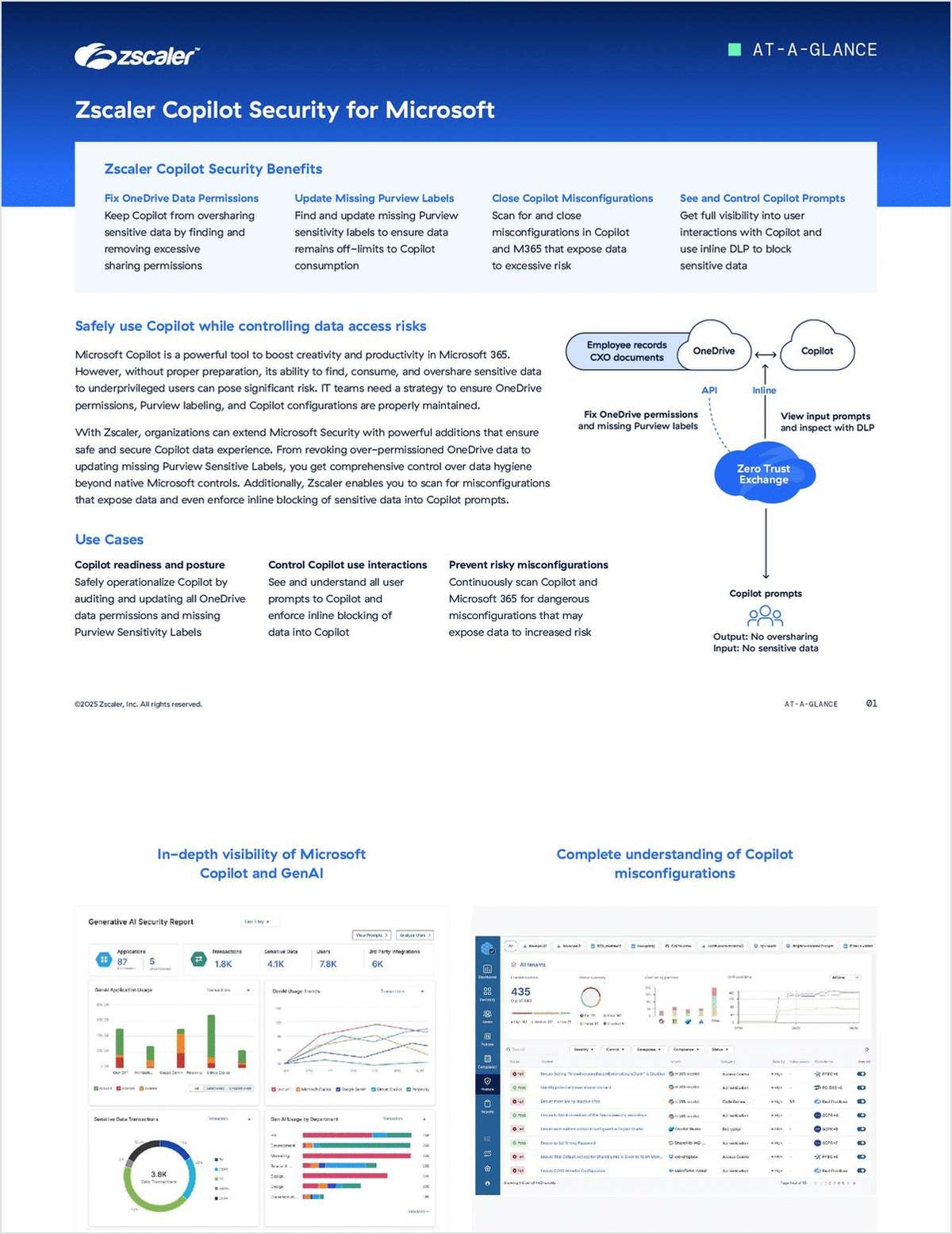
Connecting Zscaler to Microsoft cloud security—specifically within the context of Microsoft Defender for Cloud Apps—enables organizations to extend their security posture, gain visibility into cloud application usage, and enforce consi...
Connecting Zscaler to Microsoft cloud security—specifically within the context of Microsoft Defender for Cloud Apps—enables organizations to extend their security posture, gain visibility into cloud application usage, and enforce consistent data protection policies. By integrating the Zscaler Zero Trust Exchange with Microsoft’s Security, Trust, and Identity ecosystem, administrators can leverage granular traffic logs to perform shadow IT discovery and apply sophisticated threat protection across distributed workforces.
Contents
Understanding the Integration Architecture
The integration between Zscaler and Microsoft Defender for Cloud Apps (formerly Microsoft Cloud App Security) centers on the ingestion of traffic logs. Zscaler Private Access (ZPA) and Zscaler Internet Access (ZIA) act as the security gateway for web and cloud traffic. By forwarding these logs to the Microsoft environment, you enable the Defender for Cloud Apps engine to analyze user activity, identify risky applications, and detect anomalous behavior.
The core of this architecture is the "Log Collector" or "API connector" pattern. In most deployments, Zscaler sends Common Event Format (CEF) or Log-Format files to an Azure Blob storage account or directly via an API integration configured in the Microsoft Defender portal. Once the data reaches the Microsoft environment, it undergoes normalization and categorization, allowing security analysts to view comprehensive reports on cloud service usage without requiring agents on every individual endpoint.
Prerequisites for Deployment
Before initiating the technical connection, ensure your organization meets the following foundational requirements:
- Administrative Access: You require global administrator or security administrator privileges in the Microsoft Defender portal and administrative access to the Zscaler Cloud Platform.
- Microsoft Defender for Cloud Apps License: Verify that your enterprise agreement includes the necessary licensing to ingest logs from third-party security service edges (SSE).
- Azure Storage Account: You will need a provisioned Azure Blob storage container if you are using the log-forwarding method, or a registered application in Microsoft Entra ID (formerly Azure AD) if you are utilizing API-based integration.
- Zscaler Log Streaming Service (LSS): Ensure your Zscaler subscription includes the Log Streaming Service (LSS) feature, which is required to push real-time traffic logs to external destinations.
Step-by-Step Integration Procedure
The following sequence outlines the standard deployment path for connecting Zscaler to the Microsoft security ecosystem.
1. Configuring Zscaler Log Streaming Service
The first step occurs within the Zscaler interface. You must define a new Log Stream to direct traffic logs to your Microsoft destination.
- Navigate to Administration > Log Streaming Service in the Zscaler console.
- Create a new log stream. Select Azure Blob Storage as the destination type if you are using the storage-based ingestion method.
- Input the specific connection string or credentials provided by your Azure environment.
- Filter the traffic to include only the necessary web logs, ensuring you do not consume excessive bandwidth with non-essential telemetry.
2. Setting Up Data Ingestion in Microsoft Defender
Once Zscaler is prepared to ship logs, you must configure the ingestion point within the Microsoft Defender portal.
- Log in to the Microsoft Defender portal and navigate to Settings > Cloud Apps > Cloud Discovery > Automatic Log Upload.
- Add a new data source and select Zscaler from the list of supported appliances.
- Map the specific file format to the source. Ensure that the time zone settings between Zscaler and Microsoft are synchronized to prevent delays in anomaly detection.
3. Verification and Testing
After saving the configurations, wait for the first batch of logs to appear. You can verify the health of the connection in the Defender portal under the "Data Sources" health dashboard. A successful connection will display a "Connected" status with recent activity timestamps.
Comparison of Integration Methods
Organizations often choose between different ingestion methods based on performance requirements and architectural constraints.
| Method | Best For | Complexity | Latency |
|---|---|---|---|
| Azure Blob Storage | High-volume log analysis | Moderate | Low (Near Real-time) |
| API Integration | Event-specific orchestration | Low | Moderate |
| Syslog via Gateway | Legacy environment support | High | Moderate |
Addressing Common Challenges
Data Latency: If logs are not appearing in the Defender portal, check the Zscaler LSS status to ensure logs are being actively pushed. Intermittent network issues between the Zscaler data centers and Azure regions can occasionally stall the queue.
Log Formatting Errors: Microsoft Defender requires logs to be in a specific format to map user identities correctly. If logs are reaching the storage account but not appearing in the portal, verify that the Zscaler log template matches the expected Microsoft schema.
User Attribution: Ensuring that logs are mapped to internal users rather than anonymous IP addresses is critical. Verify that your Zscaler configuration is capturing the X-Forwarded-For headers and that these are being parsed correctly by Microsoft. This is often resolved by ensuring the Zscaler agent is correctly injecting user-identification tokens into the traffic headers.
Security and Compliance Considerations
Connecting these two platforms requires careful management of data privacy. Since the logs contain metadata about user activity, ensure your configuration adheres to your organization's data residency policies. Use Azure managed identities where possible to avoid storing hard-coded access keys within the Zscaler configuration. Periodically rotate your storage account access keys to maintain the integrity of the data pipeline.
Frequently Asked Questions
Does the Zscaler-to-Microsoft integration require an on-premises agent? No, this is a cloud-to-cloud integration. By using the Zscaler Log Streaming Service and Microsoft Defender’s cloud-native ingestion, you eliminate the need for physical log collectors or localized software agents, simplifying the overall security stack.
Will this integration impact my Zscaler throughput? The Log Streaming Service operates as a secondary process on the Zscaler infrastructure. It is designed to export metadata rather than the raw packet data, meaning it generally has a negligible impact on your primary traffic throughput.
Can I integrate Zscaler with other Microsoft products simultaneously? Yes. You can simultaneously integrate Zscaler with Microsoft Sentinel (for SIEM capabilities) and Microsoft Entra ID (for identity propagation). These integrations are complementary and often recommended for a complete Zero Trust architecture.
What happens if the log connection breaks? If the connection is interrupted, Zscaler will generally buffer logs for a limited period, depending on your LSS configuration. However, for long-term outages, you may experience a gap in the "Shadow IT" discovery reports within the Microsoft portal.
Is there an additional cost for this integration? There is no direct licensing cost from Microsoft or Zscaler specifically for the act of connecting these services. However, you will incur standard Azure storage or ingress costs associated with the volume of log data transferred to your Azure blob storage account.
Final Recommendation
To ensure a seamless deployment, start by enabling the integration in a staging environment. Verify that the user activity logs successfully reach the Microsoft Defender for Cloud Apps dashboard before rolling out the full log-streaming configuration across your global Zscaler traffic. Once the data flow is stable, shift your focus to creating custom alerts in the Microsoft portal based on the specific traffic patterns identified by Zscaler to proactively mitigate cloud-borne threats.
Image Gallery