How Free Digital Document Signing Works
Free digital document signing works by using cryptographic public-key infrastructure (PKI) and basic web-based authentication to link a unique digital identity or visual representation to an electronic document, creating a verifiable r...
Free digital document signing works by using cryptographic public-key infrastructure (PKI) and basic web-based authentication to link a unique digital identity or visual representation to an electronic document, creating a verifiable record of agreement without requiring physical pen and paper.
Contents
The modern transition from wet-ink signatures to electronic approvals has fundamentally altered how individuals and enterprises execute agreements. While enterprise-grade contract lifecycle management platforms often command steep subscription fees, a robust ecosystem of free digital document signing tools has emerged. Understanding the mechanics behind these free tools allows users to optimize their workflows while remaining fully compliant with electronic signature laws.
The Core Mechanics: What Makes a Digital Signature Valid?
To understand how free digital document signing works, one must first distinguish between a standard electronic signature and a cryptographic digital signature. In everyday language, the terms are used interchangeably, but legally and technically, they possess distinct characteristics.
An electronic signature is simply an electronic sound, symbol, or process attached to or logically associated with a contract or other record, executed or adopted by a person with the intent to sign the record. This can range from a typed name at the bottom of an email to a typed cursive font placed onto a PDF.
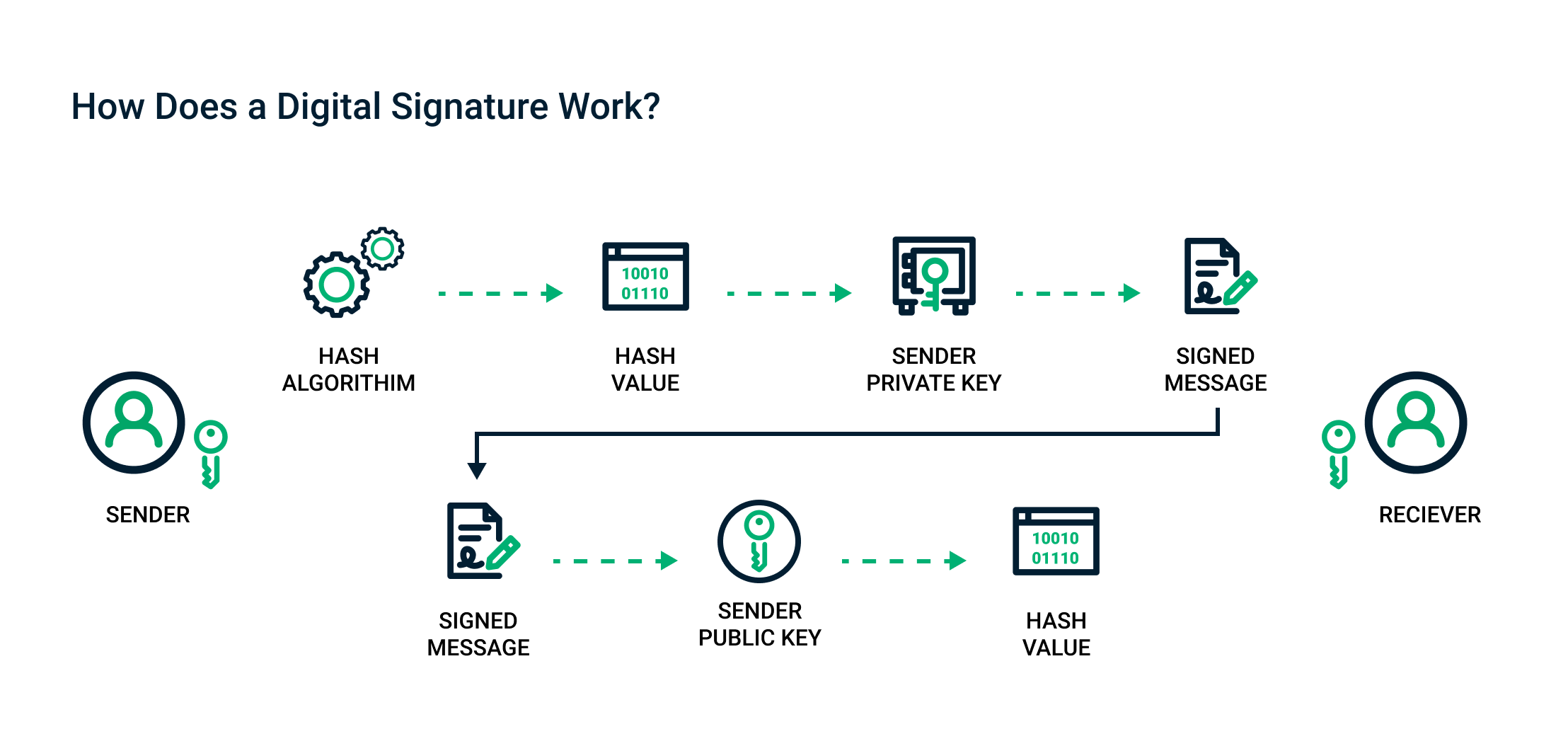
A digital signature, by contrast, is a specific type of electronic signature that implements cryptographic mechanisms. It utilizes asymmetric cryptography, which involves a key pair:
- The Private Key: Held securely by the signer, this key is used to encrypt signature data, creating a mathematical stamp unique to that document and that signer.
- The Public Key: Made available to anyone who needs to verify the signature, this key decrypts the data and confirms that the private key was used to sign the file.
When using free document signing services, the platform typically manages this cryptographic handshake behind the scenes. The software generates a secure audit trail—recording the signer's IP address, timestamp, email address, and device information—which serves as circumstantial evidence of intent and identity should the document face legal scrutiny.
Legal Frameworks Governing Free E-Signatures
A common misconception is that a digital signing tool must be paid for to be legally binding. In reality, the legality of an electronic signature depends on statutory compliance rather than software pricing tiers.
In the United States, the Electronic Signatures in Global and National Commerce (ESIGN) Act of 2000, alongside the Uniform Electronic Transactions Act (UETA) enacted by most individual states, establishes that contracts and signatures cannot be denied legal effect solely because they are in electronic form. Similarly, the European Union regulates electronic identification and trust services through the eIDAS regulation, which categorizes electronic signatures into standard, advanced, and qualified tiers.
Free digital signing solutions generally facilitate "Standard Electronic Signatures" (SES). These are legally binding for the vast majority of everyday consumer and business agreements, including:
- Non-disclosure agreements (NDAs)
- Standard residential lease agreements
- Commercial sales contracts
- Independent contractor agreements
- Human resources onboarding documents
However, certain documents—such as wills, trusts, court orders, or specific real estate property transfers—may require notarization, witness signatures, or specific "Advanced" or "Qualified" digital signatures under eIDAS, which typically require specialized hardware tokens or paid certificate authorities.
How Free Tiers and Free Tools Operate
Software-as-a-service (SaaS) providers offering free document signing usually monetize their platforms through "freemium" business models. Understanding how these tiers are structured helps users select the right tool for their volume of work without running into unexpected paywalls.
Typically, free services impose operational limitations rather than cryptographic ones. A free tier generally restricts usage based on:
- Envelope or Document Volume: Users may be limited to signing or sending a specific number of documents per month (e.g., three to five documents monthly).
- Template Creation: Reusable document templates are often locked behind paid plans, requiring users to upload and place fields manually for every single transaction.
- Advanced Authentication: Features like SMS-based multi-factor authentication, biometric verification, or rigid identity checks are reserved for enterprise subscribers.
- Branding: Free versions often display the platform provider's watermark or branding on the signing interface and notification emails.
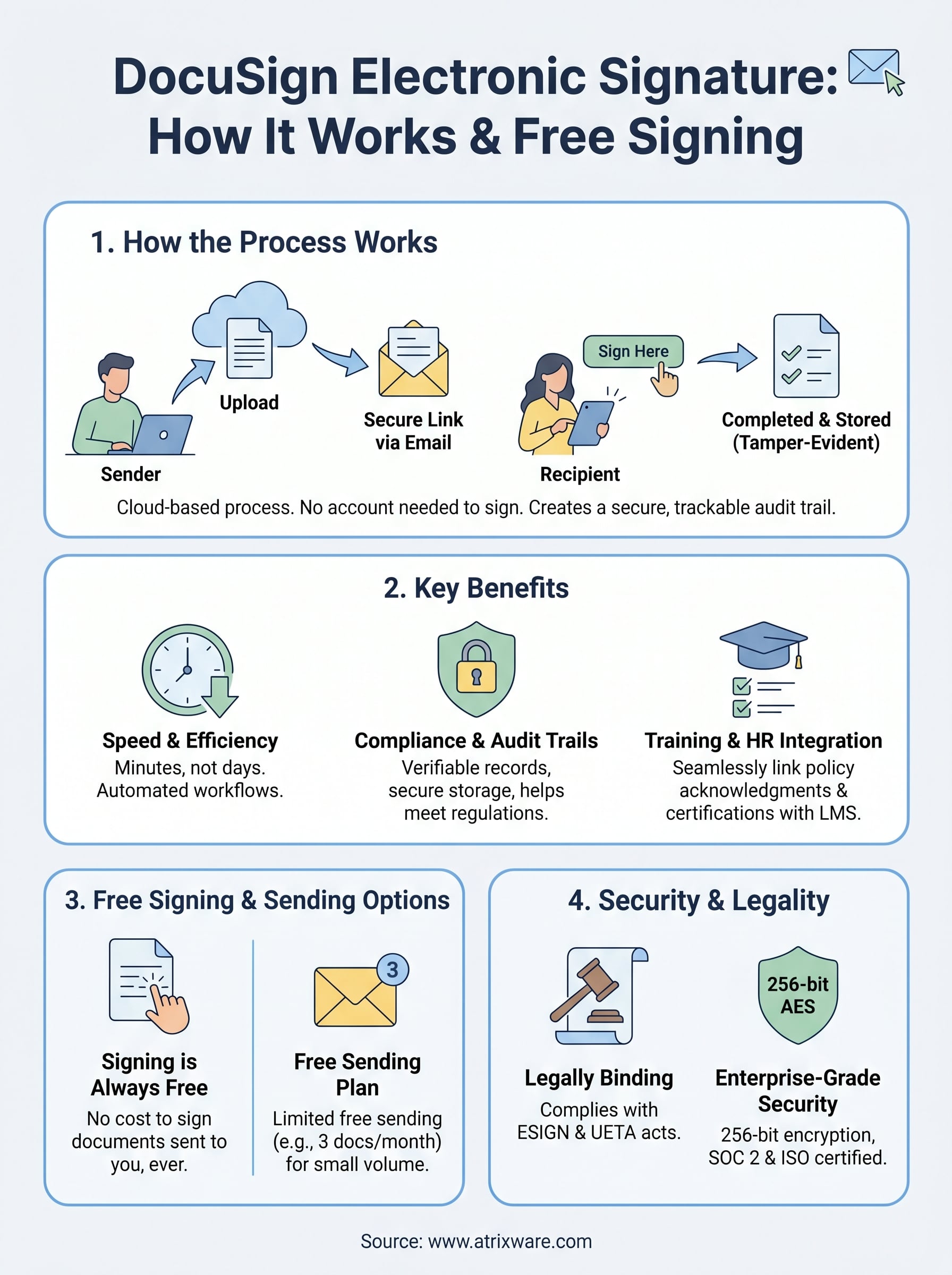
Despite these limitations, the underlying security, encryption standards (such as TLS transmission security and AES-256 data storage encryption), and legal validity remain identical between free tiers and paid tiers on reputable platforms.
Step-by-Step Workflow of Free Digital Signing
Executing a document using a free digital signing solution follows a standardized digital workflow designed to ensure transparency, consent, and record integrity.
- Document Upload
- Field Placement
- Recipient Invite
- Authentication
- Execution & Audit Trail
1. Document Upload
The initiator converts their document into a universally readable format, most commonly a Portable Document Format (PDF) file, and uploads it to the chosen web-based signing portal or desktop application.
2. Field Placement
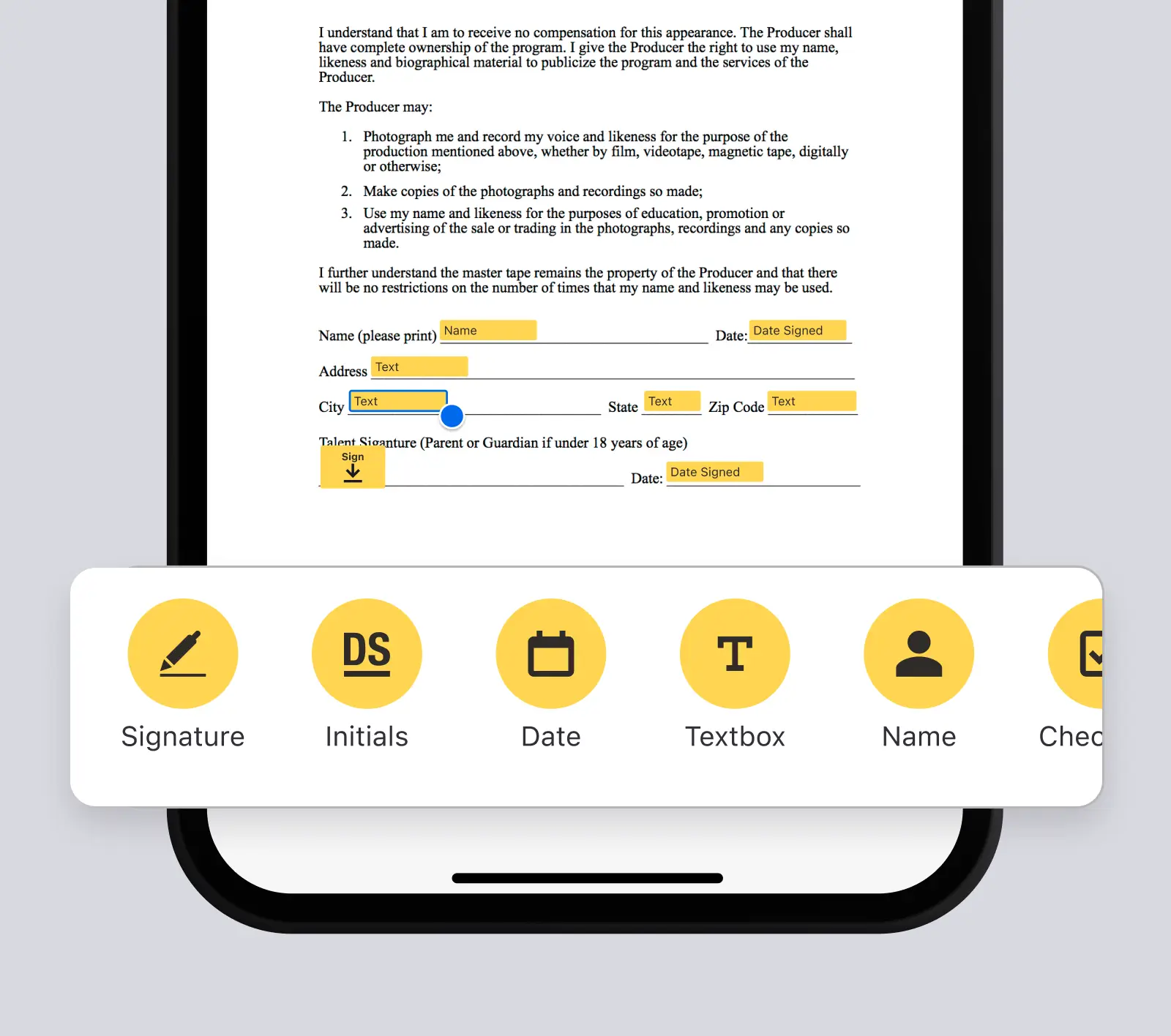
The sender drags and drops interactive form fields—such as signature blocks, date fields, initials, and text boxes—onto the precise locations within the document where recipient input is required.
3. Recipient Invitation
The sender inputs the name and email address of the signing parties. Many free platforms allow the sender to establish a signing order if multiple parties need to execute the document sequentially.
4. Authentication and Consent
The recipient receives an automated email notification containing a secure, tokenized link to access the document. Before viewing or signing, the recipient typically must check a box consenting to conduct business electronically.
5. Execution and Audit Trail Generation
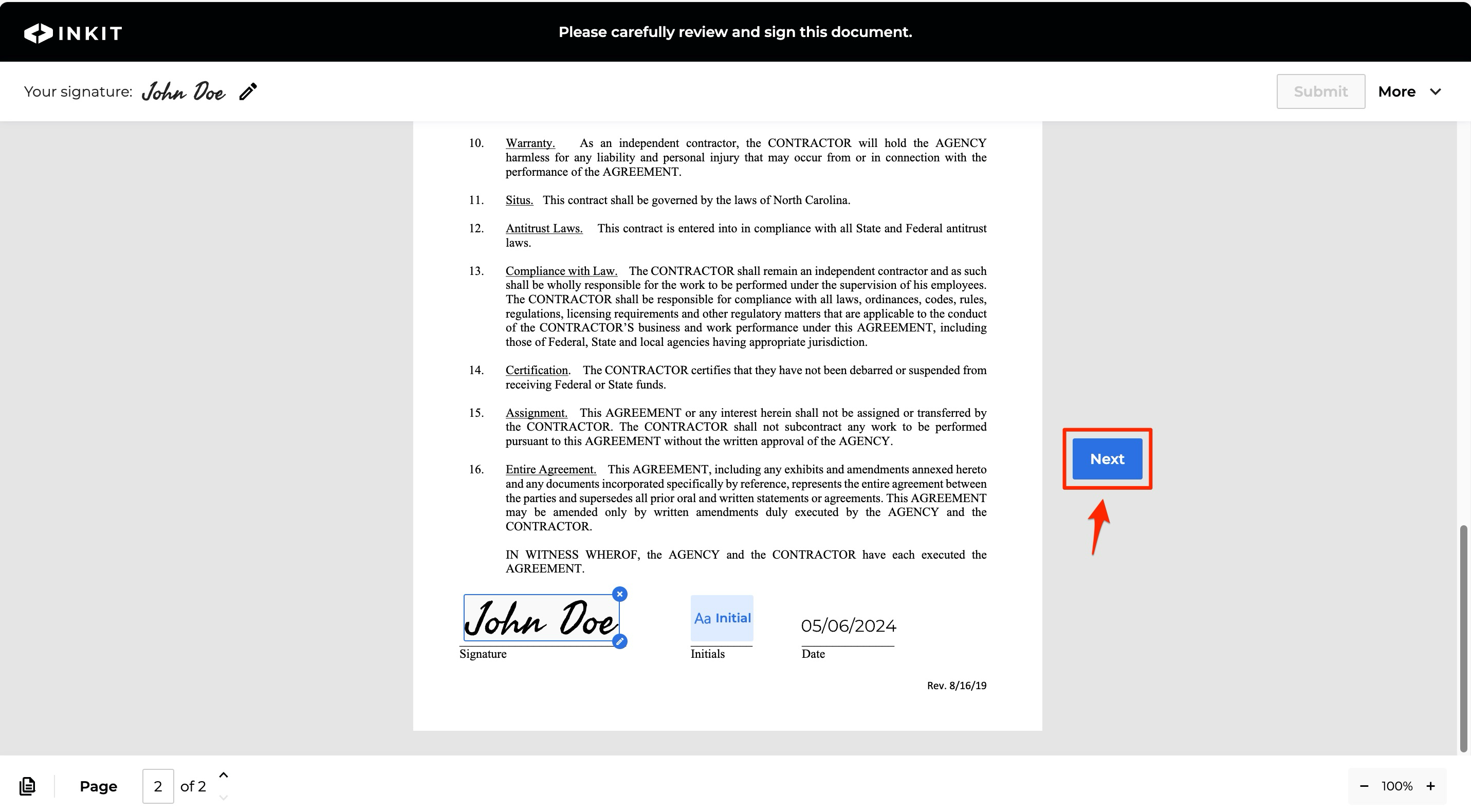
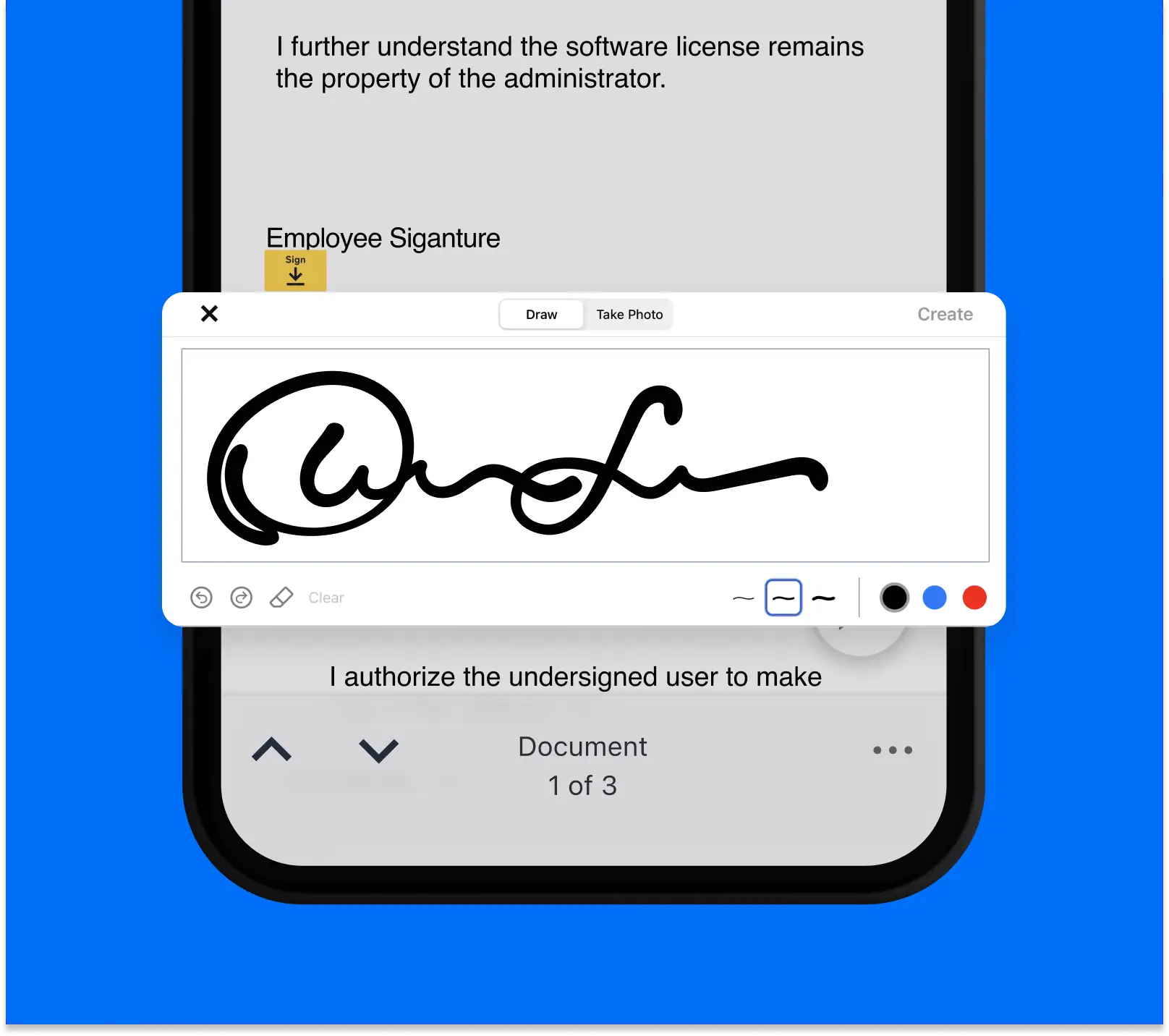
The recipient draws, types, or uploads a visual signature representation and places it into the designated field. Upon completion, the platform locks the document to prevent subsequent alterations, generates an immutable audit log, and emails copies to all participating parties.
Comparison of Common Free Signing Methods
Different free approaches suit different security requirements and technical comfort levels. The table below outlines common methods for executing free digital signatures.
| Method / Tool Type | Technical Mechanism | Primary Use Case | Security & Audit Level | Typical Limitations |
|---|---|---|---|---|
| Freemium SaaS Portals (e.g., DocuSign, Adobe Sign free tiers) | Server-side PKI, audit trail generation, TLS encryption | Business contracts, HR forms, client agreements | High; includes robust metadata logging | Monthly document caps, restricted templates |
| Open-Source / Desktop Tools (e.g., LibreOffice, Adobe Acrobat Reader certificate signing) | Local cryptographic certificate generation (X.509) | Personal documents, internal institutional reviews | Moderate to High; depends on local machine security | Requires manual key management, no hosted audit log |
| Basic Image Insertion (Paste image of signature into PDF) | Visual graphic overlay with no cryptographic binding | Informal approvals, internal mock-ups | Low; easily forged, lacks legal audit metadata | No legal verification, easily contested |
Potential Risks and Limitations of Free Tools
While free digital signing solutions offer exceptional convenience and cost savings, users must remain mindful of operational and security constraints.
- Privacy and Data Sovereignty: Free cloud-based services store document data on their servers. Users handling sensitive medical records (HIPAA compliance) or strict financial data must verify that the free tier complies with relevant industry regulations.
- Vendor Lock-In and Service Changes: Free plans can alter their terms, reduce monthly document allowances, or retire features without notice. Relying on a free tier for mission-critical enterprise workflows carries structural risk.
- Absence of Long-Term Validation (LTV): Some free tiers do not embed cryptographic timestamps that survive past the expiration of the provider's standard security certificates, which can complicate multi-year document archiving.
Frequently Asked Questions
Are free digital signatures legally binding?
Yes. Under legislation such as the ESIGN Act in the United States and the eIDAS regulation in the European Union, standard electronic signatures executed via free tools are legally binding for most commercial, residential, and consumer agreements, provided both parties intended to sign and consent to electronic execution.
Do I need to create an account to sign a document for free?
Usually, no. If someone sends you a document to sign via a web platform, you can typically access, review, and sign the document directly through a secure web link without registering for a paid or permanent user account.
What is the difference between an electronic signature and a digital signature?
An electronic signature is a broad legal term describing any electronic process indicating intent to sign a record. A digital signature is a specific subset of electronic signature that utilizes asymmetric cryptography to secure the document against tampering and verify the signer's identity.
Can I use a scanned image of my handwritten signature?
While pasting a scanned image of a handwritten signature onto a PDF is technically an electronic signature, it offers zero cryptographic security, can be easily copied and forged, and lacks an automated audit trail. Dedicated free signing tools provide significantly stronger evidentiary value.
What happens to my documents if a free signing service shuts down?
If a cloud service ceases operations, documents stored exclusively on their servers may become inaccessible unless downloaded locally. Best practice dictates downloading completed, executed PDFs and their accompanying audit certificates immediately upon completion.
Image Gallery