Ultimate Guide to Navigating Your UltiPro Demo Experience in 2026
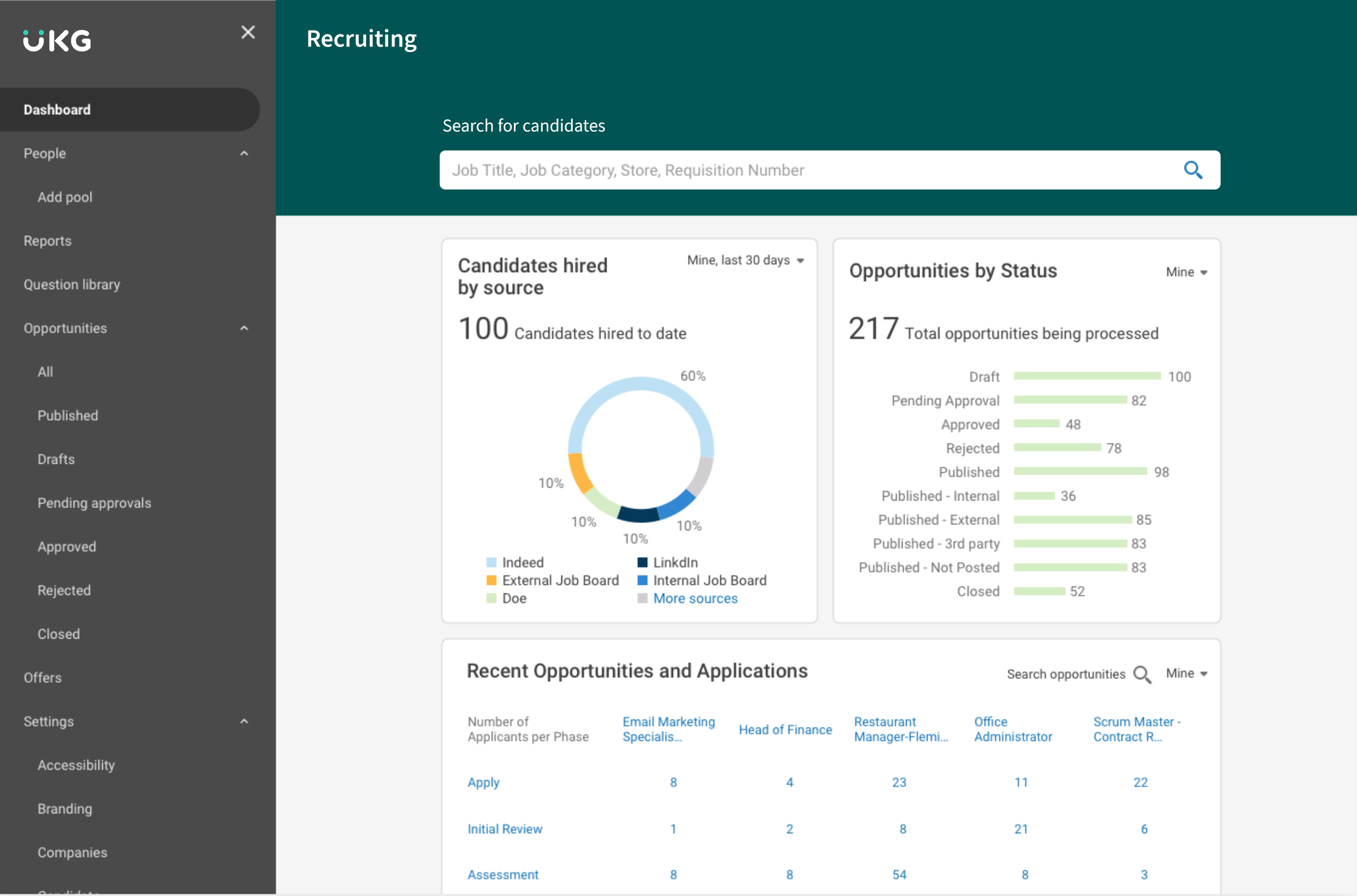
An UltiPro demo—now known within the enterprise human capital management ecosystem as UKG Pro—provides organizations with a comprehensive walkthrough of payroll, human resources, talent management, and workforce administration capabili...
An UltiPro demo—now known within the enterprise human capital management ecosystem as UKG Pro—provides organizations with a comprehensive walkthrough of payroll, human resources, talent management, and workforce administration capabilities. To maximize this evaluation session, stakeholders must understand core system architecture, prepare tailored workflow scenarios, and evaluate specific reporting modules to ensure software alignment with organizational goals.
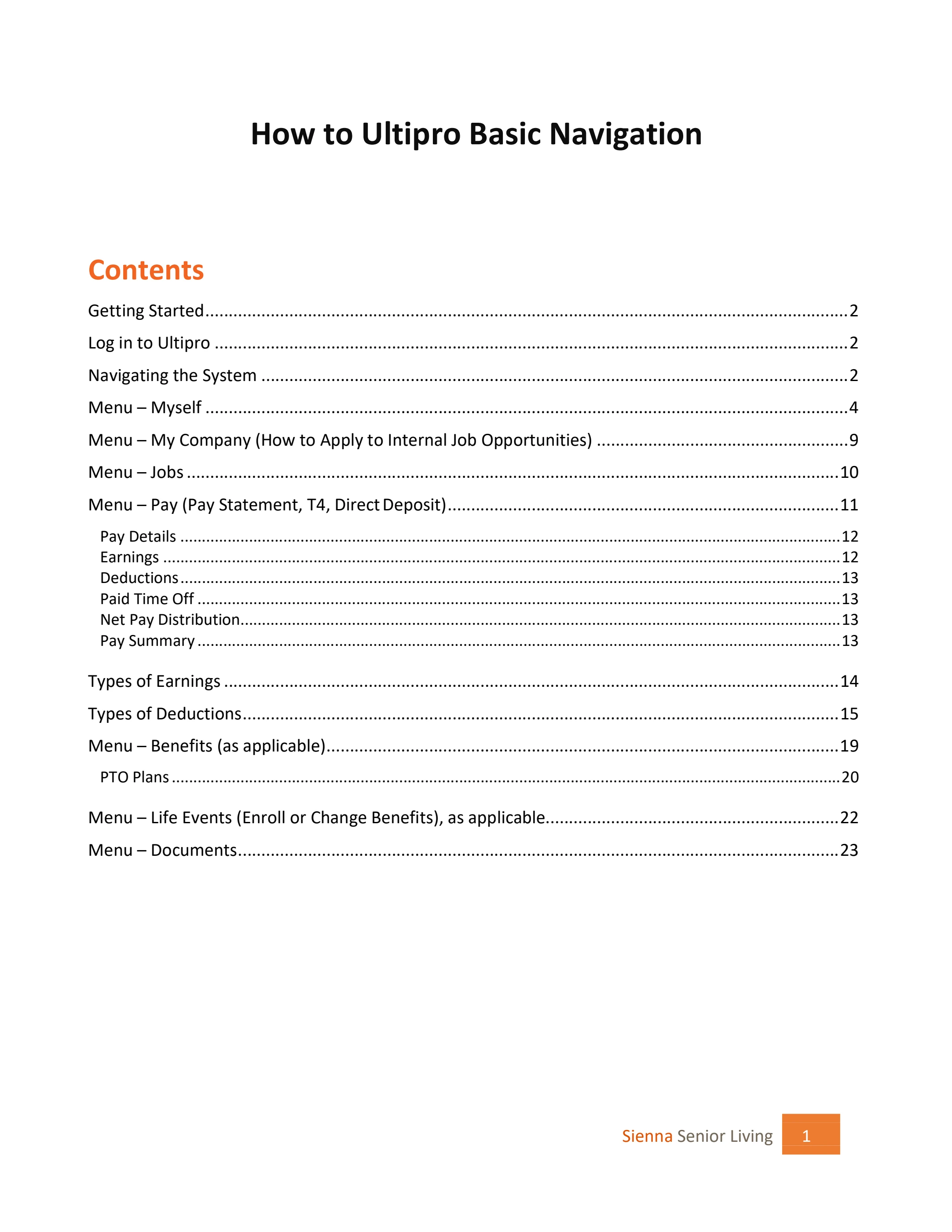
Contents
Evaluating enterprise human capital management software requires navigating complex software suites that blend global payroll processing, advanced talent acquisition, predictive analytics, and employee self-service tools. As organizations scale, experiencing a tailored software demonstration helps technical buyers, HR leaders, and finance executives visualize operational efficiencies. This guide outlines how to prepare for, execute, and evaluate a UKG Pro demonstration effectively, ensuring your implementation team asks the right technical questions and avoids common evaluation pitfalls.
Core Architecture and Evolution of UKG Pro
Understanding the technical foundation of the platform formerly known as UltiPro is essential before diving into a software demonstration. UKG Pro operates on a unified database architecture, meaning that human resources, payroll, talent management, and timekeeping share a single record structure. This eliminates the synchronization errors, data latency, and integration maintenance typical of patchwork software stacks.
When viewing a modern demonstration, buyers should examine how the underlying framework supports global workforce operations. The system leverages cloud-native infrastructure designed to handle complex multi-entity, multi-jurisdiction tax environments. Key architectural components typically highlighted during a walkthrough include:
- Unified Employee Record: Changes made in benefits administration instantly update payroll calculations and tax filing profiles without batch processing or manual data imports.
- Role-Based Security: Granular permission controls restrict sensitive personally identifiable information while empowering managers and employees through self-service portals.
- API Framework: Robust RESTful APIs and pre-built connectors facilitate integration with enterprise resource planning systems, financial software, and third-party vendor point solutions.
- Mobile-First Design: Native applications for iOS and Android deliver full functional access for frontline workers, managers, and executives on the go.
Preparing Your Internal Stakeholder Team for the Presentation
Maximizing the value of an enterprise software demonstration requires rigorous internal preparation. Vendors typically offer standardized walkthroughs designed to showcase broad platform appeal. Without clear direction from your organization, these sessions can devolve into generic overviews that fail to address your specific operational bottlenecks.
Prior to scheduling your session, convene your core evaluation committee to document your organization's unique operational pain points. Create a prioritized requirements matrix that separates non-negotiable functional needs from secondary nice-to-have features.
| Evaluation Role | Primary Focus Area | Key Questions to Ask During the Demo |
|---|---|---|
| Chief Human Resources Officer | Talent retention, compliance, and employee experience | How does the platform support continuous performance management and succession planning? |
| Payroll Director | Tax filing accuracy, multi-entity processing, and garnishments | Can the system automatically handle multi-state local tax jurisdictions and complex shift differentials? |
| IT / Systems Administrator | Data security, integrations, and single sign-on | What is the protocol for handling API rate limits and custom field creation during system upgrades? |
| Finance Executive | Labor cost forecasting, budgeting, and headcount reporting | How do real-time labor analytics integrate with our existing financial ledger systems? |
Essential Workflow Scenarios to Request in Your Walkthrough
Generic demonstrations rarely expose how software handles edge cases, unusual pay rules, or complex compliance requirements. Instead of accepting a standard script, request that the solutions consultant execute specific, real-world scenarios drawn from your organization's daily operations.
Evaluating the system against these rigorous test cases reveals true functional capability and highlights potential customization requirements. Ensure the demonstration covers the following core operational workflows:
Complex Multi-Jurisdiction Payroll Processing
Ask the presenter to process a payroll cycle for an employee who transferred mid-month from a remote office in California to headquarters in New York. The scenario should test automatic tax jurisdiction adjustments, proportional benefit deductions, and accrued paid time off payout calculations without manual spreadsheet intervention.
Talent Acquisition to Onboarding Transition
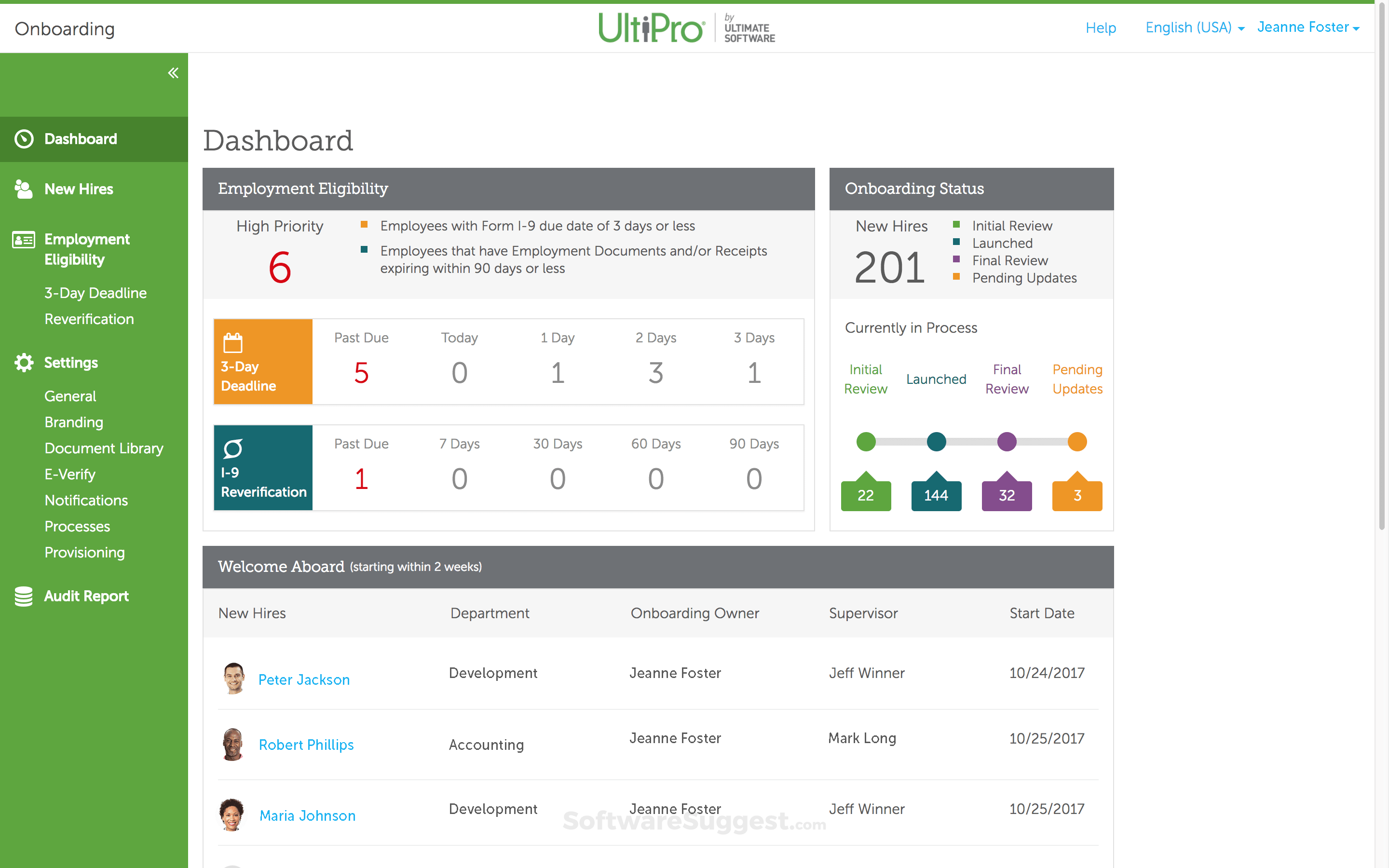
Observe the journey from an applicant accepting an offer letter through the complete onboarding sequence. Verify how electronic Form I-9 verification, background check integrations, and automatic provisioning of IT equipment requests function within a single unified workflow.
Custom Reporting and Predictive Analytics
Request a live build of a custom report tracking turnover risk among high-performing employees across specific departments. The presenter should demonstrate how natural language queries or pre-built machine learning models surface retention insights without requiring advanced SQL coding skills.
Evaluating Post-Implementation Support and Maintenance
A successful software evaluation extends far beyond front-end user interfaces and feature lists. Technical buyers must scrutinize the vendor's maintenance cadence, update protocols, and customer support infrastructure. Enterprise systems undergo regular functional enhancements, and understanding how these updates deploy is vital for minimizing operational disruption.
Ask your solutions consultant to detail the frequency and testing protocols associated with platform updates. Key technical considerations include:
- Release Cadence: Determine whether updates are delivered via continuous deployment models or scheduled quarterly release windows with dedicated preview environments.
- Regression Testing: Inquire about automated testing tools or sandbox environments provided to validate custom workflows, business rules, and integrations prior to production deployment.
- Customer Success Ecosystem: Evaluate tier-based support availability, dedicated account management structures, and user community knowledge bases for troubleshooting complex configuration issues.
Comparative Analysis: UKG Pro vs. Traditional Modular Alternatives
Choosing enterprise human capital management software involves weighing unified platforms against best-of-breed modular architectures. While single-database platforms streamline data governance, modular alternatives allow organizations to pick specialized vendors for distinct functions like recruiting or payroll.
| Evaluation Criterion | UKG Pro (Unified Platform) | Best-of-Breed Modular Stack |
|---|---|---|
| Data Consistency | High; single database eliminates synchronization lag and data discrepancies. | Moderate to Low; relies on ongoing API synchronization between disparate vendors. |
| Implementation Complexity | Moderate; structured implementation methodology managed through a single partner. | High; requires managing multiple vendor contracts, middleware, and integration points. |
| User Interface & Experience | Uniform interface across HR, payroll, talent, and timekeeping modules. | Fragmented; users often navigate distinct logins and interface designs across systems. |
| Upgrade Management | Streamlined; platform-wide updates occur simultaneously with coordinated testing. | Complex; individual vendor update schedules can break third-party API connections. |
Common Pitfalls to Avoid During Software Evaluations
Navigating enterprise software evaluations requires vigilance against common industry missteps that can lead to costly implementation failures or user adoption resistance. Recognizing these risks early protects your organization's capital investment and change management timeline.
Avoid falling into the trap of feature overload, where flashy capabilities overshadow core operational requirements. Ensure your team focuses heavily on day-to-day administrative tasks, such as running standard payroll adjustments or correcting benefit deduction errors, rather than getting distracted by peripheral functionalities.
Evaluation Best Practices Focus on Core Stability: Prioritize robust validation of payroll accuracy, tax compliance engines, and core data security protocols above aesthetic interface preferences. Involve End Users Early: Include frontline managers and payroll administrators in secondary demonstration phases to catch practical workflow friction points that executive leadership might overlook. Scrutinize Total Cost of Ownership: Factor in ongoing integration maintenance, professional services for custom report writing, and mandatory training renewals alongside initial software licensing fees.
Frequently Asked Questions
What is included in a standard software demonstration session?
A standard session typically covers core human resources management, payroll processing, talent acquisition workflows, and basic reporting modules. Tailored sessions can be requested to focus on specialized time and attendance rules or advanced global workforce analytics.
How long does an enterprise software evaluation typically take?
The evaluation process, from initial discovery calls and tailored demonstrations to final vendor selection and contract negotiation, generally spans between six to twelve weeks depending on organizational scale.
Can custom integrations be showcased during the presentation?
While live custom coding cannot typically be performed on the spot, presenters can demonstrate pre-built API connectors, integration middleware partnerships, and sample data flows matching your enterprise architecture.
What technical preparation is required before scheduling?
Organizations should assemble a documented list of functional requirements, current pain points, data migration volumes, and specific compliance mandates that the software must accommodate.
How does the system handle multi-currency and global payroll requirements?
The platform utilizes specialized global integration frameworks and partner networks to consolidate international payroll data, manage local currency conversions, and ensure compliance with regional labor laws.
Conclusion and Next Steps
Scheduling and executing a focused UltiPro or UKG Pro demonstration serves as a critical milestone in modernizing your organization's human capital infrastructure. By establishing rigorous evaluation criteria, preparing real-world operational scenarios, and engaging cross-functional stakeholders, your team can accurately assess platform alignment. To initiate your formal evaluation, compile your internal requirements matrix and connect with an enterprise software advisor to schedule a customized demonstration tailored to your exact business objectives.
Image Gallery