How to Fix Instagram Confirmation Code Not Working in 2026
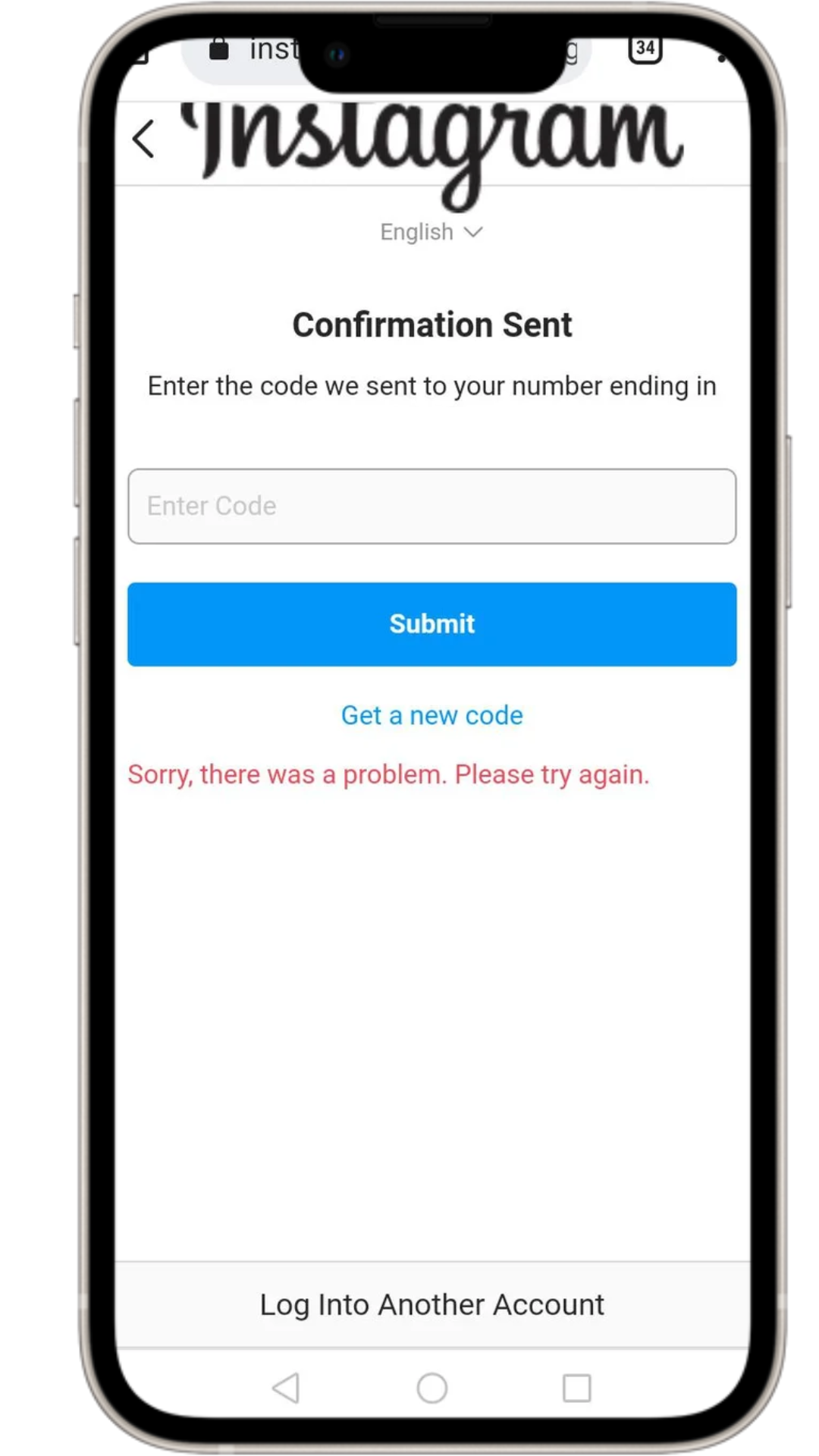
If you are not receiving your Instagram confirmation code, the issue is typically caused by network connectivity problems, incorrect contact information, or your service provider flagging the message as spam. To resolve this, verify yo...
If you are not receiving your Instagram confirmation code, the issue is typically caused by network connectivity problems, incorrect contact information, or your service provider flagging the message as spam. To resolve this, verify your phone number or email, check your spam/junk folders, disable any SMS blocking features, or wait 24 hours to reset Instagram’s internal rate-limiting security protocols.
Contents
Digital security on social media platforms has reached a peak in 2026, with Instagram employing sophisticated automated systems to prevent unauthorized access. However, these same systems can sometimes trigger false positives, preventing legitimate users from accessing their accounts. Whether you are setting up a new account, changing your password, or attempting to log in from a new device, the failure of a 6-digit verification code to arrive is a significant hurdle. Understanding the technical architecture behind these messages is the first step toward regaining access.
The Technical Infrastructure of Instagram Verification
Instagram utilizes two primary channels for multi-factor authentication (MFA): SMS (Short Message Service) gateways and SMTP (Simple Mail Transfer Protocol) servers. When you request a code, Instagram’s internal security service sends a trigger to a third-party gateway provider. This provider is responsible for routing the message through global telecommunication networks or email relays until it reaches your specific device or inbox.
In 2026, the complexity of these routes has increased due to enhanced anti-spam regulations. If any link in this chain—from Instagram’s server to the gateway, the local carrier, and finally your device—experiences a latency issue or a protocol mismatch, the code will fail to deliver. This is why a "one size fits all" fix rarely works; the breakdown can occur at multiple points.
Troubleshooting SMS Confirmation Codes
SMS remains the most common method for receiving codes, but it is also the most prone to carrier-side interference. If the 6-digit text is not appearing, consider the following technical variables.
Carrier-Level Filtering and Short Codes
Most automated verification codes are sent via "Short Codes," which are 5 or 6-digit phone numbers used by corporations for high-volume messaging. Many mobile carriers automatically block these numbers to protect users from marketing spam. You must ensure that your mobile plan allows for the reception of "premium" or "short-code" SMS. In some cases, you may need to contact your carrier’s technical support to whitelist messages from Meta’s short-code blocks.
The Impact of "Do Not Disturb" and Focus Modes
With the evolution of mobile operating systems in 2026, "Focus Modes" have become highly granular. If your phone is set to a "Work" or "Sleep" profile, it might not only silence the notification but prevent the SMS from populating in the primary inbox altogether. Disable all Focus modes and ensure that "Filter Unknown Senders" is turned off in your messaging settings.
Virtual Private Networks (VPNs) and IP Mismatch
If you are requesting a code while connected to a VPN, Instagram’s security AI may detect a mismatch between your registered phone number's country code and your current IP address. This discrepancy can trigger a "silent fail," where the system pretends to send a code but terminates the request to prevent potential hacking. Disconnect from your VPN and use a stable local Wi-Fi or cellular data connection.
Troubleshooting Email Confirmation Codes
Email verification is often the secondary fallback, but it faces its own set of technical hurdles, primarily revolving around "Graylisting" and aggressive ISP filtering.
Understanding Graylisting and Spam Filters
Many email providers (like Gmail, Outlook, or Yahoo) use a technique called Graylisting. When an unknown server (in this case, an Instagram relay) sends an email, the provider temporarily rejects it and asks the server to try again later. While this stops botnets, it can delay your Instagram code by 15 to 30 minutes. If the code arrives late, it may already be expired.
Furthermore, because these emails contain automated links and numerical codes, they are frequently diverted to Spam, Junk, or Promotions folders. Always search your entire mailbox for "Instagram" or "security@mail.instagram.com" to find missing communications.
Storage Quotas and Sync Issues
It is a common oversight to forget about mailbox storage limits. In 2026, with high-resolution media attachments being the norm, many free email accounts hit their 15GB or 20GB limits quickly. If your storage is full, your provider will bounce back all incoming mail, including security codes. Ensure you have at least 100MB of free space and that your email app is set to "Push" or frequent "Fetch" to ensure real-time delivery.
Comparison of Verification Methods and Success Rates
When one method fails, users often have several alternatives. The following table compares the reliability and common failure points of the primary verification channels available on Instagram in 2026.
| Method | Reliability | Primary Failure Reason | Recommended Use Case |
|---|---|---|---|
| SMS Text | Medium | Carrier filtering / Network latency | Standard login on mobile devices |
| High | Spam filters / Storage limits | Account recovery and password resets | |
| Very High | App not installed / No internet | Highly reliable if WhatsApp is linked | |
| Auth App | Absolute | Lost device / No backup | Best for high-security accounts |
| Backup Codes | Absolute | Codes lost by the user | Emergency "last resort" access |
Platform-Side Issues: Rate Limiting and Server Lag
Sometimes, the fault lies entirely with Instagram’s internal architecture. In 2026, Instagram manages billions of active sessions. During major global events or platform updates, their verification servers can become throttled.
The "Rate Limit" Trap
If you click "Resend Code" too many times in a short period, Instagram’s security system will flag your account for "unusual activity." Once this happens, the system will stop sending codes to your number or email for a period ranging from 24 to 48 hours. This is a protective measure against brute-force attacks. If you have requested more than three codes in an hour, the best course of action is to stop all attempts and wait exactly 24 hours before trying again.
App Cache and Version Compatibility
An outdated Instagram app can lead to communication errors between the client (your phone) and the server. Ensure your app is updated to the latest version via the Apple App Store or Google Play Store. For Android users, clearing the app cache (Settings > Apps > Instagram > Storage > Clear Cache) can often resolve local software glitches that prevent the code entry screen from functioning correctly.
Alternative Solutions for Regaining Access
If the traditional code delivery methods continue to fail, you are not out of options. Instagram provides several "Deep Link" recovery tools designed for these exact scenarios.
- WhatsApp Integration: If you have linked your Instagram to a WhatsApp account, you can request the code via WhatsApp. This often bypasses cellular SMS gateways and is delivered via data, which has a higher success rate in regions with poor mobile reception.
- Trusted Devices: If you are still logged in on a tablet or a computer, you can go to the Security settings on that device and approve the new login from there, bypassing the need for a code entirely.
- Account Support (Video Selfie): If you have two-factor authentication enabled but cannot receive the code, select "Try Another Way" and then "Get Support." Instagram may ask you to submit a video selfie to verify your identity against the photos on your profile. This process is usually reviewed by AI in 2026 and can grant access within hours.
Best Practices for Future Account Security
To avoid being locked out again, it is essential to move away from SMS-based verification, which is increasingly viewed as the least secure and least reliable MFA method.
- Enable Authentication Apps: Use apps like Google Authenticator, Duo, or 1Password. These apps generate codes locally on your device, meaning you never have to wait for an SMS or email to arrive.
- Download Backup Codes: In your Instagram security settings, you can generate a list of 8-digit backup codes. Save these in a secure digital vault or print them out. These codes work even if you lose your phone and your email access.
- Keep Contact Info Updated: Every six months, verify that the phone number and email address linked to your account are current and accessible.
Frequently Asked Questions
Why is my Instagram code not sending even after multiple attempts?
This is usually due to "Rate Limiting." Instagram’s security protocols detect multiple rapid requests as a potential bot attack and temporarily "shadow-ban" your IP address or phone number from receiving codes. You must wait 24 hours without making any new requests to clear this status.
Can I get an Instagram confirmation code through Facebook?
Yes, if your accounts are linked via the Meta Accounts Center. You can often use the "Logged in with Facebook" option or check the security notifications within your linked Facebook account to authorize an Instagram login.
Does Instagram still send codes via voice call?
As of 2026, the voice call option is only available in specific regions and for certain account types. If SMS fails, look for the "Get a phone call" option under the "Try another way" menu, though this is less common than WhatsApp or email verification.
How long does an Instagram confirmation code last?
Typically, a confirmation code is valid for 10 to 15 minutes. If you receive the code after this window due to network delays, it will result in an "Invalid Code" error. In this case, you must ensure your connection is stable before requesting a fresh one.
Is there a way to bypass the confirmation code?
There is no legitimate way to "bypass" the security check if it is triggered. However, using a previously trusted device or using permanent backup codes effectively serves as an alternative to the 6-digit SMS code.
Final Recommendation
If you have followed all troubleshooting steps—clearing cache, checking spam, and disabling VPNs—and the code still does not arrive, cease all attempts for 24 hours. Continuing to request codes will only extend the security lockout. After the 24-hour period, try requesting the code via a different network (switch from Wi-Fi to cellular data) to ensure a fresh IP route for the message.
Image Gallery