The PC Express Card Explained: How ExpressCard Works, Form Factors, and Modern Uses
ExpressCard—often referred to as the PC Express Card—is a hardware interface standard introduced by the Personal Computer Memory Card International Association (PCMCIA) in 2003 to replace older CardBus expansion slots. It provides dire...
ExpressCard—often referred to as the PC Express Card—is a hardware interface standard introduced by the Personal Computer Memory Card International Association (PCMCIA) in 2003 to replace older CardBus expansion slots. It provides direct, hot-swappable connectivity to a laptop's system bus using a combination of PCI Express (PCIe) and USB protocols.
Contents
What Is ExpressCard Technology?
Before laptops adopted standardized internal expansion sockets like M.2 or external high-speed interfaces like Thunderbolt, expanding a notebook computer's functional capabilities required custom peripheral slots. In the 1990s and early 2000s, the standard solution was the 68-pin PC Card (originally known as PCMCIA) and its later 32-bit upgrade, CardBus.
As mobile computing hardware transitioned from legacy parallel buses to serial interconnects, the legacy CardBus interface created severe bottlenecking. CardBus relied on a 32-bit parallel PCI architecture running at 33 MHz, maxing out at a theoretical throughput of 133 MB/s. Modern peripherals—such as Gigabit Ethernet adapters, early Solid-State Drives (SSDs), eSATA controllers, and Wi-Fi modules—required vastly superior bandwidth and lower latencies.
To resolve these bandwidth limits, the PCMCIA consortium developed the ExpressCard standard. Rather than multiplexing parallel signals over large pin arrays, ExpressCard routed low-latency PCI Express and high-speed USB 2.0 (and later USB 3.0) lanes straight from the system chipset to an external module. This direct system-bus access allowed peripherals to operate with native performance, effectively placing devices directly onto the computer's motherboard.
ExpressCard Form Factors: ExpressCard/34 vs. ExpressCard/54
The ExpressCard specification defines two distinct physical form factors: ExpressCard/34 and ExpressCard/54. Both form factors share identical lengths (75 mm), heights (5 mm), and connector interfaces (26-pin beam contact array), but they differ in width and physical chassis clearance.
- ExpressCard/34:
- 34 mm Width
- 75 mm Length
- ExpressCard/54:
- 34 mm Connector
- 54 mm Width
- 75 mm Length
ExpressCard/34
- Dimensions: 34 mm wide × 75 mm long × 5 mm thick.
- Design: Uniform rectangular footprint across the entire body of the expansion module.
- Compatibility: Fits both 34 mm and 54 mm ExpressCard slots.
Because the 34 mm module uses the standard 26-pin connector aligned along its center edge, it can slide directly into a wider 54 mm slot. To prevent lateral movement or accidental disconnects inside the wider slot, manufacturers often used plastic stabilizer clips or built physical alignment guides into the laptop slot mechanism.
ExpressCard/54
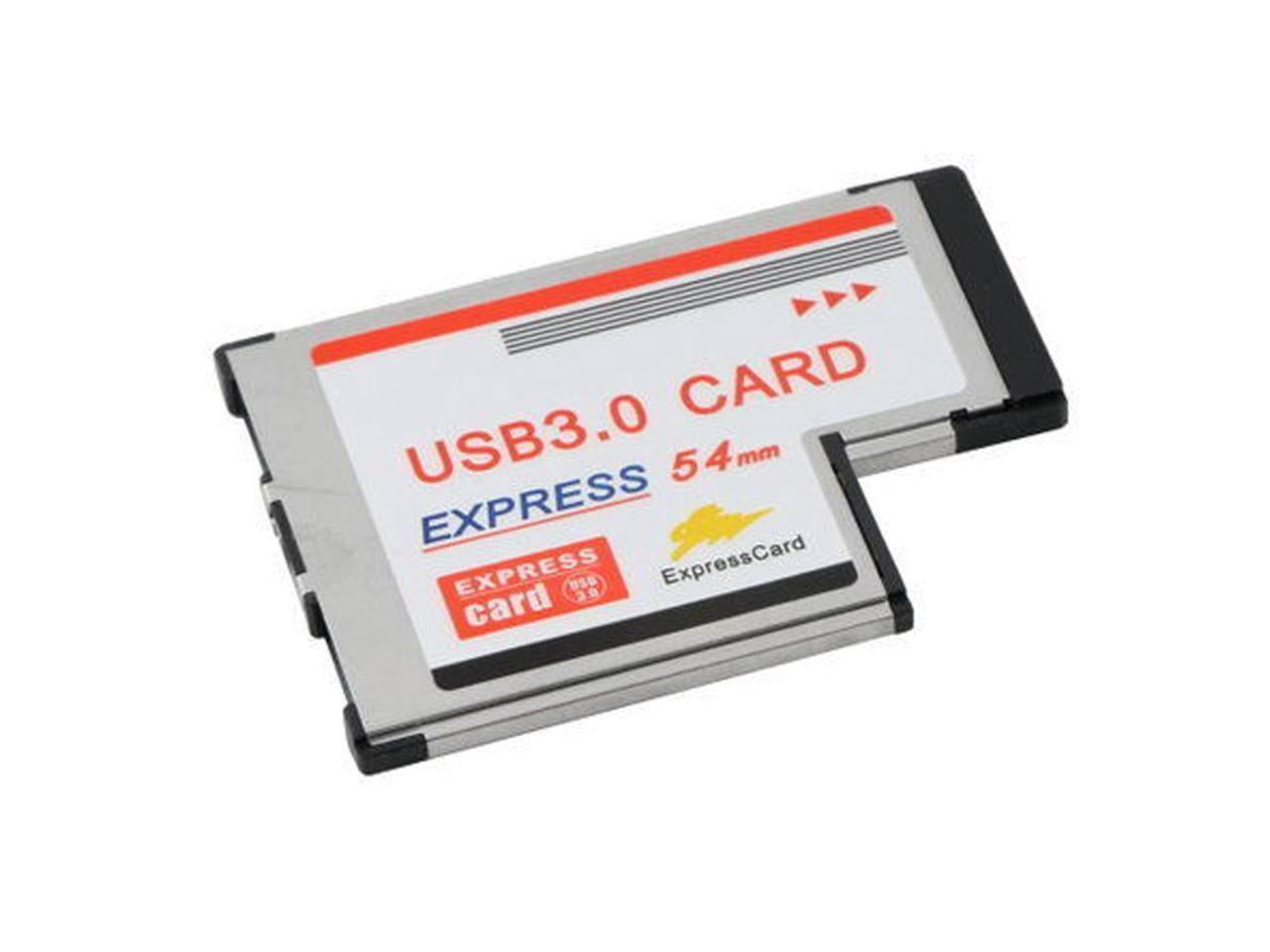
- Dimensions: 54 mm wide at the outer edge, tapering to 34 mm at the connector head × 75 mm long × 5 mm thick.
- Design: Distinctive asymmetric "L-shape" design. The insertion head maintains a 34 mm width to fit the standard connector, while the rear body expands to 54 mm.
- Compatibility: Fits only in dedicated 54 mm ExpressCard slots.
The additional physical footprint of the 54 mm form factor was not intended to carry extra signal pins or electrical paths. Instead, it provided thermal headroom and board space for bulkier hardware components. Common ExpressCard/54 devices included SmartCard / CAC readers, 1.8-inch mini hard disk drives, CompactFlash card readers, TV tuner cards, and dual-port eSATA controllers that required extra physical clearance for cables.
Technical Architecture: Pins, Buses, and Power Delivery
Unlike its predecessor CardBus, which required complex bridge chips to convert parallel PCI signals, ExpressCard functions as a hybrid point-to-point interface. Every ExpressCard slot incorporates connections to two separate system buses:
- PCI Express Lane: A single PCIe lane (x1 configuration) running directly to the system platform controller hub (PCH) or northbridge.
- USB Controller Signal: A direct USB 2.0 (or USB 3.0 in ExpressCard 2.0) interface routed from the host USB controller.
The peripheral module determines which interface protocol to negotiate based on its chipset requirements. For instance, a USB 3.0 expansion card uses the PCIe lane to communicate with the host motherboard, whereas an internal cellular modem or Bluetooth adapter might rely solely on the underlying USB pins for reduced power consumption.
- Laptop Chipset / PCH
- PCIe x1 Lane
- USB 2.0/3.0 Lines
- ExpressCard 26-Pin Connector
- ExpressCard Expansion Module
Pinout and Connector Specification
The ExpressCard specification relies on a single-row 26-pin connector. The pin distribution is meticulously split between power rails, system grounding, PCIe differential transmitter/receiver pairs, USB differential lines, and control signals:
| Pin Range | Primary Function | Signal Description |
|---|---|---|
| Pins 1–3, 24–26 | Power & Ground | 3.3V power rails, 1.5V core power lines, and logic grounds |
| Pins 4–7 | USB Interface | USB D+ / D- differential lines, USB VBUS supply |
| Pins 11–15 | PCIe Receive Pair | PETp / PETn high-speed differential signal pairs |
| Pins 17–21 | PCIe Transmit Pair | PERp / PERn high-speed differential signal pairs |
| Pins 8–10, 16, 22–23 | System Management | SMBus clock/data, CLKREQ#, PERST# (reset), WAKE# signals |
Electrical Power Limits
ExpressCard interfaces supply power via two regulated voltage rails supplied directly by the laptop host motherboard: +3.3V and +1.5V.
- Maximum Continuous Power Draw: 1.3 watts for regular operational modes; up to 2.1 watts burst limit depending on system cooling and implementation.
- Auxiliary Standby Voltage: Supplies low-power standby current (+3.3V AUX) to enable features like Wake-on-LAN or cellular remote access while the laptop is asleep.
ExpressCard Standard Versions: 1.0 vs. 2.0
The PCMCIA organization released two primary revisions of the ExpressCard technical specification before dissolving and transferring control of the standard to the USB Implementers Forum (USB-IF).
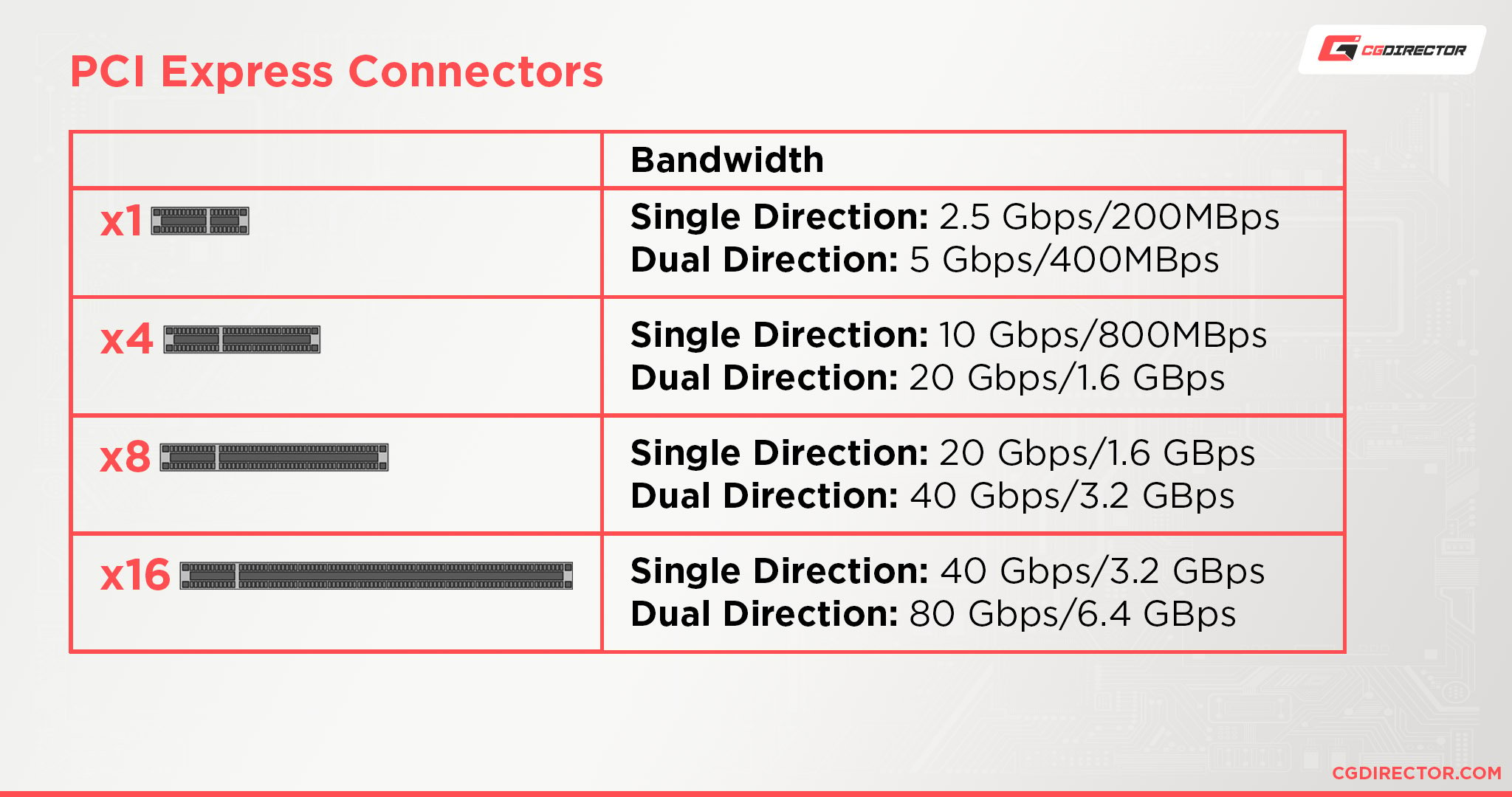
- ExpressCard 1.0 (2003): PCIe 1.0 x1 (2.5 Gbps) + USB 2.0 (480 Mbps)
- ExpressCard 2.0 (2009): PCIe 2.0 x1 (5.0 Gbps) + USB 3.0 (5.0 Gbps)
ExpressCard Revision 1.0 / 1.2
Released in November 2003 (with minor update 1.2 in 2006), ExpressCard 1.0 leveraged early PCI Express architecture:
- PCIe Interface: PCI Express 1.0a / 1.1 single lane (x1). Raw bandwidth stood at 2.5 Gigabits per second (Gbps) per direction. Accounting for 8b/10b line encoding overhead, real-world data throughput reached 250 MB/s.
- USB Interface: USB 2.0 High-Speed, capping throughput at 480 Mbps (approx. 35–43 MB/s practical throughput).
ExpressCard Revision 2.0
Published in late 2009, ExpressCard 2.0 substantially increased potential performance to match second-generation PCIe chipsets:
- PCIe Interface: Upgraded to PCI Express 2.0 (x1 lane). Raw link rates doubled to 5.0 Gbps per direction. Taking 8b/10b encoding into account, usable data throughput jumped to 500 MB/s.
- USB Interface: Upgraded from USB 2.0 to USB 3.0 SuperSpeed, increasing raw USB transfer capability up to 5.0 Gbps (~400 MB/s real-world throughput).
Despite its massive performance boost, ExpressCard 2.0 saw limited adoption in consumer laptops. By 2011, PC manufacturers began phasing out dedicated modular card slots entirely in favor of integrated USB 3.0 ports and internal M.2 sockets.
Interface Comparison: PC Card, ExpressCard, and Modern Standards
To understand the evolution of expansion slots, it helps to examine how ExpressCard compares against both its predecessors and modern successor protocols.
| Interface Standard | Introduced | Underlying Bus Topology | Maximum Theoretical Throughput | Connector Pins | Primary Applications |
|---|---|---|---|---|---|
| PC Card (PCMCIA) | 1990 | 16-bit ISA Parallel Bus | ~20 MB/s | 68 Pins | SRAM expansion, Modems, Wi-Fi |
| CardBus | 1995 | 32-bit PCI Parallel Bus (33 MHz) | 133 MB/s | 68 Pins | Fast Ethernet, early USB 1.1/2.0 cards |
| ExpressCard 1.0 | 2003 | PCIe 1.0 x1 + USB 2.0 | 250 MB/s (PCIe) / 60 MB/s (USB) | 26 Pins | eSATA cards, early USB 3.0, FireWire |
| ExpressCard 2.0 | 2009 | PCIe 2.0 x1 + USB 3.0 | 500 MB/s (PCIe) / 500 MB/s (USB) | 26 Pins | High-speed RAID controllers, Video Capture |
| Thunderbolt 3 / 4 | 2015 / 2020 | PCIe 3.0 x4 + DisplayPort + USB4 | 40,000 Mbps (5,000 MB/s) | 24 Pins (USB-C) | External GPUs, Docking Stations, Displays |
Common Use Cases and Historic Applications
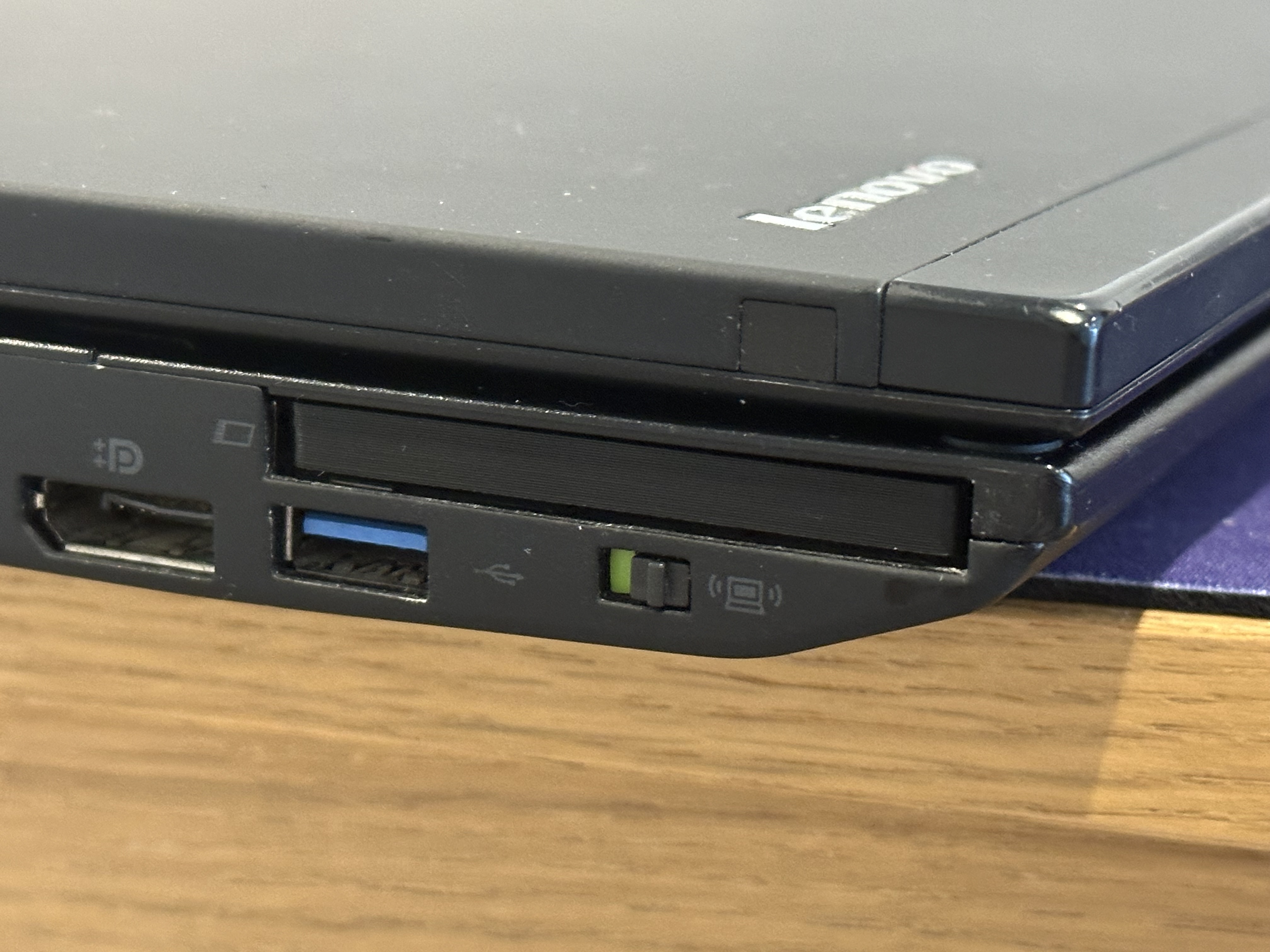
During its peak market adoption between 2005 and 2013, the ExpressCard slot was an essential feature on enterprise laptops such as Lenovo ThinkPads, Dell Latitudes, HP EliteBooks, and Apple's MacBook Pro line (specifically 15-inch and 17-inch models).
| Storage & Connectivity | Hardware Upgrades |
|---|---|
| eSATA Ports | External GPU Adapters |
| USB 3.0 Controller Cards | FireWire 800 (IEEE 1394b) |
| Gigabit Ethernet / Fiber | Industrial RS-232 / CANbus |
1. Adding USB 3.0 and eSATA Ports
Many laptops released between 2006 and 2010 shipped exclusively with USB 2.0 ports. ExpressCard modules equipped with NEC/Renesas or ASMedia host controllers allowed users to install two USB 3.0 SuperSpeed ports or high-speed eSATA ports. Because the card connected directly to a PCIe lane, these adapters bypassed USB system overhead and provided full SATA-to-PCIe speed.
2. External Graphics Cards (eGPU DIY Rigs)
Long before official Thunderbolt external GPU enclosures existed, hardware enthusiasts used ExpressCard slots to build early DIY eGPU systems.
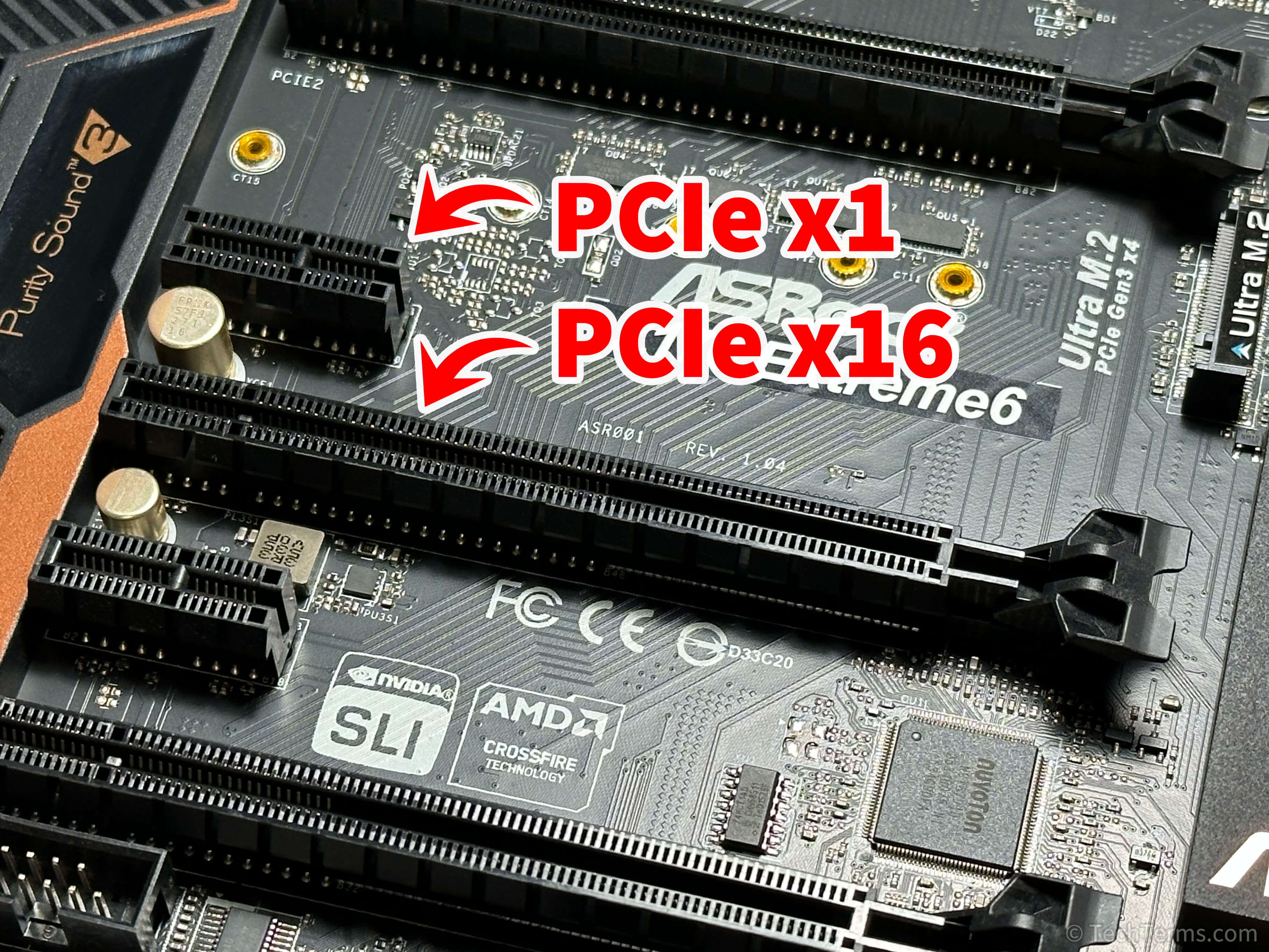
Adapters such as the PE4H or EXP GDC Beast plugged into an ExpressCard slot, breaking out the exposed PCIe 1.0/2.0 x1 signals into a full-length desktop PCIe x16 slot powered by an external ATX power supply. While limited by x1 bus bandwidth, this setup allowed aging laptops to run desktop-class discrete graphics chips for 3D modeling and gaming.
3. Professional Audio/Video Capture and Legacy I/O
Broadcast media professionals used ExpressCard for uncompressed video capture interfaces (e.g., AJA or Blackmagic Design capture cards) and multi-channel FireWire 800 (IEEE 1394b) audio interfaces. In industrial environments, engineers used ExpressCard adapters to add native RS-232 serial ports or CAN bus interfaces to inspect field equipment directly.
Why ExpressCard Was Phased Out
ExpressCard eventually faded from modern laptops due to changes in industrial design, chip integration, and external bus performance:
- The Move to Ultra-Thin Form Factors: Modern ultrabooks and compact laptops prioritize sub-15 mm frame thickness. The 5 mm vertical height requirement of the ExpressCard socket, plus its internal guiding spring assembly, proved physically too bulky for modern chassis.
- Integration of Motherboard I/O: Features that once required expansion cards—such as Gigabit Ethernet, Wi-Fi 6E, Bluetooth, and multi-protocol card readers—became natively integrated directly onto laptop logic boards.
- Rise of Thunderbolt and USB-C: The introduction of Intel's Thunderbolt interface (and later USB4) rendered physical internal expansion slots obsolete for external peripherals. Thunderbolt 3 and 4 route four lanes of PCIe bandwidth (up to 40 Gbps) over a tiny USB Type-C connector, providing 80 to 160 times the speed of original ExpressCard 1.0 implementations.
Frequently Asked Questions
Can an ExpressCard/34 fit into an ExpressCard/54 slot?
Yes. An ExpressCard/34 module will function inside an ExpressCard/54 slot because both standards use the same 26-pin electrical interface located in the same relative position. However, because the 54 mm slot is wider, users should install a plastic stabilizer bracket on the 34 mm card to prevent it from twisting or disconnecting when cables are inserted or removed.
Is ExpressCard hot-swappable?
Yes, the ExpressCard specification explicitly supports hot-swapping and dynamic hot-plugging. Users can insert or remove an ExpressCard module while the operating system is powered on without rebooting the system, provided the operating system driver supports PCIe dynamic power management.
Can I convert an ExpressCard to Thunderbolt or USB-C?
No direct passive adapter can convert an ExpressCard module into a standard USB-C or Thunderbolt device. ExpressCard requires direct low-level PCIe lane communication from the host system chipset. While active desktop adapters exist (such as PCIe-to-ExpressCard drive bay enclosures), they require an open internal desktop PCIe motherboard slot rather than a simple USB port.
What is the difference between PCMCIA, CardBus, and ExpressCard?
PCMCIA (16-bit) and CardBus (32-bit) are older legacy standards that use a 68-pin parallel interface based on ISA and PCI architecture, respectively. ExpressCard is a newer standard using a 26-pin interface that replaces parallel architecture with direct PCI Express and USB serial communication lines.
Are ExpressCard drivers still supported in modern operating systems?
Many generic ExpressCard devices—such as USB 3.0 host controllers, Gigabit Ethernet cards, and serial interfaces—use standardized AHCI, xHCI, or driverless class definitions that remain natively supported in Windows 11, macOS, and modern Linux distributions. However, proprietary devices (such as old TV tuners or specialized cellular modems) may lack modern 64-bit drivers.
Practical Guidance and Next Steps
If you are managing legacy enterprise hardware or maintaining vintage computer systems that rely on ExpressCard peripherals, keep these practical points in mind:
- Check Your Laptop Slot Width: Look inside your laptop's slot door before purchasing accessories. If the opening is a uniform 34 mm wide rectangle, buy strictly ExpressCard/34 devices. If the slot widens inside or features a wide 54 mm door, buy an inexpensive 34-to-54mm plastic alignment clip to keep smaller 34mm cards secure.
- Installing USB 3.0 Controllers: When adding a USB 3.0 ExpressCard to an older laptop, choose cards powered by FL1100 (Fresco Logic) or Renesas uPD720201/uPD720202 chipsets. These chipsets provide out-of-the-box driver compatibility across modern 64-bit operating systems.
- Power Constraints: Remember that an ExpressCard slot supplies a maximum of 1.3W to 2.1W of power. If you plug high-power external devices (such as 2.5-inch USB mechanical hard drives) into an ExpressCard expansion adapter, use an auxiliary USB power cable to prevent port tripping or power starvation.
Image Gallery