The 6 Best Photo Editing Apps for iPhone and Android in 2024: Spotlight on VSCO and Competitors
Finding the ideal photo editing application for your smartphone depends heavily on your creative workflow, your comfort level with manual adjustments, and whether you prefer quick AI-driven enhancements or precise, film-inspired aesthe...
Finding the ideal photo editing application for your smartphone depends heavily on your creative workflow, your comfort level with manual adjustments, and whether you prefer quick AI-driven enhancements or precise, film-inspired aesthetic grading. VSCO remains a cornerstone of mobile photography, but several other platforms offer exceptional capabilities for both iOS and Android users in 2026.
Contents
Understanding the Mobile Photography Landscape in 2026
Mobile photography has evolved past simple filters and basic cropping tools. Modern smartphones feature advanced computational photography hardware, capturing immense dynamic range and RAW image formats directly in the native camera app. Consequently, mobile photo editors must handle heavy digital files, complex masking, and advanced color grading without compromising performance.
When evaluating editing software for iPhone and Android, professional photographers and casual creators alike look for specific technical benchmarks:
- Non-destructive editing pipelines that preserve original pixel data.
- Robust support for Apple ProRAW and Google/Samsung RAW (.dng) formats.
- Intuitive UI/UX design optimized for touch screens and variable screen aspect ratios.
- Synchronization capabilities across mobile and desktop ecosystems.
- Advanced masking features powered by machine learning for targeted adjustments.
1. VSCO: The Gold Standard for Film Simulation and Aesthetic Consistency
VSCO (Visual Supply Company) established its reputation by translating traditional analog film stocks into digital presets. Even as mobile editing software grows more complex, VSCO remains a favorite for creators seeking a cohesive visual identity across their mobile portfolios.
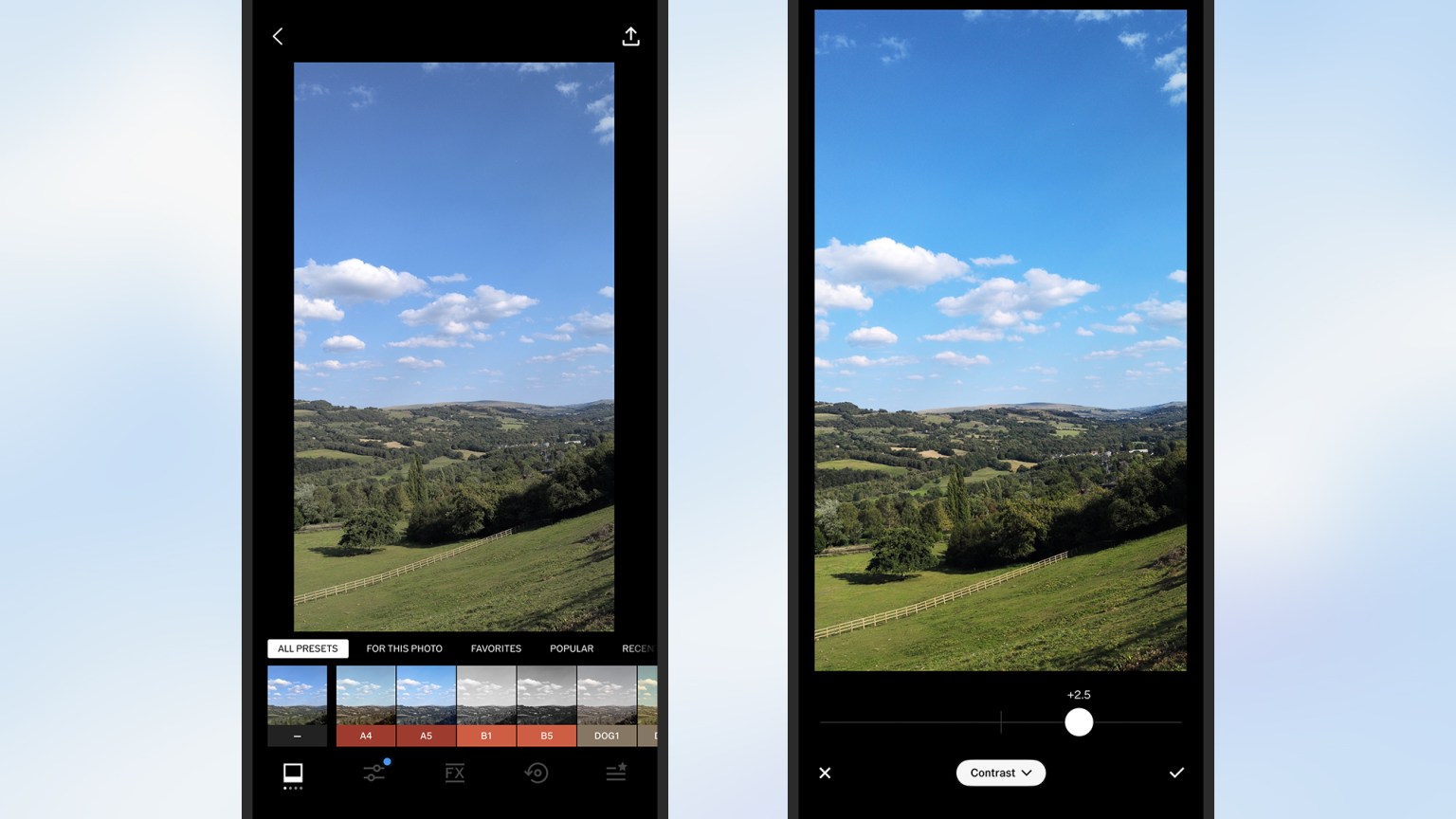
The application relies on its proprietary Film X technology, which emulates classic analog stocks like Kodak Portra, Fujifilm Provia, and Ilford HP5 by analyzing the physical properties of real film. Beyond presets, VSCO provides a refined suite of manual editing tools. Users can adjust clarity, sharpen details, manipulate HSL (Hue, Saturation, Luminance) sliders, and apply grain controls that replicate authentic 35mm silver halide patterns.
Key Features of VSCO
- Presets: Access to over 200 filters replicating classic analog film aesthetics.
- Advanced HSL: Precise color grading control over individual color channels.
- Editing Suite: Granular sliders for exposure, contrast, temperature, and skin tone.
- VSCO Spaces: Collaborative albums and sharing spaces designed for creative teams.
- Video Editing: Applies the same aesthetic presets and color tools to mobile video clips.
Limitations of VSCO
While VSCO excels at artistic grading, it lacks advanced localized editing tools such as brush-based masks or object removal healing brushes. The application operates primarily on a subscription model (VSCO Membership), placing many of its iconic filters and advanced video tools behind a paywall.
2. Adobe Lightroom Mobile: Professional-Grade Control and RAW Processing
Adobe Lightroom Mobile brings the industry-standard RAW processing engine of its desktop counterpart directly to iOS and Android devices. It functions as both a dedicated camera application and a comprehensive non-destructive editing suite.
Lightroom shines when handling high-dynamic-range scenes. Its shadow and highlight recovery tools outperform most native mobile editors, pulling intricate details out of underexposed areas without introducing excessive digital noise. Furthermore, Lightroom integrates Adobe Sensei artificial intelligence to automatically select subjects, skies, or background elements, allowing for rapid, mask-based adjustments.
Key Features of Lightroom Mobile
- RAW Support: Full capability to import, edit, and export uncompressed RAW files from mobile devices.
- AI Masking: Automatic selection of subjects, backgrounds, and specific clothing or facial features.
- Healing Brush: Powerful object removal and dust-spot correction tools.
- Presets and Profiles: Downloadable community presets and professional-grade color profiles.
- Cloud Sync: Seamless synchronization of edits, presets, and images across mobile, tablet, and desktop applications.
3. Snapseed: The Versatile Powerhouse for Precision Local Editing
Developed by Google, Snapseed remains one of the most powerful and completely free mobile editing applications available. Unlike apps focused heavily on filters, Snapseed prioritizes structural, localized adjustments and advanced healing operations.
Its standout feature is the "Selective" tool, which allows users to place control points on an image, adjust brightness, contrast, and saturation in that specific area, and control the radius of the effect using pinch-to-zoom gestures. Additionally, features like "Healing," "Perspective," and "Double Exposure" offer capabilities usually reserved for desktop software like Adobe Photoshop.
Key Features of Snapseed
- Stacks: A non-destructive editing history that lets users modify or delete past edits individually.
- Selective Adjustments: Control points for localized edits without complex masking interfaces.
- Healing Tool: Advanced content-aware removal of unwanted objects and distractions.
- Aesthetics: Vintage, Drama, and HDR Scape filters for dramatic stylistic transformations.
- Curve Tool: Full RGB and individual channel tone curve manipulation.
4. Photoleap: Creative Compositing and AI-Driven Artistry
Photoleap (formerly Enlight) targets creators looking to push past traditional photographic adjustments and delve into digital art, surrealism, and advanced graphic design. It bridges the gap between a standard photo editor and a digital canvas.
The app provides robust layering systems similar to desktop software, allowing users to combine multiple images, blend modes, and graphical elements. In recent updates, Photoleap has integrated generative AI tools, enabling users to expand image backgrounds, transform photos into paintings, or generate unique visual elements directly from text prompts.
Key Features of Photoleap
- Layers and Blending: Multi-layer support with comprehensive blend modes and opacity controls.
- AI Generators: Text-to-image generation and AI background replacement.
- Cutout and Magic Eraser: Automatic background removal with fine-tuning brushes.
- Kinetic Effects: Animation tools that add motion to still photographs.
5. Picsart: The All-in-One Social Creation and Design Suite
Picsart functions as a massive creative ecosystem tailored for social media content creators, marketers, and casual editors. It goes far beyond photo editing, incorporating collage makers, sticker libraries, text overlay tools, and template builders.
For pure photo editing, Picsart offers a comprehensive toolset including AI enhancers, face tuners, background changers, and artistic filters. Its strength lies in speed and community-driven content, making it ideal for designing promotional flyers, YouTube thumbnails, and stylized Instagram posts.
Key Features of Picsart
- Stickers and Text: Millions of free stickers, fonts, and graphical elements.
- AI Enhancer: Upscaling tools that sharpen blurry or low-resolution images.
- Collage Maker: Grid-based and freeform collage layouts with customizable borders.
- Batch Editing: Apply uniform edits and watermarks to multiple photos simultaneously.
6. EPIK: Trendy Retouching and Portrait Optimization
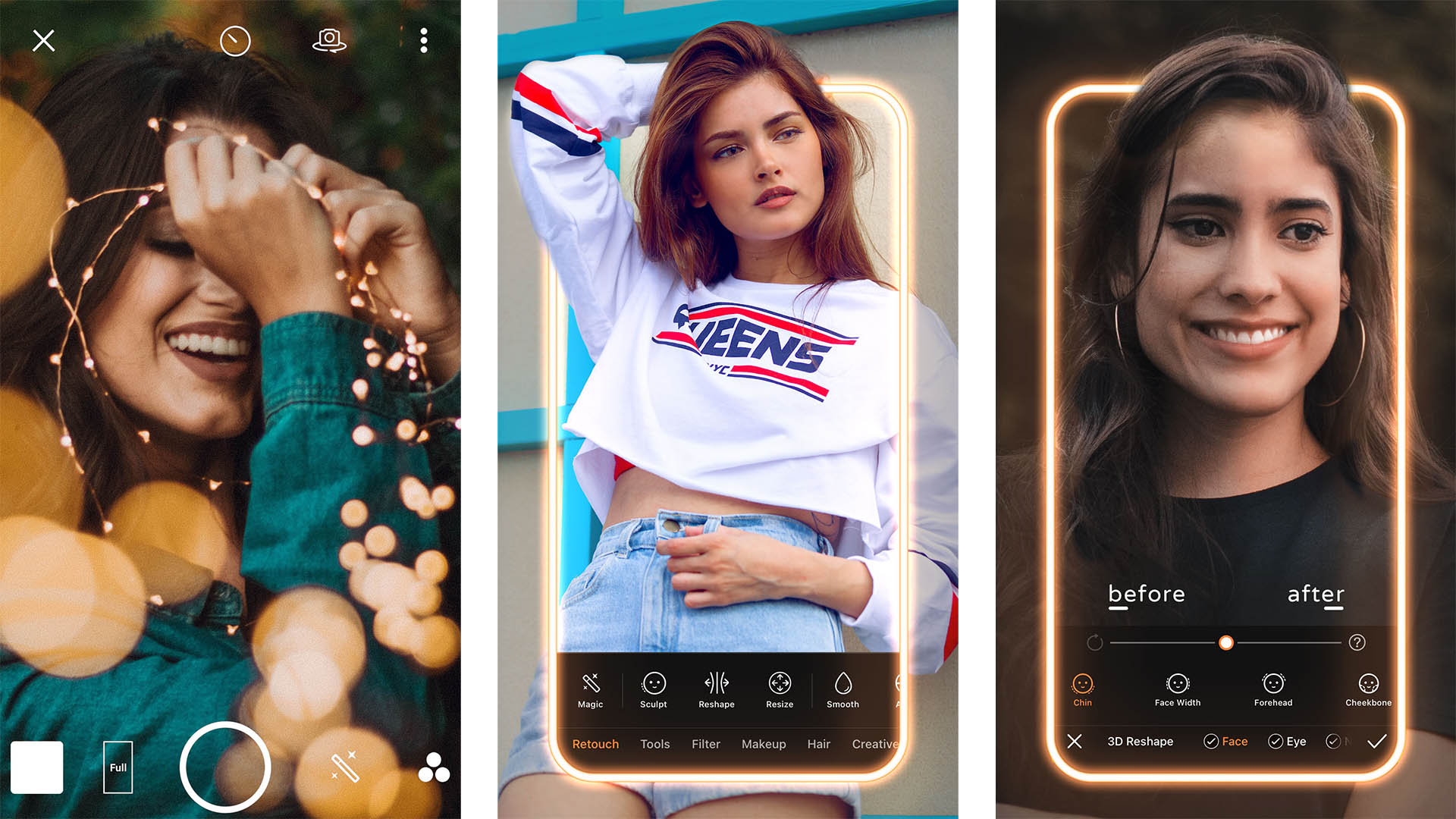
EPIK has gained immense traction on both iOS and Android for its specialized focus on portrait retouching, skin smoothing, and modern aesthetic trends. While many editors handle landscapes and street photography well, EPIK optimizes for human subjects.
The app provides granular face-reshaping tools, makeup application simulators, and skin-texture preservation algorithms that avoid the overly plastic look common in older beauty apps. Furthermore, EPIK offers a wide selection of trendy collages, retro frames, and K-pop inspired color grades.
Key Features of EPIK
- Portrait Retouching: Precise control over facial features, skin tone, and body proportions.
- AI Makeup: Realistic digital makeup application that matches lighting conditions.
- Smart Cutout: Clean subject isolation optimized for portrait stickers and profile pictures.
- Retro Elements: Authentic 90s camcorder styles, film dust, and vintage borders.
Comprehensive Comparison of Top Photo Editing Apps
| Application | Primary Focus | RAW Support | Advanced AI Tools | Cost Model | Best For |
|---|---|---|---|---|---|
| VSCO | Film simulation & aesthetics | Limited | Basic | Freemium (Subscription) | Film look & portfolio consistency |
| Lightroom Mobile | Professional RAW processing | Full | Advanced Masking | Freemium (Cloud Sub) | Technical control & dynamic range |
| Snapseed | Precision local adjustments | Full | None | 100% Free | Detailed local touch-ups & healing |
| Photoleap | Digital art & compositing | Yes | Advanced Generative AI | Freemium (Subscription) | Surrealism & multi-layer art |
| Picsart | Social media design & graphics | Basic | Moderate | Freemium (Subscription) | Social graphics & marketing assets |
| EPIK | Portrait retouching & trends | Basic | Advanced Portrait AI | Freemium (Subscription) | Portrait editing & modern aesthetics |
Step-by-Step Guide: Editing a Photo with VSCO and Lightroom
To achieve a professional finish on mobile, many creators combine apps. For instance, using Lightroom for initial structural adjustments and VSCO for final color grading yields exceptional results.
- Import and Correct Exposure: Open Adobe Lightroom Mobile, import your RAW or high-resolution JPEG image, and adjust the Exposure, Highlights, and Shadows sliders to balance the dynamic range.
- Perform Local Clean-up: Use the Healing brush in Lightroom or Snapseed to remove dust spots, blemishes, or distracting background objects.
- Apply Subject Masking: Utilize AI masking to select the subject of the photo, slightly increasing their clarity and exposure to draw the viewer's eye.
- Export to VSCO: Export the adjusted image at maximum resolution and open it within VSCO.
- Grade the Color: Browse the preset library (such as the C-series or Portra emulations) to find a cohesive color palette. Lower the preset intensity slider to between 40% and 60% to maintain natural image integrity.
- Final Polish: Add a subtle touch of analog film grain and adjust the vignette before exporting your final image for sharing or printing.
Frequently Asked Questions
Which photo editing app is completely free with no hidden paywalls?
Snapseed is entirely free to use on both iOS and Android, offering advanced tools like curve adjustments, healing brushes, and selective control points without any subscription requirements or watermarks.
Can mobile photo editing apps handle professional RAW files?
Yes, applications like Adobe Lightroom Mobile and Snapseed natively import and process uncompressed RAW files (such as Apple ProRAW and .dng formats), allowing for deep recovery of shadows and highlights.
Is VSCO still relevant for professional photographers?
VSCO remains highly relevant for photographers and creators who want quick, high-end film aesthetics and a centralized platform for curating a visual portfolio, though it is often paired with Lightroom for heavy technical lifting.
How do I choose between Lightroom Mobile and VSCO?
Choose Lightroom Mobile if you require precise technical control, RAW editing, and advanced localized masking. Choose VSCO if your priority is achieving stylized, film-inspired color grades and maintaining a consistent aesthetic across your social media grid.
Are subscription fees for mobile editing apps worth the investment?
Subscriptions for apps like Lightroom or VSCO are worthwhile if mobile editing forms a core part of your professional workflow, content creation business, or if you regularly utilize cloud synchronization across multiple devices.
Selecting the right application comes down to matching your creative goals with the software's structural strengths. Whether you choose the deep technical control of Lightroom, the artistic freedom of Photoleap, or the timeless film aesthetic of VSCO, modern mobile devices offer all the power needed to produce gallery-worthy imagery on the go.
Image Gallery