How E-Payables Work for Businesses: A Complete Guide to Digital Accounts Payable
Electronic payables, or e-payables, streamline the accounts payable process by replacing manual, paper-based workflows with a digital-first approach. They function by integrating invoice automation software with electronic payment rail...
Electronic payables, or e-payables, streamline the accounts payable process by replacing manual, paper-based workflows with a digital-first approach. They function by integrating invoice automation software with electronic payment rails—such as virtual cards, ACH, or real-time payments—to automate data entry, approval routing, and final fund disbursement while ensuring seamless reconciliation with a company's ERP system.
Contents
The shift toward e-payables represents more than just a move away from paper checks; it is a fundamental restructuring of how businesses manage their working capital and vendor relationships. By 2026, the adoption of ISO 20022 standards and AI-driven automation has made e-payables the baseline for mid-market and enterprise-level financial operations. This guide explores the mechanics, technologies, and strategic advantages of implementing an e-payables framework.
The core mechanics of the e-payables workflow
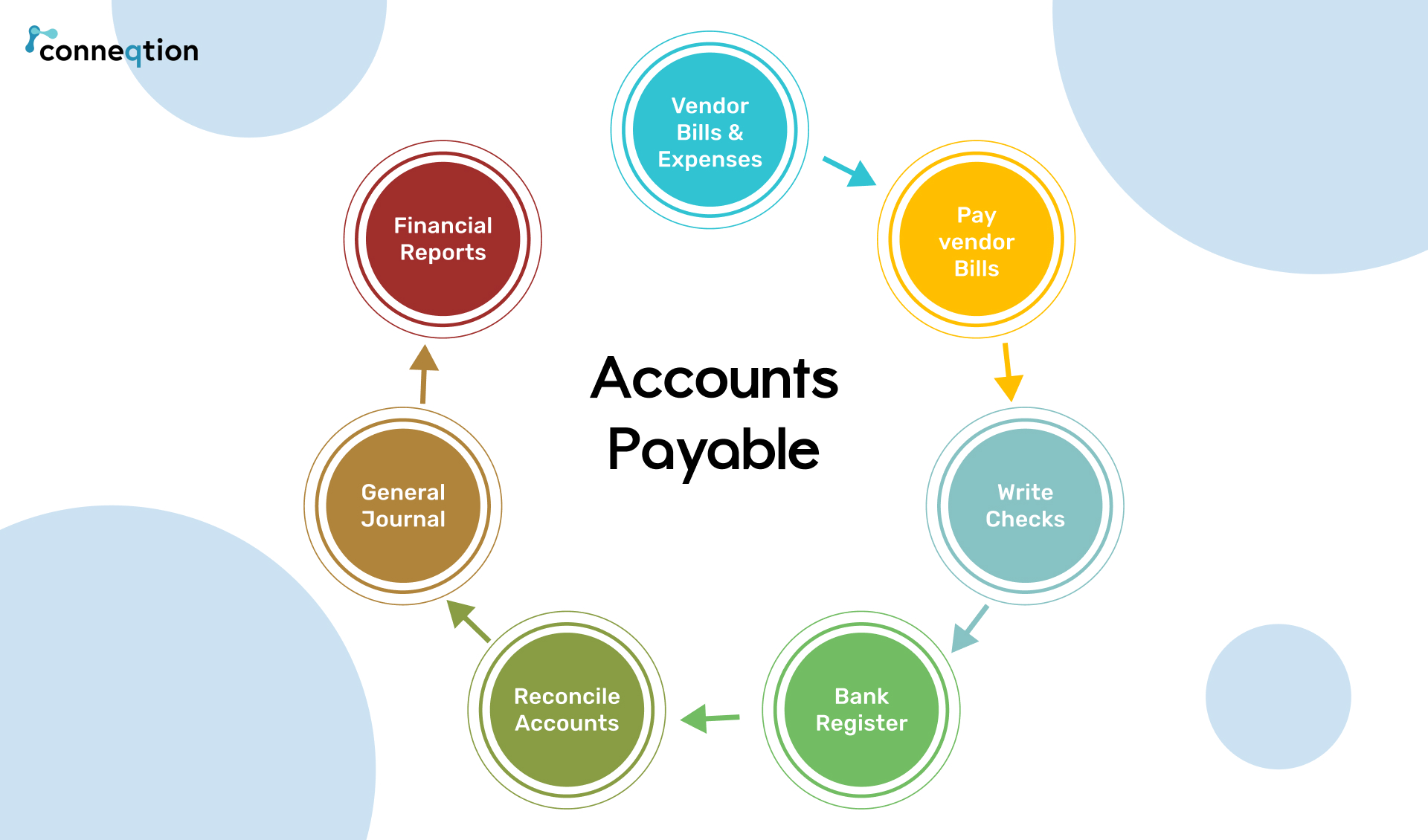
To understand how e-payables work, one must view the accounts payable (AP) cycle as an end-to-end digital journey. The process begins the moment a vendor generates an invoice and ends only when the payment is reconciled in the general ledger.
1. Digital Invoice Capture and Data Extraction
The first step in the e-payables chain is the ingestion of billing data. Unlike traditional methods where an AP clerk manually enters data from a PDF or paper document, e-payables utilize Optical Character Recognition (OCR) enhanced by Machine Learning (ML). In 2026, these systems no longer just "read" text; they understand context, identifying line items, tax jurisdictions, and payment terms automatically.
When an invoice arrives via email or a vendor portal, the software extracts the relevant data points and matches them against existing purchase orders (POs) and receiving reports. This is known as three-way matching. If the data aligns within pre-set tolerances, the system advances the invoice to the next stage without human intervention.
2. Automated Approval Routing
Once validated, the invoice enters a digital workflow. Based on the business's hierarchy and delegation of authority, the e-payables system routes the invoice to the appropriate department head or manager for approval. These workflows are customizable; for instance, any invoice over $10,000 might require two-tier approval, while recurring utility bills under $500 might be auto-approved.
3. Payment Execution via Electronic Rails
The "payables" portion of the name refers to the actual disbursement of funds. Once an invoice is approved, the system prepares a payment file. Instead of printing a check, the business selects an electronic method. The most common e-payable methods include:
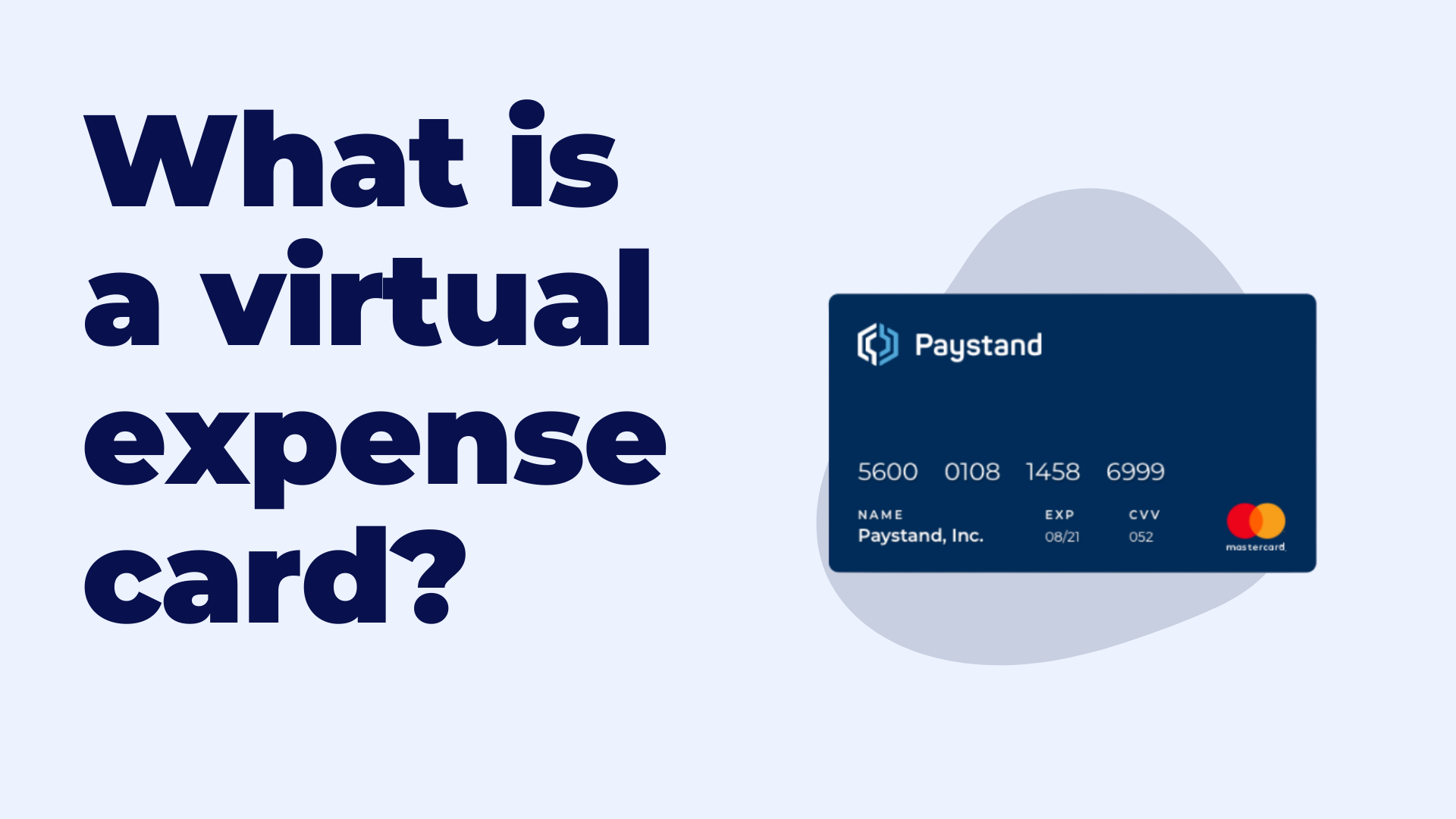
- Virtual Credit Cards: A unique, 16-digit card number generated for a specific transaction amount and vendor.
- ACH (Automated Clearing House): Direct bank-to-bank transfers, often utilized for recurring high-volume payments.
- Real-Time Payments (RTP): Immediate fund transfers that provide instant liquidity to vendors.
- Wire Transfers: Typically reserved for high-value or international transactions requiring immediate settlement.
4. Real-Time Reconciliation
The final step is the most critical for the accounting team. E-payables systems communicate directly with the company’s Enterprise Resource Planning (ERP) software through APIs (Application Programming Interfaces). When a payment is made, the system automatically marks the invoice as "paid" in the general ledger and attaches the electronic payment confirmation. This eliminates the need for manual end-of-month bank reconciliations.
Strategic Benefits of Implementing E-Payables
Businesses do not switch to e-payables merely for convenience; the transition is driven by quantifiable financial and operational incentives.
Revenue Generation through Rebates
One of the most compelling aspects of e-payables, particularly virtual cards, is the opportunity to turn the AP department into a profit center. Most virtual card providers offer cash-back rebates on the total spend processed through the platform. For a company processing $50 million in annual payables, even a 1% rebate results in $500,000 of pure bottom-line income.
Fraud Mitigation and Security
Paper checks are historically the most vulnerable payment method to fraud. E-payables mitigate this risk through several layers of security:
- Single-Use Virtual Cards: Because a virtual card is generated for a specific amount and often expires after one use, it cannot be stolen or reused for unauthorized purchases.
- Multi-Factor Authentication (MFA): Access to the payment portal requires rigorous identity verification.
- Encryption and Tokenization: Sensitive banking data is never stored in plain text, reducing the impact of potential data breaches.
Optimized Working Capital
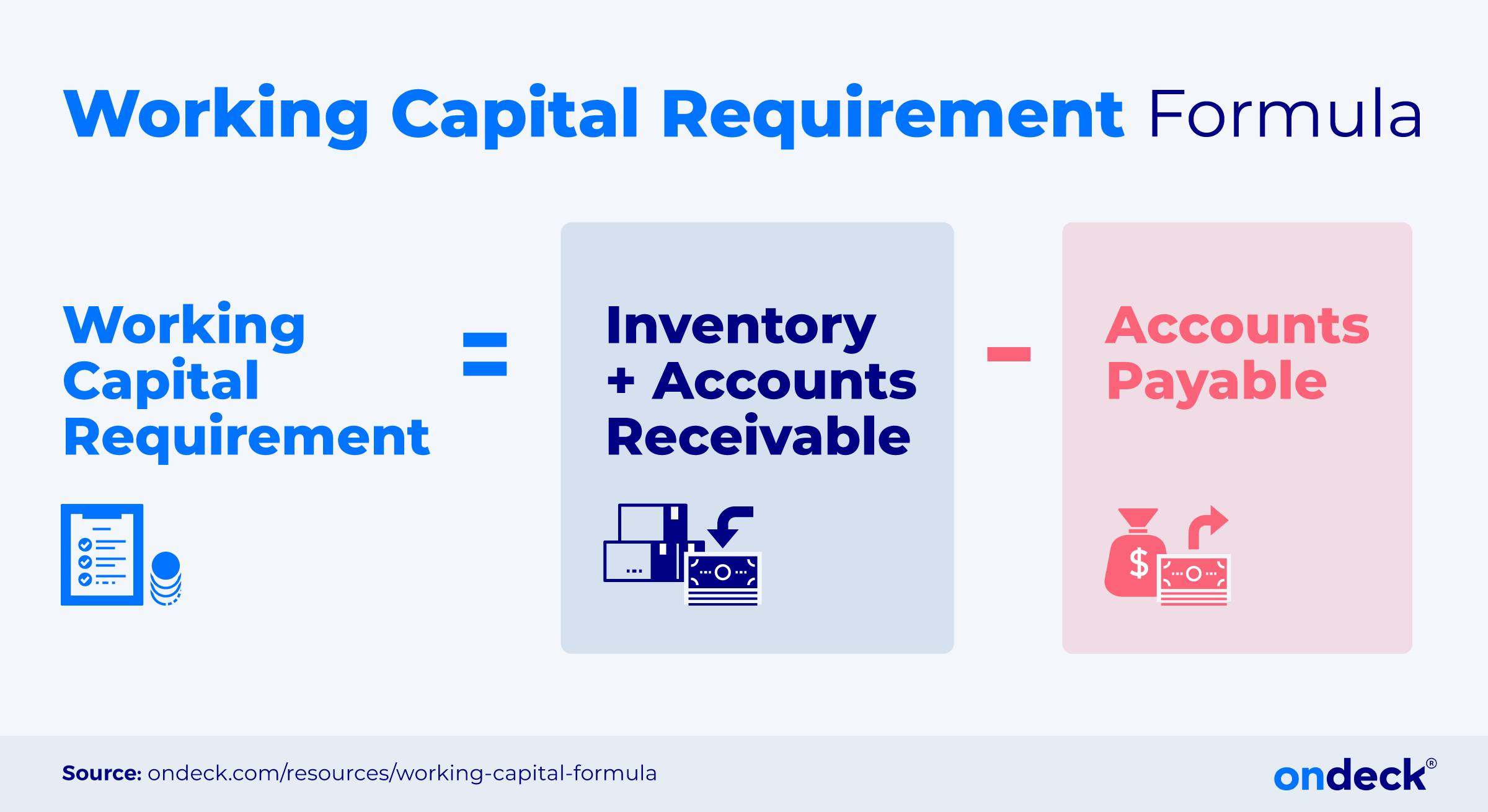
E-payables give finance leaders greater control over the "timing" of cash outflows. By using a virtual card, a business can pay a vendor immediately (securing early payment discounts) while the actual cash does not leave the business's bank account until the card's billing cycle is settled. This extends the Days Payable Outstanding (DPO) without harming vendor relationships.
Comparing E-Payable Methods
Not all electronic payments are created equal. Businesses must choose the right "rail" based on the vendor's preferences and the transaction's nature.
| Feature | Virtual Cards | ACH Transfers | Real-Time Payments (RTP) | Wire Transfers |
|---|---|---|---|---|
| Settlement Speed | Instant (Authorized) | 1-3 Business Days | Seconds | Same Day |
| Cost to Sender | Usually Free / Rebate-Earning | Low (Cents) | Moderate | High ($15-$50) |
| Security Level | Highest (Single-use) | High | High | Moderate (Irreversible) |
| Data Richness | High (Remittance built-in) | Moderate | High (ISO 20022) | Low |
| Vendor Acceptance | Growing (Requires merchant setup) | Very High | High (in 2026) | Universal |
Key Requirements for E-Payable Success
Transitioning to an e-payables model requires more than just software; it requires a strategic approach to data and vendor management.
ERP Integration
The e-payables solution must be "agnostic" or deeply integrated with the business's existing ERP (e.g., NetSuite, SAP, Microsoft Dynamics 365). Without a seamless flow of data between the payment portal and the accounting system, the business merely trades manual data entry for manual file uploads, defeating the purpose of automation.
Vendor Onboarding and Enablement
A common hurdle is vendor resistance, particularly regarding virtual cards due to merchant processing fees. Successful businesses utilize "vendor enablement" teams—often provided by the e-payables software vendor—to contact suppliers and explain the benefits of electronic payments, such as faster settlement and more detailed remittance data.
Compliance and Regulatory Alignment
In 2026, global tax authorities have increasingly moved toward "continuous transaction controls" (CTC). E-payable systems must be able to generate digital signatures and archive invoices in accordance with local laws (such as GDPR in Europe or various state-level privacy acts in the US) to ensure audit-readiness.
Common Mistakes in E-Payable Adoption
Despite the advantages, implementation can fail if certain pitfalls are not avoided:
- Ignoring the "Long Tail" of Vendors: Many businesses only automate payments for their top 20% of vendors. True efficiency is found when the system can handle the "long tail" of smaller, infrequent suppliers as well.
- Poor Data Hygiene: If the vendor master file in the ERP is filled with duplicate entries or outdated banking info, the e-payables system will encounter constant errors and exceptions.
- Neglecting the User Experience: If the approval workflow is too cumbersome for department managers, they will find workarounds, leading to "shadow AP" and a breakdown in internal controls.
Troubleshooting Operational Issues
Even the most advanced systems encounter friction. Common issues include:
- OCR Failures: If a vendor sends a poorly formatted or handwritten invoice, the AI may fail to extract data. Modern systems flag these as "exceptions" for manual review.
- Declined Virtual Cards: This usually happens if the vendor attempts to charge an amount that exceeds the pre-authorized limit or if the card has expired. Resolving this requires adjusting the card parameters in the payment portal.
- Payment Reversals: Unlike checks, electronic payments are harder to "stop" once initiated. Businesses must ensure that the "final approval" step is rigorous to prevent accidental overpayments.
Frequently Asked Questions
Does my business need to change banks to use e-payables?
Generally, no. Most modern e-payables platforms are bank-agnostic, meaning they sit on top of your existing corporate checking accounts. They use APIs to pull necessary funds or initiate instructions to your current financial institution. However, some platforms offer better integration or higher rebate tiers if you use their preferred banking partners.
What is the difference between e-payables and an ERP?
An ERP (Enterprise Resource Planning) is the comprehensive "system of record" for all business data. E-payables software is a specialized "system of engagement" that focuses specifically on the workflow and execution of payments. The two work together; the e-payables tool handles the "heavy lifting" of invoice processing and then sends the finalized data to the ERP.
Are e-payables safe for international payments?
Yes, e-payables systems are often better equipped for international transactions than traditional banking portals. They can handle currency conversion, ensure compliance with "Know Your Customer" (KYC) regulations, and utilize global networks like SWIFT or local domestic rails to ensure funds arrive securely in the vendor's local currency.
How much does it cost to implement e-payables?
Costs typically involve a one-time implementation fee and an ongoing monthly subscription or per-transaction fee. However, many businesses find the "net cost" is zero or even positive. This is because the labor savings (reducing the time spent on manual entry) and the revenue from virtual card rebates often exceed the software's cost.
Why would a vendor accept a virtual card if it costs them a processing fee?
Vendors often prioritize cash flow over small percentage fees. Virtual cards provide immediate payment upon invoice approval, whereas a check might take weeks to arrive and clear. Furthermore, the rich remittance data provided with e-payables makes it easier for the vendor's own accounts receivable team to apply the payment correctly.
Practical Recommendation
For businesses looking to transition to e-payables, the most effective first step is to conduct a spend analysis. Review your last 12 months of accounts payable data to identify which vendors are already set up to accept credit cards or ACH. Start by migrating these "low-hanging fruit" vendors to an electronic workflow to demonstrate immediate ROI through rebates and time savings before tackling more complex vendor negotiations.
Image Gallery