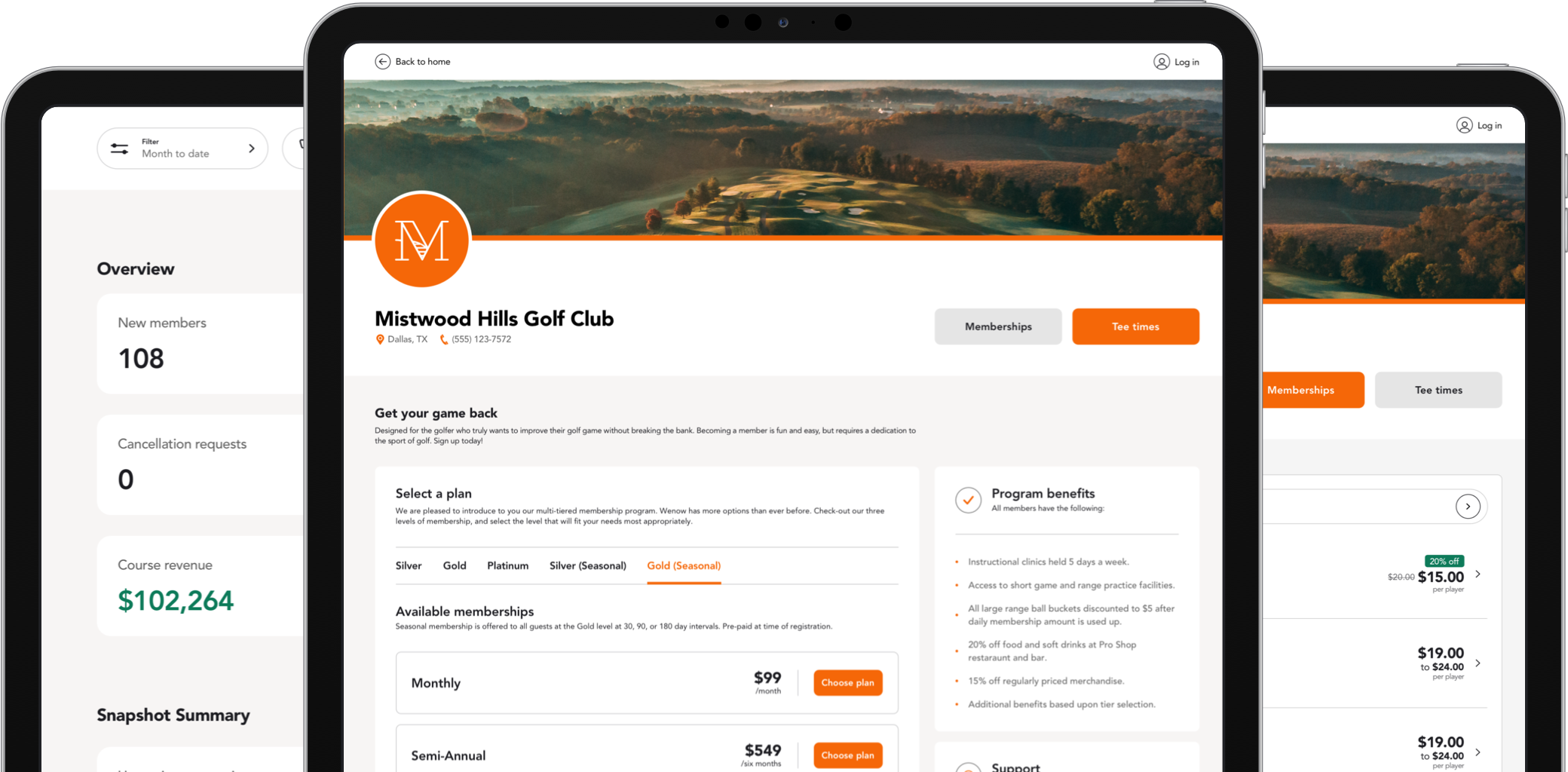
Complete Guide to Free Club Membership Software: Features, Limitations, and Best Options
Free club membership software provides non-profit organizations, social clubs, sports leagues, and alumni associations with digital tools to automate member registration, renewal tracking, payment collection, and community communicatio...
Free club membership software provides non-profit organizations, social clubs, sports leagues, and alumni associations with digital tools to automate member registration, renewal tracking, payment collection, and community communication. These platforms eliminate manual spreadsheet tracking, reduce administrative overhead, and simplify member engagement without requiring upfront software licensing fees.
Contents
What Is Club Membership Software and Who Needs It?
Managing a membership-based organization manually creates operational friction. As a club grows beyond a few dozen members, tracking dues, updating contact details, organizing events, and sending newsletter updates in spreadsheets like Microsoft Excel or Google Sheets becomes error-prone and time-consuming.
Club membership software is a specialized database and administrative management tool designed to centralize member records, streamline communication, automate dues renewal invoicing, and host event sign-ups. Organizations that benefit from membership platforms include:
- Non-Profit Organizations and Charities: Entities needing compliant donor databases, automated tax receipting, and member retention tools.
- Sports Clubs and Youth Leagues: Teams requiring roster management, seasonal registration forms, waiver collection, and schedule coordination.
- Homeowners Associations (HOAs) and Community Groups: Neighborhood boards managing resident directories, fee assessments, and maintenance announcements.
- Professional Associations and Fraternal Orders: Specialized groups managing credentialing, continuing education tracking, and tiered membership dues.
- Hobby and Social Clubs: Book clubs, car enthusiast groups, and local social circles seeking simple event RSVPs and group messaging.
While enterprise institutions often pay thousands of dollars annually for custom Association Management Software (AMS), small to mid-sized clubs can leverage zero-cost or freemium solutions to achieve professional digital administration without straining their operating budget.
Core Features of Modern Membership Systems
Before evaluating specific free software platforms, administrators must understand the primary feature modules that make membership management software effective.
1. Centralized Member Database
The core of any membership platform is a centralized relational database. Unlike static spreadsheets, a dedicated software database updates member profiles automatically when members pay dues, register for events, or update their contact details through a self-service portal.
2. Automated Dues and Payment Processing
Automated recurring billing reduces past-due accounts. Software integration with payment gateways such as Stripe or PayPal allows members to pay dues via credit card or Automated Clearing House (ACH) transfers. The system automatically sends payment receipts and updates account statuses to "Active" or "Expired."
3. Member Self-Service Portals
Self-service capabilities allow members to log into an online directory, view their payment history, renew subscriptions, download membership cards, and update demographic information without emailing an administrative officer.
4. Communication and Email Marketing Tools
Built-in bulk email messaging tools enable administrators to segment members by tier, join date, or activity level. These tools track open rates, bounce rates, and click-through rates, replacing the need for separate third-party email platforms.
5. Event Management and Ticketing
Integrated event management allows administrators to publish calendars, set ticket pricing for members versus non-members, collect custom RSVP questions, and issue digital event check-in passes.
Free Forever vs. Freemium vs. Free Trials: Understanding Software Models
Software vendors use different financial models under the "free" label. Understanding these distinctions prevents unexpected platform lock-in or unbudgeted costs.
| Software Cost Structure | Description |
|---|---|
| 100% Free (Donor-Funded) | Zero subscription fees; funded by voluntary tips from users or payment processing micro-donations. |
| Freemium (Tiered Plan) | Free usage up to a strict cap (e.g., 50 members); paid upgrade required for higher capacity or features. |
| Free Trial (Time-Limited) | Unrestricted platform access for 14 to 30 days; requires paid conversion to retain access. |
- 100% Free (Donor-Funded or Zero-Fee Platforms): Platforms like Zeffy operate on a zero-platform-fee model specifically for registered non-profit organizations. They generate revenue by giving buyers or donors the option to leave a voluntary tip during payment checkout. The non-profit pays $0 in software subscriptions and $0 in credit card processing fees.
- Freemium Models: Vendors provide a restricted version of their software at no charge indefinitely. Restrictions typically limit total contacts (e.g., up to 50 or 100 contacts), administrative logins, or advanced reporting tools. Once a club exceeds these thresholds, it must upgrade to a paid subscription.
- Free Trials: Vendors offer full access to premium tiers for a limited window (usually 14 to 30 days). Once the trial expires, the software locks out administrative features until a paid subscription is activated.
Top Free and Freemium Club Membership Software Solutions
Evaluating membership software requires balancing immediate capacity needs with long-term organizational growth. Below are the leading platforms offering functional free plans or zero-fee operational frameworks.
1. Zeffy (Best 100% Free Option for Non-Profits)
Zeffy is a zero-fee management platform built exclusively for registered non-profits, charities, and educational organizations.
- Cost Structure: 100% free with no credit card processing fees. Supported entirely by voluntary donor tipping at checkout.
- Key Capabilities: Unlimited member records, automated membership renewals, custom registration forms, donor tracking, built-in email messaging, and event ticketing.
- Best Suited For: Registered 501(c)(3) non-profits and registered charities seeking a zero-overhead membership database and payment processor.
- Operational Limitations: Restricted exclusively to recognized non-profit status; commercial clubs or informal social groups are ineligible.
2. WildApricot by Personify (Best for Small Groups Needing Full AMS Features)
WildApricot is an established association management platform that offers a restricted free account tier alongside its paid enterprise plans.
- Cost Structure: Free plan capped at 50 contacts and one administrator account.
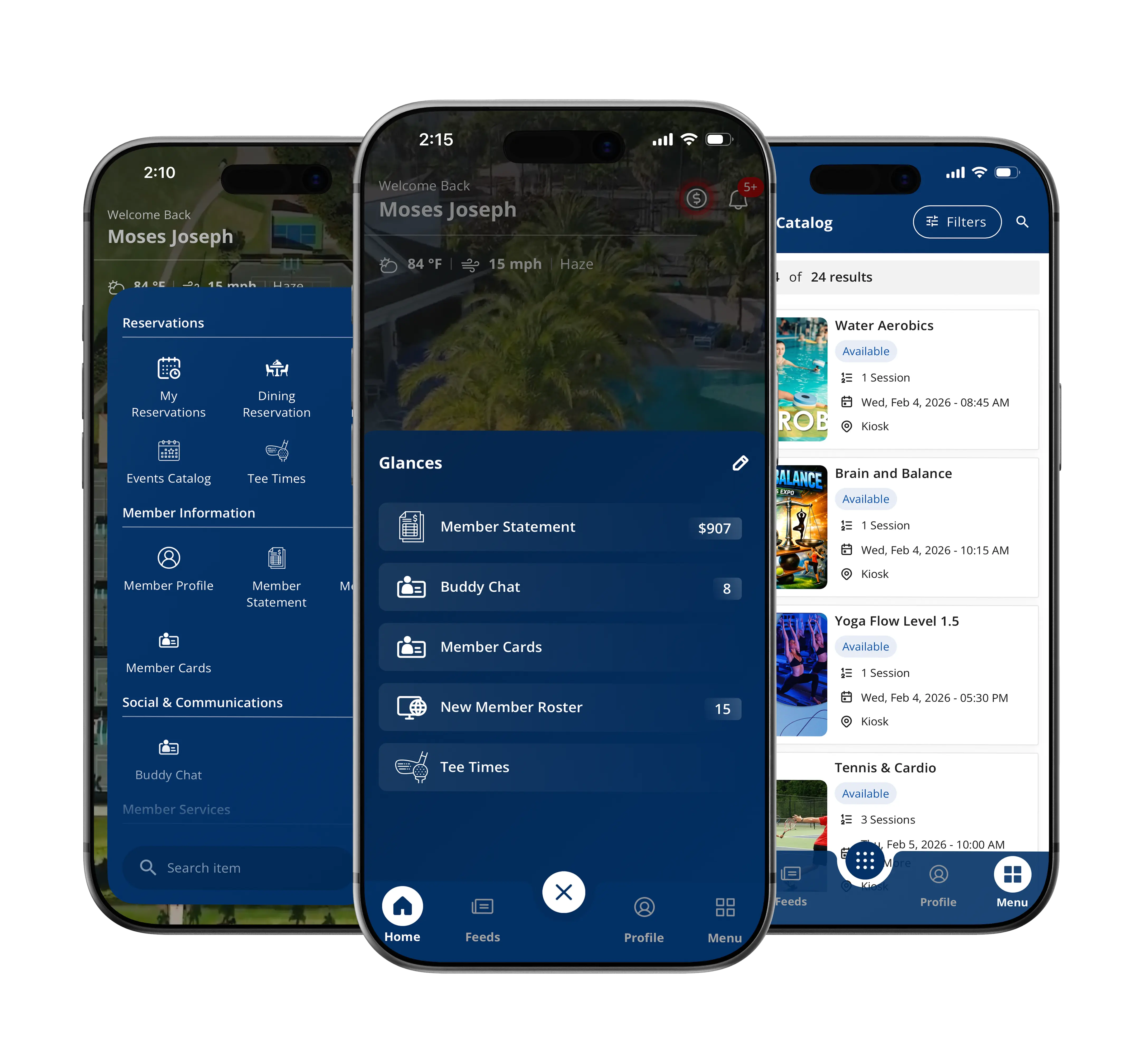
- Key Capabilities: Mobile app access for admins and members, web site builder, online store capability, contact database management, and basic event creation.
- Best Suited For: Very small local clubs, nascent associations, or board-only management teams under 50 members.
- Operational Limitations: The 50-contact hard ceiling includes both active members and archived contacts. Exceeding 50 contacts requires upgrading to a paid plan.
3. Memberplanet (Best for Fraternal and Community Organizations)
Memberplanet offers structured management tools for group leaders, featuring a functional free entry tier for basic community workflows.
- Cost Structure: Free basic tier with payment processing fees assessed per transaction (typically 3% to 4% plus a fixed transaction fee).
- Key Capabilities: Broadcast SMS and email communications, automated dues collection, registration form builders, and basic group directories.
- Best Suited For: Mid-sized alumni groups, PTAs, and community organizations prioritizing communication over web design.
- Operational Limitations: Higher per-transaction processing fees on the free plan compared to standard merchant rates, along with limited custom branding options.
4. Open-Source Alternatives: CiviCRM (Best for Technical Control)
CiviCRM is an open-source, web-based constituent relationship management software designed for advocacy, non-profit, and membership organizations.
- Cost Structure: Free software license (GNU AGPLv3).
- Key Capabilities: Deep integration with Content Management Systems (CMS) such as Drupal, WordPress, and Joomla; unlimited records; complex multi-tier membership tracking; and robust data privacy control.
- Best Suited For: Organizations with dedicated IT staff, technical volunteers, or existing self-hosted CMS infrastructure.
- Operational Limitations: Requires self-hosting, server maintenance, ongoing technical updates, and initial database configuration expertise.
5. No-Code Databases: Airtable & Google Workspace (Best Custom Alternative)
For informal groups that do not require member self-service portals, combining low-code relational tools like Airtable or Google Sheets with automated Google Forms provides a flexible custom workflow.
- Cost Structure: Free tiers available (Airtable offers free bases up to 1,000 records per base; Google Workspace tools are free for personal accounts).
- Key Capabilities: Complete structural customization, native mobile apps, automated email triggers via Zapier or Make, and simple interface builders.
- Best Suited For: Unique organizational structures that fall outside standard membership models.
- Operational Limitations: Lacks native payment processing integrations, automated self-service renewal portals, and built-in legal compliance tools out of the box.
Comparative Analysis of Top Free Membership Tools
The following table summarizes core capabilities, pricing structures, and record limits across leading free and freemium membership software options:
| Platform | License Model | Max Free Contacts | Native Payment Processing | Self-Service Member Portal | Website Builder Included | Ideal Use Case |
|---|---|---|---|---|---|---|
| Zeffy | 100% Free (Donor-funded) | Unlimited | Yes (0% transaction fees) | Yes | No (Landing pages only) | Registered 501(c)(3) non-profits |
| WildApricot | Freemium | 50 contacts | Yes (Requires third-party gateway) | Yes | Yes (Full CMS included) | Micro-clubs under 50 members |
| Memberplanet | Freemium | Unlimited contacts | Yes (Higher per-transaction fee) | Yes | No (Basic widgets) | Community & civic groups |
| CiviCRM | Open-Source | Unlimited | Yes (Extension required) | Yes | Yes (Integrates with CMS) | Tech-capable organizations |
| Airtable | Freemium | 1,000 records/base | No (Requires third-party automation) | No (Internal interfaces only) | No | Custom database structures |
Key Technical and Operational Limitations of Free Plans
While free membership software saves money upfront, administrators must consider several hidden costs and operational limits before deploying a platform:
Transaction Fees and Merchant Costs
Zero subscription software does not always mean zero payment fees. Except for donor-funded platforms like Zeffy, most free software tiers require connecting payment gateways such as Stripe or PayPal. Standard merchant processing fees typically range from 2.2% to 2.9% plus $0.30 per transaction. Some freemium platforms add an extra surcharge on top of gateway fees for users on free tiers.
Contact and Record Ceilings
Freemium software vendors use contact ceilings to drive conversions to paid subscriptions. Administrators should clarify whether a platform counts inactive members, lapsed donors, or event guests toward the contact limit. Reaching a 50-contact cap can suddenly lock out administrative features until the group upgrades to a monthly paid plan.
Data Ownership and Portability
Before populating a free database, verify the platform's data export capabilities. Ensure the system permits full data extraction via CSV, XLSX, or JSON formats without adding paywalls or administrative export fees. Retaining easy access to your full database protects your organization if you choose to migrate platforms later.
Branding and White-Labeling Restrictions
Free-tier software usually displays the vendor's logo on registration forms, emails, and member portals. Removing vendor logos and using a custom domain (e.g., members.yourclub.org) typically requires upgrading to a paid subscription tier.
How to Transition from Spreadsheets to Membership Software
Migrating an established membership directory into dedicated management software requires systematic data preparation. Follow these step-by-step guidelines to ensure a smooth transition:
- Step 1: Clean & Standardize
- Step 2: Map Custom Database Fields
- Step 3: Conduct Test Import
- Step 4: Launch Member Onboarding
Step 1: Clean and Standardize Existing Data
Open your current spreadsheet directory and resolve data inconsistencies before importing records into the new system:
- Standardize date formats (e.g.,
YYYY-MM-DD). - Separate combined fields (split
Full NameintoFirst NameandLast Name). - Remove duplicate email addresses and archive inactive records.
- Standardize member status categories (e.g.,
Active,Lapsed,Honorary).
Step 2: Map Custom Database Fields
Define your target data structure inside the software database. Match default fields (First Name, Last Name, Email, Address, Join Date) to your source spreadsheet. Create custom attributes for club-specific information, such as shirt size, emergency contact numbers, boat registration numbers, or committee assignments.
Step 3: Conduct a Test Import
Export a small subset of clean data (10 to 20 records) to a CSV file and import it into the new platform's sandbox or trial database. Verify that fields map accurately, special characters parse correctly, and no data is corrupted or dropped during import.
Step 4: Configure Payment Gateways and Dues Rules
Connect your club’s bank account through the integrated payment gateway (e.g., Stripe, PayPal, or internal payout routing). Set up automated subscription intervals (annual, quarterly, or monthly), trial periods, grace periods for overdue dues, and automated email payment reminders.
Step 5: Launch Member Onboarding Communications
Inform members before launching the new self-service platform. Send an email campaign explaining the migration, outlining the benefits of the new portal, and providing a direct link for members to set up their password, claim their profile, and verify their payment credentials.
Frequently Asked Questions
Can a non-profit access 100% free club membership software without hidden fees?
Yes. Platforms like Zeffy offer complete membership management, event registration, and email messaging software with zero subscription fees and zero payment processing fees for registered non-profit entities. The model relies entirely on optional donor tipping at checkout.
Is Excel or Google Sheets considered membership management software?
No. Spreadsheets are static manual databases. They lack integrated payment processing, automated renewal reminders, secure member login portals, automated event sign-ups, and role-based access control. Dedicated membership software automates administrative workflows that spreadsheets cannot execute natively.
What happens when a club exceeds the contact limits on a freemium plan?
When an organization exceeds the maximum contact allowance on a freemium platform (such as WildApricot's 50-contact limit), the software typically restricts access to administrative tools, prevents adding new records, or prompts an upgrade to a paid subscription tier.
Is open-source software like CiviCRM truly free?
CiviCRM software is open-source and free to download and use under a public license. However, it requires technical infrastructure to host, secure, maintain, and integrate with a web Content Management System (CMS). Organizations without in-house technical resources may incur costs for web hosting and third-party IT support.
Are free membership tools secure enough to handle financial and personal data?
Reputable membership management platforms handle payment processing using PCI-DSS compliant third-party processors like Stripe or PayPal. This approach ensures sensitive credit card details are never stored directly on your club's database servers. Administrators should also enforce multi-factor authentication (MFA) on all administrative logins.
Final Recommendations and Next Steps
Selecting the right free membership software depends on your legal organization structure, active member count, and technical resources:
- For Registered Non-Profits (501c3 / Charities): Adopt Zeffy to secure full database functionality, event ticketing, and online payment processing with zero operational overhead and zero payment fees.
- For Micro-Clubs Under 50 Members: Deploy WildApricot on its free tier to benefit from an all-in-one website builder, self-service member portal, and automated management software without recurring fees.
- For Tech-Enabled Groups: Install CiviCRM alongside your existing WordPress or Drupal CMS website for unlimited structural control and complete ownership of your constituent data.
Next Step: Perform a complete audit of your active member directory, export your contacts to a standardized CSV spreadsheet, and set up a free account on your chosen platform to test data migration before your next membership renewal cycle.
Image Gallery