How to Manage Old USAA Auto Insurance Cards: A Comprehensive Guide for 2026
Managing old USAA auto insurance cards involves a two-pronged approach: the secure disposal of physical paper cards to protect your personal data and the systematic digital archival of expired records for legal or financial reference....
Managing old USAA auto insurance cards involves a two-pronged approach: the secure disposal of physical paper cards to protect your personal data and the systematic digital archival of expired records for legal or financial reference. By utilizing the USAA Mobile App and Document Center, you can ensure your current proof of insurance is accessible while maintaining a clean, secure history of your past coverage.
Contents
As we navigate 2026, the transition toward a paperless insurance environment is nearly complete. However, many USAA members—comprising veterans, active-duty service members, and their families—still possess physical folders filled with years of expired insurance ID cards. While these small slips of paper may seem harmless, they contain sensitive information that requires careful handling. This guide provides a technical and practical framework for managing your USAA insurance documentation, from archival to destruction.
The Risks of Improperly Disposing of Old Insurance Cards
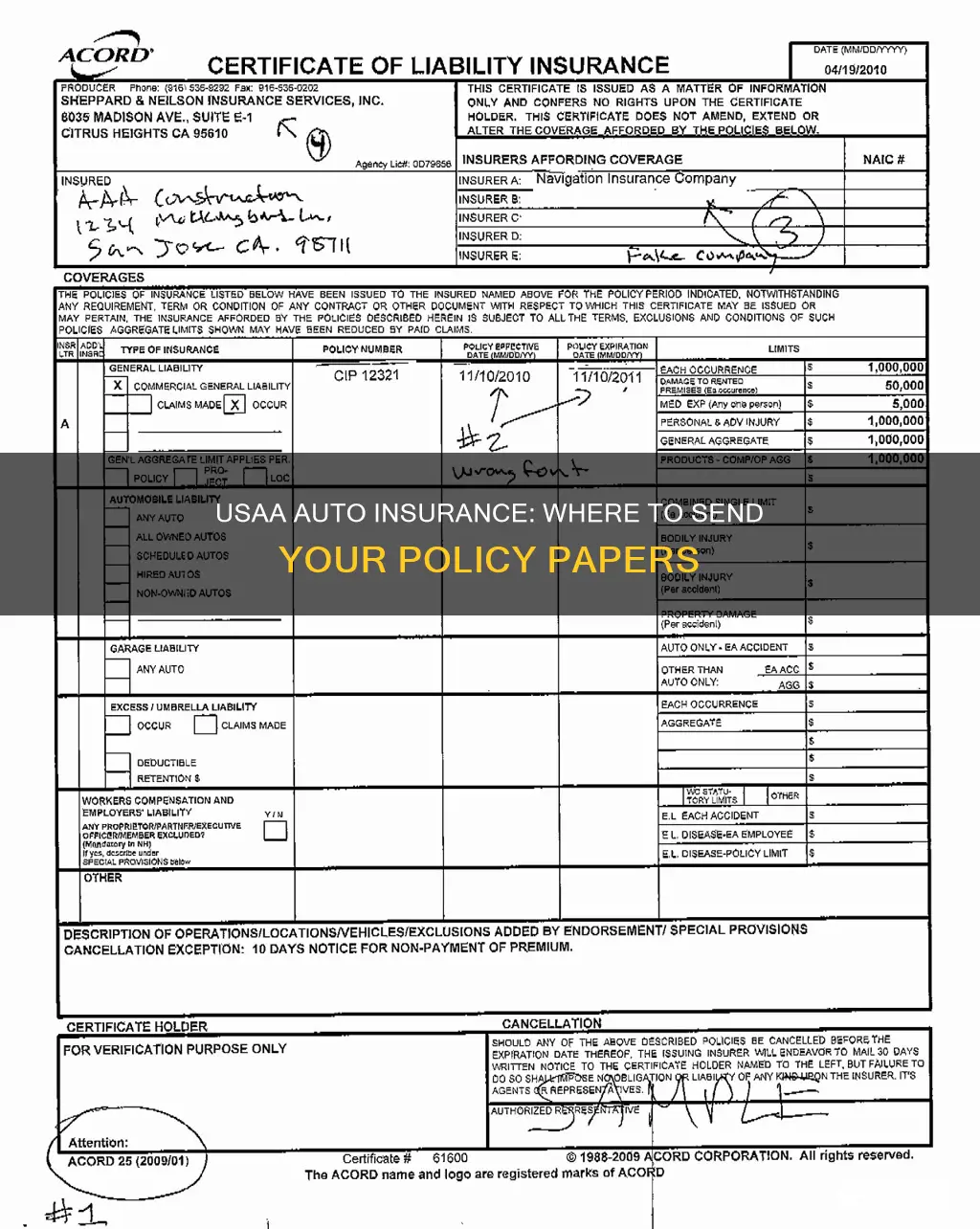
Old insurance cards are more than just clutter; they are potential goldmines for identity thieves. A standard USAA auto insurance card typically displays your full name, residential address, policy number, and the Vehicle Identification Number (VIN) of your insured cars.
Personally Identifiable Information (PII) Security
In the hands of a malicious actor, the combination of a policy number and a VIN can be used to facilitate insurance fraud or to obtain further personal details through social engineering. When you "manage" old cards, your first priority must be the destruction of this PII. Simply tossing an expired card into a trash bin exposes you to "dumpster diving" risks. In 2026, data privacy standards are more stringent than ever, and individuals are encouraged to treat insurance documents with the same level of caution as bank statements or tax returns.
Avoiding Legal Confusion
Keeping expired cards in your glove compartment alongside your active card is a common mistake that can lead to unnecessary complications during a traffic stop. If a law enforcement officer is handed an expired card, it may trigger an immediate computer check that, while eventually proving you are insured, extends the duration of the stop and increases the likelihood of a citation for "failure to provide proof of insurance" if the current card cannot be quickly produced. Proper management ensures that only the most current, valid documentation is accessible in your vehicle.
Step-by-Step Guide to Disposing of Physical USAA Cards
If you prefer to keep paper backups or have a backlog of cards from previous years, follow these steps to clear them out safely.
- Verify the Expiration Date: Before destroying any card, cross-reference the "Effective Date" and "Expiration Date" printed on the front with your current policy status in the USAA Mobile App. Ensure your new card has arrived and is active.
- Cross-Cut Shredding: Standard strip-cut shredders leave long pieces that can sometimes be reconstructed. Use a cross-cut or micro-cut shredder to reduce the card to confetti-like particles. This is the gold standard for destroying PII.
- Incineration (Optional): For those in rural areas where document burning is permitted and safe, incineration ensures the complete destruction of the card's data.
- Information Masking: If you do not have a shredder, use a heavy black permanent marker to completely obscure the policy number, VIN, and your address. Once masked, cut the card into very small pieces and distribute them across multiple trash bags.
Navigating the USAA Digital Document Center
USAA provides a robust digital infrastructure for managing your policy history. Instead of keeping physical stacks of old cards, you should rely on the USAA Document Center. This portal acts as a legal repository for your insurance history, often going back seven years or more.
Accessing Past Records via the Website
To find digital copies of old insurance cards or your "Declarations Page" (which serves as a more detailed proof of insurance), follow these steps:
- Log in to your account at USAA.com.
- Navigate to the Insurance tab and select Auto Insurance.
- Look for the Documents or Document Center link.
- Use the filter tool to select "Expired" or "Archived" documents.
- Search by year or by vehicle to find the specific ID card you need.
Using the USAA Mobile App for 2026 Standards
By 2026, the USAA Mobile App has become the primary tool for proof of insurance. The app allows you to view your current ID card even when offline—a critical feature if you are pulled over in an area with poor cellular reception.
- Offline Access: Ensure you have toggled the "View ID Card Offline" setting within the app’s security or preferences menu.
- Digital Wallet Integration: USAA supports adding your insurance card to Apple Wallet (iOS) or Google Wallet (Android). This is often the most efficient way to manage your current card, as it removes the need for physical copies entirely.
How Long Should You Keep Old Insurance Records?
A major part of management is knowing when a document is no longer useful. While you should destroy the small ID cards once they expire, you should maintain the Insurance Declarations Page for a longer period.
| Document Type | Retention Period | Reason for Retention |
|---|---|---|
| Active ID Card | Until Expiration | Legal requirement for driving. |
| Expired ID Card | 0 Years | Safe to destroy immediately if the new card is present. |
| Declarations Page | 3 to 7 Years | Necessary for tax audits, claims disputes, or proving continuous coverage. |
| Claim Records | 10 Years / Permanently | Vital for legal protection against late-filed lawsuits. |
| Proof of Total Loss | Permanently | Useful for future vehicle purchases and tax records. |
The "Continuous Coverage" Factor
When switching insurance providers or applying for a mortgage, you may be asked to prove "continuous coverage." While your current provider can usually verify this electronically, having digital copies of your old USAA declarations pages (which contain the same info as the cards, but in more detail) can expedite the process. This is why managing the digital versions is more important than keeping the physical cards.
Managing Records During Vehicle Sale or Disposal
When you sell a vehicle or trade it in, the management of that vehicle's specific insurance card is crucial.
- Remove the Card Immediately: Never leave an old insurance card in a vehicle you are selling. Even if the policy is cancelled, the card contains your home address and policy details.
- Update USAA Immediately: Log in to the portal and remove the vehicle from your policy. This will trigger a final "Notice of Cancellation" or an updated declarations page. Download this document and save it in a folder labeled "Sold Vehicles [Year]."
- The VIN Link: Since insurance cards are tied to the VIN, keeping an old card for a car you no longer own serves no legal purpose and only increases your data exposure.
Legal Validity of Digital vs. Paper Cards in 2026
As of 2026, nearly every jurisdiction in the United States and many international locations where USAA operates (such as Germany and Italy for military members) recognize digital proof of insurance.
- State Laws: The National Association of Insurance Commissioners (NAIC) has historically tracked the adoption of electronic proof of insurance (e-POI) laws. In 2026, e-POI is a standard. You are legally permitted to show the USAA app on your smartphone to a law enforcement officer in lieu of a paper card.
- International Considerations: For USAA members stationed overseas, the rules can vary. In some European jurisdictions, a physical "Green Card" or specific international insurance document may still be required. If you are managing "old" cards in an international context, ensure you retain the physical international certificates until you have safely cleared customs and registered the vehicle in a new location.
Common Mistakes in Managing USAA Documentation
Avoid these frequent errors to ensure your insurance management is up to professional standards:
- Filing by Policy Number Only: USAA often uses a single umbrella policy number for multiple vehicles. When archiving old digital cards, rename the files to include the Year, Make, and Model of the car (e.g.,
2024_Ford_F150_USAA_Card.pdf). - Ignoring the "Viewable by Others" Risk: If you share a tablet or computer with family members, ensure your downloaded insurance documents are stored in a password-protected folder.
- Relying Solely on the Cloud: While the USAA portal is reliable, maintaining a local, encrypted backup of your insurance history on an external drive is a best practice for long-term records management.
Frequently Asked Questions
Can I get a replacement for an old USAA insurance card that has already expired?
Yes. You can access expired documents through the USAA Document Center on their website. USAA typically archives these records for several years. If the document is no longer visible online, you can contact USAA customer service to request a "Letter of Experience" or a historical declarations page, which serves the same legal purpose as the old card.
Is it safe to store my old insurance cards in a digital cloud like Google Drive?
It is safe only if you use Two-Factor Authentication (2FA) and ensure the files are encrypted. Insurance cards contain sensitive data like your VIN and address. If you use a cloud service, ensure it meets 2026 encryption standards to prevent unauthorized access.
Do I need to keep the old card if I just renewed the same policy?
No. Once the new policy period begins and you have the updated card (either physically or in your digital wallet), the old card becomes legally obsolete. You should shred the old physical card immediately to avoid confusion and protect your privacy.
What should I do with the insurance cards of a deceased family member?
Managing the records of a deceased member requires contacting USAA’s "Survivor Relations" team. You should keep the final insurance documents for at least three years to settle the estate and handle any potential claims, but physical ID cards found in the deceased’s wallet should be shredded once the policy is transitioned or closed.
Does USAA charge a fee to mail me a paper copy of an old card?
Generally, USAA does not charge for digital access to documents. However, requesting physical copies of historical records to be sent via mail may incur a nominal administrative or postage fee, depending on the volume of the request. It is always faster and free to download and print them from the Document Center.
Practical Recommendation
For the most efficient management of USAA auto insurance cards in 2026, adopt a "Digital-First" workflow. Download the USAA Mobile App and add your current card to your smartphone's digital wallet for daily use. For old cards, perform a "digital sweep" once a year: download the annual Declarations Pages from the USAA Document Center to a secure, encrypted folder on your computer, and then cross-cut shred every expired physical card in your possession. This habit minimizes physical clutter, protects you from identity theft, and ensures you have the necessary documentation for any legal or financial inquiry.
Image Gallery