Comprehensive Guide to Identifying Your Phone Make and Model
To identify your phone's make and model, navigate to the Settings menu on your device. For Android users, go to Settings > About Phone. For iPhone users, go to Settings > General > About. These sections display the manufacturer (Make),...
To identify your phone's make and model, navigate to the Settings menu on your device. For Android users, go to Settings > About Phone. For iPhone users, go to Settings > General > About. These sections display the manufacturer (Make), the marketing name (Model), and the technical model number required for technical support or repairs.
Contents
Identifying the specific make and model of a mobile device is a fundamental skill for navigating the mobile ecosystem in 2026. As hardware iterations become more frequent and regional variants more specialized, knowing exactly what hardware you hold is essential for purchasing the correct protective cases, ensuring software compatibility, determining trade-in value, and facilitating hardware repairs. While "Make" refers to the manufacturer (e.g., Apple, Samsung, or Google), the "Model" identifies the specific version within that brand's lineup (e.g., iPhone 17 Pro or Galaxy S26).
The Technical Distinction Between Make, Model, and Model Number
Understanding your device requires distinguishing between three related but distinct pieces of information. The Make is the brand or manufacturer. In the current global market, dominant makes include Samsung, Apple, Xiaomi, Google, and Motorola. The Model Name is the consumer-facing marketing name used by the manufacturer. This is the name you see in advertisements and on retail boxes, such as the "Pixel 10" or "OnePlus 13."
However, the Model Number is the most critical piece of data for technical scenarios. A single Model Name can have several different Model Numbers depending on the region (e.g., North America vs. Europe), the carrier, or the internal storage capacity. For example, a Samsung Galaxy might have a model number like SM-S928B (international version) or SM-S928U (US version). These numbers dictate which cellular frequency bands the device supports and which firmware updates it can receive. When searching for replacement parts like screens or batteries, the model number is often the only reliable way to ensure compatibility.
How to Find Phone Details via Software Settings
The most reliable method to identify a functional phone is through the operating system's internal settings. Because software interfaces evolve, the specific path can vary slightly depending on the OS version and the manufacturer's custom skin.
Finding Model Information on Android
Android devices, known for their diversity, typically follow a standardized path, though brands like Samsung (One UI) or Xiaomi (HyperOS) may reorganize their menus.
- Open Settings: Pull down the notification shade and tap the gear icon, or find the Settings app in your drawer.
- Locate 'About Phone': This is usually found at the very bottom of the main settings list. On some newer devices, it may be positioned at the top for easier access.
- View Device Details: This screen will display the "Device Name" (which can be edited by the user) and the "Model."
- Hardware Information: If you need the technical model number, you may need to tap "Hardware Information" or "Software Information" within the About Phone menu.
Finding Model Information on iOS (iPhone)
Apple maintains a highly consistent interface across all iPhone models.
- Open Settings: Tap the grey gear icon on your home screen.
- Navigate to General: Scroll down and tap "General."
- Select About: This is the first option at the top of the General menu.
- Review the Fields: You will see "Model Name" (e.g., iPhone 15) and "Model Number."
- Note: If the Model Number starts with a letter (like M), tap it once to reveal the shorter regulatory model number starting with "A" followed by four digits (e.g., A3106). This "A" number is vital for identifying the exact hardware variant for international repairs.
Using the IMEI to Identify Your Phone
The International Mobile Equipment Identity (IMEI) is a unique 15-digit serial number assigned to every mobile device. It acts like a digital fingerprint. If your phone's screen is broken or the software is locked, the IMEI is the most powerful tool for identification.
You can retrieve the IMEI by dialing *#06# on the phone’s keypad. This "universal" code works on almost every GSM and LTE/5G device globally, including legacy "dumb" phones. Once you have the IMEI, you can enter it into a reputable lookup tool like the IMEI.info database or the GSMA Device Check to receive a full breakdown of the make, model, release date, and technical specifications.
In 2026, many devices support Dual SIM (including eSIM). These devices will have two unique IMEI numbers. Either one can be used to identify the make and model, as both are registered to the same hardware chassis.
Physical Methods for Identification
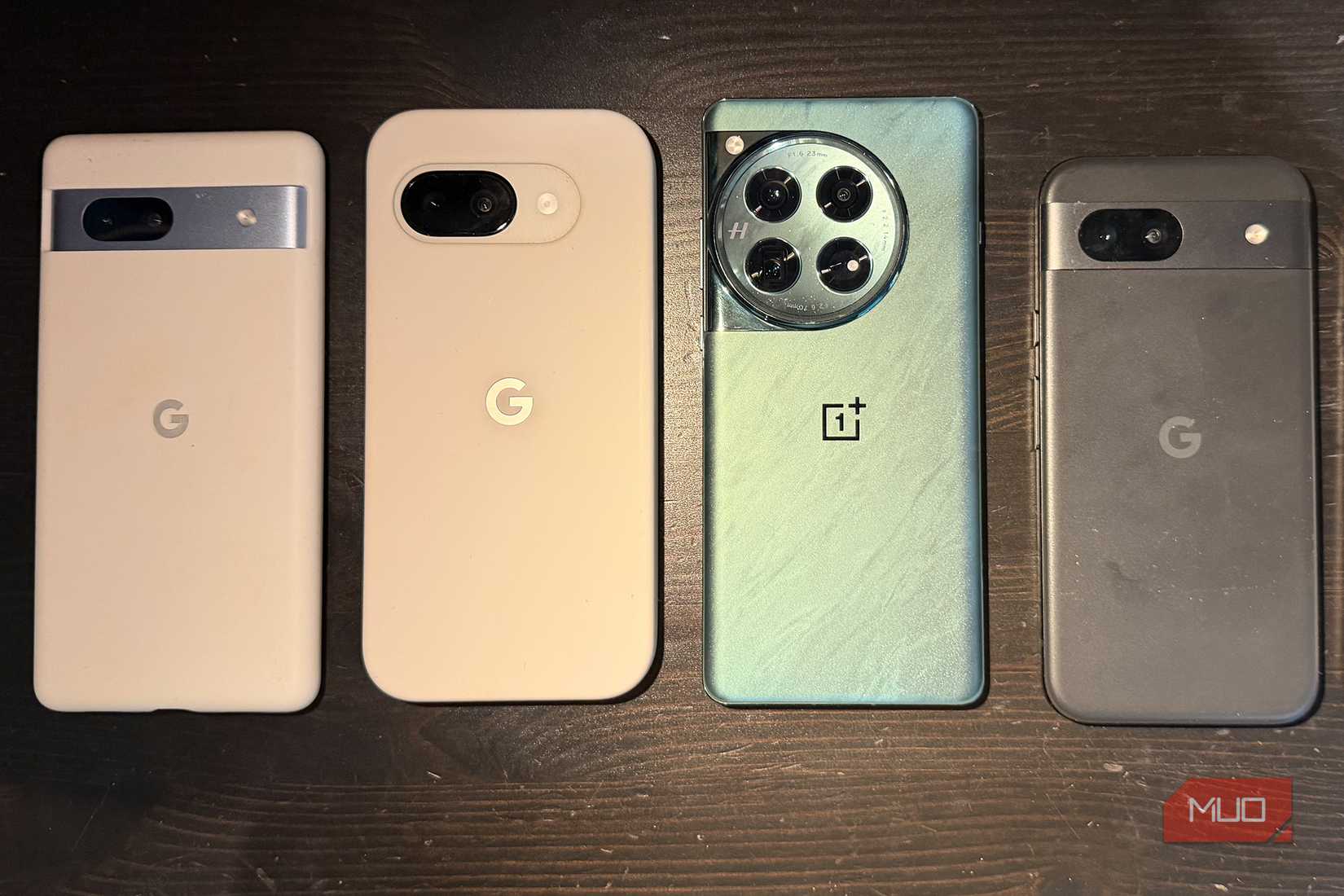
If a device will not power on, you must rely on physical markings. Historically, manufacturers printed model details on the back of the phone. However, modern design trends favoring glass and polished metal have moved these markings to more discreet locations to maintain aesthetic appeal.
- SIM Tray: Many manufacturers, including Apple, now laser-etch the model number or IMEI onto the SIM card tray. Use a SIM ejector tool to remove the tray and inspect the edges under a bright light.
- Regulatory Labels: In the United States, devices are required to list an FCC ID. While often in small print, searching this ID on the FCC ID Search portal will reveal the exact manufacturer and model.
- Original Packaging: The retail box is one of the most reliable sources of information. Look for a white sticker with barcodes; this sticker lists the Make, Model, Model Number, IMEI, and Serial Number.
- Charging Port/Back Glass: Some Android manufacturers still include a very faint, almost invisible etching at the bottom of the back glass or near the charging port.
| Identification Method | Best For | Details Provided |
|---|---|---|
| Settings Menu | Functional devices | Marketing Name, Technical Model, OS Version |
| *Dialing #06# | Functional devices | Unique IMEI, Serial Number |
| SIM Tray Etching | Non-functional devices | Technical Model Number (e.g., A2846) |
| Google/Apple Account | Lost or stolen devices | Marketing Name, Last Known Status |
| Retail Packaging | All devices | Make, Model, Storage Capacity, IMEI |
| FCC ID Search | Regulatory verification | Manufacturer, Radio Frequencies |
Remote Identification via Cloud Accounts
If you do not have the phone in your possession—perhaps it was lost or stolen—you can still find its make and model through the cloud accounts linked to the device.
For Android Users
Visit the Google Find My Device portal. Log in with the Google account used on the phone. The sidebar will list every device associated with that account, showing the specific marketing name (e.g., "Samsung Galaxy S24 Ultra") and often providing the IMEI via an information icon.
For iPhone Users
Log in to iCloud.com or use the "Find My" app on another Apple device. Under the "Devices" tab, you can select the missing phone. It will display the model name. For more detailed information, you can log into your Apple ID account page, which lists the serial numbers and models of all registered hardware.
Why Technical Model Numbers Matter in 2026
As we progress through 2026, the complexity of mobile hardware continues to increase. A single "Model Name" may have dozens of sub-variants. These variations are driven by:
- Network Compatibility: A phone sold for the Japanese market may have specific 5G bands (like n79) that are not present in the European model of the same name.
- Regulatory Compliance: European models (often ending in 'B' or 'DS') may have different default privacy settings or volume limits compared to US models.
- Storage and RAM: Some model numbers are specific to the "Pro" or "Ultra" variants with higher memory configurations.
- Processor Variations: In some years, manufacturers like Samsung use different processors (e.g., Exynos vs. Snapdragon) in different regions for the same model name. Identifying the technical model number is the only way to know which chipset is inside your device.
Troubleshooting Common Identification Issues
Occasionally, a device may be difficult to identify, particularly if it is a "white label" phone (a generic device rebranded by a smaller carrier) or a counterfeit.
- The "About" Menu is missing: This often happens on devices with "Demo" software installed or on heavily customized corporate-managed phones. In these cases, the
*#06#method or checking the SIM tray is necessary. - The Model Name is Generic: Some budget Android phones simply list "Phone" or "Android" in the settings. For these, you should look for the "Build Number" or "Kernel Version" and search for those strings online.
- Counterfeit Devices: Counterfeit phones often spoof their settings menu to show a higher-end model name (e.g., claiming to be an "iPhone 17 Pro Max" while running a modified version of Android). To verify authenticity, always check the Serial Number or IMEI against the official manufacturer's coverage verification tool.
FAQ
Can I find my phone model if the screen is completely black? Yes. You can find the model by checking the SIM card tray for etched numbers, looking at the original retail box, or logging into your Google or Apple account from another computer to view your registered devices.
Is the "Device Name" the same as the "Model"? No. The "Device Name" is a customizable label (e.g., "Sarah's iPhone") that you can change at any time. The "Model" is the manufacturer’s permanent designation for the hardware.
How do I find the model of a tablet or smartwatch? The process is identical to phones. On an iPad or Apple Watch, check Settings > General > About. On Android-based tablets or Wear OS watches, check Settings > About Tablet or About Watch.
Why does my iPhone have two different model numbers? Apple uses a marketing model number (like MQ3D3LL/A) for inventory and sales, and a regulatory model number (like A2651) for hardware identification. The "A" number is more useful for finding technical specs and repair parts.
Can two different phones have the same IMEI? No. Every IMEI is globally unique. If two devices appear to have the same IMEI, one of them is likely a counterfeit or has had its IMEI illegally "cloned."
Final Recommendation
When documenting your phone's details, always record both the Marketing Name and the Technical Model Number. Store these details along with your IMEI in a secure location, such as a password manager or a physical file. Having this information readily available will significantly accelerate the process of filing insurance claims, troubleshooting software bugs, or selling your device in the future.
Image Gallery