Analyzing The Witcher 3 Remastered Base PS5 Performance: Technical Breakdown and Optimization
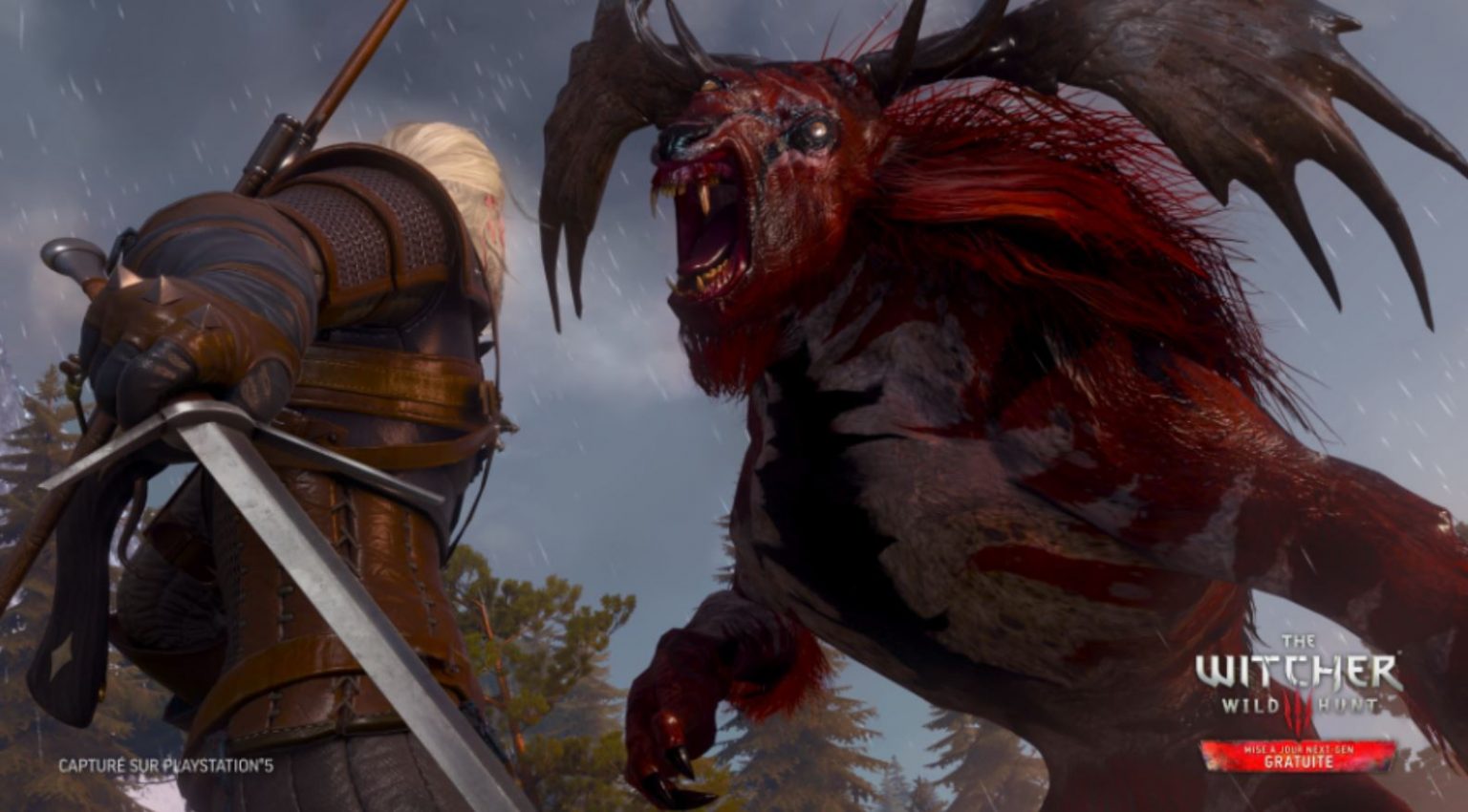
The Witcher 3: Wild Hunt Complete Edition delivers a technically overhauled experience on the base PlayStation 5, offering two primary display modes: Performance Mode targeting a smooth 60 frames per second with dynamic resolution scal...
The Witcher 3: Wild Hunt Complete Edition delivers a technically overhauled experience on the base PlayStation 5, offering two primary display modes: Performance Mode targeting a smooth 60 frames per second with dynamic resolution scaling, and Quality Mode running at 30 frames per second with advanced ray-traced global illumination and ambient occlusion.
Contents
Understanding Next-Gen Enhancements on Base PlayStation 5 Hardware
CD Projekt Red's native PS5 release of The Witcher 3 brings substantial graphical and mechanical upgrades over the original 2015 PlayStation 4 release. While the high-end hardware capabilities of the PS5 Pro handle heavy compute loads with ease, the base PlayStation 5 model strikes a carefully engineered balance between visual fidelity and frame rate stability. The development team integrated features from the PC community's most popular mods, including HD textures, reworked character models, foliage improvements, and far-reaching environmental distance scaling.
Hardware resource allocation on the base PS5 utilizes an AMD Zen 2 CPU architecture coupled with a custom RDNA 2 GPU. This hardware configuration enables the game to run modern rendering pipelines that were fundamentally impossible on previous-generation hardware. Loading times are virtually eliminated thanks to the ultra-high-speed custom solid-state drive (SSD), allowing instant fast travel across Velen, Novigrad, Skellige, and Toussaint.
Performance Mode vs. Quality Mode: A Detailed Frame Rate and Resolution Analysis
Choosing how to play The Witcher 3 on a base PS5 requires weighing the benefits of high-frequency responsiveness against graphical luxury. The two distinct rendering paths cater to different player preferences, utilizing distinct technical configurations to manage hardware overhead.
| Graphics Setting / Metric | Performance Mode | Quality Mode |
|---|---|---|
| Target Frame Rate | 60 FPS (Frames Per Second) | 30 FPS (Frames Per Second) |
| Resolution Target | Dynamic 4K (Scales down to 1440p) | Native or Upscaled 4K |
| Ray Tracing Features | Disabled | Ray-Traced Global Illumination & Ambient Occlusion |
| Graphics Preset Equivalent | Medium-High PC Equivalents | High-Ultra PC Equivalents with Ray Tracing |
| Motion Blur & Camera Effects | Tunable | Tunable |
Performance Mode prioritizes combat fluidity. Navigating the dense streets of Novigrad or engaging in chaotic sword fights against multiple monster packs demands precise input timing. The 60 FPS target is achieved remarkably well, maintaining stable frame pacing during the vast majority of gameplay scenarios, though occasional minor dips can occur during heavy particle effects or intense weather transitions.
Quality Mode, conversely, trades fluid motion for cinematic lighting fidelity. By enabling ray-traced global illumination, sunlight naturally bounces off surfaces, casting realistic shadows and softening ambient light interactions. While visually striking, the drop to 30 FPS introduces noticeable camera judder, making rapid combat maneuvers feel less responsive compared to Performance Mode.
In-Depth Analysis of Base PS5 Performance Bottlenecks
Even with extensive optimization patches following the initial next-gen rollout, the base PlayStation 5 encounters specific hardware bottlenecks when pushing CD Projekt RED's engine to its limits. Understanding these limitations helps players fine-tune their in-game experience.
CPU Limitations in Dense Urban Environments
The AMD Zen 2 processor inside the base PS5 handles game logic, physics, and crowded NPC simulations. In densely populated urban areas like Hierarch Square in Novigrad, the CPU experiences high utilization spikes. While Performance Mode generally locks onto 60 FPS, these CPU-heavy zones can occasionally introduce micro-stutters or frame drops as the engine processes numerous background character routines simultaneously.
GPU Scaling and Resolution Drops
Dynamic resolution scaling (DRS) is the underlying mechanism that keeps Performance Mode locked at 60 FPS. During demanding graphical scenes—such as traversing thick forests during a dynamic rainstorm with active alpha particle effects—the internal resolution scales downward to preserve target frame rates. Players using high-end 4K displays may occasionally notice slight image softness during these intensive rendering sequences.
Ray Tracing Overhead in Quality Mode
Enabling ray tracing on the base PS5 places a heavy computational tax on the RDNA 2 GPU's ray accelerators. To compensate for this massive rendering overhead, Quality Mode is hard-locked to 30 FPS and relies more heavily on temporal upscaling techniques to output a sharp final image.
Step-by-Step Optimization Guide for Maximum Visual Fidelity and Smoothness
Achieving the ideal balance of performance and visual quality on a base PS5 requires configuring both system-level settings and in-game camera parameters. Follow this structured approach to optimize your gameplay experience:
- Verify System Output Settings: Navigate to your PlayStation 5 system settings, select Screen and Video, and ensure your video output is set to Automatic Resolution and 4K transfer rate. This ensures the console communicates correctly with your TV or monitor's scaler.
- Select the Correct In-Game Mode: Open Options > Video > Graphics on the game's main menu. Select Performance Mode if you prefer responsive swordplay and stable 60 FPS, or Quality Mode if you are playing on a smaller screen where cinematic lighting outweighs input fluidity.
- Configure Camera and Motion Settings: Go to Options > Video > Gameplay and adjust the Camera Sensitivity to your liking. Turn Blur and Motion Blur to Off or Low. Disabling aggressive motion blur prevents visual smearing during fast horse-riding sprints through Velen.
- Manage Subtitles and HUD Elements: Tailor the interface scale to minimize HUD clutter, allowing the newly remastered environmental assets to stand out unobstructed.
- Clear System Cache Regularly: If you encounter unexpected stuttering or asset pop-in during long play sessions, fully power down your console, boot into Safe Mode, and clear the system cache to ensure optimal memory allocation.
Common Performance Issues and Troubleshooting Tips
Players frequently encounter specific technical quirks when returning to the Continent. Addressing these issues quickly restores the intended experience.
- Asset Pop-In and Texture Streaming Delays: Fast traveling rapidly across wide map expanses can occasionally cause distant textures to load a fraction of a second late. Ensure the game is installed on the internal ultra-high-speed SSD rather than an external USB drive, as external storage lacks the necessary throughput for next-gen asset streaming.
- HDR Calibration Anomalies: If outdoor environments appear overly washed out or dark interiors lack detail, navigate to the game's HDR calibration settings. Adjust the peak brightness and white point sliders strictly according to your specific display panel's maximum luminance capabilities.
- Audio Stuttering During Cutscenes: In rare instances, heavy background streaming can cause temporary desynchronization between character dialogue and audio tracks. A quick restart of the application clears temporary memory buffers and resolves the issue.
Frequently Asked Questions About The Witcher 3 Remastered on Base PS5
Does the base PS5 version support ray tracing at 60 frames per second?
No, the base PlayStation 5 hardware cannot maintain 60 frames per second while running ray-traced global illumination. Ray tracing is strictly locked to Quality Mode, which operates at 30 frames per second. Players who want a 60 FPS experience must play in Performance Mode without ray tracing enabled.
Can I transfer my original PS4 save file to the remastered PS5 version?
Yes, CD Projekt RED implemented full cross-progression through the PROS (CDPR's account system). By linking your platform account on the game's main menu, you can upload your PlayStation 4 save data to the cloud and seamlessly download it on your base PS5.
Does the physical Complete Edition disc include all next-gen upgrades on the disc?
Physical copies of the Complete Edition for PlayStation 5 include the next-gen upgrades natively on the disc media, though downloading subsequent hotfixes and stability patches via an active internet connection is recommended for optimal performance.
Is dynamic resolution scaling noticeable on a standard 4K TV?
Dynamic resolution scaling is generally imperceptible during fast-paced combat or exploration. However, pixel-peeping during heavy weather effects or complex particle scenes may reveal minor softness when the internal resolution dips below native 4K to sustain 60 frames per second.
How does the base PS5 performance compare to the PS5 Pro?
While the base PS5 successfully maintains a locked 60 FPS in Performance Mode using dynamic scaling, enhanced hardware variants like the PS5 Pro leverage advanced machine learning upscaling (PSSR) to deliver higher average internal resolutions and even greater stability under heavy graphical loads.
Expert Recommendation for Players
To extract the absolute best experience from The Witcher 3 remastered on a base PlayStation 5, commit to Performance Mode. The fluid combat mechanics, responsive camera handling, and rock-solid 60 FPS framerate far outweigh the visual benefits of ray tracing, ensuring your journey through the Continent remains smooth and immersive from White Orchard to Toussaint.
Image Gallery