Why Your Nissan Auto Start Not Working Matters
When your Nissan’s remote engine start system fails to engage, it is more than a minor convenience issue; it is a signal that one of the vehicle’s complex safety, security, or power management systems is experiencing an interruption. B...
When your Nissan’s remote engine start system fails to engage, it is more than a minor convenience issue; it is a signal that one of the vehicle’s complex safety, security, or power management systems is experiencing an interruption. Because the remote start feature relies on a specific sequence of "handshakes" between your key fob, the vehicle’s body control module, and the engine management system, a failure often indicates that a prerequisite condition—such as a low battery, an open hood switch, or a stored diagnostic trouble code—is not being met to ensure safe operation.
Contents
The Engineering Behind Nissan Remote Start
The Nissan Remote Engine Start (RES) system is not a standalone accessory but an integrated component of the vehicle’s Controller Area Network (CAN) bus. When you press the ignition button on your key fob, you are not simply sending a signal to "start the engine." You are initiating a digital negotiation. The vehicle’s computer evaluates a series of internal sensors to confirm that the car is safe to run while unattended.
If any part of this verification sequence fails, the system defaults to a "no-start" state. This is intentional. By preventing the engine from turning over when conditions are suboptimal, the system protects the powertrain from unnecessary stress and prevents potentially dangerous scenarios, such as the vehicle starting while the transmission is in gear or while the hood is unlatched.
Primary Causes of Remote Start Failure
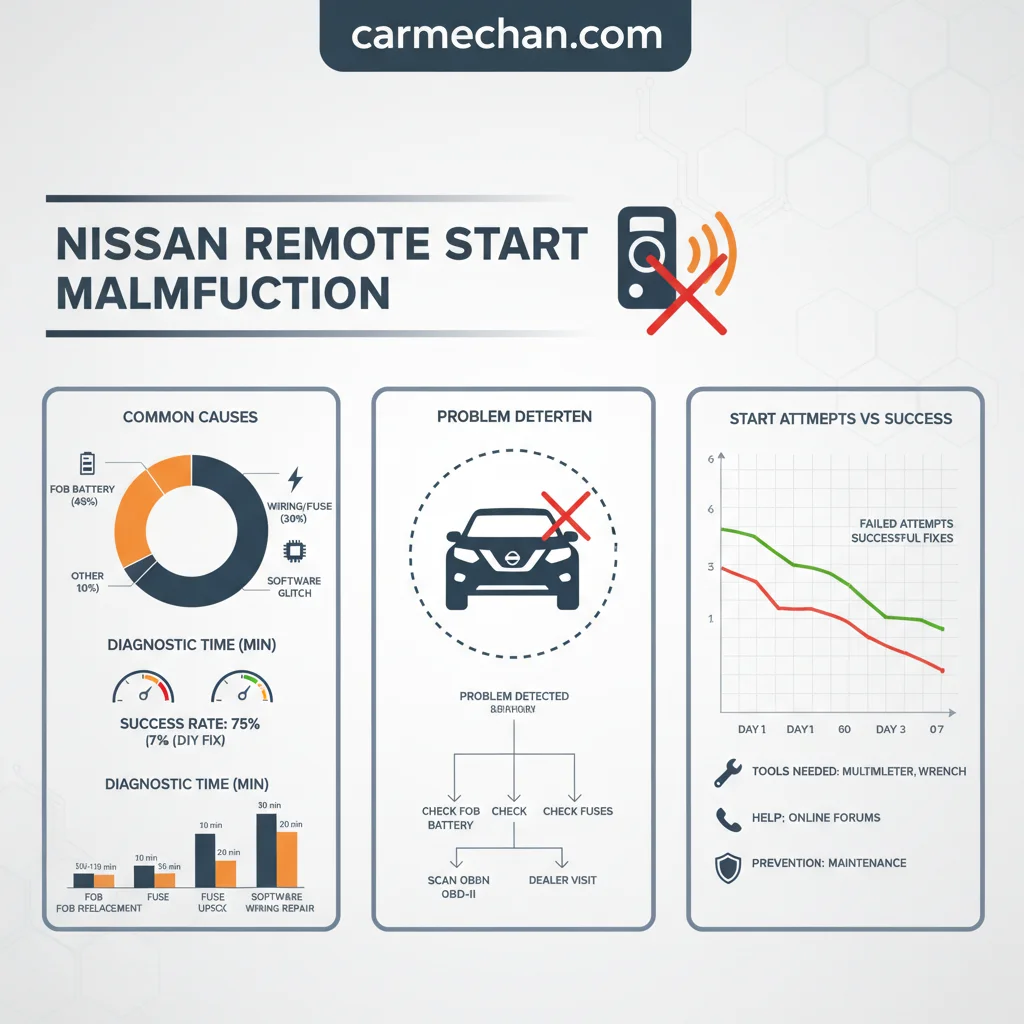
Understanding why your Nissan auto start is not working requires a systematic look at the most common triggers. Most failures stem from one of four categories: power, safety interlocks, environmental factors, or key fob communication.
1. The Safety Interlock System
The most frequent cause for a failure to start is the triggering of a safety interlock. For the engine to start remotely, the system must receive "closed" signals from the following:
- The Hood Switch: If the hood is slightly ajar or the switch itself is corroded or faulty, the system disables remote start to protect a technician who might be working on the engine.
- Transmission Status: The vehicle must be in "Park." If the gear selector sensor is failing or the shifter is not fully seated, the remote start will be inhibited.
- Door and Trunk Sensors: If any door, trunk, or hatch is not properly latched, the security system assumes the vehicle is not in a "locked and secure" state.
2. Battery Health and Power Management
Modern Nissan vehicles, particularly those produced between 2020 and 2026, feature sophisticated battery management systems. If your main 12-volt battery voltage drops below a specific threshold, the vehicle may disable non-essential features—including remote start—to ensure there is enough reserve power to turn the engine over manually when you enter the vehicle. If you have noticed sluggish starts during manual ignition, your battery is likely the culprit.
3. Key Fob and Communication Issues
The Remote Engine Start relies on a secure signal between your fob and the vehicle’s receiver. If the key fob battery is dying, the signal strength may be insufficient to complete the secure handshake. Furthermore, if you are attempting to start the vehicle from a location with significant electromagnetic interference or excessive distance, the communication may time out.
4. Diagnostic Trouble Codes (DTCs)
If your Check Engine Light (CEL) is illuminated, the remote start system will automatically disable itself. This is a failsafe measure. Because the engine management system has detected a fault, it is programmed to prevent remote ignition until a professional has addressed the underlying mechanical or electrical issue.
Troubleshooting and Verification Table
The following table outlines common symptoms and their likely sources to help you diagnose the state of your vehicle.
| Symptom | Likely Cause | Suggested Action |
|---|---|---|
| Hazard lights flash once, no engine start | Safety interlock triggered | Check hood latch and all doors |
| No response from vehicle at all | Key fob battery | Replace CR2032 battery |
| Check Engine Light is ON | Powertrain error | Scan for diagnostic codes (OBD-II) |
| Engine starts but shuts off immediately | Low fuel level or coolant | Refill fuel; check for leaks |
| System works intermittently | 12V Battery charge | Test battery load at a service center |
The Impact of Ignoring System Failures
While a non-functioning remote start might seem like a mere annoyance, ignoring the underlying cause can lead to compounding issues. If the failure is caused by a failing hood switch, you may eventually face issues with your vehicle's alarm system triggering falsely. If the issue is a weakening 12-volt battery, you risk being stranded, as the battery may provide enough power for electronics but lack the cranking amps to start the engine when you are physically in the driver's seat.
Furthermore, if the failure is linked to a Check Engine Light, continuing to drive without investigating the error code could lead to more severe damage to the catalytic converter, ignition coils, or oxygen sensors. Treating the remote start failure as a diagnostic alert allows you to catch minor maintenance needs before they evolve into costly mechanical repairs.
Practical Steps to Restore Functionality
Before scheduling a service appointment, perform these steps in order to rule out simple environmental or user-error issues:
- Verify the Sequence: Ensure you are pressing the "Lock" button, followed immediately by holding the remote start button for at least two seconds. Variations in timing are the most common source of user error.
- Inspect the Hood Latch: Open and firmly close the hood. Dirt or debris can occasionally cause the sensor to report that the hood is open even when it appears closed.
- Check the Fuel Level: Most Nissan models require at least a quarter-tank of fuel to engage the remote start system. If the fuel light is on, the system is designed to disable remote ignition to prevent running the fuel pump dry.
- Replace the Fob Battery: Use a fresh CR2032 lithium battery. Even if the locks still work, the remote start signal requires more consistent voltage.
- Scan for Codes: If you have access to an OBD-II scanner, check for any stored codes. Even if the Check Engine Light is not currently visible, a "pending" code can be enough to inhibit the remote start.
Frequently Asked Questions
Does a dead key fob battery affect my ability to start the car normally? Generally, no. Most Nissan vehicles are equipped with an "immobilizer backup" that allows you to start the engine by holding the fob against the Start/Stop button, even if the fob battery is dead. Remote start, however, requires a strong signal from a distance, making it the first feature to fail when the fob battery weakens.
Why does my Nissan start remotely but then turn off after a few seconds? This is often a result of a "check" failure. The engine starts, but the computer immediately detects an anomaly—such as a low oil pressure signal, an emissions fault, or a coolant temperature sensor error—and shuts the engine down to prevent damage.
Can extreme weather cause the remote start to stop working? Yes. Extreme cold reduces the chemical reaction speed in your 12-volt battery, causing a voltage drop. If your battery is already aged, the cold may drop the voltage just enough to trigger the system’s protective lockout.
Does a remote start failure void my factory warranty? If the failure is due to a factory-installed system, it is covered under the original manufacturer’s powertrain or electrical warranty. However, if you installed an aftermarket remote starter, Nissan may deny warranty claims related to the electrical system if they determine the installation caused the fault.
Professional Assistance and Next Actions
If you have performed the basic troubleshooting steps above and the system remains unresponsive, it is time to consult a professional technician. At a dealership or an authorized service center, technicians can use the Nissan Consult diagnostic tool to view the "Request History" of the Remote Engine Start module. This tool provides a log of the exact reason the last start command was rejected, taking the guesswork out of the repair.
If your vehicle is currently under warranty, do not attempt to bypass sensors or modify the wiring, as this could inadvertently void your coverage. Instead, document the exact symptoms—such as whether the parking lights flash or if the horn honks—as these details significantly help the technician pinpoint the fault. Regular attention to these minor electronic glitches ensures your Nissan remains as reliable as it was the day you bought it.
Image Gallery