Doublelist Access and Safety Guide: Navigating Doublelist.com Securely
Doublelist is a widely used digital classifieds platform designed for local personals, casual dating, and community connections. Search queries such as "doublelist comn" stem from common typographical errors when attempting to enter th...
Doublelist is a widely used digital classifieds platform designed for local personals, casual dating, and community connections. Search queries such as "doublelist comn" stem from common typographical errors when attempting to enter the official website domain (Doublelist.com). Accessing the platform requires navigating to the legitimate web address, verifying account credentials, and applying strict cybersecurity protocols to safeguard personal information.
Contents
What Is Doublelist and How Does the Platform Function?
Doublelist launched as a modern response to the shutdown of Craigslist Personals following federal legislative shifts in the United States, specifically the passage of the Fight Online Sex Trafficking Act (FOSTA) and the Stop Enabling Sex Traffickers Act (SESTA). As legacy platforms sunsetted their personals sections to mitigate legal liabilities, Doublelist filled the operational void by providing a moderated, community-driven space for adults to post location-based personal advertisements.
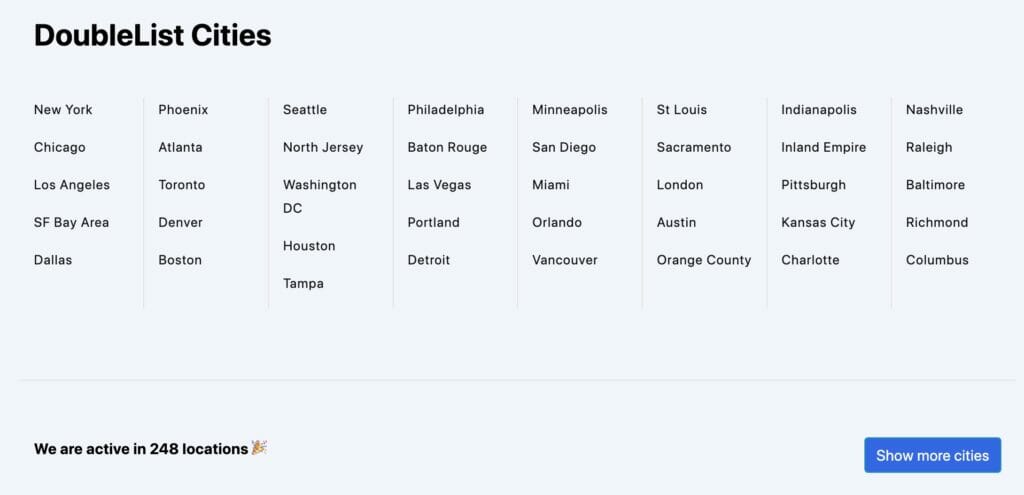
The platform relies on geographic indexing, enabling users to browse or publish posts within specific metropolitan areas, states, or regions. Unlike traditional dating applications that utilize automated swiping algorithms and mutual-matching mechanics, Doublelist operates on an explicit bulletin board architecture. Users draft headline-driven posts, select relevant interest categories, and communicate directly through an internal messaging relay system.
To maintain compliance with legal frameworks and trust standards, Doublelist enforces strict moderation policies. Automated filters and human review teams screen listings for commercial solicitation, non-consensual content, illegal activities, and spam. Understanding the structure of Doublelist allows users to communicate effectively while minimizing exposure to online scams or policy violations.
Safely Registering and Configuring a Doublelist Account
Navigating to online classifieds requires diligence against domain spoofing and phishing schemes. Typographical mistakes like typing "doublelist comn" into a browser address bar can potentially route users to third-party ad networks, malicious landing pages, or credential-harvesting sites designed to look like the authentic login portal.
https://www.doublelist.com
Domain Verification Protocol Always inspect the web browser address bar before entering login credentials or personal data. Ensure the domain ends with the official higher-level domain extension (.com) and utilizes encrypted transport layer security (HTTPS). Avoid clicking on sponsored search engine ads that contain misspelled domain variations.
Step-by-Step Account Setup Process
- Navigate to the Authentic Domain: Open a secure web browser and enter the verified Web URL directly into the address bar to avoid typo-squatting risks.
- Initiate Sign-Up: Select the registration option and provide a active, private email address. It is recommended to use an isolated email account dedicated specifically to online personal ads to preserve personal privacy.
- Execute Identity and SMS Verification: Doublelist requires real-time phone number verification via SMS code to deter automated bot farms and spam operations. Virtual VoIP numbers are frequently flagged or rejected by the system, requiring a standard cellular line for initial authentication.
- Define Geographic Parameters: Set your primary city or region. This choice governs the localized feed of listings presented on your dashboard.
- Establish Security Credentials: Construct a robust password utilizing an alphanumeric string with mixed casing and special characters. Avoid reusing credentials from other online services.
Platform Features and Interface Navigation
Doublelist organizes its user environment into straightforward tools engineered to simplify local discovery and confidential messaging. Understanding these core components streamlines platform interaction and protects your account standing.
Board Categories and Classified Indexing
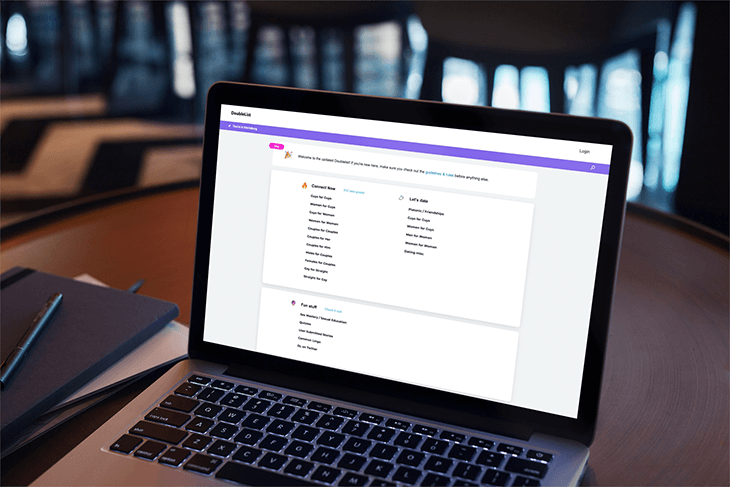
Listings on Doublelist are categorized by relationship intent and community focus. Common classifications include:
- Men Seeking Women / Women Seeking Men: Standard heterosexual dating and casual connection boards.
- Men Seeking Men / Women Seeking Women: Dedicated spaces for LGBTQ+ adult personals.
- Transgender and Non-Binary Listings: Inclusive boards designed for gender-diverse connections.
- Group and Open Dynamics: Postings for couples or multi-partner arrangements.
- Strictly Platonic and Community: Listings focused on friendship, activity partners, or local social networking.
Internal Messaging and Communication Architecture
To preserve privacy, Doublelist masks user email addresses during preliminary communications. When you reply to an advertisement, the message routes through Doublelist's internal server relay. The recipient sees your chosen platform username and message body without gaining direct access to your primary email address or telephone number until you intentionally choose to share secondary contact information.
Critical Online Safety and Privacy Protocols
Interacting on public personal ad sites requires strategic security practices to defend against financial fraud, identity theft, and digital harassment. Protecting your digital footprint is vital when utilizing platforms like Doublelist.
Privacy Hardening Advisory Never include full names, employment details, residential addresses, or identifiable landmarks in public post descriptions or initial private messages. Scammers routinely aggregate public details to perform cross-platform identity tracking or blackmail attacks.
Identifying and Avoiding Common Classified Scams
- Advance-Fee Fraud and Cash App Requests: Be suspicious of any user asking for monetary deposits, gift cards, or payments via peer-to-peer money transfer applications before meeting in person. Authentic local personal interactions do not require advance financial transactions.
- External Link Redirection (Phishing Traps): Exercise extreme caution if a user immediately urges you to click external links for identity verification, webcam viewings, or off-site photo galleries. These links often lead to credit card harvesting portals or malware distribution nodes.
- Verification Code Scams: Never disclose SMS verification codes sent to your mobile phone. Scammers attempt to use your phone number to register fake accounts across financial or communication services by asking you to read back codes sent to your device.
- Catfishing and Image Reverse-Searching: Unscrupulous profiles frequently utilize stolen model photos. Conducting a reverse image search on profile pictures can quickly identify whether photos were scraped from public social media profiles.
Physical Safety Protocols for In-Person Meetings
- Verify Identity via Low-Risk Channels: Before meeting, consider conducting a voice call or brief video chat through an app that does not reveal your primary phone number.
- Select Neutral Public Locations: Schedule initial meetings in well-lit, highly populated public environments such as coffee shops, restaurants, or busy parks during daytime hours.
- Inform a Trusted Contact: Share your meeting location, estimated timeframe, and basic contact details with a reliable friend or family member.
- Maintain Independent Transportation: Arrange your own transportation to and from the meeting location. Do not allow a new acquaintance to pick you up at your home address.
- Trust Intuitive Red Flags: If a situation or individual causes discomfort, terminate the interaction immediately. Your personal safety takes absolute priority over social politeness.
Platform Comparison: Doublelist vs. Alternative Personals Solutions
Evaluating the feature sets, security measures, and operational models of modern personals platforms allows users to choose the service best aligned with their privacy requirements and relationship goals.
| Platform | Verification Requirement | Primary Matching Model | Privacy Level | Core Niche / Audience |
|---|---|---|---|---|
| Doublelist | SMS Phone Verification & Email | Bulletin-Board Search & Location Radius | High (Masked Relay System) | Local Adult Personals & Casual Encounters |
| Reddit (r/r4r) | Email / Account Age Limits | Open Forum Postings & Direct Messages | Moderate (Public Reddit History) | Global & Local Text-Based Personals |
| Feeld | Social / Email Authentication | Location-Based Profile Swiping | High (Incognito & Pseudo-Names) | Alternative Relationships, Couples, & Ethical Non-Monogamy |
| Tinder / Bumble | Photo & Phone Verification | Algorithmic Mutual Swipe Matching | Moderate (Linked Social Profiles) | Mainstream Dating & Relationship Discovery |
| Craigslist Community | Email Verification | Open Bulletin Category Posts | Low to Moderate | General Activities, Local Events, & Platonic Networking |
Troubleshooting Common Account and Access Errors
When accessing Doublelist, technical errors or account locks can occur due to security flags or domain misdirections. Here is how to resolve standard technical hurdles effectively.
Domain Misdirection ("doublelist comn" Typo Issues)
If you inadvertently typed "doublelist comn" into your search engine or address bar, your browser may load cached search results or land on parked domain pages containing heavy advertisement pop-ups.
- Solution: Clear your browser cache and cookies. Manually re-type the exact URL using
.comas the top-level domain. Bookmark the authentic site for future direct access.
Failure to Receive SMS Verification Codes
During registration or password recovery, SMS verification messages may experience delivery failures.
- Solution: Ensure you are not using a virtual (VoIP) service, such as Google Voice or temporary burner app numbers, as Doublelist actively blocks non-carrier lines. Switch to a standard mobile carrier network and re-request the verification code.
IP Address Blocks and Access Restrictions
Users connecting through public Wi-Fi networks, shared virtual private networks (VPNs), or proxy servers may encounter "Access Denied" or HTTP 403 status codes.
- Solution: Doublelist routinely blocks automated traffic originating from known public VPN server ranges to curb spam. Temporarily disable your VPN connection or switch to an alternate server node located in your home state or city.
Unintentional Account Suspension or Flagging
Accounts posting repetitive copy-paste messages, commercial services, links to paid content sites (e.g., OnlyFans or webcam links), or explicit adult media in public text fields are automatically flagged by anti-spam heuristics.
- Solution: Review Doublelist’s Terms of Service. If you believe your account was mistakenly flagged, contact customer support directly through the platform's official help desk request form, outlining your account details and requesting manual human review.
Frequently Asked Questions
What should I do if I typed "doublelist comn" into my browser?
Close any unknown ad tabs that opened immediately, clear your browser history and cookies, and type the correct Web address directly into the address bar. Doublelist uses the .com domain extension exclusively; typographical mistakes can lead to unsafe third-party ad networks.
Is Doublelist free to use for browsing and posting?
Yes, basic account registration, browsing local classified listings, and publishing personal advertisements on Doublelist are free of charge. The platform maintains its infrastructure through on-site advertising and optional premium feature enhancements rather than paywalling core communication.
Why does Doublelist require my real phone number during signup?
Phone verification serves as a critical anti-spam and security framework to prevent automated bots from mass-generating fake profiles. Doublelist does not display your private phone number publicly on your advertisements or share it with other users.
Can I use Doublelist anonymously without revealing my identity?
Yes, Doublelist is engineered with user privacy in mind. Profiles do not require your real full name, and initial correspondence routes through an internal relay system that masks your private email address until you choose to reveal it.
How do I permanently delete or deactivate my Doublelist profile?
Navigate to your account settings menu from the main dashboard, select the privacy or security tab, and locate the "Delete Account" button. Executing this command permanently removes your active posts, saved favorites, and message history from the active production database.
Maintaining Online Security and Digital Boundaries
Utilizing online personals platforms effectively requires balancing open social connection with disciplined digital security practices. By identifying domain typos like "doublelist comn", verifying official web paths, safeguarding mobile authentication details, and keeping early communications within protected message relays, users can explore local classifieds securely and confidently. Always prioritize personal privacy, stay vigilant against off-platform financial solicitations, and report policy-violating profiles to keep community spaces safe for everyone.
Image Gallery