Understanding Spam Junk Email: A Comprehensive Guide to Digital Hygiene in 2026
Spam and junk email are unsolicited messages sent in bulk, typically for advertising, phishing, or spreading malware. Understanding these communications involves recognizing their origins, the technical mechanisms used to filter them,...
Spam and junk email are unsolicited messages sent in bulk, typically for advertising, phishing, or spreading malware. Understanding these communications involves recognizing their origins, the technical mechanisms used to filter them, and the security protocols—like authentication and AI-driven analysis—required to protect your personal and professional data from evolving cyber threats.
Contents
The digital landscape in 2026 continues to grapple with the persistence of unsolicited bulk email (UBE). While filtering technologies have become significantly more sophisticated, the methods used by spammers have also evolved, utilizing generative AI to craft highly convincing messages that bypass traditional keyword-based filters. To maintain a secure and organized inbox, it is essential to understand the mechanics of spam, the infrastructure that supports it, and the defensive measures available to users and organizations.
The Distinction Between Spam and Junk Email
While the terms are often used interchangeably, there is a subtle distinction in the industry between "junk" and "spam." Understanding this nuance helps in managing an inbox effectively.
Junk email, often referred to as "greymail," typically consists of legitimate marketing communications that a user once signed up for but no longer wishes to receive. These might include newsletters from a retailer you visited years ago or daily updates from a social media platform. These messages are technically "solicited" at the point of origin but have become unwanted over time.
Spam, conversely, is unsolicited and often sent by entities with whom the recipient has no prior relationship. This category ranges from low-level commercial advertisements to highly dangerous malicious content. True spam is sent in massive volumes—billions of messages per day—leveraging botnets and compromised servers to hide the sender's identity.
Categories of Malicious Spam
Understanding the intent behind a message is the first step in risk mitigation. Most spam falls into one of these three hazardous categories:
- Phishing and Spoofing: These messages masquerade as communications from trusted sources, such as banks, government agencies, or internal corporate departments. The goal is to deceive the recipient into revealing sensitive information like passwords, social security numbers, or financial details.
- Malware Distribution: These emails contain attachments or links that, when clicked, install harmful software on the user's device. This can include ransomware, which encrypts files for extortion, or spyware, which monitors user activity.
- Scams and Fraud: This includes the classic "advance-fee" scams (such as the Nigerian Prince scheme) or fake lottery winnings. In 2026, these have become more complex, often involving fake cryptocurrency investment opportunities or AI-generated "deepfake" voice or video links.
How Spam Reaches Your Inbox: The Mechanics of Delivery
Spammers utilize a variety of methods to collect email addresses and deliver their payloads. The process is rarely a direct "sender-to-receiver" transaction.
Address Harvesting
Spammers obtain email addresses through several clandestine methods. "Web scraping" involves using automated bots to crawl the internet and harvest any text containing the "@" symbol. They also purchase databases from the dark web that result from legitimate data breaches at major corporations. Furthermore, "dictionary attacks" involve generating millions of potential email addresses for a specific domain (e.g., info@company.com, sales@company.com) and sending mail to all of them to see which ones do not bounce.
The Role of Botnets
To avoid being blocked by Internet Service Providers (ISPs), spammers rarely send mail from their own computers. Instead, they utilize botnets—networks of compromised "zombie" computers infected with malware. These computers, which could belong to unsuspecting home users or businesses, are commanded to send out small batches of spam. Because the traffic is distributed across thousands of different IP addresses, it is much harder for traditional firewalls to identify the source of the attack.
Technical Defenses: How Filters Identify Spam
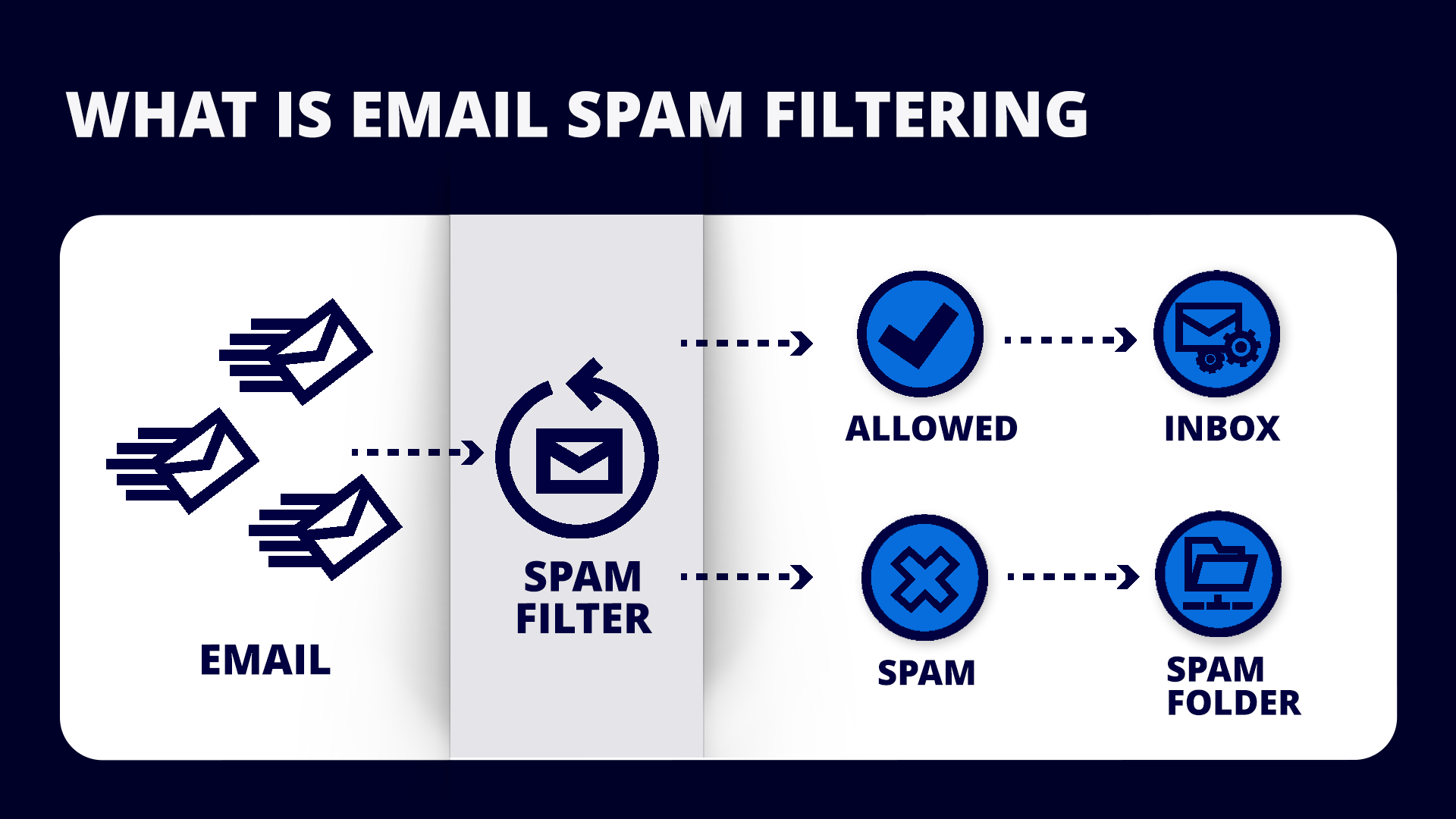
In 2026, email providers use a multi-layered approach to identify and sequester junk mail. This process happens in milliseconds before the email even appears in your interface.
Authentication Protocols
The most effective way to combat spam is to verify that the sender is who they claim to be. Three primary protocols serve as the foundation of modern email security:
- SPF (Sender Policy Framework): A DNS record that specifies which mail servers are authorized to send email on behalf of a domain.
- DKIM (DomainKeys Identified Mail): Adds a digital signature to emails, allowing the receiver to verify that the email was indeed authorized by the owner of that domain and that the content was not altered in transit.
- DMARC (Domain-based Message Authentication, Reporting, and Conformance): A policy layer that tells the receiving server what to do if an email fails SPF or DKIM checks (e.g., "quarantine it" or "reject it").
Bayesian Filtering and Machine Learning
Modern filters use Bayesian logic to calculate the probability that a message is spam based on its content. In 2026, this has been augmented by Large Language Models (LLMs) that can detect the "intent" of an email rather than just looking for banned keywords like "luxury" or "urgent." These AI systems analyze the metadata, the sender's reputation, the time of sending, and the structural patterns of the message to assign a "spam score."
Real-time Blackhole Lists (RBLs)
ISPs and security firms maintain massive databases of IP addresses known to be sources of spam. When an email arrives, the receiving server checks the sender's IP against these RBLs. If the IP is listed, the email is often rejected immediately at the gateway level, never even reaching the user's junk folder.
Comparison of Unsolicited Email Types
| Feature | Marketing "Junk" (Greymail) | Phishing/Spoofing | Malware/Ransomware |
|---|---|---|---|
| Sender Intent | Sales and engagement | Data or identity theft | System control or extortion |
| Sender Identity | Usually legitimate/verifiable | Disguised or "spoofed" | Often obscured via botnets |
| Call to Action | "Shop Now" or "Read More" | "Verify Account" or "Login" | "Open Attachment" or "Update" |
| Danger Level | Low (Annoyance) | High (Financial/ID Risk) | Critical (System Loss) |
| Typical Content | Newsletters, Coupons | Bank alerts, IT support | Invoices, Shipping notices |
Managing and Reducing Your Spam Footprint
While no filter is 100% effective, users can take specific actions to reduce the amount of junk they receive and protect themselves from malicious actors.
Strategic Unsubscribing
For legitimate "junk" (greymail), using the "Unsubscribe" link at the bottom of the email is the correct action. However, never click unsubscribe on true spam. Doing so confirms to the spammer that your email address is active and monitored by a human, which often results in your address being sold to even more lists. For suspicious mail, simply use the "Report Spam" or "Mark as Junk" button in your email client.
Email Aliasing and "Plus" Addressing
To identify which services are selling your data, you can use "plus addressing." If your email is name@gmail.com, you can sign up for a newsletter using name+newsletter@gmail.com. If you start receiving spam addressed to that specific alias, you know exactly which source leaked or sold your information. Additionally, many modern services in 2026 offer "Hide My Email" features that generate unique, random addresses for every site you visit.
Reporting to Authorities
In many jurisdictions, spam is not just a nuisance but a violation of consumer protection laws. In the United States, the CAN-SPAM Act sets the rules for commercial email. Users can report malicious spam to the Federal Trade Commission (FTC) or the FBI's Internet Crime Complaint Center (IC3). Reporting helps law enforcement track large-scale botnet operations and take down malicious infrastructure.
Common Mistakes in Handling Junk Mail
One of the most frequent errors users make is responding to spam, even if the response is angry or a demand to be removed. Any interaction validates the target. Another mistake is allowing "remote images" to load automatically. Many spammers embed a tiny, invisible pixel in the email. When your email client loads that image, the spammer's server records that the email was opened, providing them with your IP address and confirmation of your activity.
Furthermore, failing to update email client software can leave users vulnerable. Many spam messages utilize "zero-day" vulnerabilities in how email software renders HTML. By keeping your applications updated to the latest 2026 versions, you ensure that you have the most recent security patches against these exploits.
Frequently Asked Questions
Why am I suddenly getting more spam than usual?
An increase in spam usually indicates that your email address was part of a recent data breach or was "scraped" from a public-facing website. It can also happen if you recently interacted with a spam message, marking your account as "active" in a spammer's database.
Is it safe to open a spam email if I don't click any links?
Generally, opening an email in a modern, updated client is safe because most clients disable scripts and remote images by default. However, the safest practice is to delete the message without opening it if the subject line or sender looks suspicious. Never download attachments from unknown sources.
Can a legitimate email end up in the Junk folder?
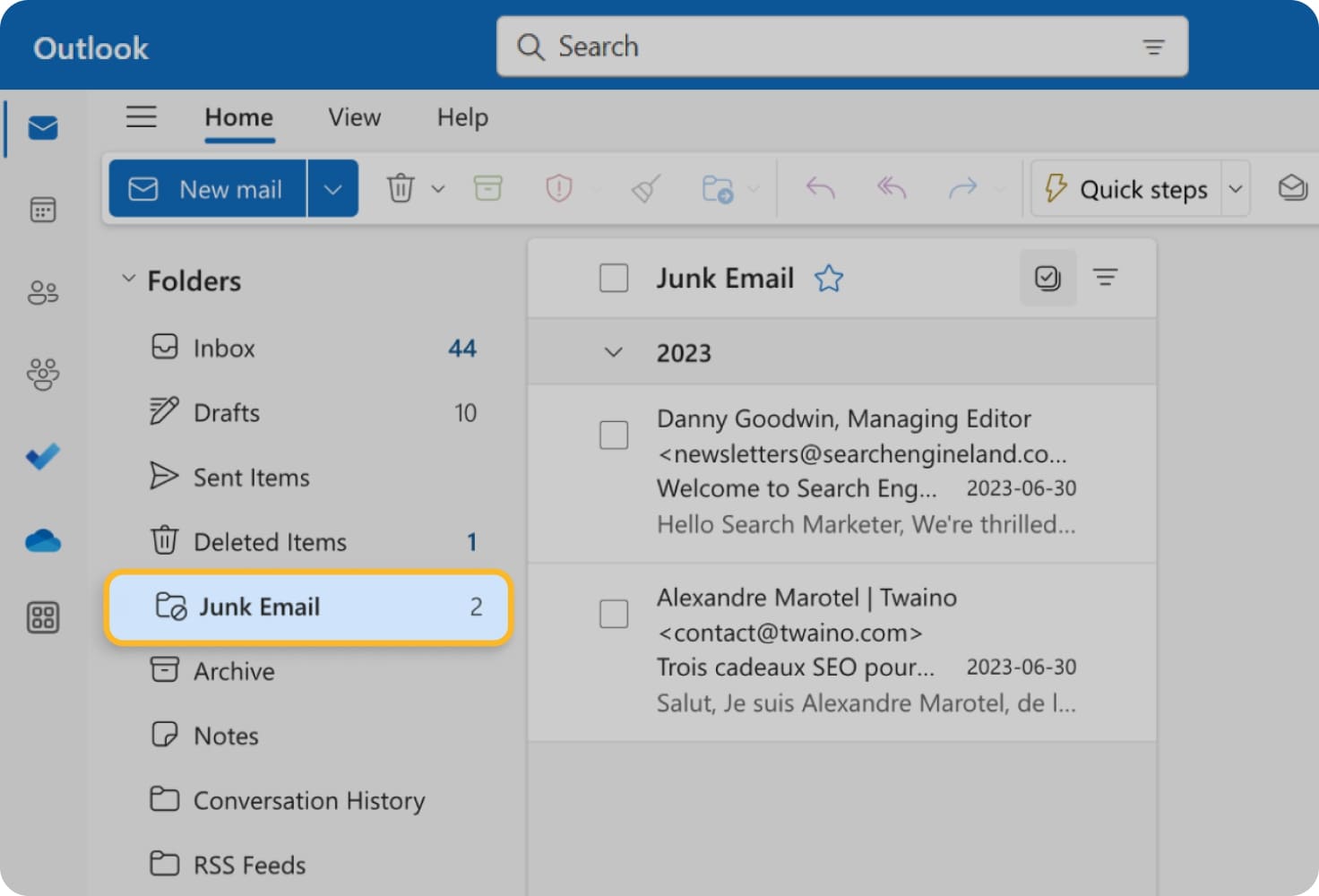
Yes, this is known as a "false positive." It happens if the sender’s mail server is not configured correctly (failing SPF or DKIM) or if their content contains elements frequently associated with spam, such as excessive use of caps or suspicious links. Checking your junk folder periodically is a necessary part of digital maintenance.
Does "Mark as Spam" actually do anything?
Yes. When you mark a message as spam, you are training the local machine learning algorithm of your email provider. If enough users mark messages from a specific sender or IP as spam, the provider will eventually block that sender for all its millions of users.
How do I stop spam text messages (Smishing)?
Spam has migrated heavily to SMS and messaging apps. Most mobile operating systems now include "Filter Unknown Senders" options. You should also report these messages by forwarding them to 7726 (SPAM), a service supported by most major carriers to track and block fraudulent numbers.
Next Actions for Better Email Security
To immediately improve your inbox health, start by auditing your existing subscriptions and using a dedicated "junk" email address for one-time signups. Ensure that Two-Factor Authentication (2FA) is enabled on your primary email account; this ensures that even if a spammer successfully phishes your password, they cannot gain access to your account. Finally, review your email provider’s security settings to ensure that advanced AI filtering and link protection are active.
Image Gallery