How to Open a Business Gmail Account: The 2026 Professional Setup Guide
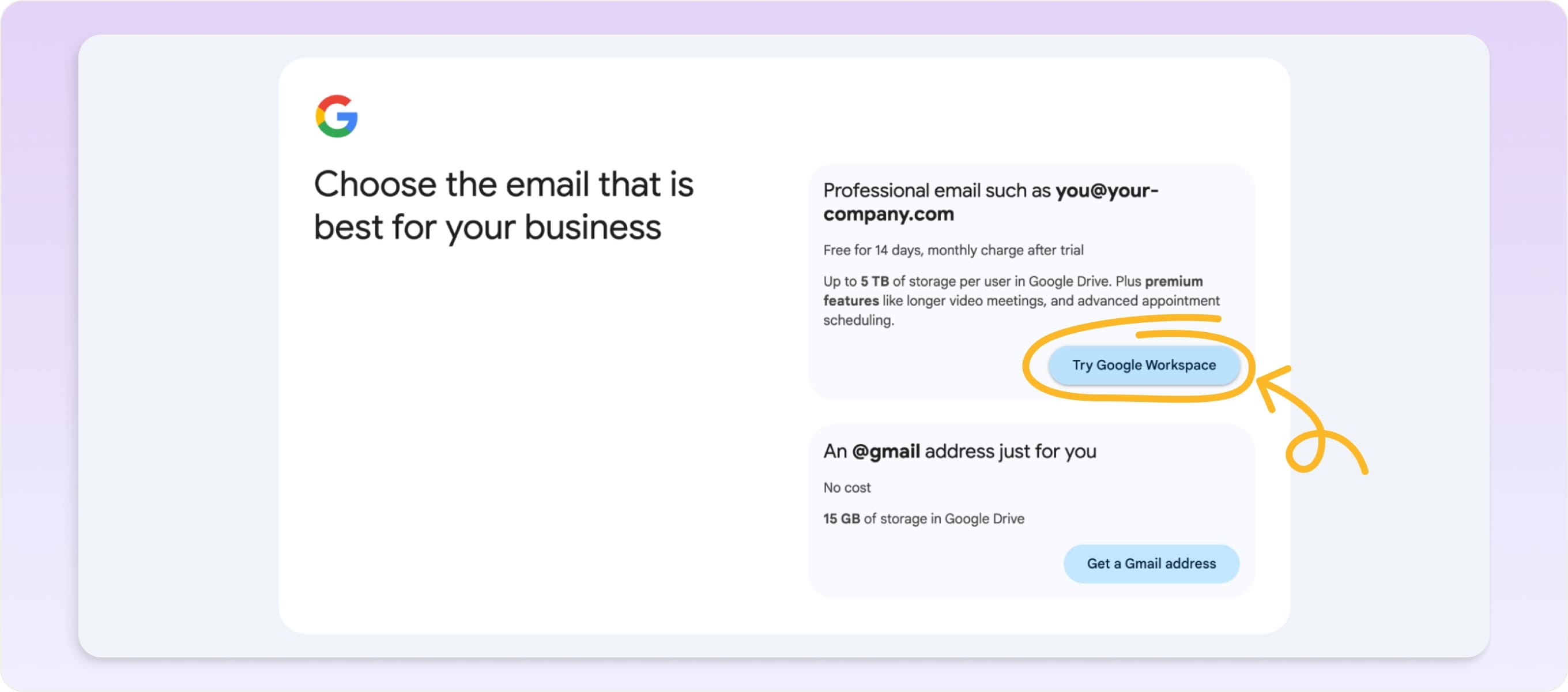
Opening a business Gmail account involves signing up for Google Workspace, which transforms a standard free email address into a professional domain-based communication hub. This process requires choosing a business domain name, select...
Opening a business Gmail account involves signing up for Google Workspace, which transforms a standard free email address into a professional domain-based communication hub. This process requires choosing a business domain name, selecting a Google Workspace subscription tier, and verifying domain ownership to send emails using a custom address like name@yourcompany.com.
Contents
Establishing a professional online identity is a foundational step for any organization launching in 2026. While a standard consumer Gmail address ending in @gmail.com functions adequately for personal communication, it lacks the corporate credibility, robust security controls, and collaborative architecture required for modern commerce. Upgrading to a custom domain email via Google Workspace integrates professional branding directly into every client touchpoint while unlocking administrative controls necessary for data compliance and team management.
Prerequisites and Strategic Preparation for Your Workspace Setup
Before initiating the registration process, proper preparation prevents common technical bottlenecks. Transitioning to a business-grade email ecosystem requires distinct digital assets that must be secured and organized in advance.
Securing a custom domain name stands as the primary requirement. This domain serves as the digital street address for the organization and forms the suffix of every email address. Registering a domain through a reputable registrar such as Google Domains successors, Namecheap, or GoDaddy ensures absolute ownership. Organizations must also have an active credit or debit card ready to cover subscription fees, along with a secondary recovery email address not associated with the new business domain.
Essential Checklist Before You Begin
- Custom Domain: An active internet domain name owned by your organization.
- Administrative Access: Full control over your domain registrar's DNS settings (MX, TXT, and CNAME records).
- Billing Details: Valid corporate or personal payment method for subscription processing.
- Recovery Information: An existing operational email address and phone number for account verification.
Selecting the Right Google Workspace Subscription Tier
Google Workspace structures its services across multiple tiers tailored to organizational size and operational complexity. Selecting the appropriate tier during the initial setup prevents overpaying for unused features while ensuring scalability.
The entry-level Business Starter plan suits solo operators and micro-businesses requiring custom email and basic cloud storage. Growing organizations typically migrate toward Business Standard for expanded shared storage limits and enhanced meeting tools. Enterprise editions cater to larger corporations requiring advanced data loss prevention and sophisticated endpoint management.
| Subscription Tier | Primary Target Audience | Cloud Storage Per User | Key Security & Management Features |
|---|---|---|---|
| Business Starter | Solopreneurs, freelancers, micro-teams | 30 GB | Custom email, standard security, 100-participant video meetings |
| Business Standard | Growing small-to-medium businesses | 2 TB | Enhanced storage, 150-participant video meetings with recording |
| Business Plus | Security-focused organizations | 5 TB | Advanced endpoint management, Google Vault retention controls |
| Enterprise | Large corporations | Custom (Unlimited) | Advanced data loss prevention, enterprise-grade support, S/MIME encryption |
Step-by-Step Procedure to Establish Your Business Gmail Account
Executing the registration workflow requires careful attention to detail during the initial configuration phases. Following this sequential procedure ensures that identity verification and domain linkage succeed without interruption.
Step 1: Initialize the Registration Flow
Navigate to the official Google Workspace landing page and select the Get Started button. The system prompts for foundational organizational details, including the official business name, the anticipated number of employees requiring access, and the primary geographic region of operation.
Step 2: Input Contact and Domain Information
Provide the primary contact name and a current working email address. When prompted regarding your domain status, select the option indicating ownership of an existing domain name. Input the exact domain name purchased during the preparatory phase. Google validates this entry to ensure it conforms to structural domain naming standards.
Step 3: Establish Administrative Credentials
Create the primary administrator account for the organization. This username acts as the master login and the first business email address (e.g., admin@yourcompany.com or info@yourcompany.com). Assign a secure, complex password combining uppercase letters, lowercase letters, numbers, and symbols. This master user retains supreme authority over user provisioning, billing, and security policies.
Step 4: Complete Billing and Account Activation
Review the selected subscription plan details and input the required payment credentials. Google initiates a trial or immediate billing cycle depending on the promotional terms selected. Upon successful transaction processing, the administrative console initializes, granting immediate access to the Workspace setup wizard.
Domain Verification and MX Record Configuration
An administrative account exists within the Google ecosystem, but external networks cannot route mail to the custom domain until domain ownership is cryptographically proven and mail exchange records are properly aligned.
Domain verification typically involves copying a unique TXT record provided by Google and pasting it into the DNS management console of the domain registrar. Once saved, Google scans the DNS directory to confirm ownership. Following verification, administrators must update the Mail Exchange (MX) records. These records instruct global mail servers to deliver incoming messages addressed to your domain directly to Google's mail servers rather than legacy hosting providers.
Technical Best Practice: DNS changes propagate globally across internet service providers within a timeframe ranging from a few minutes up to 24 hours. Configuring Sender Policy Framework (SPF), DomainKeys Identified Mail (DKIM), and Domain-based Message Authentication, Reporting, and Conformance (DMARC) records immediately after MX record setup is strongly recommended to protect outgoing business emails from being flagged as spam by recipient filters.
Comparative Analysis: Free Consumer Gmail versus Business Gmail
Evaluating the operational differences between a standard consumer account and a professional Google Workspace deployment clarifies the return on investment for migrating to a business account.
| Feature Comparison | Standard Consumer Gmail (@gmail.com) | Business Gmail (Google Workspace) |
|---|---|---|
| Email Address Structure | yourname@gmail.com | yourname@yourcompany.com |
| Storage Capacity | 15 GB (Shared across Drive, Photos, Gmail) | 30 GB to 5 TB+ per user |
| Administrative Control | None (Individual user settings only) | Centralized console for user management and security |
| Advertising | Ad-supported interface | Ad-free environment |
| Customer Support | Automated community forums | 24/7 live support via chat, phone, and email |
| Data Ownership | User-owned, but lacks compliance tools | Business-owned with compliance archiving via Vault |
Troubleshooting Common Setup Obstacles
Administrators frequently encounter specific roadblocks during initial deployment. Addressing these challenges systematically minimizes downtime and prevents configuration errors.
- Domain Verification Failure: If Google fails to verify domain ownership, confirm that the TXT record host field is set correctly. Often, leaving the host field blank or entering the root domain symbol (@) resolves the mismatch with registrar requirements.
- Email Delivery Bouncebacks: If external senders receive bounceback messages when emailing your business address, verify that the MX records match Google's exact specifications and that no legacy MX entries remain active in your DNS manager.
- Forgotten Super Administrator Password: Utilize the automated account recovery process linked to the secondary recovery email and phone number provided during step two of the setup workflow. Maintaining an active secondary administrator account prevents total lockout scenarios.
Optimizing Your Business Gmail Environment for Maximum Productivity
Once operational, a business Gmail account offers extensive customization capabilities that elevate daily efficiency. Administrators should configure professional email signatures containing company logos, legal disclaimers, and direct contact details across all user accounts.
Furthermore, integrating Workspace with productivity tools such as Google Calendar, Google Meet, and collaborative document editors streamlines workflows. Establishing shared team drives ensures that corporate intellectual property remains centralized and accessible to authorized personnel even as staffing transitions occur.
To finalize your professional communication infrastructure today, navigate to the official Google Workspace portal, secure your custom domain connection, and launch your centralized administrative console.
Image Gallery