What Does Linking Spotify to Instagram Do? 2026 Integration Guide
Linking Spotify to Instagram enables seamless cross-platform sharing, allowing users to post music directly to Stories, Reels, and Notes with interactive playback links. It bridges the gap between audio consumption and social expressio...
Linking Spotify to Instagram enables seamless cross-platform sharing, allowing users to post music directly to Stories, Reels, and Notes with interactive playback links. It bridges the gap between audio consumption and social expression, turning your current soundtrack into a clickable, discoverable element for your followers to engage with in real-time.
Contents
Linking these two powerhouses of the digital landscape is no longer just about sharing a song; as of 2026, it is a sophisticated data handshake that enhances social discovery, artist promotion, and personal branding. Whether you are a casual listener wanting to share your "vibe" or an artist looking to convert followers into monthly listeners, understanding the technical and functional depth of this integration is essential.
Seamless Music Sharing via Instagram Stories and Reels
The most visible result of linking Spotify to Instagram is the ability to share high-fidelity music content directly to your Stories and Reels. This integration utilizes the Spotify Web API to pull high-resolution album art, "Canvas" looping videos, and track metadata directly into the Instagram interface.
When you share a track from Spotify to an Instagram Story, the integration does more than just post a static image. It creates a dynamic entry point. For the viewer, a "Play on Spotify" link appears at the top left of the screen. In 2026, this deep-linking technology has been optimized to open the Spotify app instantaneously to the exact timestamp of the song, reducing friction and increasing play counts for creators.
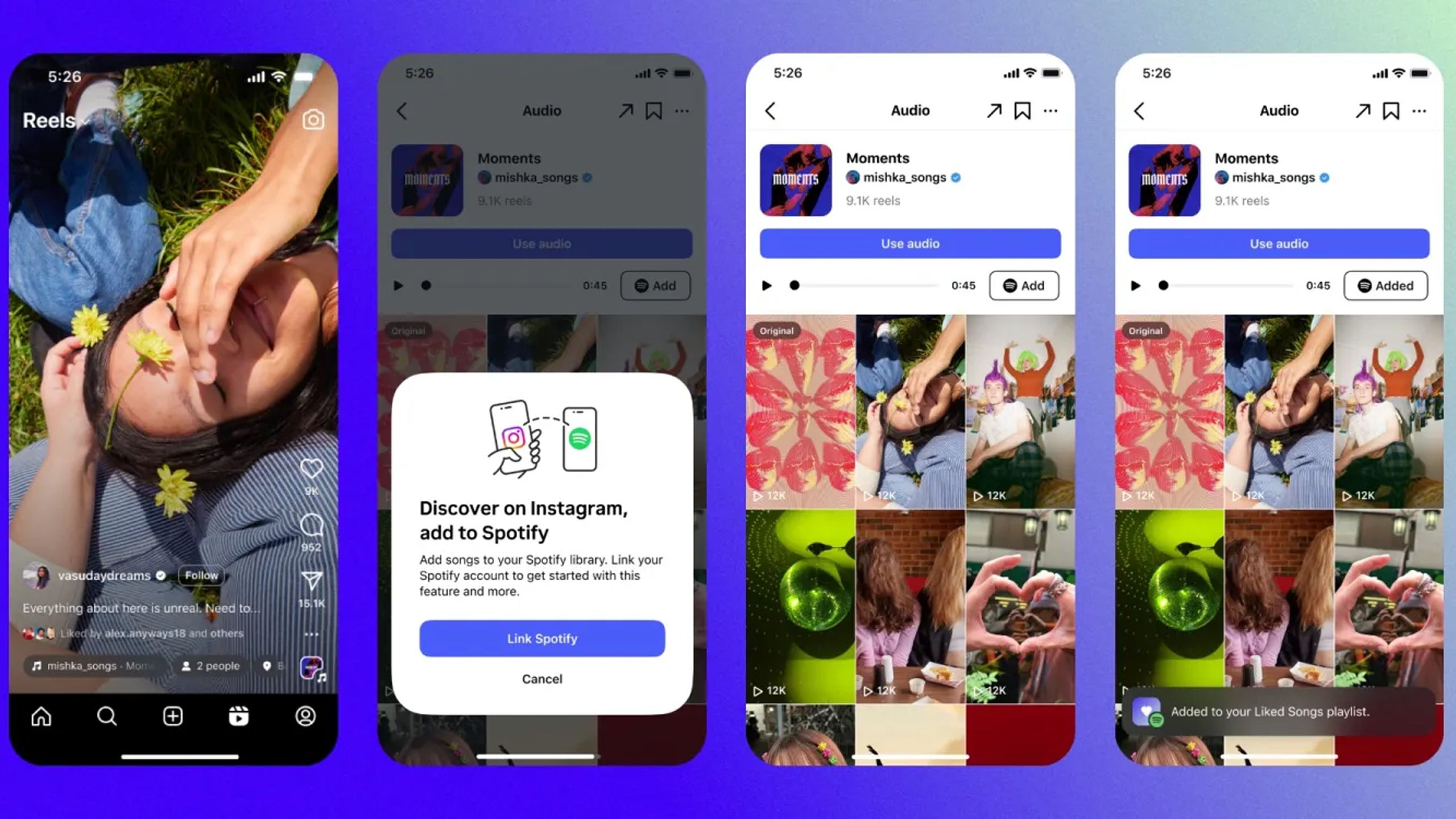
For Reels, the integration allows for a more "native" feel. Users can select songs from their Spotify "Liked" songs or "Recently Played" directly within the Instagram music picker. This synchronization ensures that the music you are enjoying privately is readily available for your public content creation, maintaining a consistent aesthetic across your digital footprint.
Real-Time Social Discovery via Instagram Notes
One of the most significant updates in the 2026 ecosystem is the advanced synchronization between Spotify and Instagram Notes. Instagram Notes, the short status bubbles appearing above your Direct Messages, now feature a "Listening Now" status that pulls directly from your active Spotify session.
When this feature is enabled, your followers can see exactly what track, podcast, or playlist you are currently streaming. This creates a passive form of social interaction where friends can "Join Session" or "Love" the track you are playing without sending a formal message. This real-time data exchange is powered by a persistent OAuth token that refreshes in the background, ensuring your status is updated with sub-five-second latency.
The Technical Infrastructure: How the Integration Works
Behind the user interface lies a complex technical framework designed to protect user privacy while maximizing functionality. The connection is established using the OAuth 2.0 protocol, which is the industry standard for secure authorization.
The Authentication Handshake
When you initiate the link, Instagram requests a specific set of "scopes" or permissions from Spotify. These typically include user-read-currently-playing, user-read-recently-played, and user-library-read. Spotify generates an encrypted access token that is passed to Meta’s servers. This token allows Instagram to "view" your music data without ever having access to your Spotify password or billing information.
This technical layer ensures that the integration is "read-only" in most contexts. Instagram can see what you listen to, but it cannot delete your playlists or change your subscription settings. Furthermore, the 2026 security protocols require a periodic re-authorization every 90 days to ensure that inactive links are severed, protecting the integrity of your data.
Impact on Artist Growth and Analytics
For independent musicians and major labels, linking Spotify to Instagram is a fundamental component of a modern "Conversion Funnel." In 2026, the metrics gathered from these shares are more granular than ever.
- Attribution Tracking: Artists can now see "Share-to-Stream" conversion rates. When a fan shares a track to their Story, the artist's Spotify for Artists dashboard reflects how many listeners were acquired specifically from that Instagram interaction.
- Algorithmic Signaling: High volumes of shares from Spotify to Instagram signal to Spotify’s "Discovery Weekly" and "Release Radar" algorithms that a track has high social "virality," often leading to increased editorial playlist placement.
- Interactive Merchandising: Linking accounts allows artists to sync their Shopify-powered Spotify merch stores directly with their Instagram Shop, creating a unified ecosystem where a user can hear a song, view a Story, and buy a vinyl record in three clicks.
Data Comparison: Spotify vs. Competitive Platform Integrations
In 2026, while many Digital Service Providers (DSPs) offer Instagram integration, the depth of the Spotify-Meta partnership remains the industry benchmark. The following table illustrates the functional differences between Spotify and its primary competitors in the Instagram ecosystem.
| Feature Category | Spotify Integration | Apple Music | YouTube Music | Tidal (Hi-Fi) |
|---|---|---|---|---|
| Story Backgrounds | Full Video Canvas Support | Static Album Art | Static Album Art | High-Res Static |
| Real-time Notes Sync | Automated / Persistent | Manual Share Only | Manual Share Only | Manual Share Only |
| Deep-Linking Speed | < 1.5 Seconds | 2.5 - 3.0 Seconds | Variable (Web-based) | 2.0 Seconds |
| Native Reels Picker | Full "Liked" Sync | Partial Library | Full Library Access | Limited |
| Artist Analytics | Comprehensive Attribution | Basic Share Metrics | Video View Stats | Limited |
| Data Protocol | OAuth 2.0 / Meta Graph | Proprietary / Apple ID | Google API | OAuth 2.0 |
Troubleshooting Common Integration Failures
Despite the robust nature of the 2026 API, users occasionally encounter "Link Breaking" or "Sync Lag." As a technical strategist, I recommend the following diagnostic steps if your Spotify data is not appearing correctly on Instagram.
- Clear Instance Cache: On mobile devices, both apps store temporary metadata. If a song title is incorrect, clearing the cache in Instagram’s "Settings > Security" often forces a fresh data pull.
- Verify Regional Licensing: Music rights are territory-dependent. If you share a song in the US that is not licensed in the UK, your UK-based followers will see the Story but will be unable to play the audio.
- Token Refresh: If the "Listening Now" status in Notes stops updating, the OAuth token has likely expired. You must go to Spotify > Account > Apps and "Remove Access" for Instagram, then re-link the accounts through the Instagram "Sharing to Other Apps" menu.
- Beta Conflict: Users enrolled in the Instagram Beta Program (v.402.x or higher) may experience instability with the Spotify SDK. Reverting to the stable public release usually resolves playback errors.
Privacy and Data Governance
A common concern when linking these accounts is how much of your personal data Meta (Instagram's parent company) can access. In 2026, data privacy regulations like the GDPR (Europe) and CCPA/CPRA (California) have forced a high degree of transparency.
Data Transparency Standards
Instagram does not receive a list of every song you have ever played. Instead, it receives a filtered "event stream." This stream only includes the metadata of the track currently playing or the specific track you chose to share. Your private listening sessions (Private Mode) are strictly excluded from the data handshake, ensuring that your "guilty pleasure" tracks do not inadvertently appear in your social status.
How to Link Spotify to Instagram: 2026 Workflow
The process has been streamlined to ensure even non-technical users can complete the connection in under a minute.
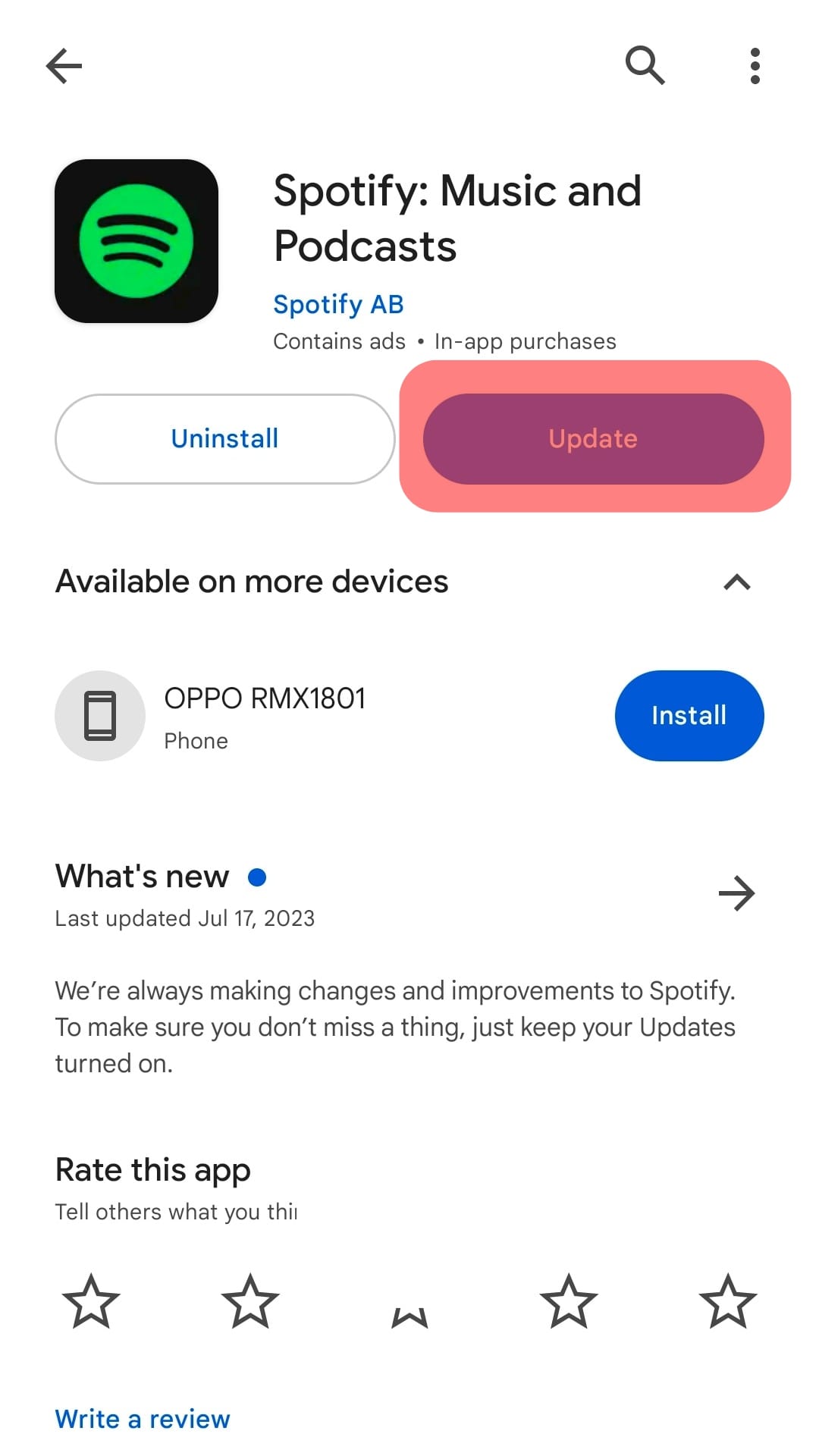
- Update Your Applications: Ensure both Spotify and Instagram are updated to the latest 2026 versions via the App Store or Google Play.
- Access Instagram Sharing Settings: Navigate to your Profile > Settings and Privacy > Connected Experiences > Sharing Across Profiles.
- Initiate Spotify Connection: Select "Add Account" and choose Spotify.
- Authorize Permissions: A secure browser window will open. Log in to Spotify and review the permissions (e.g., "Access your top artists and tracks").
- Enable Auto-Sync (Optional): Toggle the "Share Listening Status to Notes" if you want your real-time activity to be visible to your "Close Friends" or "Followers You Follow Back."
Frequently Asked Questions
Does linking Spotify to Instagram use more battery or data? The integration uses a negligible amount of additional battery, as it relies on server-to-server communication for the "Listening Now" status rather than constant polling from your device. Data usage is also minimal, as only text-based metadata is transferred unless you are actively uploading a 4K Reel with Spotify audio.
Can I hide specific songs from showing up on my Instagram Notes? Yes. Within the Instagram Notes settings, you can toggle "Exclude Explicit Content" or "Pause Sharing" at any time. Additionally, turning on "Private Session" within the Spotify app immediately halts all data transmission to Instagram.
Why does the "Play on Spotify" button disappear on some Stories? This usually occurs if the track has been removed from Spotify's database due to licensing changes or if the user who posted the Story used a third-party screen recording rather than the official "Share to Instagram Stories" function within the Spotify app.
Is a Spotify Premium account required to link to Instagram? No, the link works for both Free and Premium users. However, Free users may find that their followers who also use the Free tier are directed to a shuffle-play version of the song rather than the exact track, depending on current regional mobile restrictions in 2026.
Can I link multiple Spotify accounts to one Instagram account? Currently, the integration supports a 1:1 ratio. If you have a professional artist account and a personal account, you must choose which one to sync for the automated "Notes" feature. You can, however, manually share tracks from any Spotify account to any Instagram account using the system share sheet.
The synergy between Spotify and Instagram represents the pinnacle of modern app interoperability. By linking these accounts, you transform your social media profile from a static gallery into a living, breathing soundtrack of your life, powered by the most sophisticated audio data network available in 2026.
Image Gallery