Can You Refund on PayPal? A Comprehensive Guide to Reversing Payments
Yes, you can get a refund on PayPal. If you sent money for a purchase and something went wrong, you can request a refund directly from the merchant or open a dispute through the PayPal Resolution Center to pursue your money back under...
Yes, you can get a refund on PayPal. If you sent money for a purchase and something went wrong, you can request a refund directly from the merchant or open a dispute through the PayPal Resolution Center to pursue your money back under specific protection policies.
Contents
Navigating online transactions requires a clear understanding of how payment platforms handle mistakes, unauthorized charges, and merchant disputes. When using a globally recognized digital wallet like PayPal, knowing your rights as a consumer or a merchant helps prevent financial loss. Whether you made a typo sending funds to the wrong email address, fell victim to an online scam, or simply changed your mind about a retail purchase, the platform provides structured mechanisms to reverse transactions. However, the path to a successful refund depends heavily on how the transaction was funded, the type of transfer executed, and how quickly you take action.
Understanding the mechanics of PayPal refunds requires looking past the surface-level button clicks. It involves distinguishing between voluntary merchant cancellations, platform-governed dispute resolutions, and the constraints imposed by underlying funding sources like credit cards or bank accounts. This guide breaks down the precise prerequisites, step-by-step procedures, cost considerations, and common pitfalls associated with securing a refund on PayPal.
Understanding PayPal Transaction Types and Refund Eligibility
Before attempting to reverse a transaction, you must understand that not all PayPal transfers are treated equally. The platform categorizes money movement into distinct types, each carrying entirely different rules regarding cancellations, reversals, and consumer protections. Knowing your transaction type dictates whether you can push a simple button for an instant credit or if you must navigate a formal multi-week investigation.
Friends and Family vs. Goods and Services
The most critical dividing line in PayPal refundability is the classification chosen at checkout.
- Friends and Family Transfers: These are personal payments intended for sending money to people you know personally. PayPal explicitly states that these transfers do not qualify for PayPal Purchase Protection. If you send money via Friends and Family to a stranger for an item or a service and they fail to deliver, PayPal will generally not assist you in recovering those funds. Reversing this type of transaction requires the recipient to voluntarily send the money back to you, or for you to dispute the charge directly with your credit card issuer or bank.
- Goods and Services Transfers: These transactions include an automatic seller fee and are explicitly designed for commercial purchases. When you pay using Goods and Services, your transaction is tethered to PayPal Purchase Protection. If the item never arrives, arrives significantly different from the description, or is counterfeit, you gain access to formal dispute mechanisms.
Pending vs. Completed Status
The chronological state of the transfer dictates your immediate options. If a payment status shows as Pending, it means the recipient has not yet accepted or claimed the funds.
- Canceling a Pending Payment: If you sent money to an unverified email address or phone number, and the transaction status is pending, you will see a "Cancel" button next to the transaction in your activity feed. Clicking this immediately stops the transfer and returns the funds to your balance or bank.
- Completed Payments: Once a payment status updates to Completed, you cannot unilaterally cancel it. The funds now reside in the recipient's account. At this stage, you must either request a voluntary refund from the recipient or open a formal dispute.
How to Request a Refund Directly from a Merchant
The fastest, cleanest, and most reliable method for obtaining a refund on a completed commercial transaction is asking the seller directly. Merchants prefer this method because processing a refund through the PayPal merchant dashboard allows them to properly settle their accounting records and often results in PayPal returning a portion of the original processing fees to the seller.
Step-by-Step Merchant Refund Process
To secure a refund directly from the seller, follow a structured communication and verification workflow:
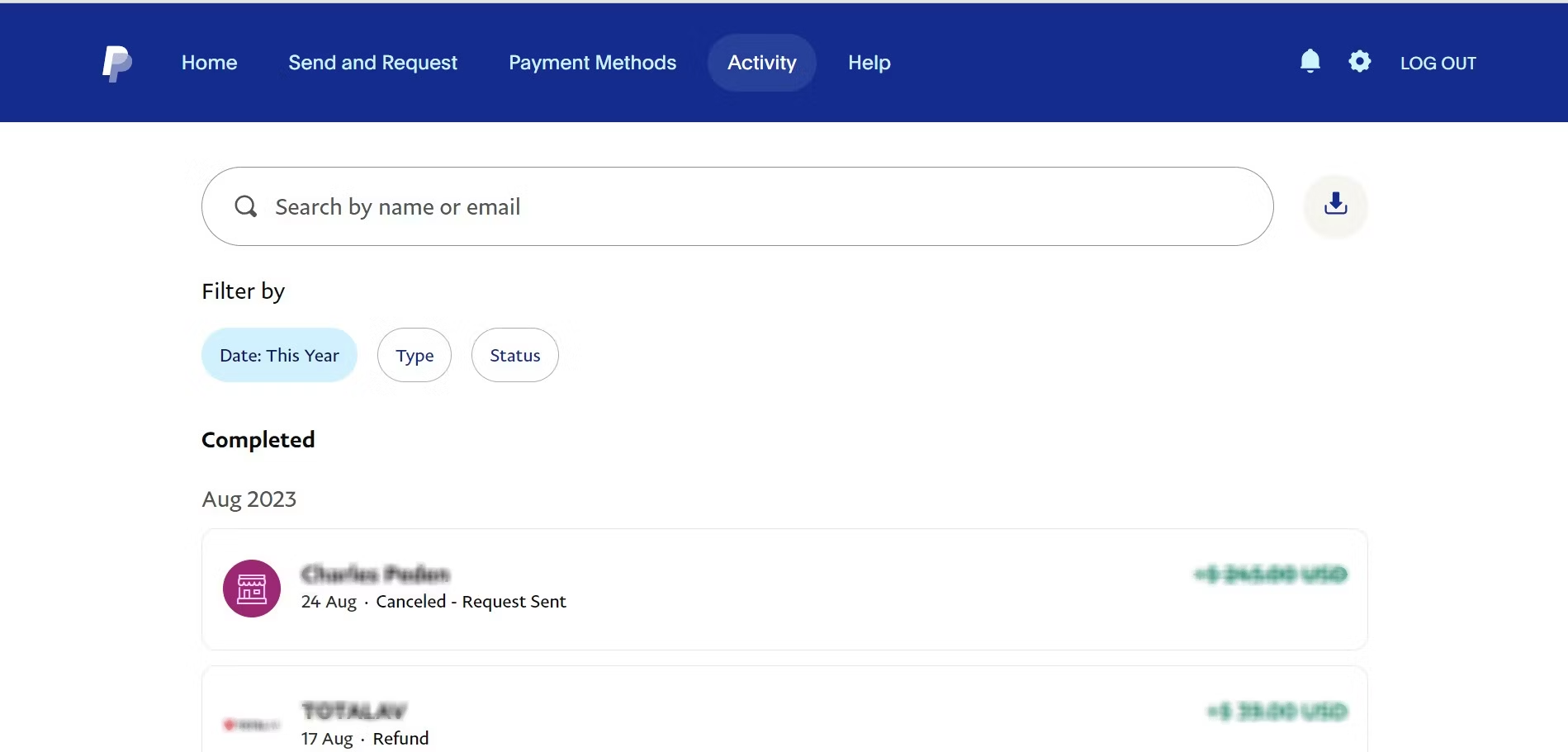
- Locate the Transaction: Log into your PayPal account, navigate to your Activity tab, and click on the specific transaction to view the merchant's contact details and transaction ID.
- Contact the Seller: Send a polite, direct message via email or the merchant's customer support portal. Include your transaction ID, the date of purchase, and a clear reason for why you are requesting a refund (e.g., item out of stock, shipping delays, defective merchandise).
- Allow for Processing: Legitimate merchants will process the refund through their PayPal business portal. Do not accept alternative refund methods outside of PayPal, such as gift cards, wire transfers, or cryptocurrency, as these expose you to further fraud.
- Verify the Return of Funds: Once the merchant initiates the refund, PayPal sends a confirmation email. The funds typically return to the original funding source. If you paid with a PayPal balance, the money appears there almost instantly. If you paid via a linked debit card, credit card, or bank account, it may take several business days for the financial institution to post the credit to your statement.
Opening a Dispute in the PayPal Resolution Center
When a merchant refuses to cooperate, ignores your messages, or denies a valid return request, you must escalate the matter by opening a dispute. The PayPal Resolution Center acts as an internal mediation platform where both buyer and seller can present evidence.
| Phase | Timeframe | Action Required |
|---|---|---|
| Open Dispute | Within 180 days of payment | File a claim in the Resolution Center detailing the issue (Item Not Received or Significantly Not as Described). |
| Negotiation | 20 calendar days from filing | Communicate with the seller inside the dispute thread to reach a resolution or voluntary refund. |
| Escalate to Claim | Before the 20-day mark expires | Convert the dispute into a claim to force PayPal customer support to review the evidence and make a final binding decision. |
The Critical 180-Day Window
Timing is everything when dealing with digital payment disputes. PayPal grants buyers up to 180 days from the original transaction date to open a dispute. If you wait 181 days, the system locks out your ability to file a claim, leaving you with zero recourse through the platform. Always track your delivery windows and product warranty periods against this strict cutoff.
Types of Dispute Claims
When filing your dispute, you must select the correct category to ensure your claim aligns with PayPal Purchase Protection guidelines:
- Item Not Received (INR): Use this when you completed a purchase, but the seller never shipped the item, or it was delivered to the wrong address. Sellers must provide verifiable online tracking showing delivery to the exact address provided on the transaction details page to win an INR case.
- Significantly Not as Described (SNAD): Use this when the item arrives, but it is fundamentally different from what you ordered. Examples include receiving a counterfeit watch instead of an authentic one, a completely different model, or an item with severe undisclosed damage. Note that you may be required to pay for return shipping to the seller to qualify for a full refund under SNAD rules.
What Happens When You Are a Seller Issuing a Refund?
If you run a business or sold an item and need to issue a refund to a buyer, doing so correctly protects your merchant standing and ensures accurate financial reporting. PayPal provides a streamlined workflow for issuing full or partial refunds directly from your account dashboard.
Steps for Sellers to Issue a Refund
- Log into your PayPal account and go to your Activity tab.
- Select the transaction you wish to refund.
- Click the Issue a refund link located on the transaction details page.
- Enter the exact refund amount (you can choose to issue a full refund or a partial refund if only a specific item or shipping cost is being returned).
- Review the breakdown—showing the returned funds and the portion of PayPal fees returned to your account—and click Issue Refund.
Fee Reversals for Sellers
When you issue a refund for a Goods and Services transaction, PayPal historically retained a portion of the fixed fee component, though policies vary by region and account tier. Keeping track of these fee adjustments is vital for accurate bookkeeping. Always issue refunds directly through the official PayPal interface rather than sending a separate "Friends and Family" payment back to the buyer, as doing so leaves you unprotected and out-of-pocket for original transaction fees.
Funding Sources and Their Impact on Refund Timelines
The speed at which money returns to your possession during a refund depends entirely on how you funded the initial transaction. Understanding these banking mechanics prevents unnecessary panic when a refund does not show up instantly.
PayPal Balance
If you paid using your existing PayPal account balance, the refunded funds return to your balance almost immediately upon processing. You can spend the money instantly or initiate a transfer to a linked bank account.
Bank Accounts and Debit Cards
When a transaction is funded via a bank account or debit card linked to PayPal, the platform initiates a credit back to that financial institution. While PayPal processes the refund instantly on their end, traditional banking clearinghouses require time to post the credit. Debit card refunds typically take 3 to 5 business days, while direct bank account transfers (ACH) can take up to 7 to 10 business days depending on your bank's processing schedule.
Credit Cards
Credit card refunds follow the billing cycle of your specific credit card issuer. While PayPal releases the funds immediately, they may not appear on your active statement until the current billing cycle closes, often taking anywhere from 1 to 30 days to reflect as a credit on your available balance.
Alternative Recourse: Chargebacks via Your Bank
If PayPal denies your claim, or if you utilized a Friends and Family transfer that lacks platform protection, you still possess a final layer of consumer defense: the bank chargeback.
By contacting the credit card issuer or bank that funded your PayPal transaction, you can file a formal chargeback request under consumer credit laws (such as the Fair Credit Billing Act in the United States). The bank will investigate the transaction independently of PayPal.
However, exercising this option carries consequences. If you file a chargeback against a PayPal transaction, PayPal may temporarily or permanently limit your account until the financial discrepancy is resolved. Furthermore, if you lose the chargeback arbitration, you may be assessed additional fees by your bank. Therefore, exhausting PayPal's internal resolution process first is always the recommended course of action.
Frequently Asked Questions
Can I cancel a PayPal payment after it has been completed?
No. Once a payment status shows as completed, you cannot cancel it. You must either ask the recipient to send the money back voluntarily or open a dispute in the PayPal Resolution Center within 180 days of the transaction date.
How long do PayPal refunds take to clear?
If refunded to your PayPal balance, the funds appear immediately. If refunded to a debit card, expect 3 to 5 business days. Bank accounts and credit cards can take anywhere from 5 to 30 business days depending on your financial institution's processing speeds.
Does PayPal charge a fee to issue a refund?
PayPal does not charge buyers a fee to receive a refund. For sellers, PayPal typically retains the fixed fee portion of the original transaction fee, though variable platform fee rules apply based on current merchant agreements and regional guidelines.
What should I do if a merchant refuses to refund my money?
Open a dispute in the PayPal Resolution Center within 180 days of the purchase date. Select either "Item Not Received" or "Significantly Not as Described," communicate within the dispute portal, and escalate the case to a claim before the 20-day negotiation window closes to force a PayPal review.
Are Friends and Family payments protected by PayPal?
No. Transactions sent via the Friends and Family category are classified as personal gifts or transfers. They do not qualify for PayPal Purchase Protection, meaning PayPal will not intervene or issue a refund if you encounter a scam or a bad merchant using this method.
Conclusion and Next Actions
Securing a refund on PayPal is entirely achievable when you understand the platform's structural rules, adhere to the strict 180-day dispute window, and use the correct transaction classifications. Always prioritize contacting merchants directly for a voluntary refund before escalating matters to the Resolution Center. If you are sending money for commercial goods or services, ensure you select the Goods and Services option to keep your transaction shielded by PayPal Purchase Protection. Review your account activity regularly, keep all communication written within official channels, and contact your bank for a chargeback only as a final measure of recourse.
Image Gallery