How to Design a Professional Thesis Cover Page Sample
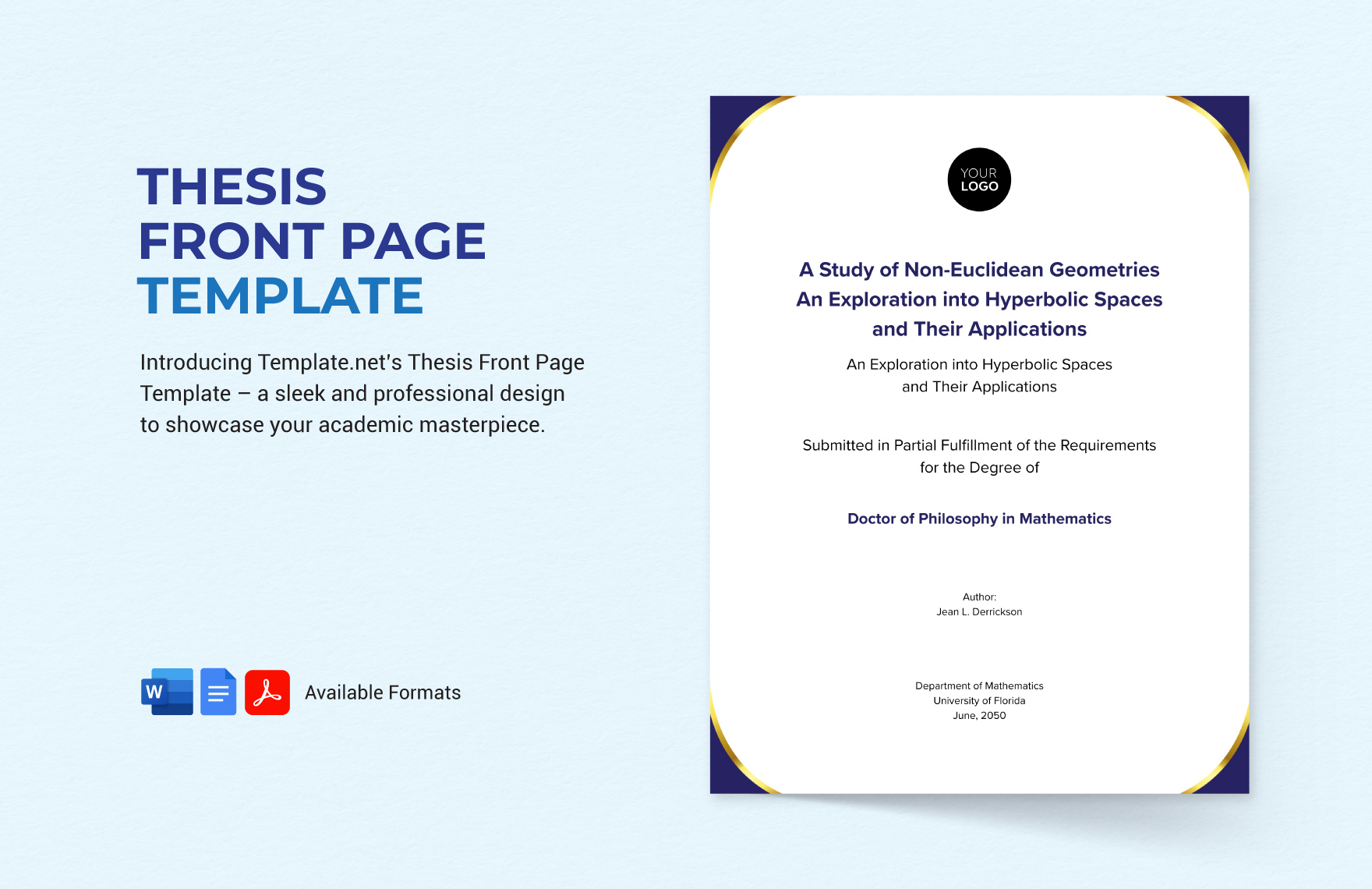
Designing a thesis cover page involves combining institutional requirements with professional formatting standards to create an official record of your research. A standard sample includes the full title, author name, degree specificat...
Designing a thesis cover page involves combining institutional requirements with professional formatting standards to create an official record of your research. A standard sample includes the full title, author name, degree specifications, and submission date, all formatted with precise margins and font choices like Times New Roman or Arial for maximum readability and archival compliance.
Contents
The Significance of the Thesis Cover Page
The cover page, or title page, of a thesis is more than just a decorative front; it is a formal document that serves as the gateway to your academic contribution. In 2026, as digital repositories and automated indexing become the primary means of academic discovery, the design of your cover page impacts how your work is archived, searched, and cited.
From an administrative perspective, the cover page provides the university registrar and the library with essential metadata. It identifies the student, the department, the supervising faculty, and the specific degree being sought. This page is often the only part of the thesis that is publicly visible in many search databases before a user clicks to download the full text. Therefore, its clarity and adherence to standard formatting are paramount.
Beyond administrative utility, the cover page sets the tone for the entire manuscript. A clean, well-aligned, and error-free cover page signals to the examiners and readers that the researcher has exercised diligence and attention to detail. Conversely, a poorly designed cover page can create a negative first impression, suggesting a lack of professional rigor that might extend to the research itself.
Essential Components of a Thesis Cover Page Sample
To design an effective sample, you must understand the individual data points required. While every university has slight variations, the following elements are universally accepted as the core components of an academic cover page.
The Main Title and Subtitle
The title is the most prominent element on the page. It should be centered, usually in the upper third of the sheet. In academic writing, the title must be descriptive and concise, avoiding unnecessary filler words like "An Investigation into..." or "A Study of...".
If your research has a subtitle, it should follow the main title, often separated by a colon. In 2026, titles are increasingly optimized for keywords to ensure they appear in digital academic searches. When designing the sample, use a slightly larger font size (typically 14pt or 16pt) or bold text for the title to establish visual hierarchy.
Author Identification and Student Details
Your full legal name, as registered with the university, must appear below the title. This is not the place for nicknames or shortened versions of your name. Academic records are legal documents, and the name on the thesis must match the name on the diploma and official transcripts. Some institutions also require the inclusion of a student identification number, though this is becoming less common on the public-facing cover page due to privacy concerns.
Institutional and Departmental Affiliation
You must clearly state the name of the university and the specific department or faculty to which the thesis is being submitted. This establishes the institutional context of the work. For example, "Submitted to the Department of Molecular Biology" provides immediate context for the specialized nature of the research.
Degree Details and Supervisory Information
The cover page must explicitly state the degree for which the thesis is a requirement (e.g., Master of Science, Doctor of Philosophy). Furthermore, it is standard practice to include the names of your primary supervisor and, in some cases, the members of your defense committee. When designing the sample, ensure these names are preceded by their formal titles (Dr., Prof., etc.).
The Final Submission Date
The date on the cover page is usually the month and year of the final submission or the scheduled defense. It is rarely the specific day. This date is crucial for future researchers who need to understand the chronological context of your findings relative to other developments in the field.
Formatting Standards and Style Guides
Before you begin the visual layout, you must identify which style guide your institution follows. While university-specific templates are common, they are usually built upon the foundations of major academic styles.
- APA Style (American Psychological Association): Often used in social sciences and education. APA 7th and 8th editions emphasize a professional title page that includes a running head (though the running head is often omitted in student versions), the title in bold, and the author's affiliation.
- MLA Style (Modern Language Association): Common in the humanities. MLA typically does not require a separate title page for shorter papers, but for a full thesis, it mandates a specific sequence of information centered on the page.
- Chicago/Turabian Style: Frequently used in history and the arts. Chicago style is known for its "Title Page" tradition, which uses specific vertical spacing to balance the title, author name, and institutional data across the entire page.
You can find official documentation for these styles at their respective headquarters:
Technical Specifications: Layout, Margins, and Typography
Designing a thesis cover page is an exercise in restraint. The goal is maximum readability and professional standardization, not artistic expression.
Margins and the "Gutter"
Most students overlook the necessity of binding margins. If your university requires a physical copy of the thesis, the left margin must be wider than the right to account for the "gutter"—the space consumed by the binding process. A standard design involves a 1.5-inch margin on the left and 1-inch margins on the top, bottom, and right. If the thesis is strictly digital, 1-inch margins on all sides are the norm.
Typography Choices
Academic standards prefer serif fonts like Times New Roman or Palatino for their readability in long-form printed text. However, many modern institutions now allow or even prefer sans-serif fonts like Arial or Calibri for digital accessibility. The font size for the body of the cover page should be 12pt, with the title potentially scaled up to 14pt or 16pt for emphasis.
Spacing and Alignment
The entire page should be vertically and horizontally centered. Do not use the "Enter" key to create space manually; instead, use paragraph spacing settings to ensure precise distribution of elements. A common layout divides the page into three "zones": the top zone for the title, the middle zone for the author, and the bottom zone for the institutional and date information.
Comparing Cover Page Requirements
The following table outlines the general differences between the major formatting styles as they are applied to a 2026 thesis cover page.
| Feature | APA (8th Ed. equivalent) | MLA Style | Chicago Style |
|---|---|---|---|
| Title Placement | Top third, Bold | One-third down, Plain | Centered vertically |
| Font Size | 12pt (Usually) | 12pt | 12pt |
| Author Name | Below title | Below title | Center of page |
| Running Head | Not required for students | Not used | Not used |
| Page Number | Page 1 starts here | No page number on cover | No page number on cover |
| Supervisor | Required | Optional/Faculty specific | Required |
Step-by-Step Design Process in Microsoft Word and LaTeX
Whether you are using a standard word processor or a typesetting system like LaTeX, the workflow for designing a thesis cover page follows a logical progression.
Using Microsoft Word
- Set Page Size and Margins: Go to the "Layout" tab. Select "Size" (usually A4 or Letter) and "Margins." Set the left margin to 1.5 inches if binding is required.
- Center Alignment: Highlight the entire page and select "Center Align" from the Home tab.
- Insert Title: Type the title in the upper third of the page. Use Title Case (capitalize major words).
- Insert Author and Degree Info: Move to the center of the page. Enter your name, followed by the degree and the department.
- Insert Institutional Info: At the bottom of the page, enter the university name and the date.
- Vertical Centering: If you want the text perfectly balanced, go to Layout > Page Setup > Layout tab > Vertical Alignment > Center. (Note: Use this carefully if you have specific top-margin requirements).
Using LaTeX
LaTeX is often the preferred choice for STEM theses because it handles formatting automatically. Using the titlepage environment allows you to create a custom layout without interfering with the rest of the document's numbering.
\begin{titlepage} \begin{center} \vspace*{1cm} \Huge \textbf{Thesis Title} \vspace{1.5cm} \Large \textbf{Your Name} \vfill A thesis submitted in fulfillment of the requirements for the degree of... \vspace{0.8cm} \Large Department Name\\ University Name\\ Date \end{center} \end{titlepage}
Platforms like Overleaf provide templates that are pre-configured to meet the specific cover page requirements of hundreds of universities worldwide.
Common Design Mistakes and How to Fix Them
Even with a template, errors are frequent. Avoiding these pitfalls will ensure your thesis passes the initial administrative review.
- Excessive Use of Bold or Italics: Reserve bolding for the main title only. Avoid italics on the cover page unless it is part of a scientific name (e.g., Escherichia coli).
- Outdated Dates: Ensure the date reflects the actual submission. If your defense is delayed, remember to update the cover page.
- Low-Resolution Logos: If your university requires a logo on the cover page, use a high-resolution vector file (SVG or EPS). A pixelated logo looks unprofessional and can be rejected by the library.
- Incorrect Degree Names: Double-check the official nomenclature of your degree. For instance, is it a "Master of Arts in History" or a "Master of Arts (History)"? These distinctions matter for archival accuracy.
- Spelling Errors in Names: It sounds obvious, but students frequently misspell their supervisor's name or the department's formal title. Verify these against the university website.
Frequently Asked Questions
Does the cover page count as page one? In most formatting styles, the cover page is technically page one, but it does not display a page number. The page numbering usually begins showing "ii" or "2" on the subsequent page (often the abstract or table of contents). Always check your university’s specific handbook for their preference.
Can I include a dedication or a quote on the cover page? No. Academic conventions dictate that the cover page is strictly for identifying information. Dedications, acknowledgments, and inspirational quotes belong on their own separate pages following the cover and the abstract.
Should I use the university logo on my cover page? This depends entirely on institutional policy. Some universities require the logo to be placed at the top or bottom center, while others forbid its use due to trademark restrictions. Consult your university's "Identity Guidelines" or thesis template for a definitive answer.
What is the best font for a thesis cover page in 2026? While Times New Roman remains the classic choice, Inter and Roboto have gained popularity for digital-first theses due to their high legibility on screens. However, you should never deviate from the font specified by your department unless given explicit permission.
How do I handle multiple supervisors on the cover page? If you have more than one supervisor, list them vertically, one after the other, or side-by-side if horizontal space permits. Ensure their roles (e.g., Primary Supervisor, Co-Supervisor) are clearly labeled to avoid confusion during the archival process.
Final Recommendation
When designing your thesis cover page, your primary source of truth must be your university's Thesis Formatting Guide or Graduate Studies Handbook. While general samples provide a solid foundation, institutional rules are absolute and vary significantly from one school to another. Download the official Word or LaTeX template provided by your university library if available. Once your design is complete, export it as a high-quality PDF to preserve the formatting across different devices and ensure it meets the archival standards for 2026 and beyond.
Image Gallery